หน้าแรก
» ผู้ดูแลระบบเครือข่าย
»
Fix Element Android Notifications Without Google Services: UnifiedPush Guide
Fix Element Android Notifications Without Google Services: UnifiedPush Guide
Element can receive messages normally while it is open yet fail to alert you after the screen is locked. On an Android phone without Google Play Services, that usually points to the delivery path rather than the Matrix account itself. The goal of this guide is not merely to make one test notification appear. A good result is repeatable: messages arrive while Element is in the background, after the phone has been idle, and without needing to reopen the app.
This guide focuses on current Element X for Android, which Element recommends for new users. As of October 6, 2026, the latest public GitHub release is Element X Android 26.09.4, and recent releases include active UnifiedPush components. UnifiedPush is an open protocol that lets an Android app receive push messages through a distributor other than Google's Firebase Cloud Messaging (FCM). Element's own project guidance states that installing a UnifiedPush distributor allows Element X to detect it and offer it as a push provider. See the Element X Android repository, Element X Android releases, and the Element team discussion on notifications without Google Play Services.
What a successful fix should look like
Before changing settings, define the result you are trying to achieve. A notification setup is healthy when all of the following are true:
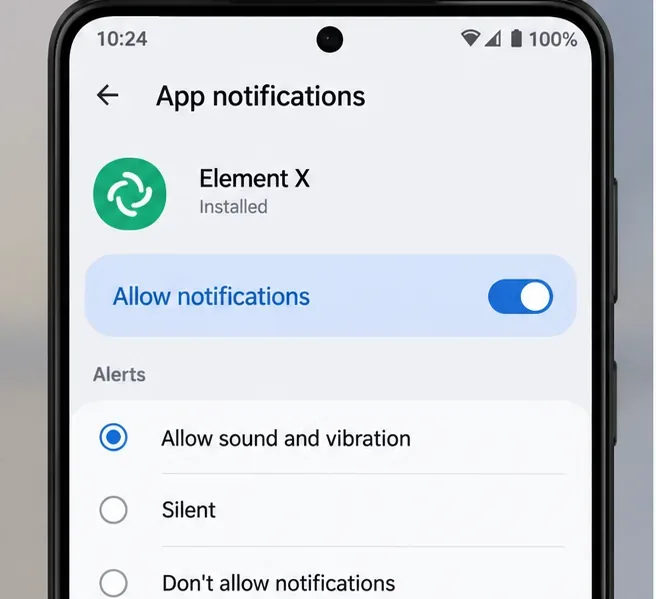
Android allows notifications for Element.
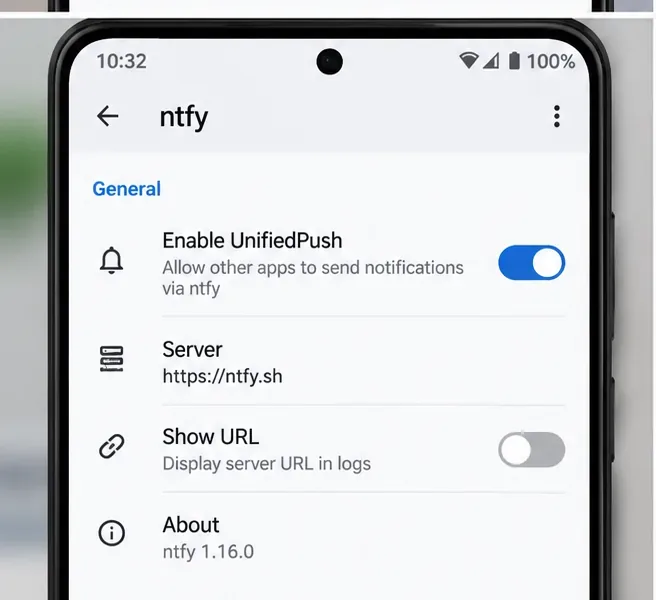
A UnifiedPush distributor such as ntfy, Sunup, or another supported distributor is installed and running.
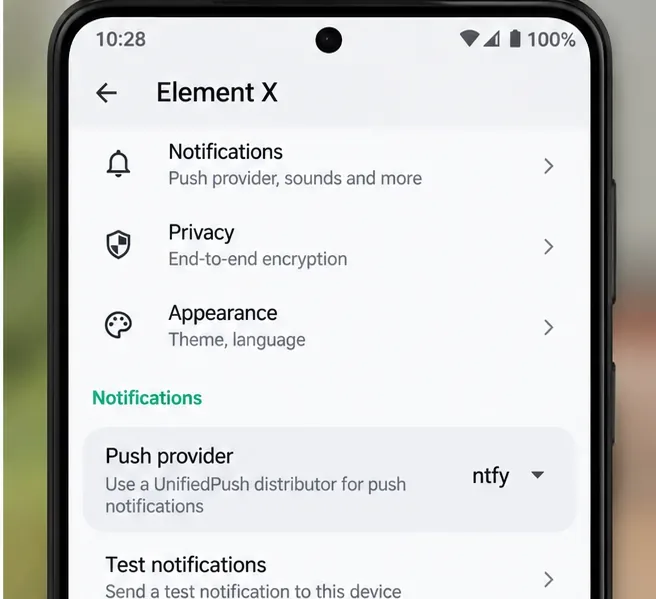
Element X shows that distributor as its active push provider.
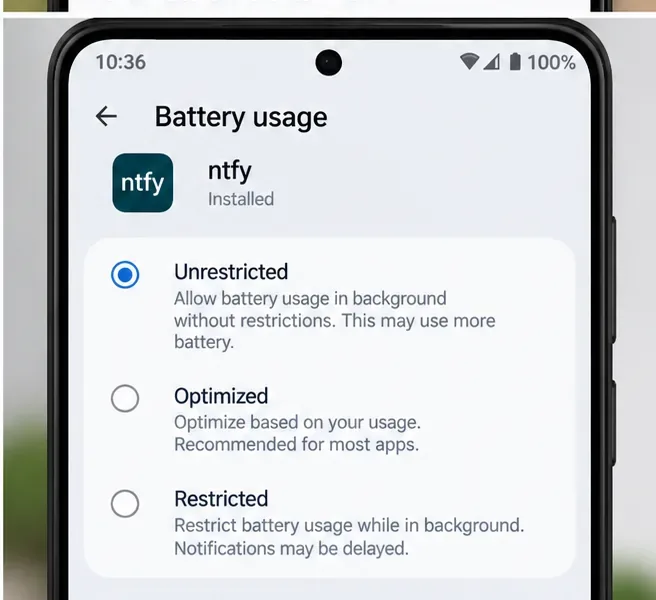
The distributor is allowed to run in the background and is not placed in Android's Restricted battery state.
A message sent from another Matrix account arrives while Element is fully in the background.
The same test still works after the phone has been idle for several minutes.
If messages appear only after opening Element, you have synchronization but not reliable background delivery. If they appear immediately while the app is open but are delayed when it is closed, focus on the push distributor and Android background restrictions rather than room notification rules.
Why notifications fail without Google services
Most mainstream Android applications use FCM, Google's push service, to wake the app when new data is available. Element's notification documentation explains that FCM requires Google Play Services. On a de-Googled phone, an FCM-only configuration cannot provide the normal wake-up path. Android also limits what ordinary applications can do in the background, especially when a device enters idle states.
ผู้จัดจำหน่ายต้องเปิดใช้งาน UnifiedPush และมีการเชื่อมต่อกับเซิร์ฟเวอร์ที่ใช้งานอยู่ ข้อความที่ใช้อาจแตกต่างกันไปตามเวอร์ชันของ NTFI แต่ผู้จัดจำหน่ายต้องพร้อมใช้งานก่อนที่ Element จะสามารถลงทะเบียนได้
ตรวจสอบคุณภาพ:การติดตั้ง NTFS เพียงอย่างเดียวไม่เพียงพอ ตัวกระจายสัญญาณจะต้องเปิดใช้งานและสามารถเข้าถึงได้ หาก Element ไม่สามารถมองเห็นตัวกระจายสัญญาณได้หลังการติดตั้ง ให้ปิดและเปิด Element X ใหม่ทั้งหมด จากนั้นตรวจสอบการอัปเดตแอปก่อนที่จะเปลี่ยนแปลงการตั้งค่า Matrix ฝั่งเซิร์ฟเวอร์
ขั้นตอนที่ 3: เลือกผู้ให้บริการ UnifiedPush ภายใน Element X
เปิดการตั้งค่า Element X แล้วไปที่พื้นที่แจ้งเตือน เมื่อตรวจพบตัวกระจายสัญญาณที่เข้ากันได้ Element X จะแสดงตัวเลือกผู้ให้บริการพุช เลือกตัวกระจายสัญญาณ UnifiedPush ที่ติดตั้งไว้แทน Firebase/FCM ผู้ดูแลโครงการ Element ได้อธิบายขั้นตอนการทำงานนี้อย่างชัดเจนสำหรับอุปกรณ์ที่ไม่มีบริการของ Google และซอร์สโค้ดปัจจุบันมีโมดูลผู้ให้บริการพุช UnifiedPush รวมอยู่ด้วย
เลือกตัวกระจายสัญญาณ UnifiedPush ที่ติดตั้งไว้ใน Element X หากเวอร์ชันของคุณมีเครื่องมือทดสอบการแจ้งเตือนหรือเครื่องมือแก้ไขปัญหา ให้เรียกใช้เครื่องมือเหล่านั้นก่อนที่จะเปลี่ยนการตั้งค่าแบตเตอรี่หรือการกำหนดค่าเซิร์ฟเวอร์
หากระบบของคุณไม่แสดงตัวเลือกผู้ให้บริการแม้ว่าจะติดตั้งตัวกระจายสัญญาณแล้ว อย่าเพิ่งคิดว่าโฮมเซิร์ฟเวอร์เสีย ให้ลองอัปเดต Element X เป็นเวอร์ชันที่รองรับในปัจจุบันก่อน แล้วรีสตาร์ททั้ง Element X และตัวกระจายสัญญาณ ป้ายกำกับ UI อาจมีการเปลี่ยนแปลงในแต่ละเวอร์ชันของ Element X ดังนั้นชื่อเมนูที่แน่นอนอาจแตกต่างกันไป
ตรวจสอบคุณภาพ:สัญญาณที่มีประโยชน์ไม่ได้หมายความว่าชื่อผู้ให้บริการจะปรากฏขึ้นเท่านั้น ส่งข้อความจริงจากบัญชี Matrix อื่นในขณะที่ Element ทำงานอยู่เบื้องหลัง ผู้ให้บริการที่ใช้งานได้ควรทำให้เครื่องปลุก Element และแสดงการแจ้งเตือนข้อความโดยไม่ต้องเปิดแอปด้วยตนเอง
แอปพลิเคชัน Element Android รุ่นก่อนหน้านี้ได้ใช้งานการทำงานแบบไม่ใช้ FCM และ UnifiedPush ด้วยเช่นกัน เอกสารอย่างเป็นทางการได้อธิบายถึงการตรวจสอบสถานะพื้นหลังของ F-Droid และการรองรับ UnifiedPush อย่างไรก็ตาม ปัจจุบัน Element แนะนำ Element X สำหรับผู้ใช้ใหม่ ดังนั้น Element X ในปัจจุบันจึงเป็นจุดเริ่มต้นที่ดีกว่า เว้นแต่คุณจะมีข้อกำหนดด้านความเข้ากันได้เฉพาะเจาะจง รายละเอียดการใช้งานแบบเดิมยังคงมีประโยชน์สำหรับการทำความเข้าใจว่าเหตุใดการตรวจสอบสถานะเพียงอย่างเดียวจึงมีความน่าเชื่อถือน้อยกว่าในโหมดไม่ได้ใช้งานของ Android โปรดดูเอกสารโครงการที่เก็บถาวร/ปัจจุบันสำหรับUnifiedPush ใน Element Android
รายการตรวจสอบการยืนยันขั้นสุดท้าย
เปิดใช้งานการอนุญาตการแจ้งเตือนของ Android สำหรับ Element X แล้ว