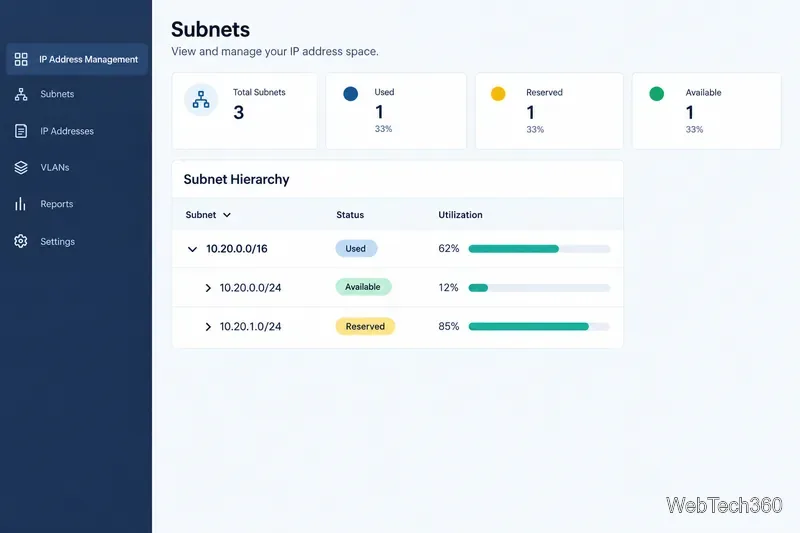
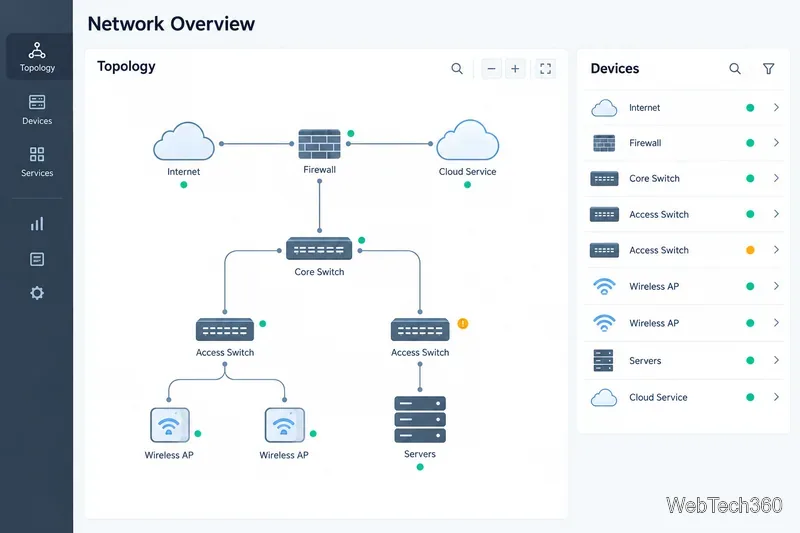
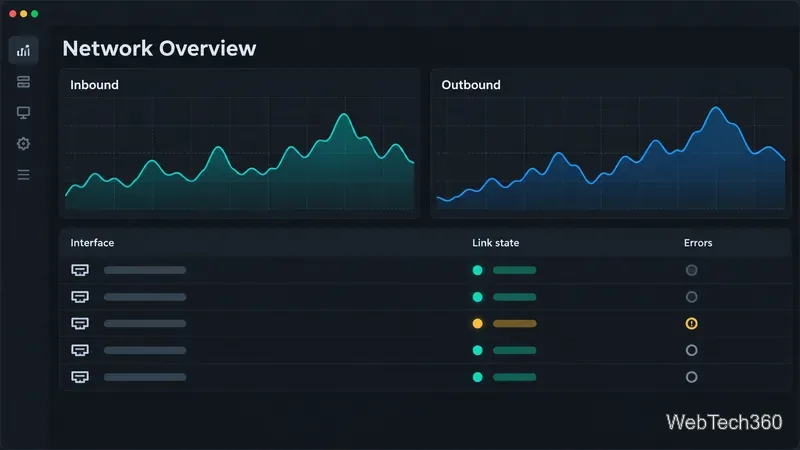
ネットワーク上のデバイスを見つけるためのベスト10ピングスキャンツール
迅速なLAN検出、クロスプラットフォームスキャン、IPアドレス管理のための10種類のpingスイープツールを比較します。スイープで何がわかるのか、何がわからないのかを理解しましょう。
As of October 6, 2026, the latest stable Matrix Synapse release is 1.162.0, published on September 29, 2026. If your homeserver is running out of memory during client synchronization, upgrading to a current supported release is a sensible first check, but the durable fix is usually operational rather than a single magic setting. Synapse intentionally keeps recent room data and metadata in memory to make common requests faster, and the official administrator documentation warns that reducing caches too aggressively can actually make memory pressure worse by creating a backlog of slow requests.
This guide follows the path a new administrator can use safely: understand what “sync” means, confirm that the process is really hitting a memory limit, reduce avoidable cache pressure, separate unusually heavy initial-sync traffic when needed, and monitor the result. The goal is not simply to make the resident set size smaller. The goal is to stop out-of-memory crashes while keeping the homeserver responsive.
A Matrix client repeatedly calls the Client-Server API /_matrix/client/v3/sync to receive new events such as messages, room state, account data, presence information, and device updates. A normal ongoing sync usually includes a since token so Synapse only needs to return changes after the previous synchronization point.
An initial sync is different. It is the first synchronization for a device or session and does not have a previous since token. The official Synapse worker documentation describes these requests as potentially very resource intensive. On larger homeservers, Synapse supports routing initial sync separately from ongoing sync so a few expensive first-time synchronizations do not disrupt everybody else.
Before making changes, review the current Synapse administrator FAQ, the configuration reference, and the official worker guide. The exact options available to you depend on the Synapse version and deployment model.
homeserver.yaml, worker configuration files, reverse-proxy configuration, and the PostgreSQL database according to your normal backup procedure.Do not start by changing cache values. First identify which Synapse process is consuming memory and whether it is killed by the operating system or by a container limit.
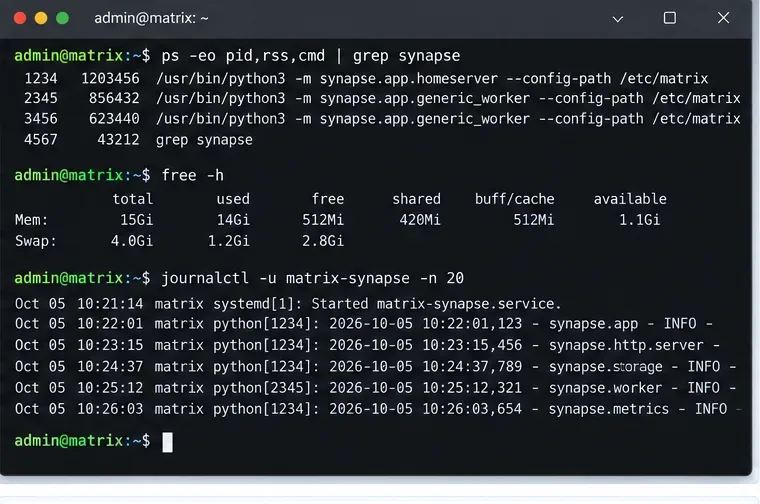
On a Linux host, commands such as the following provide a quick first view:
ps -eo pid,rss,cmd | grep synapse
free -h
journalctl -u matrix-synapse -n 200
If you use Docker, Podman, Kubernetes, or another scheduler, inspect the container or pod memory limit as well. A host with several gigabytes free can still kill Synapse if the process is restricted to a much smaller cgroup limit.
Look for a repeatable pattern. Does memory climb only when a specific user signs in on a new device? Does it increase gradually all day? Does one generic worker grow while the main process stays stable? Those observations distinguish an initial-sync spike from general cache growth or request backlog.
A cache is data Synapse keeps in RAM so it does not need to recompute or reload the same information repeatedly. Synapse has many caches, plus an event cache. The configuration reference currently documents a default caches.global_factor of 0.5, an event_cache_size default of 10K before the global factor is applied, time-based cache expiry, and a sync_response_cache_duration default of 2 minutes.
The tempting fix is to set the global factor as low as possible. Do not do that blindly. The Synapse administrator FAQ explicitly warns that too small a cache can make a slow system even slower, allowing requests to pile up and causing memory use to explode from backlog instead of cache entries.
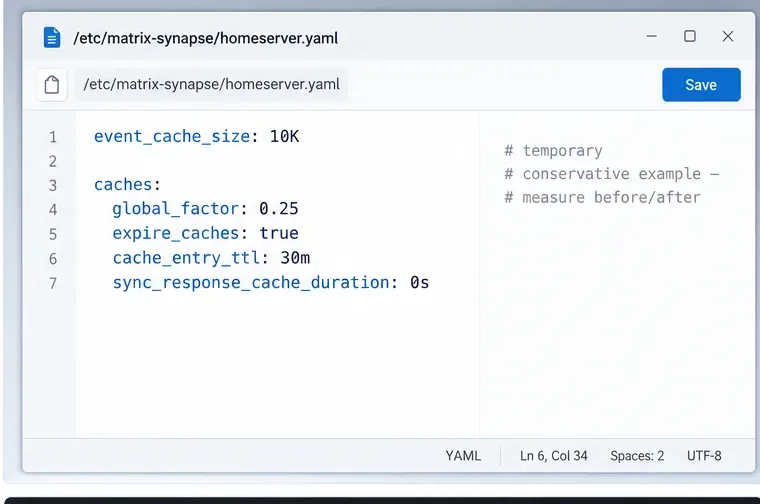
If profiling shows that cache memory is genuinely the dominant consumer and request throughput remains healthy, try a modest reduction rather than a drastic one. For example:
event_cache_size: 10K

caches:
  global_factor: 0.25
  expire_caches: true
  cache_entry_ttl: 30m
  sync_response_cache_duration: 0s
This is a troubleshooting example, not a recommended value for every server. Setting sync_response_cache_duration to zero disables caching of completed /sync responses. That can save memory when many sync responses are being retained, but it may make reconnecting clients do more work. Test it under your actual workload.
Synapse also provides cache autotuning with max_cache_memory_usage, target_cache_memory_usage, and min_cache_ttl. The official documentation says this feature requires jemalloc, an alternative memory allocator, and all three settings must be supplied. Do not enable only one or two values; the documentation warns that incomplete configuration can cause unstable behavior.
同期中のメモリ問題は、必ずしもキャッシュされたデータの量が原因ではありません。処理速度の遅いデータベースは、同時に多くのリクエストを保持することができ、処理中のリクエストごとにメモリが消費されます。そのため、既に処理速度の遅いストレージでは、キャッシュサイズを小さくすると逆効果になることがあります。
本番環境では、公式のSynapse PostgreSQLガイドに従ってください。データベースのCPU使用率、ストレージのレイテンシ、接続の飽和状態、長時間実行クエリ、およびPostgreSQLサーバー自体のスワッピング状況を確認してください。同期レイテンシが常駐メモリの増加と同時に上昇する場合は、キャッシュを再度削減する前にバックログを調査してください。
最近、大規模なパブリックルームに移行したり、より大規模なコミュニティに統合したり、アクティブユーザー数を大幅に増やしたりした場合、ワークロードが以前の構成では対応できなくなっている可能性があります。そのような場合は、データベースのチューニングやワーカーの分離の方が、キャッシュを少し削減するよりも重要になることがよくあります。
Synapseは、単一のメインホームサーバープロセスとして動作させることも、同じPostgreSQLデータベースを共有する追加のSynapseプロセスであるワーカーに処理を分割することもできます。ワーカーモデルは、個々のワークロードを個別にスケーリングする必要がある大規模なインストール環境向けです。
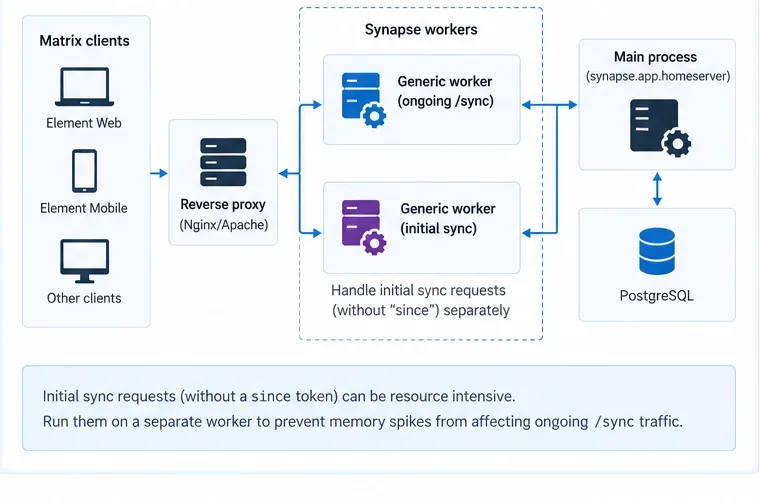
ワーカーのドキュメントには、汎用ワーカーが/syncとを処理できると記載されています/initialSync。また、初期同期リクエストはリソースを大量に消費する可能性があるため、パラメータのない同期リクエストについては個別に処理することを検討することを推奨していますsince。
実用的なアーキテクチャとは:
/syncリクエストは、1人または複数の一般作業員に送信されます。Synapseのレプリケーションリスナーをパブリックインターネットに公開しないでください。現在のワーカーのドキュメントには、レプリケーションシークレットが設定されていない限り、レプリケーショントラフィックは暗号化も認証もされないと警告されています。
小規模なホームサーバーにとって、ワーカーモードは最初の選択肢として適切ではありません。Synapseのガイドラインでも、小規模インスタンスにはモノリスモードを推奨しています。特定のワークロードに分離や水平スケーリングが必要であるという確証が得られた場合にのみ、ワーカーモードを追加してください。
Synapseでは、キャッシュファクターを再読み込みできますSIGHUP。設定リファレンスには次の例が示されています。
kill -HUP PID_OF_SYNAPSE_PROCESSパッケージ化されたsystemdサービスがそれをサポートしている場合は、systemctl reload matrix-synapse同じ操作を実行できます。ワーカー展開の場合、公式ドキュメントによると、関連するワーカー構成を更新し、各ワーカーが個別にリロードシグナルを受信する必要があります。
変更後は、サーバーが通常のトラフィックパターンに戻るまで十分な時間を確保してください。常駐メモリ、リクエストレイテンシ、データベース負荷、アクティブワーカーの状態を常に監視してください。同期レイテンシが倍増する一方でメモリグラフが低下するような場合は、修正が成功したとは言えません。
単発的な事象以外の場合は、Synapse メトリクスを有効にして Prometheus で収集してください。公式の監視ガイドにenable_metrics: trueは、専用の内部メトリクスリスナーに関するドキュメントがあります。メトリクスエンドポイントは内部インターフェース上に配置するか、リバースプロキシで保護してください。不必要に公開すべきではありません。
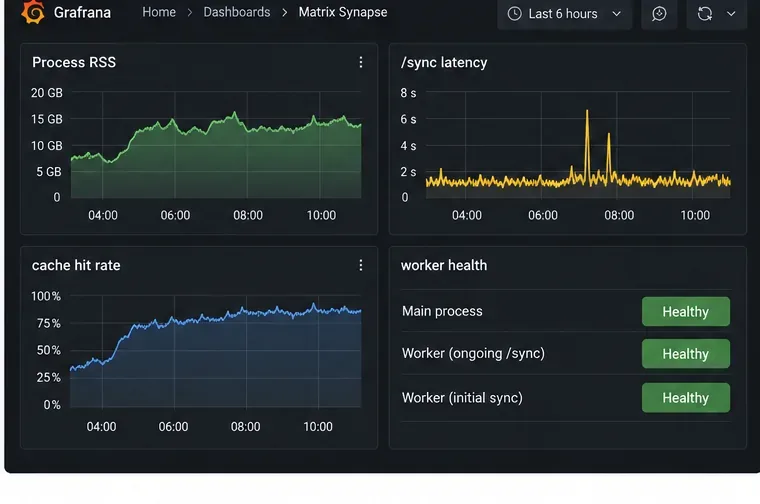
最新のリスナー構文については、公式のSynapse Prometheus監視ガイドを参照してください。ワーカーデプロイメントでは、ワーカーのメトリクスはメインプロセスに自動的に集約されないため、各ワーカーを個別に監視してください。
キャッシュサイズを小さくすると、エントリあたりのメモリ使用量は少なくなりますが、データベースと計算処理の負荷が増加します。この負荷増加によって未完了のリクエストがキューに溜まると、メモリ使用量は減少するどころか増加する可能性があります。キャッシュサイズを小さくする際は、少しずつ段階的に縮小し、常にレイテンシを監視してください。
トークンを使用した継続的な同期とsince、トークンを使用しない初回同期では、リソースプロファイルが大きく異なります。サーバー全体をスケールアップする前に、診断時にこれらを分けて確認してください。
SynapseワーカーはPostgreSQLデータベースを共有します。ワーカーのドキュメントには、SQLiteはデモまたはテスト用であり、ワーカーベースの本番環境への導入基盤ではないと記載されています。
少量のスワップはプロセスの突然の強制終了を防ぐ可能性がありますが、大量のスワップは同期を著しく遅くし、同様のバックログのフィードバックループを引き起こす可能性があります。スワップは、一時的な負荷急増に対する保護策として捉え、キャパシティプランニングとは考えないでください。
キャッシュの削減、ワーカーのルーティング変更、PostgreSQLの設定変更、コンテナ制限の引き上げを同時に行うと、どの変更が問題を解決したのかが分からなくなります。一度に1つの変更だけを行い、同じ指標を比較してください。
| あなたが観察するもの | 考えられる次の行動 |
|---|---|
| ユーザーが新しいデバイスにサインインするとメモリ使用量が急増する | 初期同期を特定し、大規模なデプロイメントの場合は、それをワーカー上で分離することを検討してください。 |
| メモリ使用量は着実に増加し、キャッシュヒット率は高く、レイテンシは正常です。 | キャッシュ容量を控えめに減らして、再テストしてください。 |
| メモリと同期の遅延は同時に増加する | キャッシュをさらに縮小する前に、データベースまたはストレージのバックログを調査してください。 |
| 限界に達する労働者は1人だけ | ホームサーバー全体ではなく、そのワーカーのメモリ予算を調整するか、ワーカーグループだけをスケールしてください。 |
| ホストには空きRAMがあるが、Synapseが強制終了された | コンテナ、cgroup、systemd、またはKubernetesのメモリ制限を確認してください。 |
Synapseは、パフォーマンス戦略の一環としてキャッシュを使用しているため、意図的にメモリを多く消費します。したがって、同期関連のOOMエラーに対する適切な解決策は、バランスを取ることです。つまり、不要なキャッシュ保持を削除し、データベースやリクエストのバックログを解消し、通常の同期を高速に保つキャッシュを枯渇させることなく、例外的なワークロードを分離する必要があります。このアプローチは、RSS値が最も高いこと自体を問題として扱うよりも信頼性が高いと言えます。
最新のリリース情報については、Element Synapseの公式リリースぺージをご覧ください。
迅速なLAN検出、クロスプラットフォームスキャン、IPアドレス管理のための10種類のpingスイープツールを比較します。スイープで何がわかるのか、何がわからないのかを理解しましょう。
SNMP対応範囲、マッピング、アラート、導入モデル、コストのトレードオフなど、パフォーマンス監視のための6つのネットワーク管理ツールを比較します。
フルネットワークスイートからレイテンシに特化したプローブまで、7つの無料オープンソースpingモニターを比較し、可用性、パケット損失、履歴など、ニーズに最適なものを選びましょう。
Windows、iPhone、Android向けのWi-Fiアナライザーのおすすめを比較検討しましょう。チャネルの混雑状況、信号カバレッジ、ヒートマップ、ネットワークのトラブルシューティングツールなどが含まれています。
WindowsおよびLinux向けの信頼性の高いSFTPサーバーソフトウェア(OpenSSH、Bitvise、SolarWinds、SFTPGoなど)を比較検討しましょう。セキュリティとファイル転送のニーズに最適なソフトウェアを見つけてください。
迅速なデバイス検出、クロスプラットフォームIPスキャン、エンタープライズIPAMを実現するネットワークスキャナーツールを比較し、それぞれのオプションをネットワークに合わせて選択するためのガイダンスを提供します。
サブネット検出、DNSとDHCPの連携、ネットワークインベントリ、オープンソースIPAMに対応した7つのIPアドレス管理ツールを比較します。
明確なデバイスカバレッジ、有用なパフォーマンス指標、実用的なアラート、そしてSolarWinds NPM、PRTG、OpManagerの比較機能を備えた、実用的なネットワーク監視システムを構築します。
SNMPデバイス検出、インターフェースグラフ、ホストメトリック、サービスチェック、トラフィックフローに関する6つのLinuxネットワーク監視ツールを比較します。
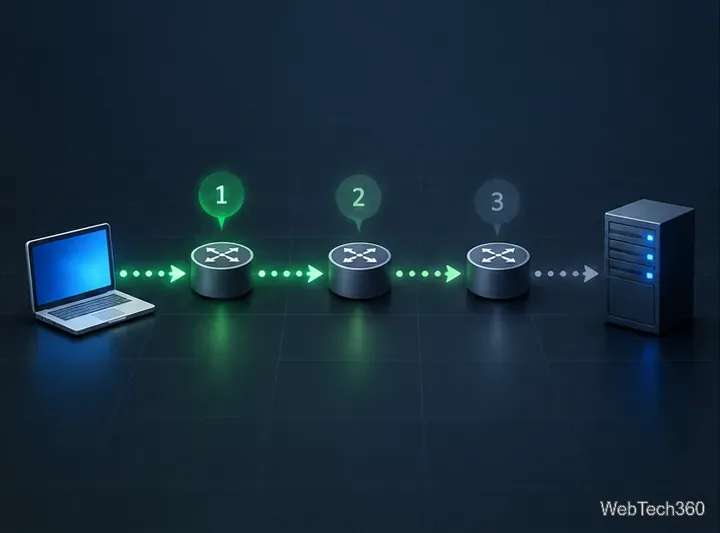
Nmapの--tracerouteオプションを使用すると、ホップを認証済みホストにマッピングし、ホップとRTTの出力を理解し、過剰なスキャンを行わずに応答の欠落をトラブルシューティングできます。