πŸš€ Fix Microsoft Teams User Not Authorized Error: Proven Steps to Get Back Online Fast!

Encountering the frustrating Microsoft Teams "User Not Authorized" Error? You're not aloneβ€”this common issue blocks access to chats, meetings, and files, disrupting your workflow. Don't worry! This guide delivers straightforward, tested solutions to resolve it quickly. By the end, you'll be back in action, collaborating effortlessly. Let's dive in! πŸ‘‡

Why Does the Microsoft Teams "User Not Authorized" Error Happen?

Understanding the root causes empowers you to fix it faster. Common triggers include:

  • Expired or invalid authentication tokens: Sessions time out after inactivity.
  • Account permission issues: Your role or guest status lacks required access.
  • Cache and cookie buildup: Corrupted data confuses Teams.
  • Outdated app or browser: Incompatibility with the latest servers.
  • Network or VPN glitches: Firewalls block authorization.

Spot the error? It typically pops up during sign-in or app launch: "User not authorized to access this resource." Now, let's tackle fixes from simple to advanced. Start here for 80% success! ⭐
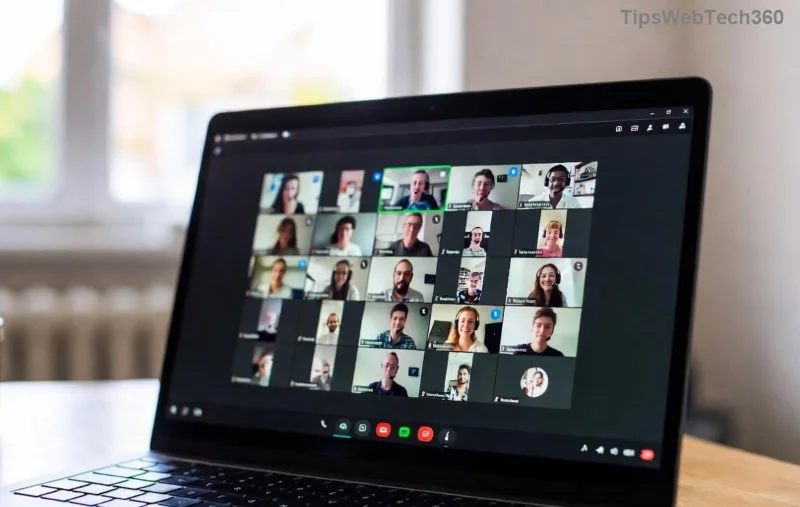
Microsoft Teams User Not Authorized Error Screenshot

Quick Wins: Try These First (Under 2 Minutes! 😊)

  1. πŸ”„ Sign Out and Back In
    Close Teams completely (use Task Manager on Windows: Ctrl+Shift+Esc). Relaunch, sign out, then sign in with your Microsoft account. This refreshes tokens instantly.
  2. 🧹 Clear Browser Cache (For Web Version)
    In Chrome/Edge: Settings > Privacy > Clear browsing data (cache/cookies). Restart browser and retry Teams.
  3. πŸ“± Switch Devices or Browsers
    Test on mobile app or incognito mode. If it works, your primary setup needs deeper tweaks.

These resolve most cases. Still stuck? Proceed to full troubleshooting. You've got this! πŸ’ͺ

Step-by-Step Guide: How to Fix Microsoft Teams "User Not Authorized" Error

Follow these proven methods in order. Each includes screenshots for clarity.

Step 1: Update Microsoft Teams to the Latest Version

Outdated clients cause auth failures. Open Teams > Profile icon > Check for updates. Or download fresh from Microsoft's official site.

Step 2: Reset Teams Cache (Desktop App)

This wipes corrupted data without losing chats.

Platform Steps
Windows 1. Quit Teams.
2. %appdata%\Microsoft\Teams > Delete contents.
3. Relaunch.
Mac 1. Quit Teams.
2. ~/Library/Application Support/Microsoft/Teams > Delete files.
3. Restart.
Linux ~/.config/Microsoft/Microsoft Teams > rm -rf *
Clearing Microsoft Teams Cache Folder

Step 3: Check Account Permissions

Contact your admin if you're a guest/user. They can verify via Microsoft 365 Admin Center > Users > Licenses. Self-fix: Ensure multi-factor auth (MFA) is enabled but not blocking.

For deeper issues, run Teams in safe mode: Hold Ctrl while launching (Windows).

Microsoft Teams Account Permissions Check

Step 4: Network and VPN Fixes

  1. Disable VPN/proxy temporarily.
  2. Flush DNS: Windows (Admin CMD): ipconfig /flushdns.
  3. Switch to mobile hotspotβ€”rules out ISP blocks.

Step 5: Reinstall or Repair Teams

Via Settings > Apps > Microsoft Teams > Repair (Windows). If fails, uninstall/reinstall from official source. Pro tip: Use the new Teams app for better stability.

Advanced: Registry Fix (Windows Users Only ⚠️)

Backup registry first! Run Regedit > Search "TeamsMachineId" > Delete keys. Restart PC. Reference: Microsoft Support.

Prevention Tips to Avoid Future Teams "User Not Authorized" Errors ⭐

  • Enable auto-updates in Teams settings.
  • Sign out weekly if inactive.
  • Use password manager for secure logins.
  • Monitor admin notifications for policy changes.
  • Keep OS/browser updated.

Bonus: Join the Microsoft Teams Community for real-time tips.

Still Not Fixed? Next Steps πŸš€

If issues persist, gather logs (Teams > Help > Download logs) and submit a ticket via Teams Admin Center or support.microsoft.com. Most users resolve within these stepsβ€”share your success in comments below!

Congrats on fixing your Microsoft Teams "User Not Authorized" Error! Now, dive back into productive meetings. Questions? Drop themβ€”we're here to help. πŸŽ‰

Leave a Comment

πŸ”§ Instant Fix: Conquer Microsoft Teams For Linux Installation Error in 5 Minutes!

πŸ”§ Instant Fix: Conquer Microsoft Teams For Linux Installation Error in 5 Minutes!

Tired of the frustrating Microsoft Teams "For Linux" installation error? Discover proven, step-by-step fixes for Ubuntu, Fedora, and more. Get back to seamless video calls without the hassle!

Fix Microsoft Teams Web App Login Problems Fast – Ultimate Troubleshooting Guide

Fix Microsoft Teams Web App Login Problems Fast – Ultimate Troubleshooting Guide

Struggling with Microsoft Teams Meeting Web App login problems? Get instant fixes for cache issues, browser glitches, and account errors. Step-by-step solutions to rejoin meetings seamlessly.

πŸš€ Microsoft Teams Error Report Not Sending? Fix It in Minutes with This Ultimate Guide!

πŸš€ Microsoft Teams Error Report Not Sending? Fix It in Minutes with This Ultimate Guide!

Struggling with Microsoft Teams error report not sending? This comprehensive guide provides proven troubleshooting Microsoft Teams error report not sending steps to resolve crashes, failed reports, and connectivity issues fast. Get back to productive meetings!

πŸš€ Fix Microsoft Teams Guest Access Error in Minutes: Ultimate Troubleshooting Guide

πŸš€ Fix Microsoft Teams Guest Access Error in Minutes: Ultimate Troubleshooting Guide

Stuck with Microsoft Teams "Guest" access error? Follow our step-by-step troubleshooting guide to resolve guest invite issues, enable access, and get teams collaborating seamlessly. Proven fixes for admins and users alike.

πŸš€ Fix Microsoft Teams Code Error Redemption Instantly: Proven Troubleshooting Guide

πŸš€ Fix Microsoft Teams Code Error Redemption Instantly: Proven Troubleshooting Guide

Stuck with Microsoft Teams "Code Error" during redemption? Discover step-by-step fixes for code redemption issues, common causes, and pro tips to resolve it fast and redeem your licenses without hassle. Updated with the latest solutions.

πŸš€ Fix Microsoft Teams Errors Instantly: Ultimate Troubleshooting Guide for Bα»‹ Lα»—i Issues

πŸš€ Fix Microsoft Teams Errors Instantly: Ultimate Troubleshooting Guide for Bα»‹ Lα»—i Issues

Struggling with Microsoft Teams errors like "Bα»‹ lα»—i"? Discover proven troubleshooting Microsoft Teams steps to resolve general errors, crashes, sign-in issues, and more. Quick fixes for seamless collaboration!

πŸš€ Fix Microsoft Teams Logs Error Access Denied in 5 Minutes – Proven 2026 Solutions!

πŸš€ Fix Microsoft Teams Logs Error Access Denied in 5 Minutes – Proven 2026 Solutions!

Struggling with Microsoft Teams "Logs Error" Access Denied? Discover quick, step-by-step fixes to resolve this frustrating issue and get back to seamless collaboration. Updated with the latest Teams patches for instant relief!

πŸš€ Fix Microsoft Teams User Not Authorized Error: Proven Steps to Get Back Online Fast!

πŸš€ Fix Microsoft Teams User Not Authorized Error: Proven Steps to Get Back Online Fast!

Stuck with Microsoft Teams "User Not Authorized" error? Follow our expert, step-by-step guide to quickly fix it and resume seamless collaboration. Simple solutions that work every time.

πŸš€ Microsoft Teams Whiteboard Not Syncing? Fix It Fast with Proven Steps!

πŸš€ Microsoft Teams Whiteboard Not Syncing? Fix It Fast with Proven Steps!

Struggling with Microsoft Teams Whiteboard not syncing properly? Discover step-by-step fixes for syncing issues, from cache clearing to network tweaks. Get your collaborative whiteboard back on track in minutes!

πŸš€ Fix Microsoft Teams Time Limit Error FAST: 7 Proven Steps for Instant Relief!

πŸš€ Fix Microsoft Teams Time Limit Error FAST: 7 Proven Steps for Instant Relief!

Struggling with the frustrating Microsoft Teams "Time Limit" Error? Discover proven, step-by-step fixes to resolve it quickly. Update Teams, clear cache, and moreβ€”no tech skills needed! Works on latest versions.