Master Your Meetings: How to Enable Microsoft Teams Transcription in Minutes!

Imagine never missing a single detail from your Microsoft Teams meetings again. With Microsoft Teams transcription, every word is captured, searchable, and shareableβ€”transforming chaotic discussions into organized action items. Whether you're leading a boardroom brainstorm or joining a remote client call, enabling this feature is a game-changer for productivity. Ready to dive in? Let's get your Teams transcription up and running smoothly! πŸš€

What is Microsoft Teams Transcription and Why Do You Need It?

Microsoft Teams transcription automatically generates a real-time text record of your meetings, including speaker names and timestamps. It's powered by advanced AI for high accuracy, even in noisy environments or with accents. Post-meeting, access full transcripts, highlights, and action items via the Intelligent Meeting Recap.

Benefits at a glance:

  • βœ… Boost accessibility: Captions for all participants.
  • πŸ“ Searchable records: Find quotes instantly.
  • ⭐ Save time: No more frantic note-taking.

Perfect for sales teams recapping deals or managers tracking decisions. Now, let's cover the prerequisites before enabling it.

Prerequisites for Enabling Microsoft Teams Transcription

To unlock Teams transcription, ensure these boxes are checked:

Requirement Details
License Teams Premium, E3/E5, or Business Premium with Intelligent Meeting Recap enabled.
Admin Settings IT admin must allow transcription in Teams Admin Center under Meeting policies.
Device Desktop app (Windows/macOS), web, or mobile (limited).
Storage OneDrive/SharePoint access for saving transcripts.

Pro tip: If you're not the admin, reach out to your IT team first. Once set, enabling is a breeze!
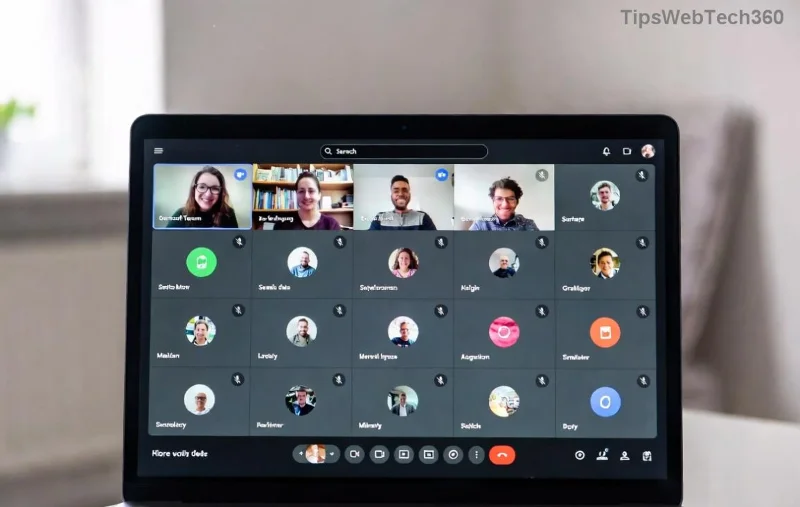
Microsoft Teams Admin Center showing transcription policy settings

Step-by-Step Guide: How to Enable Transcription in Teams Meetings

Follow these foolproof steps during your next meeting. We'll focus on the desktop app for best results.

πŸ‘† Step 1: Start or Join a Meeting

Launch Microsoft Teams, schedule a new meeting, or join an ongoing one as the organizer or co-organizer.

πŸ“± Step 2: Access Meeting Controls

Click the three dots (More actions) in the meeting toolbar.

Teams meeting toolbar with More actions menu open, highlighting transcription option

πŸ”€ Step 3: Turn On Transcription

  1. Select Start transcription (or Record and transcribe if recording too).
  2. Teams notifies participantsβ€”get consent if needed.
  3. Watch the status bar: "Transcription on" appears. Live captions show below the video feed.

Quick note for participants: Only organizers can start it, but you can request via chat. For mobile/web, find it under More > ...

Teams meeting interface with transcription active and live captions visible

Step 4: Manage During the Meeting

  • Pause/resume via More > Transcription settings.
  • Correct errors in real-time if you're the owner.

How to Access and Share Teams Meeting Transcripts After the Meeting

Transcripts auto-save to the meeting organizer's OneDrive. Here's how to grab them:

  1. Go to Teams Calendar > Click the meeting > Transcript tab.
  2. Download as .docx or .vtt, or share via email.
  3. Use AI-powered Meeting Recap for summaries and tasks.

Search across transcripts organization-wide with Copilot integration for ultimate efficiency.

Troubleshooting: Common Teams Transcription Issues and Fixes

Running into snags? We've got you covered:

Issue Fix
"Transcription unavailable" Check license/policy in Microsoft Docs.
Poor accuracy Speak clearly; update Teams app. Use Live captions for multi-language.
No transcript after meeting Ensure recording ended properly; check OneDrive quota.

Pro Tips to Maximize Microsoft Teams Transcription

Take it further:

  • Combine with Live captions for inclusivity. 😊
  • Integrate with Power Automate for auto-task creation.
  • Train your team: Share this guide!
  • For large meetings, enable speaker identification in policies.

Enabling Microsoft Teams transcription isn't just a featureβ€”it's your secret weapon for flawless collaboration. Start today, and watch your meetings level up. Got questions? Drop them in the comments below! πŸ‘

Leave a Comment

πŸ”§ Instant Fix: Conquer Microsoft Teams For Linux Installation Error in 5 Minutes!

πŸ”§ Instant Fix: Conquer Microsoft Teams For Linux Installation Error in 5 Minutes!

Tired of the frustrating Microsoft Teams "For Linux" installation error? Discover proven, step-by-step fixes for Ubuntu, Fedora, and more. Get back to seamless video calls without the hassle!

Fix Microsoft Teams Web App Login Problems Fast – Ultimate Troubleshooting Guide

Fix Microsoft Teams Web App Login Problems Fast – Ultimate Troubleshooting Guide

Struggling with Microsoft Teams Meeting Web App login problems? Get instant fixes for cache issues, browser glitches, and account errors. Step-by-step solutions to rejoin meetings seamlessly.

πŸš€ Microsoft Teams Error Report Not Sending? Fix It in Minutes with This Ultimate Guide!

πŸš€ Microsoft Teams Error Report Not Sending? Fix It in Minutes with This Ultimate Guide!

Struggling with Microsoft Teams error report not sending? This comprehensive guide provides proven troubleshooting Microsoft Teams error report not sending steps to resolve crashes, failed reports, and connectivity issues fast. Get back to productive meetings!

πŸš€ Fix Microsoft Teams Guest Access Error in Minutes: Ultimate Troubleshooting Guide

πŸš€ Fix Microsoft Teams Guest Access Error in Minutes: Ultimate Troubleshooting Guide

Stuck with Microsoft Teams "Guest" access error? Follow our step-by-step troubleshooting guide to resolve guest invite issues, enable access, and get teams collaborating seamlessly. Proven fixes for admins and users alike.

πŸš€ Fix Microsoft Teams Code Error Redemption Instantly: Proven Troubleshooting Guide

πŸš€ Fix Microsoft Teams Code Error Redemption Instantly: Proven Troubleshooting Guide

Stuck with Microsoft Teams "Code Error" during redemption? Discover step-by-step fixes for code redemption issues, common causes, and pro tips to resolve it fast and redeem your licenses without hassle. Updated with the latest solutions.

πŸš€ Fix Microsoft Teams Errors Instantly: Ultimate Troubleshooting Guide for Bα»‹ Lα»—i Issues

πŸš€ Fix Microsoft Teams Errors Instantly: Ultimate Troubleshooting Guide for Bα»‹ Lα»—i Issues

Struggling with Microsoft Teams errors like "Bα»‹ lα»—i"? Discover proven troubleshooting Microsoft Teams steps to resolve general errors, crashes, sign-in issues, and more. Quick fixes for seamless collaboration!

πŸš€ Fix Microsoft Teams Logs Error Access Denied in 5 Minutes – Proven 2026 Solutions!

πŸš€ Fix Microsoft Teams Logs Error Access Denied in 5 Minutes – Proven 2026 Solutions!

Struggling with Microsoft Teams "Logs Error" Access Denied? Discover quick, step-by-step fixes to resolve this frustrating issue and get back to seamless collaboration. Updated with the latest Teams patches for instant relief!

πŸš€ Fix Microsoft Teams User Not Authorized Error: Proven Steps to Get Back Online Fast!

πŸš€ Fix Microsoft Teams User Not Authorized Error: Proven Steps to Get Back Online Fast!

Stuck with Microsoft Teams "User Not Authorized" error? Follow our expert, step-by-step guide to quickly fix it and resume seamless collaboration. Simple solutions that work every time.

πŸš€ Microsoft Teams Whiteboard Not Syncing? Fix It Fast with Proven Steps!

πŸš€ Microsoft Teams Whiteboard Not Syncing? Fix It Fast with Proven Steps!

Struggling with Microsoft Teams Whiteboard not syncing properly? Discover step-by-step fixes for syncing issues, from cache clearing to network tweaks. Get your collaborative whiteboard back on track in minutes!

πŸš€ Fix Microsoft Teams Time Limit Error FAST: 7 Proven Steps for Instant Relief!

πŸš€ Fix Microsoft Teams Time Limit Error FAST: 7 Proven Steps for Instant Relief!

Struggling with the frustrating Microsoft Teams "Time Limit" Error? Discover proven, step-by-step fixes to resolve it quickly. Update Teams, clear cache, and moreβ€”no tech skills needed! Works on latest versions.