Home
» INTERNET
»
6 Best Free Online Fax Services: What You Actually Get
6 Best Free Online Fax Services: What You Actually Get
Need to send a fax without a fax machine? GotFreeFax and FaxZero are strong choices for occasional free faxes to U.S. or Canadian numbers. Fax.Plus and Dropbox Fax give new users a limited number of free pages, while PamFax and iFax offer other ways to try online faxing. The key difference is whether the free allowance resets or expires.
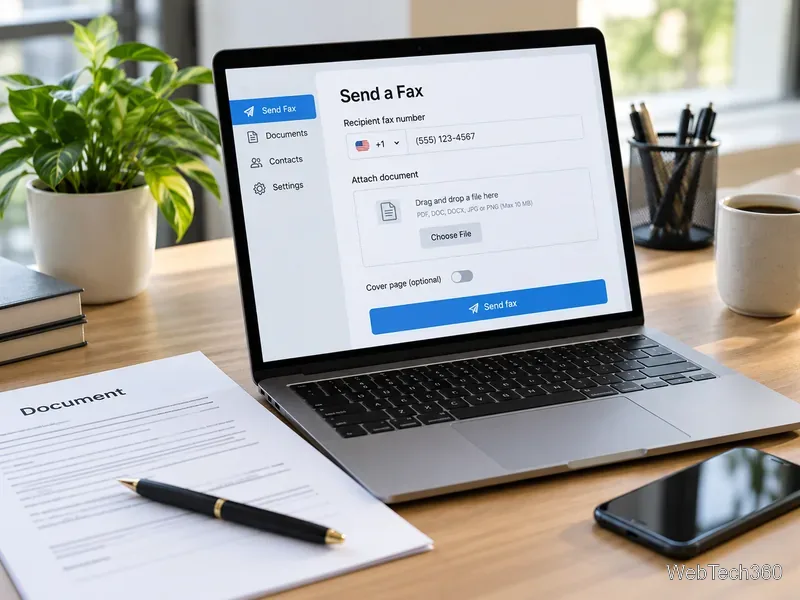
An online fax form lets you attach a document and enter a recipient’s fax number without a physical fax machine.
Free online fax services compared
Service
Free offer
Important limitation
GotFreeFax
2 faxes daily, up to 3 pages each
Free sending to the U.S. and Canada
FaxZero
5 faxes daily, up to 3 pages each plus cover
Branding on the cover page
Fax.Plus
10 outgoing pages total
No free receiving number
Dropbox Fax
5 pages once, with up to 20 bonus pages earned
Pages do not renew
PamFax
3 outgoing pages at signup
One-time introductory allowance
iFax
Free fax offer or trial
Check current signup terms and any billing requirements
Limits are based on provider information checked in October 2026. Destination rules, promotional credits and trial conditions can change.
The 6 best free fax online services
1. GotFreeFax: best for an unbranded fax
GotFreeFax lets you send up to two free faxes per day, each containing no more than three pages, to U.S. and Canadian numbers. You can use its web form without creating an account, and it does not place advertising on the transmitted cover page. The service emails a confirmation link before sending.
Watch out: International sending and larger documents cost extra. GotFreeFax also offers a shared public number for receiving occasional faxes, but its own warning says not to use it for private or sensitive documents. That is not a substitute for a dedicated inbox.
2. FaxZero: best for several short faxes in a day
FaxZero allows up to five free faxes per day to the U.S. or Canada, with three document pages plus a cover page per fax. You do not need a credit card. Upload a PDF or Word file, enter the destination and confirm the fax through email.
Watch out: The free cover page carries FaxZero branding. Its FAQ describes security and document retention, but don't assume a basic no-cost fax form meets your employer’s confidentiality or regulatory requirements.
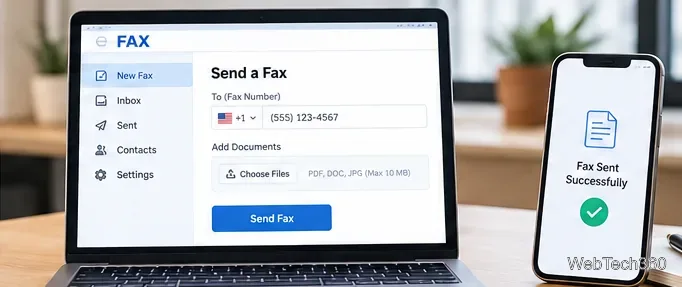
A fax service may provide a delivery-status message after it processes the document; retain the actual confirmation for your records.
3. Fax.Plus: best for a free account with room to upgrade
Fax.Plus provides ten outgoing fax pages in total on its free plan, with no credit card or subscription required. It supports browser and mobile faxing, and its paid plans add a receiving number and more substantial business features.
Watch out: Ten pages is a one-time allowance, not ten pages every month. A dedicated number and incoming faxes require a paid plan. Some international destinations count more than one page against the allowance, so check the destination rate first.
4. Dropbox Fax: best for a handful of occasional pages
Formerly HelloFax, Dropbox Fax gives new accounts five free outgoing pages. You can earn up to twenty more through qualifying actions, for a maximum of twenty-five one-time free pages. This works well for testing the service or sending a short document without a subscription.
Watch out: Free pages do not renew. Afterward, Dropbox lists a pay-as-you-go option starting at $0.99 for the first ten pages of a fax, plus $0.20 for each additional page. Receiving faxes requires a paid plan, although eligible subscriptions offer a trial.
5. PamFax: best for trying pay-as-you-go international faxing
PamFax includes three free outgoing pages when you sign up. Its website advertises faxing to many countries, apps for desktop and mobile devices, and prepaid credits for people who want to avoid a monthly sending subscription.
Watch out: Those three pages are introductory credits, not a recurring monthly allocation. PamFax advertises a trial fax number; verify its duration and receiving conditions before relying on it for replies.
6. iFax: best for exploring mobile fax features
iFax provides a browser-based free-fax entry point and apps for sending documents from a phone or computer. Its current marketing also emphasizes time-limited access to premium features rather than a clearly guaranteed, permanent free sending allowance.
Watch out: Do not rely on older claims of five free pages every month. Confirm the current offer, destination coverage, payment-card requirements and cancellation terms at signup. Receiving your own fax number is generally tied to paid service plans.
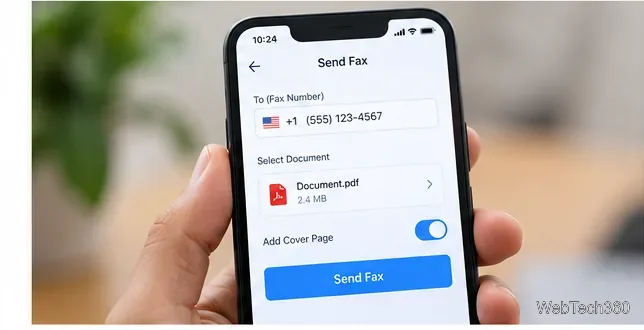
A mobile fax workflow can attach a saved PDF and choose whether to include a cover page.
How to send a free fax successfully
Check the destination. Confirm the full fax number and whether the provider includes that country in its free offer.
Prepare a clean file. Use a legible PDF or supported Word document. Check the total page count and remove blank pages.
Review the cover page. Include any reference number the receiving organization requests; note whether the service adds branding.
Send and verify. Complete any email confirmation and keep the resulting transmission status. Submitting the form alone does not prove delivery.
Can you receive a fax for free?
Usually, free plans are designed primarily for sending. A permanent private receiving number generally requires payment. A shared public receiving number, such as GotFreeFax’s, is unsuitable for medical records, identification or financial information. When you expect a reply, choose a private inbound number and confirm how long messages remain accessible.
What about sensitive documents?
Before uploading health, legal or financial records, read the provider’s privacy policy and retention rules. Businesses subject to HIPAA should check the vendor’s applicable safeguards and any required business associate agreement, rather than treating a generic “secure fax” claim as proof of compliance. The U.S. Department of Health and Human Services explains when business associate arrangements are needed.
Bottom line: Choose GotFreeFax for short, unbranded faxes; FaxZero when you need more daily sends; Fax.Plus or Dropbox Fax for a limited free account; and PamFax or iFax when their trial or pay-as-you-go features better match your needs. Always verify the current terms before uploading a document.