Home
» INTERNET
»
Convert Webpages to EPUB eBooks With dotEPUB for Chrome
Convert Webpages to EPUB eBooks With dotEPUB for Chrome
dotEPUB turns a webpage into an EPUB eBook you can download, keep, and read without an internet connection. The Chrome extension is useful for saving long articles, essays, and blog posts in a format that works with many e-readers and reading apps. Rather than preserving an entire website exactly as it appears in the browser, it concentrates on the page's readable content.
Install dotEPUB in Google Chrome
Install dotEPUB from its official Chrome Web Store listing rather than a third-party download site. The listing identifies dotEPUB as a browser extension and provides the standard Add to Chrome button. You do not need to create a separate dotEPUB account to start converting pages.
Choose Add to Chrome and review the permissions displayed by Chrome.
Select Add extension if you agree.
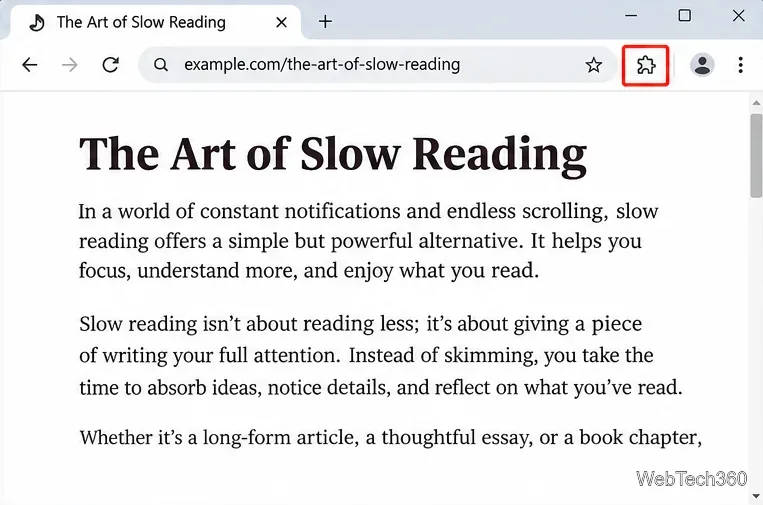
If dotEPUB is hidden, open Chrome's Extensions menu (the puzzle-piece icon) and pin it for easier access.
Locate dotEPUB in the Chrome Web Store and use Add to Chrome to install it.
Google's extension installation instructions explain how to manage permissions and pin extensions. Chrome extensions are installed on desktop Chrome; the mobile browser does not install them in the same way.
Convert a webpage into an EPUB file
Once dotEPUB is installed, saving an article takes only a few actions:
Open the article. Go to the page you want to keep and let its main text finish loading. If the site has a print-friendly or single-page version, use that when available.
Find dotEPUB. Select the extension from the toolbar or Chrome's Extensions menu while the article tab is active.
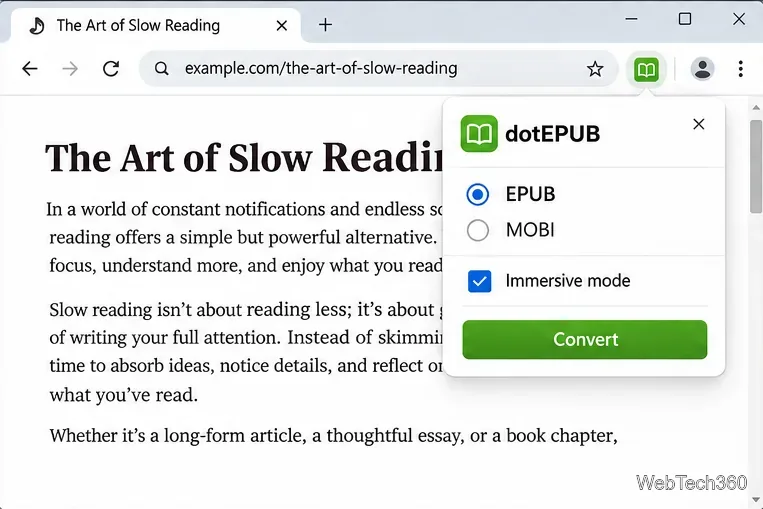
Choose your reading preferences. If you want to preserve eligible inline images and links, turn off Immersive mode in dotEPUB's settings before converting. Leave it on for a more stripped-down reading copy.
Convert and save. Activate dotEPUB on the page. The extension processes the content and initiates an eBook download. Save the file somewhere you can find it, such as your Downloads folder.
Open the EPUB. Import it into a compatible reader or transfer it to your e-reader for offline reading.
Use Chrome’s Extensions menu to access dotEPUB while viewing the article you want to save.
One small limitation is easy to miss: the Chrome Web Store listing warns that dotEPUB can run only once on the same loaded webpage. If you want to convert it again, reload the page first.
Use Immersive mode for a cleaner reading copy
Immersive mode favors uninterrupted reading. According to dotEPUB's documentation, it removes links and does not offer the option to keep images. Turn it off if the article contains diagrams or photos you might need, or if you want links to remain available in the eBook.
EPUB format and Immersive mode are key settings to consider before creating your reading copy.
Disabling Immersive mode is not a guarantee that every picture will survive conversion. The developer says some images may be excluded because they sit outside the detected main article, use unsupported formats, are blocked by the source server, or exceed the conversion engine's image-handling limits. JPEG, PNG, and GIF are among the formats its FAQ lists as supported. Videos and audio are not included in the resulting eBook.
For an illustrated tutorial or reference page, check the finished EPUB before deleting the original bookmark. If images are essential and missing, keep the webpage URL as a backup.
Read the downloaded eBook on your device
An EPUB can be opened in many reading apps and e-readers that accept the format, including suitable apps on computers, phones, tablets, and dedicated devices. The exact import method depends on your reader: some apps let you open the downloaded file directly, while others require you to add it to a library or sync it through a service.
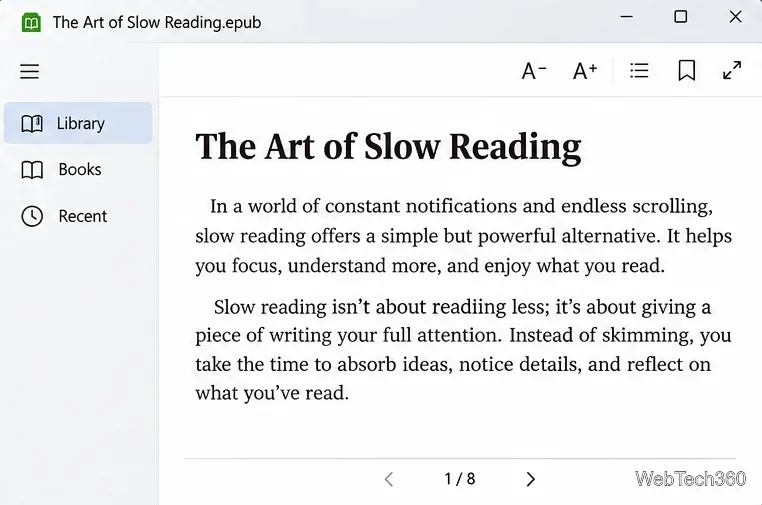
A saved EPUB can be opened in a compatible reader for distraction-free offline reading.
For Kindle: dotEPUB's older documentation discusses MOBI, but Amazon currently accepts EPUB files through Send to Kindle. Instead of assuming that an EPUB can be copied directly to every Kindle by USB, use Amazon's Send to Kindle service and follow its supported transfer instructions. The EPUB is processed for Kindle delivery.
What to do if a conversion fails
No download appears: Reload the article, wait for it to finish loading, and try dotEPUB again. Also check Chrome's download history and whether your browser is blocking downloads.
Part of the text is missing: Prefer the site's single-page or print-friendly article view. Multi-page stories may need a consolidated version before conversion.
Pictures disappear: Disable Immersive mode, then retry after reloading. Some formats, page layouts, and server restrictions still prevent images from being included.
The extension icon is missing: Open Chrome's Extensions menu, check whether dotEPUB is enabled, and pin it if that option is available.
The eBook looks wrong in a reader: Confirm that the app supports EPUB and open the file in another compatible reader to distinguish a conversion issue from a reader-specific display problem.
Is dotEPUB worth using?
dotEPUB remains a convenient option when you want a readable, portable copy of a long webpage rather than a pixel-perfect website archive. Its biggest strength is the short path from article to offline reading; its biggest limitation is that complex layouts and images may not convert completely.
Because the service processes webpage content, avoid converting sensitive or confidential material without reviewing its privacy information. The developer states that it records certain conversion details and that its hosting provider keeps standard access logs. For more information about image handling and supported workflows, see the official dotEPUB FAQ and dotEPUB website.