Home
» INTERNET
»
How to Change Your Name on Facebook (Phone and Computer)
How to Change Your Name on Facebook (Phone and Computer)
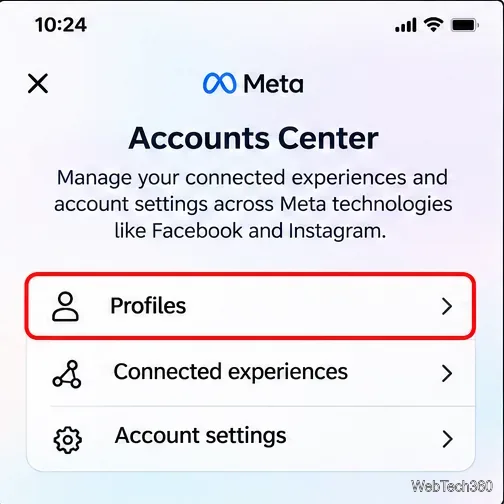
To change your name on Facebook, open Settings & privacy > Settings > Accounts Center > Profiles, select your Facebook profile, and choose Name. Enter the new first, middle, or last name, review it, and save. The same setting works on iPhone, Android, and desktop, although the menus may look slightly different.
Before confirming, check the spelling carefully: Facebook normally limits profile-name changes to once every 60 days. This guide also explains how to add a nickname and what to do if a name change is rejected.
Check Facebook's name rules first
Facebook expects the name you use in everyday life, not necessarily your full legal name in every circumstance. It may ask for a document if it needs to confirm your identity. Its official profile-name standards generally prohibit:
Numbers, symbols, unusual capitalization, or repeated punctuation.
Characters mixed from different writing systems within one name.
Professional or religious titles added as part of the name.
Unrelated words, slogans, offensive language, or impersonation.
A familiar variation of your name, such as Bob for Robert, may be acceptable. If you want to show a maiden name, nickname, or professional name without replacing your main profile name, use Other names instead.
How to change your name on Facebook on iPhone or Android
Use the Facebook app while signed in to the account you want to update. On many iPhones the Menu button is near the bottom; on Android it may appear near the top. Follow the menu labels rather than relying only on the button's position.
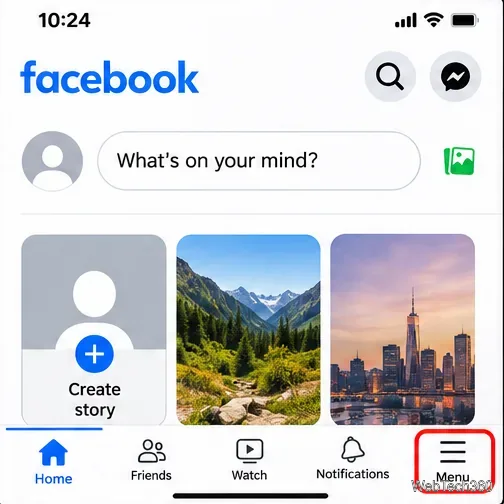
Open the Facebook app and tap Menu (the three horizontal lines or your menu/profile icon).
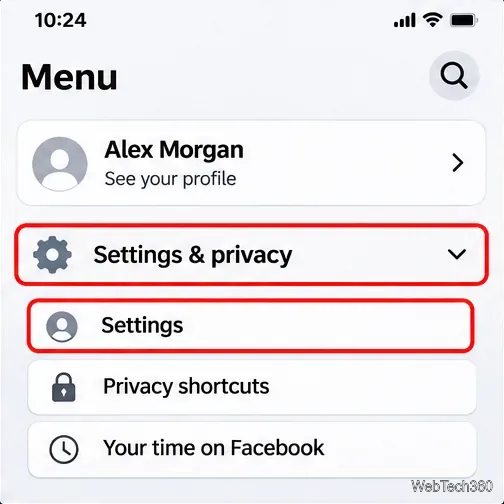
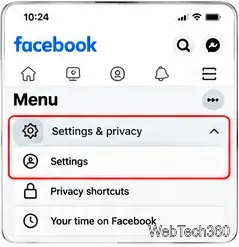
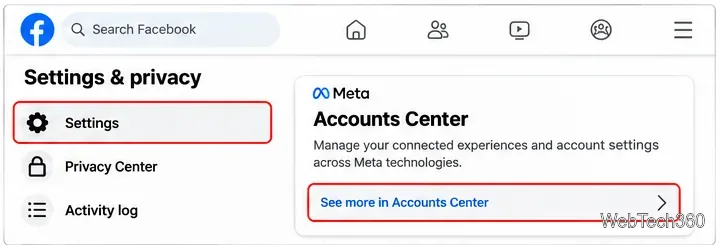
Expand Settings & privacy, then tap Settings.
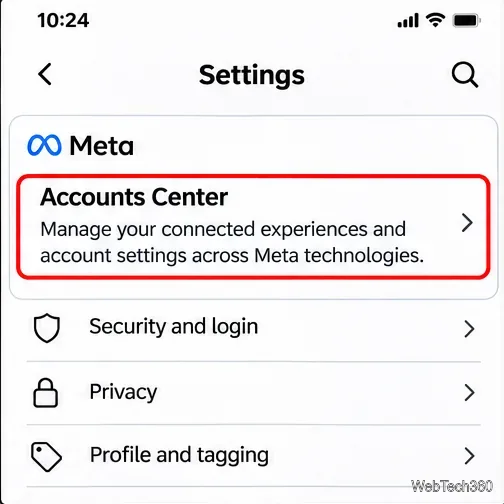
Find Accounts Center in Settings. If there is a See more in Accounts Center link, select it.
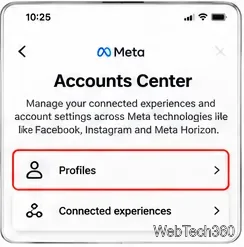
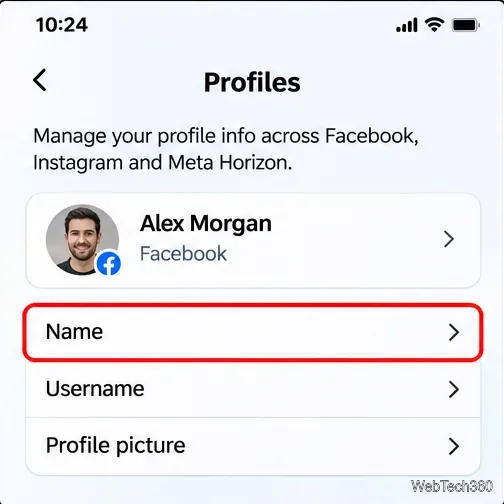
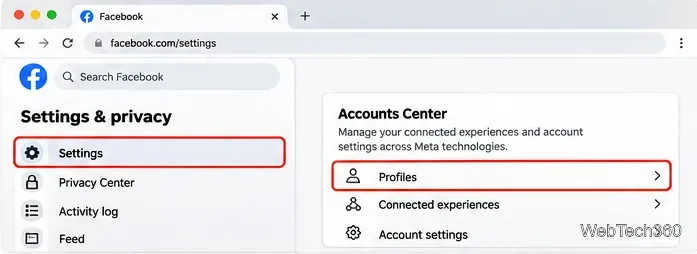
Tap Profiles, then choose the correct Facebook profile. If you have more than one linked Meta account, check which profile is selected.
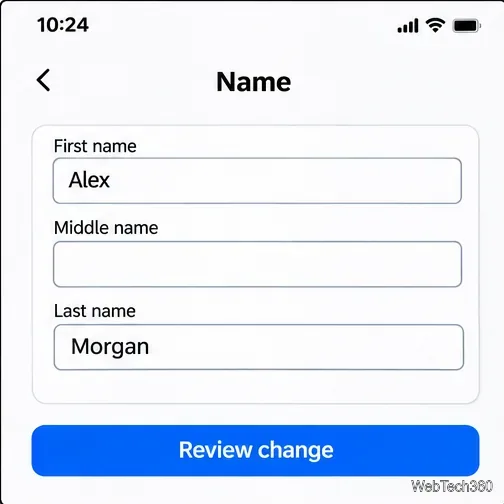
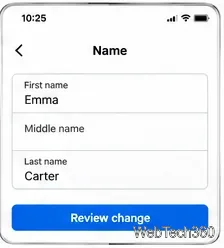
Select Name and edit the first, middle, or last name as needed.
Tap Review change, check the displayed name, and follow any password or confirmation prompt to Save changes.
Facebook can request additional verification or place the change under review. Check your profile afterward to confirm what is currently displayed. See Meta's name-change instructions if your app uses different labels.
How to change your Facebook name on a computer
Visit Facebook and sign in. Click your profile picture in the upper-right corner.
Select Settings & privacy, then Settings.
Open Accounts Center (or See more in Accounts Center), choose Profiles, and select your Facebook profile.
Click Name, update the fields, choose Review change, and confirm the update.
Important: Your profile's display name and your username are different. Editing Name does not automatically change the @username or profile web address. If you meant to change your URL, look for the separate Username setting.
How to add a nickname or former name
You do not need to replace your primary name just to include a nickname, maiden name, or professional name. Meta explicitly supports additional account names.
Open your Facebook profile and go to About. Look for Names or Details about you > Other names; the label varies by layout.
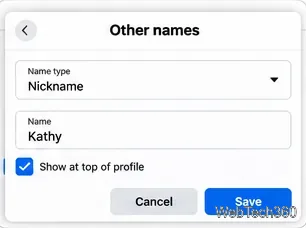
Select Add other name and choose a name type.
Enter the name, choose whether to Show at top of profile, and save it.
Another name may remain visible in the About section and search even when you do not show it next to your primary name. Do not treat that checkbox as a privacy control.
What if you need to rename a Facebook Page?
A business or community Page uses a separate process, and its name change may need approval. On desktop:
Click your profile photo, choose See all profiles, and switch into the Page.
Open the Page's Settings & privacy > Settings.
Find Page setup > Name (or the corresponding Page-name setting) and select Edit.
Enter the proposed name, review it, and submit the request.
You need Facebook access that permits managing Page settings. Task access alone is not sufficient. Renaming a Page does not automatically change its username or URL. Do not apply the personal profile's 60-day rule as a universal rule for Pages.
Why can't I change my Facebook name?
You changed it recently: A new personal profile-name change is ordinarily blocked during the 60-day waiting period.
The name breaks the rules: Remove unusual characters, titles, slogans, or other disallowed elements.
Facebook needs to confirm your identity: Follow the prompt inside Facebook or its Help Center. Do not send identity documents to someone who contacts you through Messenger.
You selected the wrong account or Page: Return to Accounts Center and check the chosen profile, or switch into the Page before editing a Page name.
If the setting remains unavailable, use Facebook's name-change help page and follow any review option shown for your account. Repeatedly submitting variations will not bypass a restriction.