Home
» INTERNET
»
Internet Explorer Compatibility in Chrome: IE Tab Classic and Current Options
Internet Explorer Compatibility in Chrome: IE Tab Classic and Current Options
Need to open an Internet Explorer-only website in Google Chrome? The old IE Tab Classic extension was designed for exactly that problem: it displayed a legacy site using Internet Explorer technology without opening a separate browser window. However, the original extension is no longer a dependable installation choice. For current Chrome on Windows, the separately maintained IE Tab extension is the practical successor to investigate; Microsoft Edge IE mode is another supported option.
IE Tab Classic vs. the current IE Tab extension
IE Tab Classic was a lightweight Chrome add-on with an Internet Explorer button in the address bar. Its original Chrome extension ID was miedgcmlgpmdagojnnbemlkgidepfjfi. That historical store listing could not be confirmed as available for installation today, so instructions that simply say “install IE Tab Classic” are outdated.
Do not confuse it with the current product named IE Tab, published by Blackfish Software. That extension has a different store ID, hehijbfgiekmjfkfjpbkbammjbdenadd, and uses a companion Windows application called IE Tab Helper. The publisher provides a free trial, followed by a paid subscription. Check the current IE Tab listing in the Chrome Web Store for current availability and terms.
Chrome has also ended support for its older Manifest V2 extension format. This does not by itself establish which manifest version IE Tab Classic used, but it is another reason not to rely on old extension installation guides. See Google's Chrome extension migration timeline.
How to use Internet Explorer compatibility inside Chrome
The following instructions are for the current IE Tab extension on a Windows computer, not the discontinued IE Tab Classic workflow. Only use IE compatibility for a site that actually requires it; normal websites are better left in Chrome's modern rendering engine.
1. Install IE Tab from its current Chrome Web Store listing
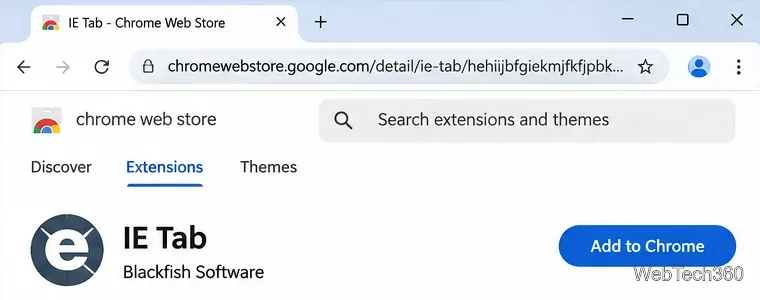
Open the current IE Tab listing in the Chrome Web Store. Verify the extension name and publisher before selecting Add to Chrome and accepting Chrome's installation confirmation. If the installation is blocked on a managed computer, ask your IT team rather than changing organization security policies.
The current IE Tab extension has a different listing from the old IE Tab Classic add-on. The interface shown is an example layout.
2. Install the required IE Tab Helper on Windows
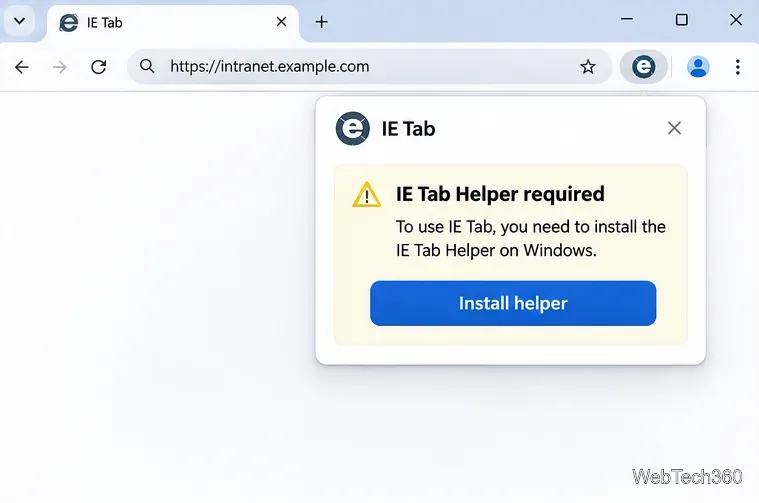
The extension alone cannot directly access the Internet Explorer rendering engine. When IE Tab requests its helper component, follow the publisher's installation instructions and approve the native Windows installer only if your organization allows it. The helper is required for the Windows version; a browser extension cannot replace it by changing a checkbox.
IE Tab requires a separate helper application on Windows. The exact prompt can vary by extension version.
3. Open the legacy website in IE Tab
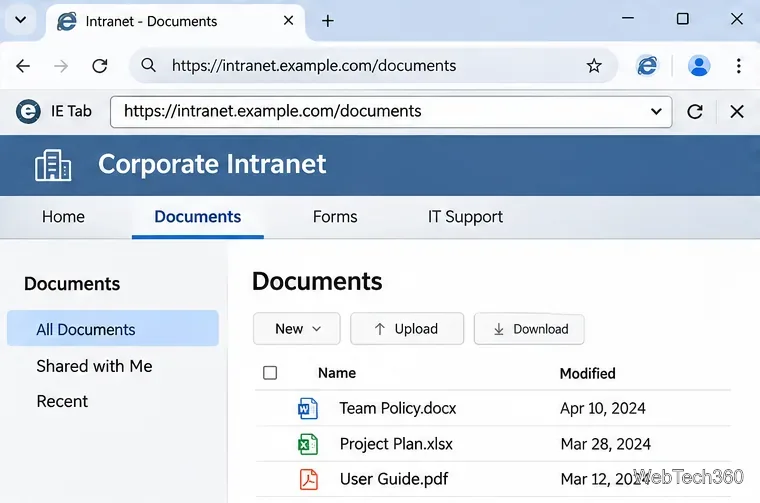
Visit the site in Chrome, then select the IE Tab extension icon beside the address bar. If it is hidden, look under Chrome's Extensions menu. IE Tab should open the page with a second address field for the Internet Explorer-rendered content. This is useful for older intranet portals and applications that depend on legacy IE behavior; it is not a guarantee that every obsolete plug-in will work.
A legacy intranet page appears beneath a separate IE Tab address field in this example.
4. Configure Auto URLs for frequently used legacy sites
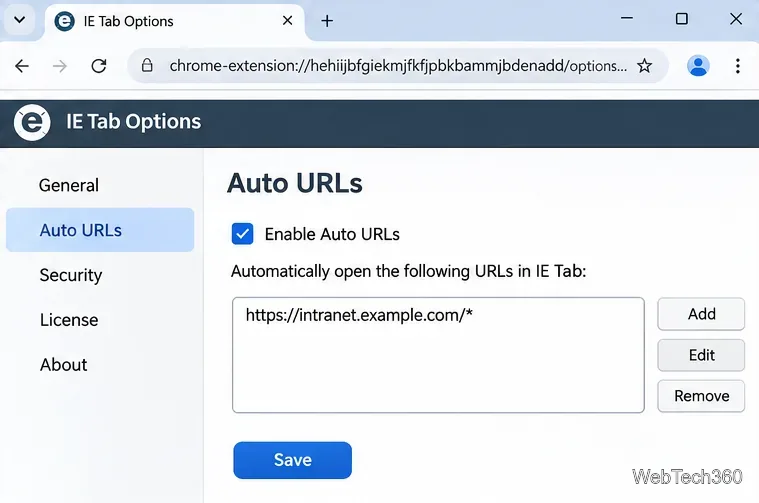
For an internal portal you open regularly, right-click the extension icon, choose Options, and find Auto URLs. Add a specific address pattern, such as https://intranet.example.com/*, using your real approved intranet domain. Enable Auto URLs so matching addresses launch in IE Tab automatically. The publisher documents wildcard matching and more advanced rules in its IE Tab publisher documentation.
An Auto URL rule limits IE rendering to a chosen intranet address instead of applying it to all browsing.
When Microsoft Edge IE mode is the better choice
If your organization supports Microsoft Edge, its built-in Internet Explorer mode is often a cleaner choice than adding an external Chrome extension and helper. Microsoft retired the IE11 desktop application on affected Windows versions in June 2022, but says IE mode in Edge remains supported through at least 2029. See the Microsoft's Internet Explorer lifecycle notice.
Microsoft's current setup depends on device management and Edge version. On a non-enterprise device running Edge 141 or later, go to Settings > Default browser, find the Internet Explorer mode pages section, and add the specific legacy URL. For managed devices, IT administrators may instead configure an Enterprise Mode Site List; the reload option is available only when relevant policy permits it. Follow Microsoft's IE mode instructions for the instructions matching your device.
IE mode uses the IE11 Trident/MSHTML engine for designated websites, while ordinary pages continue using the modern Edge engine. Neither Edge IE mode nor IE Tab is a reason to switch every site back to obsolete browser behavior.
What to check if the legacy site still fails
Extension missing or disabled: Open chrome://extensions, check its status, and make sure you installed the current IE Tab rather than an old similarly named add-on.
Blank page or helper error: Check that the official IE Tab Helper is installed and allowed to run. Corporate endpoint protection may require approval from IT.
Login prompts repeat: IE Tab sessions can have separate cookies. Ask your administrator whether its documented session-sharing options are suitable for your site.
Site opens but controls fail: Verify the application's required document or compatibility mode. IE Tab provides configurable IE modes, but the site owner should confirm which one is supported.
SharePoint or Outlook page behaves strangely: Check whether the service is actually a modern Microsoft 365 site. Modern Outlook on the web and SharePoint Online should not automatically be treated as IE-only applications.
Use legacy rendering only where necessary
Restrict Auto URLs to trusted business sites, review the extension's requested permissions, and never install unofficial CRX packages advertised as “IE Tab Classic.” Older IE-dependent applications can carry compatibility and security risks. When a service can be updated to support current browsers, modernization is preferable to keeping a legacy rendering path indefinitely.