Home
» INTERNET
»
Microsoft Teams Not Loading? Fix Crashes, Freezing, and Startup Errors
Microsoft Teams Not Loading? Fix Crashes, Freezing, and Startup Errors
Microsoft Teams not loading? If the desktop app freezes on startup, repeatedly crashes, or shows a blank window, first try Teams in a browser, then fully close the desktop app and check for updates. If the problem persists, repair the installation before resetting local data or reinstalling. These steps apply primarily to the current Teams desktop app on Windows and macOS.
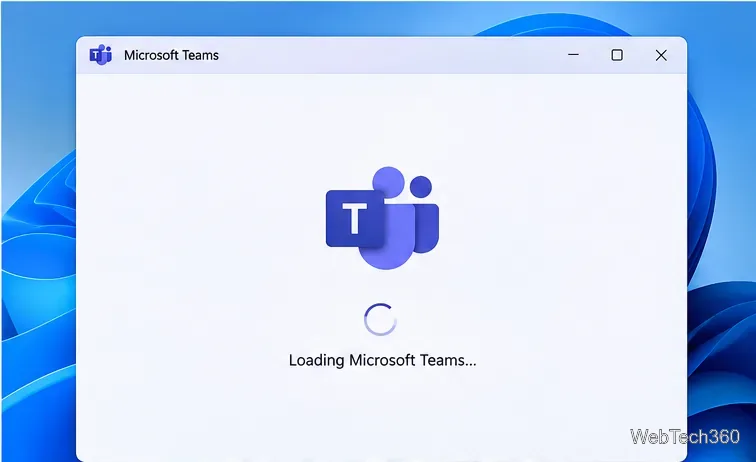
The Teams desktop client may remain on its loading screen.
1. Use Microsoft Teams on the web while you troubleshoot
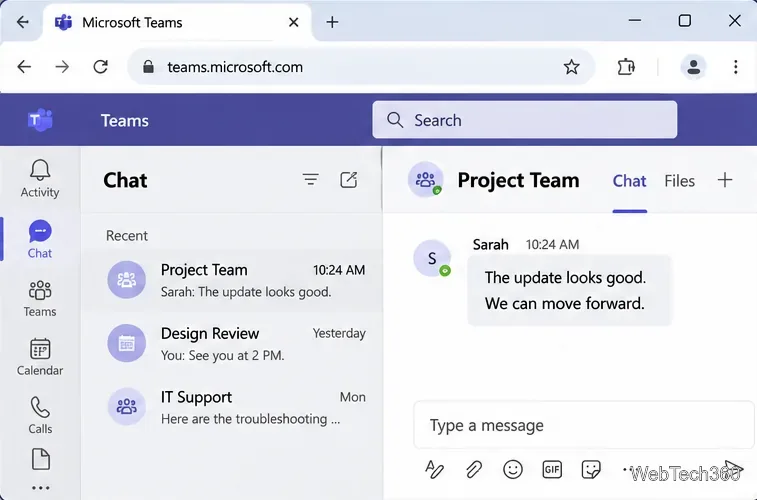
Open Teams in your browser and sign in with the account you normally use. If the browser version works but the desktop app does not, the problem is more likely to involve the local installation, its saved data, or device configuration. The web version is a practical way to join an urgent meeting, although some desktop-specific capabilities may differ. You can also use the official Teams mobile app.
Open Teams in a browser to keep working while troubleshooting the desktop app.
2. Completely close Teams and reopen it
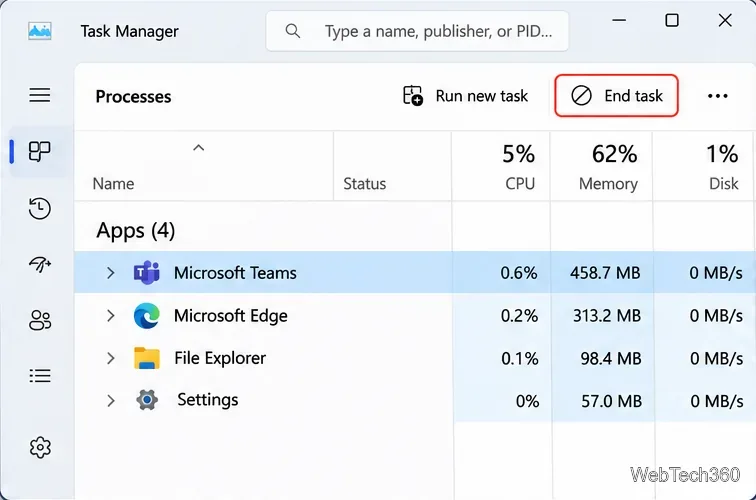
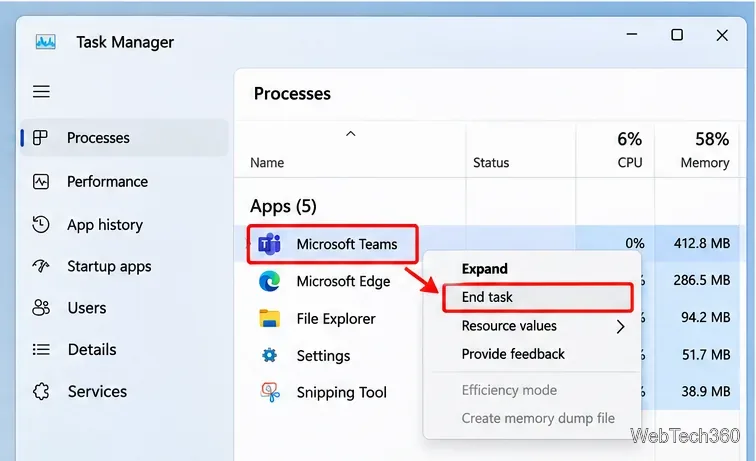
Closing a frozen window does not always end its background process. On Windows, press Ctrl + Shift + Esc, open Processes in Task Manager, select Microsoft Teams, and choose End task. End any additional Teams processes that remain, then reopen the app.
Find the unresponsive Teams process in Windows Task Manager.The End task option closes a Teams process that is no longer responding.
On a Mac, choose Quit from the Teams menu or press Command + Q. If it is unresponsive, use Apple menu > Force Quit, select Teams, and reopen it.
3. Check your connection and account
Try opening an unrelated website to confirm internet access. If Teams says it is reconnecting, temporarily disconnect a VPN when permitted by your workplace, then retry. If the app opens far enough to display your profile, select your profile picture, choose Sign out, and sign back in. Confirm you are using the correct personal, work, or school account.
If Teams fails on multiple devices or for multiple coworkers, an organization administrator should check Microsoft 365 service health before making changes to individual computers. Sign-in errors can also be caused by company authentication or conditional-access requirements.
4. Update Microsoft Teams
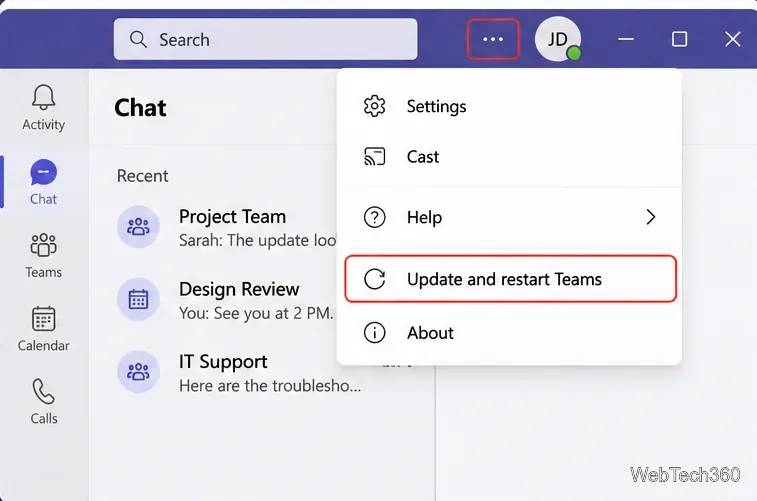
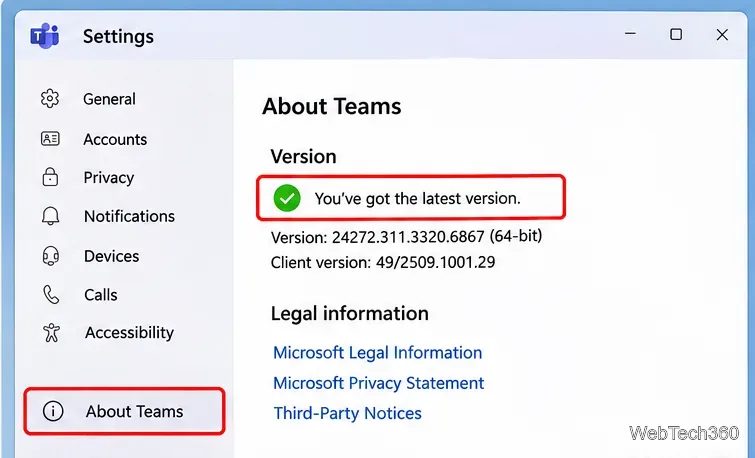
Teams generally updates automatically when idle. If an update is waiting, open Settings and more (...) near your profile picture and choose Update and restart Teams. The option may be absent when there is no pending update. You can check the installed version under Settings and more > Settings > About Teams. Microsoft documents the current controls in its Teams update guide.
Use Update and restart Teams when the command appears in the menu.The About Teams page is another place to review the installed client version.
5. Repair or reset Teams on Windows
Open Settings > Apps > Installed apps.
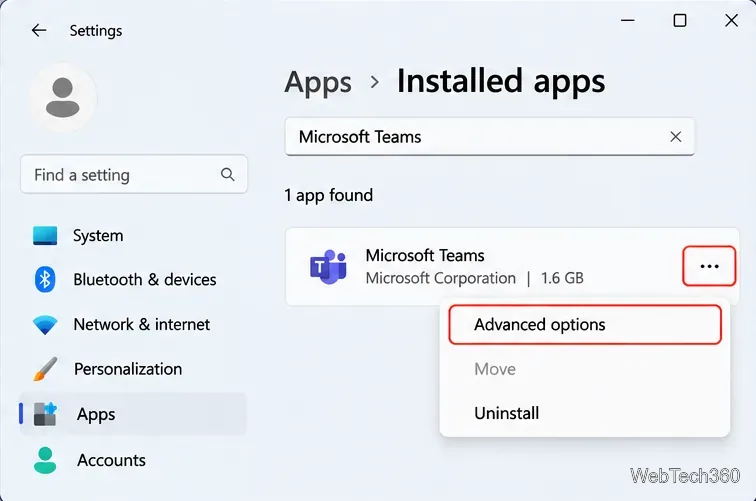
Find Microsoft Teams, select the three-dot menu, and open Advanced options, if available.
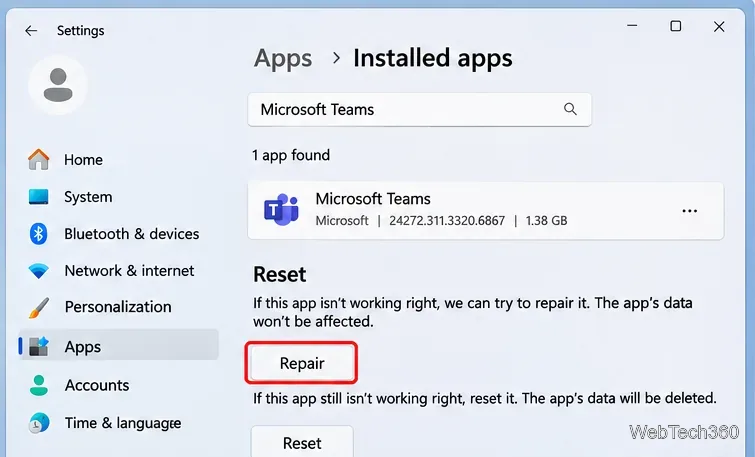
Select Repair first. Restart Teams and test it.
If Repair fails, select Reset, then launch Teams and sign in again.
Important: Reset removes locally stored app data and personalization settings, so it is a more disruptive step than Repair. The available controls can vary by Windows version and how Teams was installed. See Microsoft's Windows app repair instructions.
Open Advanced options from the Microsoft Teams entry in Windows Settings.Try Repair before Reset, because resetting removes local app data and settings.
6. Clear the new Teams cache only when appropriate
Microsoft advises against clearing the cache as a routine fix for missing chats, channels, or incorrect unread counts; doing so can remove useful diagnostic logs. For a persistent local startup or freezing issue after simpler fixes, you can try the targeted procedure in its cache guidance.
Windows: new Teams
Quit Teams completely.
Press Windows + R and enter %userprofile%\appdata\local\Packages\MSTeams_8wekyb3d8bbwe\LocalCache\Microsoft\MSTeams.
Delete the contents of that specific Teams cache folder, not the parent Packages directory.
Restart Teams and allow extra time for its cache to rebuild.
The older %appdata%\Microsoft\Teams path belongs to classic Teams and should not be substituted for the new Teams path.
Mac: new Teams
Quit Teams. Microsoft documents these Terminal commands to remove the new client's local containers. Check the paths carefully before running a deletion command, and ask your IT team first if the Mac is managed:
Reopen Teams afterward. Its first launch may take longer while local data is rebuilt.
7. Reinstall Microsoft Teams if startup still fails
On Windows, go to Settings > Apps > Installed apps, find Teams, and choose Uninstall. On macOS, quit Teams, open Finder > Applications, and move Microsoft Teams to the Trash. Restart your device, then download a fresh installer from the official Microsoft Teams download page. For a company-managed device, follow your IT department's software deployment process instead of installing an unapproved copy.
8. Update Windows or macOS, then escalate recurring crashes
Check Settings > Windows Update on Windows, or System Settings > General > Software Update on a Mac. Install supported updates, restart, and test Teams. Avoid disabling display adapters or changing system policies merely to troubleshoot this app.
If Teams still fails, record the exact error message, when the freeze occurs, whether the web app works, and the operating system and Teams versions. Share those details with your Microsoft 365 administrator or support team. They can review sign-in diagnostics, service health, and device-specific logs without discarding evidence through repeated resets.