Home
» MEDIA STREAMING
»
How to Watch The X-Files Online: Hulu, Free Streaming, and Kodi Live TV
How to Watch The X-Files Online: Hulu, Free Streaming, and Kodi Live TV
To watch The X-Files online, start with Hulu if you want a subscription service or Pluto TV if you want free, ad-supported viewing in the United States. Both currently list all 11 seasons of the original series. Kodi is an alternative for your own authorized video files or licensed live TV feeds, not a source of free episodes on its own.
Streaming rights vary by country and can change. Check a service's actual catalog before paying, especially if you're outside the United States.
Where can you stream The X-Files?
Hulu: Its official series page lists 11 seasons and 217 episodes. A Hulu subscription and a supported device are required; the catalog shown is for the U.S. service.
Pluto TV: Its official X-Files page lists 11 seasons for free, on-demand viewing supported by advertising. Availability and episode access may change.
Outside the United States: Search your local Disney+ or other licensed streaming catalogs for The X-Files. Disney+ explains that titles differ between countries and regions. Do not assume that a U.S. Hulu listing applies where you live.
Look for the original TV series starring David Duchovny and Gillian Anderson, rather than a similarly named movie. Seasons 10 and 11 are the 2016 and 2018 revival seasons, not an ongoing weekly release.
How to watch: four practical steps
1. Find the show in a service available in your region
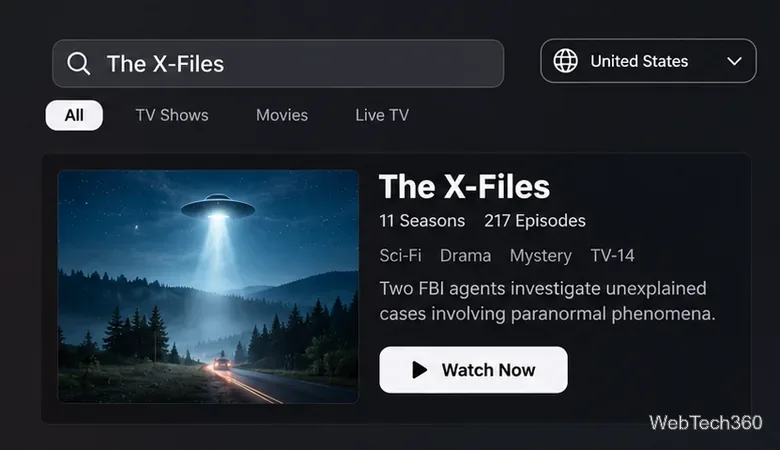
Open the official Hulu or Pluto TV link above, or search The X-Files inside your regional streaming app. Confirm that the result is the television series and examine its seasons before starting a subscription. If it isn't listed, try another authorized provider available where you live; catalogs are not universal.
Check the country and the series listing before choosing a streaming provider.
2. Select the season and start an episode
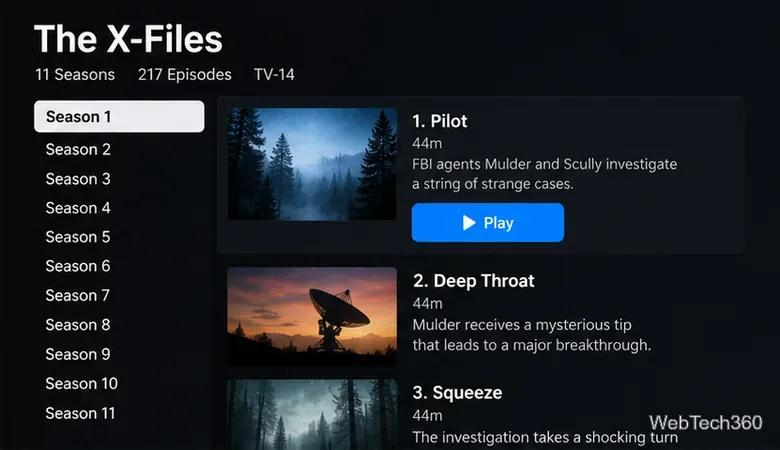
On Hulu, sign in with your eligible account, open the series page, select a season, and choose an episode. Pluto TV lets you open its show page and select an available episode with ad breaks. Start with Pilot in Season 1 if you're new to the series, or choose Season 10 if you're returning specifically for the revival.
For playback issues, check your account access and internet connection, update the official app, and try another supported device. The provider's player controls, audio tracks, and caption options may differ by device.
Choose a season and episode from the catalog rather than following an outdated episode link.
3. Add legitimately obtained episodes to Kodi
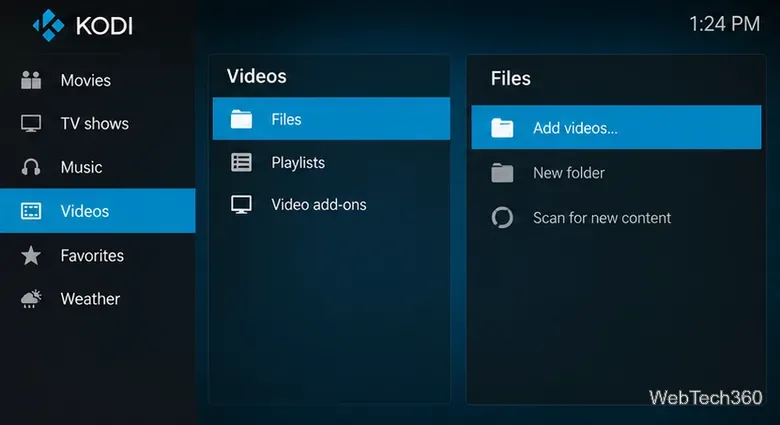
If you have video files that you are allowed to play, download Kodi from the official Kodi website. Open Videos > Files > Add videos..., browse to the folder containing your copies, and confirm the source. When Kodi asks what the directory contains, choose TV shows and scan the library to organize your episodes. The Kodi video-source guide documents these controls.
Kodi doesn't download The X-Files for you, and a Hulu or Pluto subscription doesn't automatically create playable local files in Kodi.
Use Kodi’s Videos and Files sections to add an authorized local or network media folder.
4. Configure Kodi Live TV only if you have a licensed source
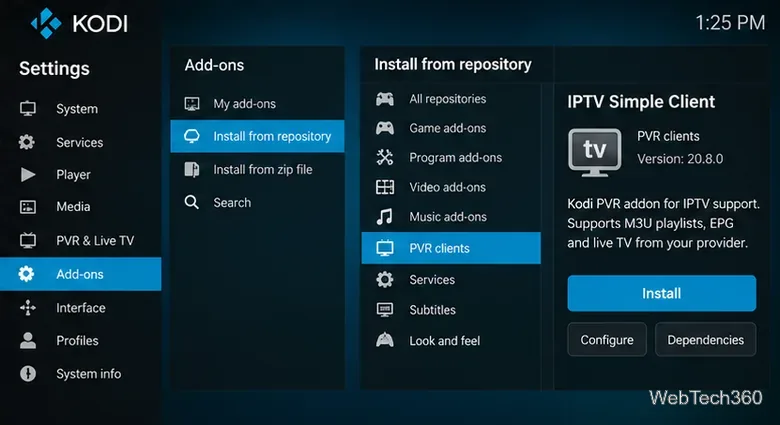
Kodi can also display legitimate live television, but you need a compatible TV tuner and backend, or a provider-authorized IPTV playlist. For a compatible M3U source, open Settings > Add-ons > Install from repository > PVR clients > PVR IPTV Simple Client > Install. Then configure the add-on with the M3U playlist supplied by your provider and, if available, its XMLTV program guide.
The official IPTV Simple Client documentation explains the supported playlist formats. You can watch The X-Files live only if a channel you are entitled to receive is actually broadcasting it. Installing a PVR client alone does not unlock the show or create a live channel.
Kodi’s official PVR client connects to an existing authorized TV feed; it does not provide channels.
Why older Kodi add-ons and Fox streaming instructions are unreliable
Older X-Files guides often recommend Elysium or Covenant, third-party repositories, or a Fox NOW preview pass. Those instructions reflect an earlier streaming landscape and should not be treated as a current way to watch the series. Broken repository addresses and unofficial “all episodes free” add-ons also create avoidable security and copyright risks.
Kodi itself is legal media-center software. However, Team Kodi warns that third-party add-ons may distribute unauthorized streams and that its official repository is the safer starting point. Avoid entering credentials into unknown add-ons or installing repositories solely because a page promises every season for free.
Do you need a VPN to watch?
A VPN is not a substitute for distribution rights or an eligible subscription. Hulu's international-access guidance says its U.S. service has location restrictions and does not work with anonymizing proxies or VPNs. Do not rely on claims that selecting a U.S. VPN server will make Hulu work abroad. Use a provider licensed for your location instead.
Quick answers
Can you watch The X-Files online for free?
Yes, Pluto TV currently advertises free viewing of all 11 seasons on its U.S. show page, with ads. Check whether it is available in your region before relying on that option.
Are the X-Files movies included?
Not necessarily. The X-Files (1998) and The X-Files: I Want to Believe (2008) are separate movies; search for each movie individually in your local services.
What if a Kodi live stream does not show The X-Files?
First verify that the source is authorized and working, then check its channel guide and broadcast schedule. If the channel isn't airing the show, Kodi can't supply it on demand. For a guaranteed episode choice, use a legitimate on-demand series listing instead.