Home
» MEDIA STREAMING
»
Best Netflix Chrome Extensions for Better Streaming
Best Netflix Chrome Extensions for Better Streaming
The best Netflix Chrome extension depends on what you want to fix. Choose Teleparty to watch with friends, Language Reactor for dual subtitles, Trim for ratings and genre discovery, or Netflix Extended for more playback control. All four have current Chrome Web Store listings; none is required to use Netflix.
This selection was checked against developer listings and official support material on October 27, 2026. Features are descriptions supplied by their publishers, not claims of hands-on testing. Because Netflix changes its web player, an extension that installs today may need an update later.
Quick comparison: Which Netflix extension should you use?
Extension
Best for
What to know
Teleparty
Remote watch parties
Each viewer needs streaming access
Language Reactor
Language practice
Some features involve in-app purchases
Trim
Movie ratings and genre browsing
Ratings do not change title availability
Netflix Extended
Skipping and keyboard controls
Review its data disclosures
Four Netflix Chrome extensions worth considering
1. Teleparty: Watch Netflix together remotely
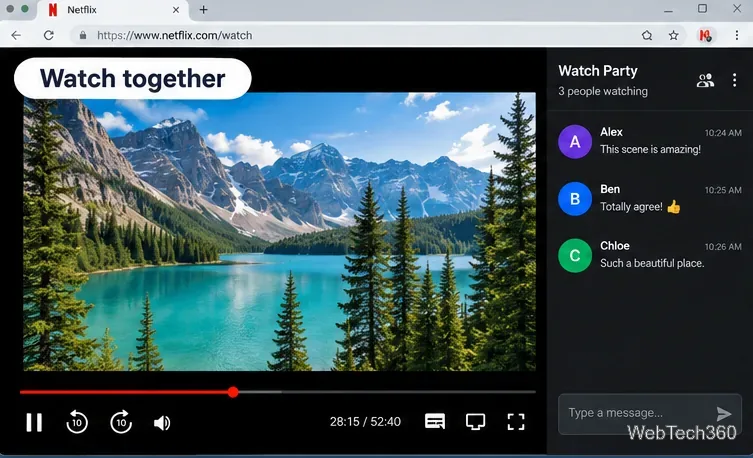
Teleparty, formerly called Netflix Party, keeps video playback synchronized between people in different places and provides a group chat. Start a party while a supported video is open, then share the invitation link with friends. Netflix support is included in Teleparty’s free offering; some other features and services require a premium plan.
A watch-party layout pairs shared playback with a conversation panel.
Important limitation: A shared party link is not a free Netflix subscription. Participants need access to the chosen streaming service, and the title must be available where they watch. See Teleparty on the Chrome Web Store and Teleparty’s support FAQ.
2. Language Reactor: Dual subtitles and a popup dictionary
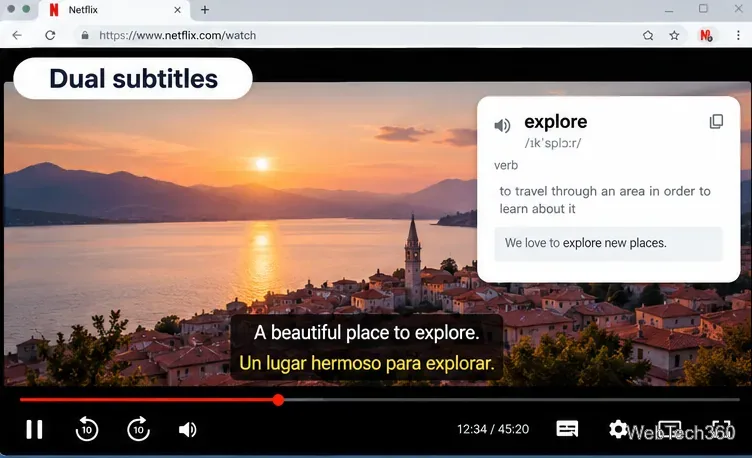
Language Reactor is useful if you learn vocabulary while watching a show. It adds subtitles in two languages, lets you inspect unfamiliar words through a popup dictionary, and offers finer playback controls. The Chrome Web Store lists it as the successor to Language Learning with Netflix. It runs in desktop Chrome on Windows and macOS.
Two subtitle lines and a word lookup help turn an episode into language practice.
Subtitles depend on the available source material and the extension’s settings; not every title will provide the same language options. The listing notes in-app purchases. Check Language Reactor on the Chrome Web Store for supported features before subscribing.
3. Trim: See ratings while browsing Netflix
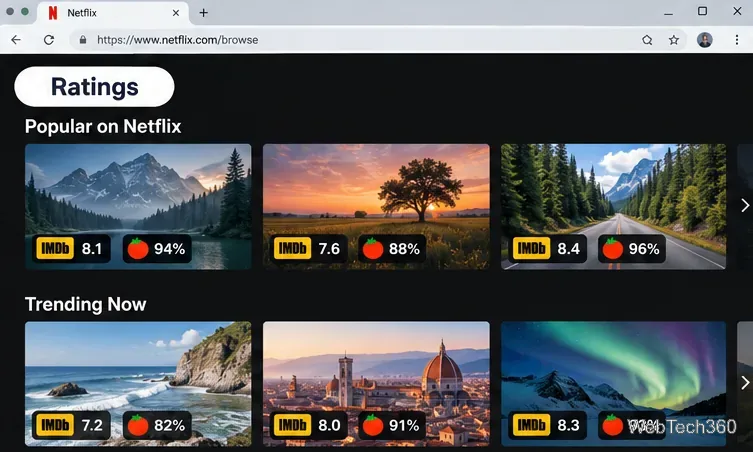
Trim displays IMDb and Rotten Tomatoes ratings alongside titles on Netflix and several other streaming sites. It can fade lower-rated titles and add a genre menu that exposes more specific Netflix categories. It also advertises playback-speed shortcuts using the left and right square-bracket keys.
Rating badges alongside a browsing grid show how third-party scores can aid selection.
Trim can help you decide what to watch; it cannot unlock movies excluded from your region or plan. Rating availability and accuracy depend on the underlying data. The extension listing identifies version 8.03, updated February 2026. See Trim on the Chrome Web Store.
4. Netflix Extended: More control over playback
Netflix Extended offers configurable automatic skipping of intros and recaps, next-episode shortcuts, optional pause-on-lost-focus behavior, subtitle appearance controls, and playback-speed settings. Its listing documents N for the next episode and B for the previous episode, with keys configurable in its options.
There are trade-offs. The extension is not affiliated with Netflix, and its Chrome Web Store privacy disclosures identify multiple categories of data handled. The publisher also says it collects aggregated viewing insights under the Quality Viewership Initiative, with an opt-out in its settings. Review these details before installing. See Netflix Extended on the Chrome Web Store.
How to install an extension without causing unnecessary problems
Open the extension’s linked Chrome Web Store page on a desktop or laptop and inspect its developer, recent update, permissions, and privacy policy.
Select Add to Chrome, confirm the requested access, and reload your Netflix tab. Set up the extension only for the feature you need.
Open Chrome > Extensions > Manage extensions to disable, remove, or change site access if the tool behaves unexpectedly.
Google explains the permissions and site-access controls in Google’s extension management instructions. Installing multiple extensions that alter the same player may produce conflicting behavior; try one at a time.
What about the older Netflix extensions?
Earlier lists featured FlixPlus, FindFlix, Showgoers, SuperNetflix, Video Adjust for Netflix, Netflix Profanity Filter, and Netflix Player Controls. Their old links and instructions are not dependable proof of current compatibility, so this update does not recommend installing those historical packages from unverified mirrors. Trim covers some rating and genre needs, Teleparty replaces the old watch-party use case, and Netflix Extended handles several playback conveniences.
You may not need an add-on for basic navigation: Netflix already supports Space to pause, F for full screen, M for mute, and arrow keys for seeking and volume. Check Netflix’s keyboard shortcut list before adding a shortcut extension.
Can an extension improve Netflix video quality?
No Chrome extension can guarantee 4K, HDR, or a higher bitrate. Netflix video quality depends on the plan, device, browser, display, connection, and playback settings. Use Netflix’s video quality guidance rather than installing an old “force HD” extension. Netflix specifically warns that browser add-ons can trigger playback errors; if a video stops loading, disable extensions one at a time using Netflix’s troubleshooting guidance.
Bottom line: Teleparty is the most direct answer for group viewing, Language Reactor for learning, Trim for discovery, and Netflix Extended for customization. Install only what solves an actual problem, and revisit permissions after updates.