Home
» MEDIA STREAMING
»
How to Install Aptoide on Firestick: Aptoide TV Setup Guide
How to Install Aptoide on Firestick: Aptoide TV Setup Guide
To install Aptoide on a compatible Firestick, install the Downloader app, allow it to install an APK, then download Aptoide TV from the official Aptoide website. Choose Aptoide TV, not the regular phone-oriented Aptoide store: its interface is made for televisions and remote controls.
This method applies to supported, Android-based Fire OS devices. It is not a universal solution for every Fire TV model, and installing an APK does not guarantee that every app in the store will work on your television.
Before you start: Check your Fire TV model
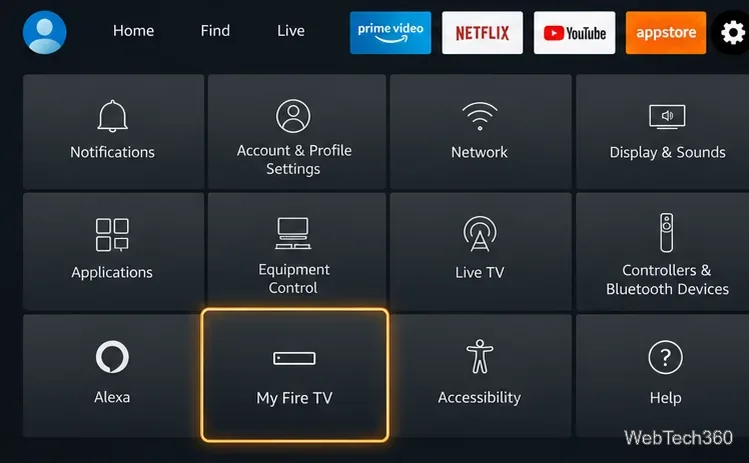
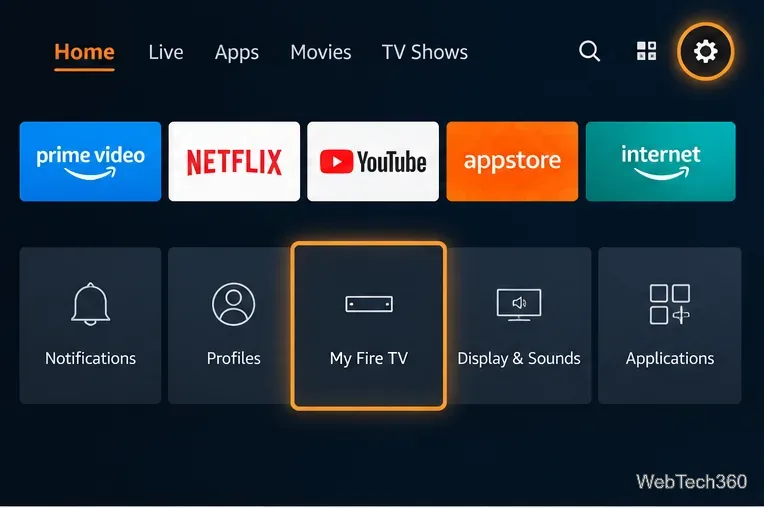
On your Fire TV, open Settings > My Fire TV (sometimes Device & Software) > About and identify your model. Amazon's Fire OS documentation explains that Fire OS is Android-based, which is why the Aptoide TV APK can work on compatible models.
Important exception: The Fire TV Stick 4K Select (2025) uses Vega OS, not Fire OS. Amazon's device specifications identify that operating system. Do not follow a normal Android APK installation guide for a Vega OS device; check the Amazon Appstore for an officially compatible app instead.
How to install Aptoide TV on Firestick
Step 1: Open Settings and confirm your device information
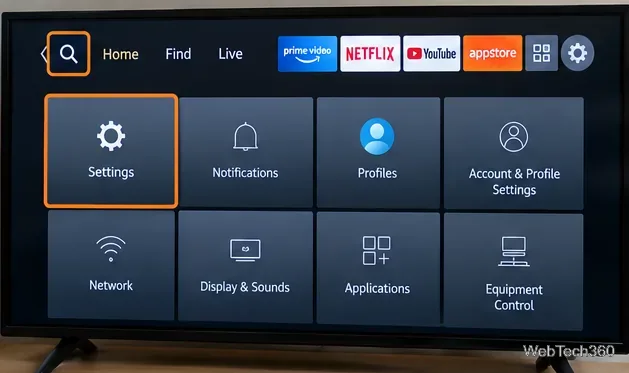
From the Fire TV home screen, select the gear-shaped Settings icon. Under My Fire TV > About, note your device name. Make sure you are using an eligible Fire OS model before continuing.
Step 2: Install Downloader from the Amazon Appstore
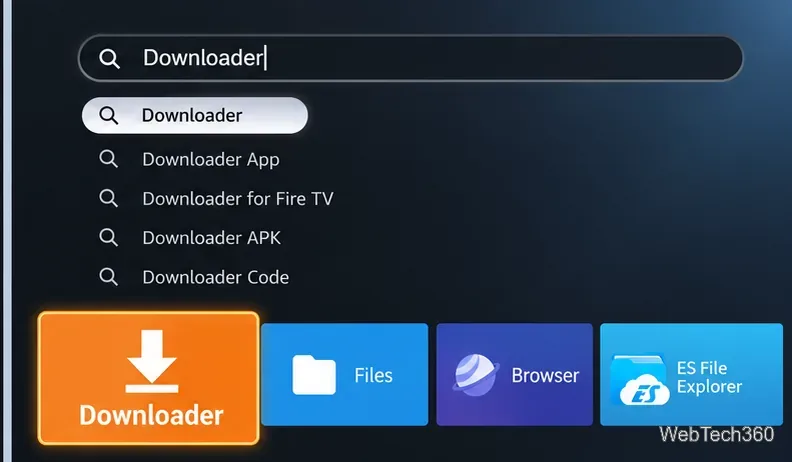
From the home screen, open Find > Search.
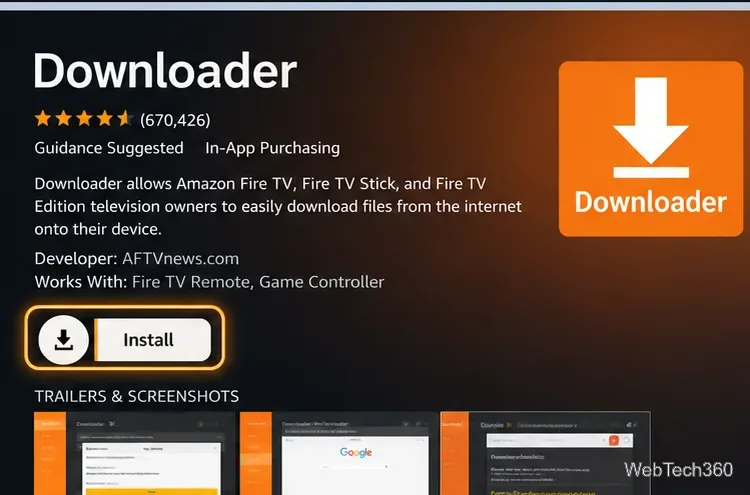
Search for Downloader and open its app listing.
Choose Get or Download, then launch the app. Grant file access if Fire TV requests it.
Use the Downloader app offered through your Fire TV's Appstore, not a random APK mirror. Its job here is simply to open the official Aptoide download page and handle the installer file.
Step 3: Find Developer Options if the menu is hidden
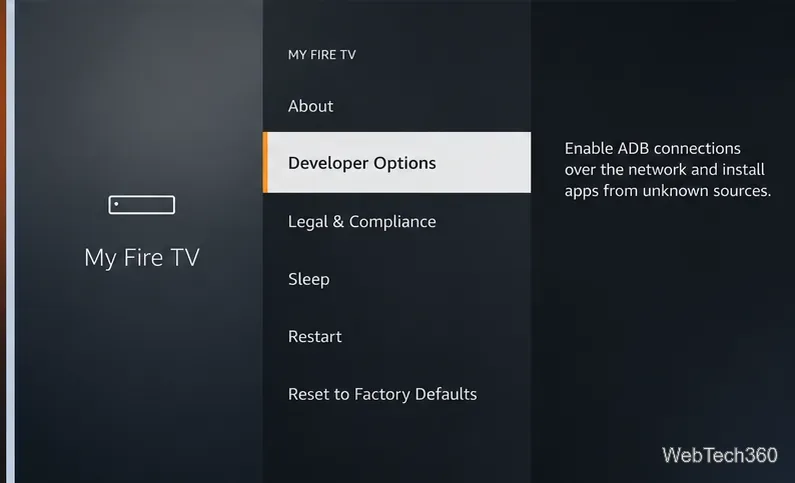
Go to Settings > My Fire TV > Developer Options. If that entry is not visible, open About, highlight your Fire TV device name, and press the remote's Select button seven times. Return to My Fire TV and look again. Amazon support describes this method in its Fire TV installation guidance.
Some Fire TV software versions and models have different menus. If your device does not support the familiar APK installation controls, do not assume repeatedly pressing Select will make them available.
Step 4: Allow Downloader to install the APK
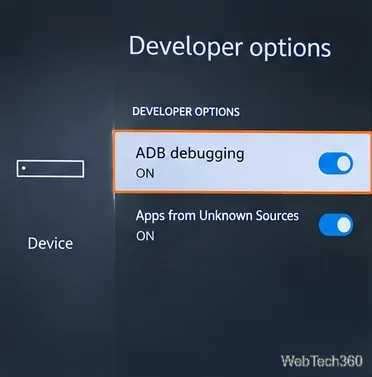
In Developer Options, select Install Unknown Apps and enable Downloader. Older Fire OS versions may instead display one Apps from Unknown Sources toggle. Only turn on the permission needed for installation. ADB debugging is not required for the Downloader method.
When the installation finishes, switch off a global unknown-sources permission if you enabled one. Per-app permission can also be disabled when you no longer need it.
For this method, allow installation from the download app; ADB debugging can remain off.
Step 5: Download Aptoide TV from its official website
Launch Downloader and focus its address field or browser.
Enter https://tv.aptoide.com/ and select Go.
On the official site, choose Download Aptoide TV. Wait for the APK download to finish.
Do not use the old aptoide.en.aptoide.com address from outdated guides, third-party short codes, or unknown download mirrors. Aptoide's official installation FAQ directs users to its Aptoide TV website for the installation file.
Step 6: Install and open Aptoide TV
When the APK opens in the system installer, choose Install. After the installation completes, choose Open, or locate Aptoide TV among your installed apps. You can also check Settings > Applications > Manage Installed Applications to launch it, as described in Amazon's Fire TV instructions.
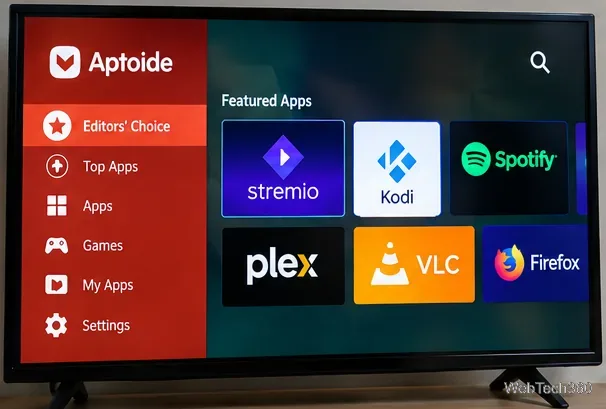
Use your remote to browse TV-compatible apps. Availability and behavior can differ by country, app version, and device. Aptoide TV is free to download, although individual apps may include purchases or subscriptions.
Fix common Aptoide Firestick installation problems
“Installation blocked” or a security message: Check that Downloader has permission under Install Unknown Apps, then retry the downloaded APK. Don't grant access to unrelated installers.
Developer Options are missing: Confirm the model and OS under About. The seven-press shortcut applies to eligible Fire OS interfaces, not every Vega OS or newer Fire OS variant.
Download fails or opens a web page instead: Confirm the address is tv.aptoide.com, check your Wi-Fi connection and free storage, then return to the download button on the official site.
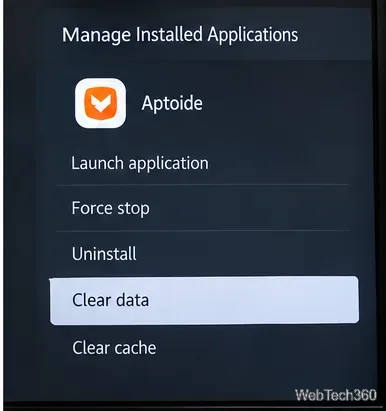
Aptoide TV opens and immediately closes: Go to Settings > Applications > Manage Installed Applications > Aptoide TV. Try Force Stop, then Clear Cache if available. Restart Fire TV before reinstalling from the official source.
Still won't open:Clear Data resets the app and can erase settings or sign-in information. Use that only after simpler fixes fail.
Is Aptoide TV safe to use?
Aptoide is an established alternative app marketplace, but sideloading introduces more responsibility than installing from the Amazon Appstore. Obtain the store from the official Aptoide TV website, review each app's publisher and permissions, and avoid unknown or modified APKs. Not every Android phone app is suitable for a TV remote or supports Fire OS.
You do not need a VPN to install Aptoide TV. A VPN is a separate, optional privacy tool and does not verify APK safety, grant compatibility, or make unauthorized streams legal. For the cleanest experience, try the Amazon Appstore first when the app you need is already available there.