Home
» MEDIA STREAMING
»
How to Watch Swedish TV Outside Sweden: SVT Play, TV4 Play, and More
How to Watch Swedish TV Outside Sweden: SVT Play, TV4 Play, and More
You can watch some Swedish TV outside Sweden without a VPN. Start with SVT Play, which offers selected programs internationally. If you live in Sweden and are temporarily traveling within the European Union or European Economic Area (EU/EEA), an eligible paid TV4 Play subscription may also work abroad. Other programs, especially live channels and sports, can remain restricted by licensing agreements.
Here’s how to check availability and resolve common playback problems.
Watch Swedish programs abroad for free with SVT Play
SVT Play is the streaming service from Sweden’s public broadcaster, Sveriges Television. SVT confirms that some on-demand programs are available worldwide and provides a filter for international viewers.
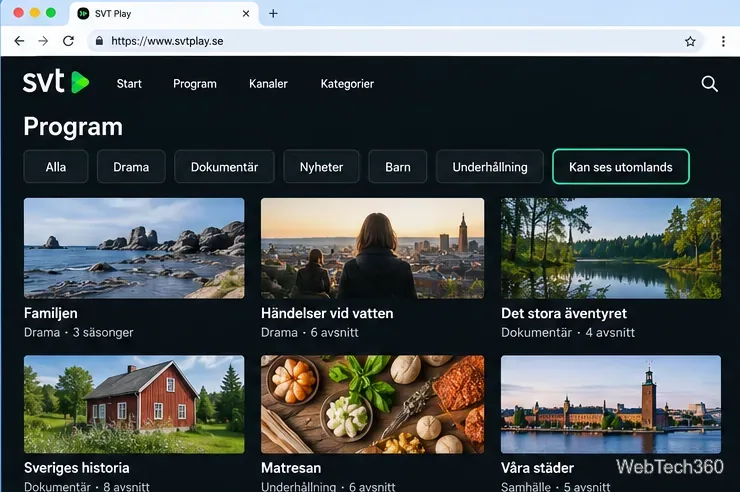
Open the program catalog. Visit SVT Play programs in a desktop or mobile browser.
Filter for overseas viewing. Under the categories, select “Kan ses utomlands” (“Can be watched abroad”). The catalog will display titles cleared for viewing outside Sweden.
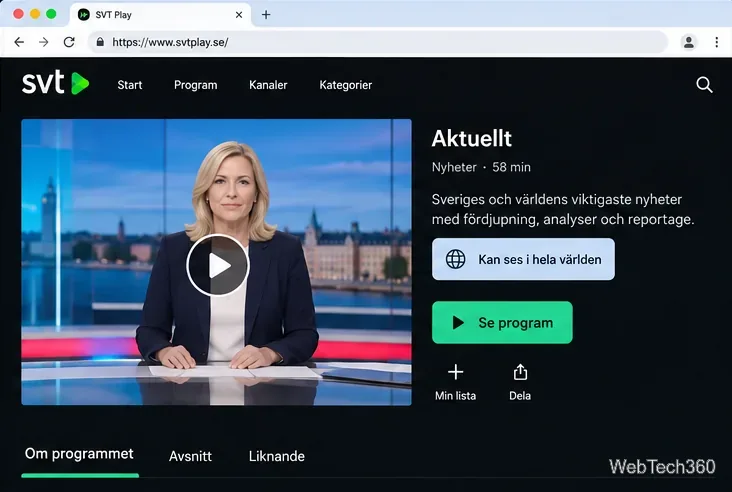
Choose a program and check its rights. Open a title, inspect its availability information, and play an eligible episode. The label “Kan ses i hela världen” means the program can be watched worldwide.
The “Kan ses utomlands” filter is the quickest way to find SVT programs cleared for overseas viewing.
If you use the SVT Play mobile or tablet app while abroad, SVT says it automatically displays the programs available in your location. Availability changes as distribution rights expire.
Check a program’s rights information instead of assuming every SVT title is available outside Sweden.
Important: SVT says its live TV channels on SVT Play are available only in Sweden. International sports and licensed dramas are also frequently restricted. For the broadcaster’s current policy, see SVT’s guide to watching abroad.
Use TV4 Play during temporary travel in the EU or EEA
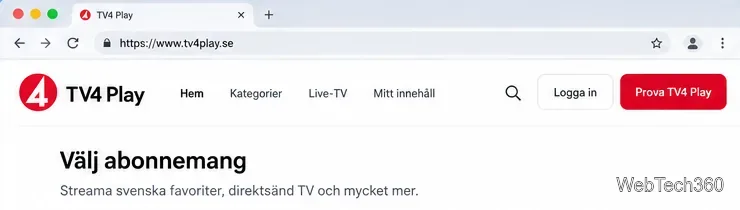
TV4 Play has different rules. Its current terms state that users of eligible paid packages may access their subscribed content during qualifying temporary stays in the EU/EEA. Its free tier is not available abroad under those terms.
If you live in Sweden and have a qualifying subscription, sign in while traveling, verify your active package, and choose a title. Contact TV4 Play support if residence checks fail.
TV4 Play access abroad depends on your account, subscription, and travel location—not just the website opening.
The European Union guidance on content portability explains the general rule: a paid online content subscription from your country of residence must remain portable during temporary visits to other EU countries. It does not cover permanent relocation. TV4 also refers to the EEA; check TV4 Play’s terms of use for its exact current conditions.
Will a VPN let you watch every Swedish channel?
No. A virtual private network (VPN) can change the country associated with your internet connection, but it cannot create international broadcasting rights or guarantee that a streaming service will play a restricted title.
SVT explicitly says it does not support VPN use and cannot guarantee playback through one. TV4 Play’s terms prohibit anonymized access through VPNs and proxies. A VPN is therefore not a dependable substitute for official international or subscription access.
What about watching Swedish TV through Kodi?
Kodi is a media center with optional add-ons. The Retrospect add-on is listed in Retrospect in Kodi’s official add-on directory and provides a way to browse catch-up streams made publicly available by participating broadcasters, including some Swedish sources. Its Retrospect developer’s repository documents the project and updates.
If you already use Kodi, find Retrospect through Kodi’s official add-on repository rather than an old SuperRepo or Kodi Krypton installation guide. Channel availability can change. Retrospect does not bypass geographic licensing restrictions.
Do not rely on older Darkzide IPTV listings or unverified playlists. Prefer licensed sources.
Fix location errors and missing programs
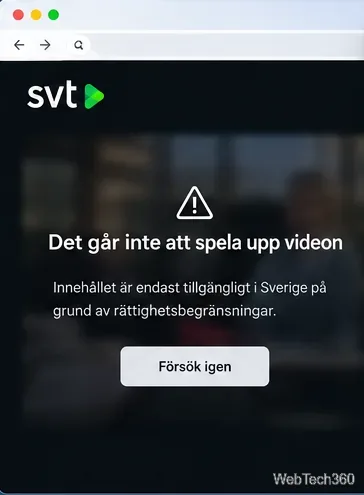
A regional restriction message generally signals a content-rights limit rather than a broken video player.
If a program will not play, check its regional rights, then:
Turn off VPNs and proxies. They can cause the broadcaster to detect an unexpected location or refuse playback.
Update the app or browser. Restart it or try another network.
Check your connection and location settings. SVT notes that IP-address geolocation can occasionally be wrong, even for viewers who are physically in Sweden.
Verify your TV4 account status. Confirm the package and travel requirements.
Look for a different licensed release. Another service may license the series in your country.
No. SVT says that its service does not currently support downloading programs for later offline viewing; streaming requires an internet connection. See SVT’s offline viewing help page before planning to watch during a flight or without mobile data.
Bottom line: For free Swedish programs abroad, use SVT Play’s international catalog first. For eligible Swedish residents traveling temporarily in the EU/EEA, check paid TV4 Play portability. If a particular live channel, sports event, or series is region-locked, rely on an authorized distributor in your location rather than assuming a VPN or third-party add-on will remove the restriction.