πŸ”§ Instant Fix: Banish Microsoft Teams Application Is In A Bad State Error Forever!

Frustrated by the dreaded Microsoft Teams "Application Is In A Bad State" Error? 😩 You're not aloneβ€”this pesky issue crashes your meetings, silences notifications, and disrupts your workflow. But don't worry! We've got your back with straightforward, battle-tested solutions that work on the latest Microsoft Teams versions. Follow these steps, and you'll be back to productive chats in no time. Let's dive in! πŸš€

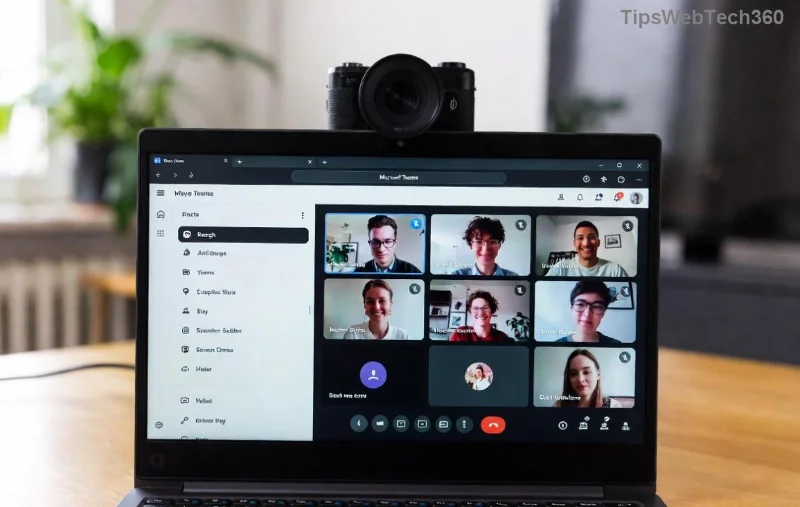
Microsoft Teams Application Is In A Bad State Error Screenshot

What Causes the Microsoft Teams "Application Is In A Bad State" Error?

This error pops up when Microsoft Teams detects corrupted files, outdated caches, or conflicting processes. Common culprits include:

  • βœ… Corrupted user profile or cache buildup
  • βœ… Incomplete updates or installation glitches
  • βœ… Background processes clashing with antivirus or system resources
  • βœ… Outdated Microsoft Teams app

Understanding these helps you target the fix precisely. Ready to troubleshoot? Start with the quickest wins! πŸ‘†

Quick Troubleshooting Table: Best Fixes at a Glance

πŸ”’ Step Fix Method Time Needed Success Rate
1️⃣ Clear Cache 2 mins High ⭐⭐⭐⭐⭐
2️⃣ Kill Processes & Restart 1 min High ⭐⭐⭐⭐
3️⃣ Reset Teams 5 mins Very High ⭐⭐⭐⭐⭐
4️⃣ Reinstall Teams 10 mins Guaranteed ⭐⭐⭐⭐⭐

Pick your starting point based on urgency. Most users fix it with Step 1 or 2. Let's get detailed! πŸ“‹

1️⃣ Method 1: Clear Microsoft Teams Cache (Fastest Fix!)

Cache corruption is the #1 villain. Wiping it refreshes everything without losing data. Here's how:

  1. Close Microsoft Teams completely (use Task Manager: Ctrl + Shift + Esc β†’ End all Teams tasks).
  2. Press Win + R, type %appdata%\Microsoft\Teams, hit Enter.
  3. Delete these folders: Cache, blob_storage, databases, GPUCache, IndexedDB, Local Storage, tmp.
  4. Restart Microsoft Teams. Boomβ€”error gone! πŸŽ‰

Pro Tip: Do this weekly to prevent buildup. If it persists, move to the next step.

2️⃣ Method 2: Kill Lingering Processes & Relaunch

Sometimes, zombie processes keep Teams in a "bad state." Quick zap:

  1. Open Task Manager (Ctrl + Shift + Esc).
  2. Search "Teams" β†’ Right-click each β†’ End Task.
  3. Launch Teams from Start Menu.

Still stuck? Antivirus blocking? Temporarily disable it and test. πŸ‘

Clearing Microsoft Teams Cache Folders

3️⃣ Method 3: Reset Microsoft Teams to Factory Settings

For deeper issues, reset clears configs without full reinstall:

  1. Go to Windows Settings β†’ Apps β†’ Installed Apps β†’ Search "Teams" β†’ Advanced Options β†’ Reset.
  2. Or manually: Delete contents of %appdata%\Microsoft\Teams and %localappdata%\Microsoft\Teams.
  3. Restart your PC and relaunch.

This restores Teams like new. Your chats and files stay safe on the cloud! ☁️

4️⃣ Method 4: Reinstall Microsoft Teams (Nuclear Option)

If all else fails, fresh install nukes the problem:

  1. Uninstall via Settings β†’ Apps β†’ Teams β†’ Uninstall.
  2. Delete leftover folders: %appdata%\Microsoft\Teams and %localappdata%\Microsoft\Teams.
  3. Download latest from official site.
  4. Install and sign in. Good as new! ✨

Advanced Fixes for Stubborn Cases

Not fixed yet? Try these:

  • Update Windows & Teams: Settings β†’ Update & Security β†’ Check for updates.
  • Safe Mode Launch: Hold Ctrl while clicking Teams icon β†’ Confirm clean boot.
  • Run as Admin: Right-click Teams β†’ Run as administrator.
  • Check Logs: In Teams folder, view logs for clues (e.g., GPU issuesβ€”update drivers).

For enterprise users, contact IT or check Microsoft Support.

Prevent Future Microsoft Teams "Application Is In A Bad State" Errors βœ…

Stay ahead:

  • ⭐ Update Teams regularly.
  • ⭐ Clear cache monthly.
  • ⭐ Avoid force-closing during updates.
  • ⭐ Use web version as backup: teams.microsoft.com.

There you have itβ€”your complete arsenal against the Microsoft Teams "Application Is In A Bad State" Error! Which fix worked for you? Drop a comment below, and share with a colleague who's struggling. Happy teaming! πŸ‘

Leave a Comment

πŸ”§ Instant Fix: Conquer Microsoft Teams For Linux Installation Error in 5 Minutes!

πŸ”§ Instant Fix: Conquer Microsoft Teams For Linux Installation Error in 5 Minutes!

Tired of the frustrating Microsoft Teams "For Linux" installation error? Discover proven, step-by-step fixes for Ubuntu, Fedora, and more. Get back to seamless video calls without the hassle!

Fix Microsoft Teams Web App Login Problems Fast – Ultimate Troubleshooting Guide

Fix Microsoft Teams Web App Login Problems Fast – Ultimate Troubleshooting Guide

Struggling with Microsoft Teams Meeting Web App login problems? Get instant fixes for cache issues, browser glitches, and account errors. Step-by-step solutions to rejoin meetings seamlessly.

πŸš€ Microsoft Teams Error Report Not Sending? Fix It in Minutes with This Ultimate Guide!

πŸš€ Microsoft Teams Error Report Not Sending? Fix It in Minutes with This Ultimate Guide!

Struggling with Microsoft Teams error report not sending? This comprehensive guide provides proven troubleshooting Microsoft Teams error report not sending steps to resolve crashes, failed reports, and connectivity issues fast. Get back to productive meetings!

πŸš€ Fix Microsoft Teams Guest Access Error in Minutes: Ultimate Troubleshooting Guide

πŸš€ Fix Microsoft Teams Guest Access Error in Minutes: Ultimate Troubleshooting Guide

Stuck with Microsoft Teams "Guest" access error? Follow our step-by-step troubleshooting guide to resolve guest invite issues, enable access, and get teams collaborating seamlessly. Proven fixes for admins and users alike.

πŸš€ Fix Microsoft Teams Code Error Redemption Instantly: Proven Troubleshooting Guide

πŸš€ Fix Microsoft Teams Code Error Redemption Instantly: Proven Troubleshooting Guide

Stuck with Microsoft Teams "Code Error" during redemption? Discover step-by-step fixes for code redemption issues, common causes, and pro tips to resolve it fast and redeem your licenses without hassle. Updated with the latest solutions.

πŸš€ Fix Microsoft Teams Errors Instantly: Ultimate Troubleshooting Guide for Bα»‹ Lα»—i Issues

πŸš€ Fix Microsoft Teams Errors Instantly: Ultimate Troubleshooting Guide for Bα»‹ Lα»—i Issues

Struggling with Microsoft Teams errors like "Bα»‹ lα»—i"? Discover proven troubleshooting Microsoft Teams steps to resolve general errors, crashes, sign-in issues, and more. Quick fixes for seamless collaboration!

πŸš€ Fix Microsoft Teams Logs Error Access Denied in 5 Minutes – Proven 2026 Solutions!

πŸš€ Fix Microsoft Teams Logs Error Access Denied in 5 Minutes – Proven 2026 Solutions!

Struggling with Microsoft Teams "Logs Error" Access Denied? Discover quick, step-by-step fixes to resolve this frustrating issue and get back to seamless collaboration. Updated with the latest Teams patches for instant relief!

πŸš€ Fix Microsoft Teams User Not Authorized Error: Proven Steps to Get Back Online Fast!

πŸš€ Fix Microsoft Teams User Not Authorized Error: Proven Steps to Get Back Online Fast!

Stuck with Microsoft Teams "User Not Authorized" error? Follow our expert, step-by-step guide to quickly fix it and resume seamless collaboration. Simple solutions that work every time.

πŸš€ Microsoft Teams Whiteboard Not Syncing? Fix It Fast with Proven Steps!

πŸš€ Microsoft Teams Whiteboard Not Syncing? Fix It Fast with Proven Steps!

Struggling with Microsoft Teams Whiteboard not syncing properly? Discover step-by-step fixes for syncing issues, from cache clearing to network tweaks. Get your collaborative whiteboard back on track in minutes!

πŸš€ Fix Microsoft Teams Time Limit Error FAST: 7 Proven Steps for Instant Relief!

πŸš€ Fix Microsoft Teams Time Limit Error FAST: 7 Proven Steps for Instant Relief!

Struggling with the frustrating Microsoft Teams "Time Limit" Error? Discover proven, step-by-step fixes to resolve it quickly. Update Teams, clear cache, and moreβ€”no tech skills needed! Works on latest versions.