πŸš€ Quick Fix: Solve Microsoft Teams Meet Joining Error in Seconds – No More Missed Meetings!

Imagine this: You're all set for an important Microsoft Teams Meet, but bam! A frustrating Microsoft Teams "Meet" joining error blocks your entry. 😩 Don't worry – you're not alone, and we've got your back with simple, effective solutions. This guide cuts straight to the chase, helping you fix Microsoft Teams Meet error fast so you can jump into calls confidently. Let's dive in and get you connected! πŸš€

Common Causes of Microsoft Teams Meet Joining Error

Before fixing, understand why it happens. Top triggers include:

  • πŸ”΄ Unstable internet or firewall blocks.
  • πŸ•ΈοΈ Corrupted browser cache or outdated app.
  • πŸ”’ Missing microphone/camera permissions.
  • πŸ“± Conflicting browser extensions or VPNs.
  • βš™οΈ Outdated Microsoft Teams version.

Spot these? Great – now let's crush them one by one. Follow these steps in order for the quickest wins. πŸ‘

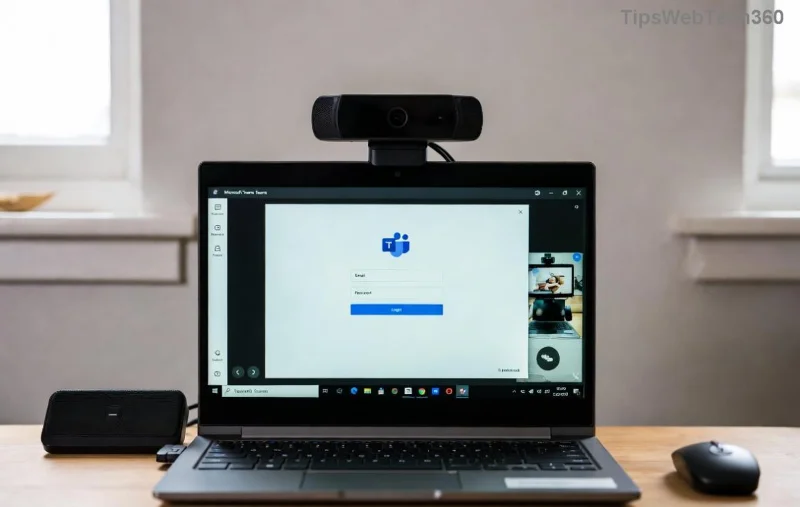
Screenshot of Microsoft Teams Meet joining error screen

Step-by-Step Fixes for Microsoft Teams "Meet" Joining Error

1️⃣ Quick Check: Verify Your Internet and Basics

First things first – rule out simple issues:

  1. Run a speed test (speedtest.net).
  2. Restart your router and device.
  3. Disable VPN or proxy temporarily.

Pro tip: Switch to a wired connection if on Wi-Fi. 80% of users fix it here! ⭐

2️⃣ Clear Cache and Cookies – The Magic Reset

Stale data loves causing chaos. Here's how:

PlatformSteps
Desktop AppTeams > Profile > Check for updates > Clear cache (via %appdata%\Microsoft\Teams)
Browser (Chrome/Edge)Settings > Privacy > Clear browsing data (cache + cookies)
MobileApp settings > Storage > Clear cache

Restart Microsoft Teams afterward. Boom – smoother joins! 😊

Clearing cache in Microsoft Teams settings

3️⃣ Update Microsoft Teams to the Latest Version

Outdated apps = error city. Update via:

  • App: Profile icon > Check for updates.
  • Web: Use Edge or Chrome's latest build.

Microsoft rolls out fixes regularly – staying current prevents most Teams Meet joining errors. Check Microsoft's Teams support for the newest patches.

4️⃣ Grant Permissions and Disable Extensions

Teams needs access! Go to:

  1. Browser settings > Site settings > Camera/Microphone > Allow teams.microsoft.com.
  2. Extensions: Disable all (especially ad-blockers) and reload.

On desktop: Windows Settings > Privacy > Microphone/Camera > Enable for Teams.

5️⃣ Advanced Fixes: Reinstall or Use Web Version

If basics fail:

  • Switch to web.teams.microsoft.com – bypasses app glitches.
  • Uninstall/reinstall Teams from official site.
  • Run as admin or check firewall (allow Teams.exe).
Successful Microsoft Teams meeting join after fix

6️⃣ Pro Tip: Test Before the Big Meeting

Schedule a test call with a colleague. Tools like testcall.com verify audio/video instantly. You're set for success! πŸŽ‰

Still Stuck? Troubleshooting Table for Quick Wins

Error SymptomLikely CauseFast Fix
"Something went wrong"Cache/NetworkClear cache + restart
Stuck on "Joining"PermissionsAllow mic/camera
Black screenExtensions/VPNDisable & retry
App crashesOutdated versionUpdate/Reinstall

FAQs: Your Microsoft Teams Meet Error Questions Answered

Why does Microsoft Teams Meet joining error happen on mobile?

Often app cache or OS permissions. Clear cache and update iOS/Android app.

Does restarting fix it permanently?

Temporary relief – combine with updates for lasting results.

Is it a server issue?

Check Teams status page. If green, it's local.

armed with these fixes, that pesky Microsoft Teams "Meet" joining error won't stand a chance. Try step 1 now and watch meetings flow seamlessly. Share your success in comments – let's keep the productivity high! πŸ‘ Stay connected, stay awesome.

Leave a Comment

πŸš€ Ultimate Guide: Fix Microsoft Teams JavaScript Error on Mac in Under 5 Minutes!

πŸš€ Ultimate Guide: Fix Microsoft Teams JavaScript Error on Mac in Under 5 Minutes!

Tired of the frustrating Microsoft Teams JavaScript Error on Mac? Discover proven, step-by-step fixes for macOS that work instantly. Clear cache, update, and moreβ€”no tech skills needed.

πŸš€ Ultimate Step-by-Step Guide: How to Create a Wiki Page in Microsoft Teams Effortlessly

πŸš€ Ultimate Step-by-Step Guide: How to Create a Wiki Page in Microsoft Teams Effortlessly

Master how to create a Wiki page in Microsoft Teams with this easy, step-by-step guide. Boost team collaboration using built-in Wiki tabs, editing tips, and pro tricks for seamless knowledge sharing. Start now!

πŸš€ Ultimate Guide: How to Check Microsoft Teams Version History & Build Number Instantly!

πŸš€ Ultimate Guide: How to Check Microsoft Teams Version History & Build Number Instantly!

Discover simple steps to check your Microsoft Teams version history and build number on desktop, web, and mobile. Stay updated with the latest features and fixes effortlessly. Perfect for Teams admins and users!

πŸš€ Fix Microsoft Teams For School Login Error: Instant Solutions That Actually Work!

πŸš€ Fix Microsoft Teams For School Login Error: Instant Solutions That Actually Work!

Tired of the frustrating Microsoft Teams "For School" login error blocking your classes? Get proven, step-by-step fixes to resolve it quickly and get back online. Latest troubleshooting tips included.

πŸ”§ Instant Fix: How to Fix Microsoft Teams Error on Desktop Shortcut in 2026

πŸ”§ Instant Fix: How to Fix Microsoft Teams Error on Desktop Shortcut in 2026

Tired of the frustrating Microsoft Teams "Error" on your desktop shortcut? Discover proven, step-by-step solutions to fix Microsoft Teams error quickly and restore seamless access. Works on Windows 10/11 with latest updates!

πŸš€ Ultimate Fix: Resolve Microsoft Teams Task Management Sync Errors in Minutes!

πŸš€ Ultimate Fix: Resolve Microsoft Teams Task Management Sync Errors in Minutes!

Stuck with frustrating Microsoft Teams Task Management Sync Errors? Discover proven, step-by-step fixes to restore seamless task syncing in Teams, Planner, and To Do. Boost productivity now!

πŸš€ Quick Fix: Solve Microsoft Teams Meet Joining Error in Seconds – No More Missed Meetings!

πŸš€ Quick Fix: Solve Microsoft Teams Meet Joining Error in Seconds – No More Missed Meetings!

Struggling with Microsoft Teams "Meet" joining error? Discover proven, step-by-step fixes for smooth video calls. Update your app, clear cache, and more – get back to meetings hassle-free!

πŸš€ Fix Microsoft Teams MS Team Error 2026: Proven Steps to Instant Recovery!

πŸš€ Fix Microsoft Teams MS Team Error 2026: Proven Steps to Instant Recovery!

Tired of Microsoft Teams "MS Team Error" 2026 crashing your meetings? Get proven, up-to-date fixes for seamless collaboration. Quick steps, advanced tips, and preventionβ€”resolve it now!

Safely Remove Your Microsoft Teams Account: Ultimate Step-by-Step Guide 2026

Safely Remove Your Microsoft Teams Account: Ultimate Step-by-Step Guide 2026

Learn how to remove an account from Microsoft Teams safely. Step-by-step instructions for personal and work accounts, data backup tips, and avoiding common pitfalls to protect your info. Updated for latest features.

Solve Microsoft Teams Error Screenshot Issues in Minutes: Ultimate Troubleshooting Guide

Solve Microsoft Teams Error Screenshot Issues in Minutes: Ultimate Troubleshooting Guide

Tired of Microsoft Teams "Error Screenshot" frustrating your workflow? Get proven, step-by-step fixes for screenshot errors in Teams. Restore smooth screen sharing and capture instantly!