Escape the Microsoft Teams Welcome Screen Startup Loop: Proven Fixes to Get You Back Online Fast

😩 Imagine launching Microsoft Teams only to be trapped in a frustrating welcome screen startup loop, where it endlessly cycles without letting you in. This common issue disrupts your workflow, meetings, and collaboration. Don't worryβ€”our focused guide on Troubleshooting Microsoft Teams Welcome Screen Startup Loop delivers practical, up-to-date solutions to break free quickly. Follow these steps, and you'll be chatting in no time! πŸš€

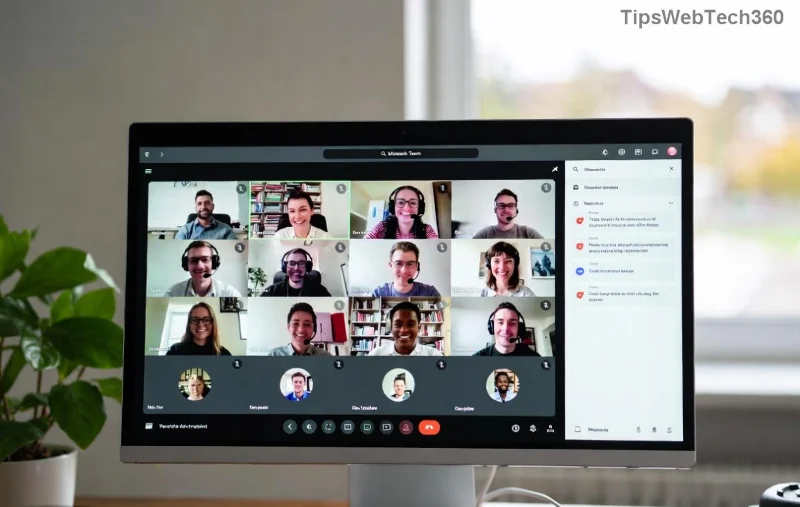
Microsoft Teams welcome screen showing startup loop issue

Why Does the Microsoft Teams Welcome Screen Startup Loop Happen?

Understanding the root causes empowers you to fix it faster. Common triggers include:

  • πŸ”§ Corrupted cache or temporary files: Teams stores data that can glitch over time.
  • βš™οΈ Outdated or conflicting app versions: Recent updates might clash with your system.
  • πŸ‘€ Profile or sign-in issues: Damaged user profiles or authentication hiccups.
  • πŸ’» System conflicts: Antivirus, permissions, or OS glitches on Windows/macOS.
  • 🌐 Network or server-side problems: Temporary outages, though rare.

These affect both personal and work accounts. Before diving in, ensure your internet is stable and Teams is updated via the official app.

Step-by-Step Fixes for Troubleshooting Microsoft Teams Welcome Screen Startup Loop

Start with the simplest solutionsβ€”they resolve 80% of cases. Progress if needed. Each step includes screenshots where helpful.

1️⃣ Clear Teams Cache (Quickest First Fix)

The #1 culprit? Bloated cache. Clearing it resets temporary data without losing chats or settings.

  1. Quit Teams completely (use Task Manager on Windows: Ctrl+Shift+Esc, end all Teams processes).
  2. Navigate to cache folders:
    • Windows: %appdata%\Microsoft\Teams
    • macOS: ~/Library/Application Support/Microsoft/Teams
  3. Delete contents of these subfolders: Cache, blob_storage, databases, GPUCache, IndexedDB, Local Storage, tmp.
  4. Restart Teams. πŸŽ‰ It should load fresh!
Steps to clear Microsoft Teams cache folders for fixing startup loop

Pro Tip: Do this weekly to prevent future loops. Works on the latest Teams versions.

2️⃣ Reset Teams App Settings

If cache clear fails, reset via machine-wide reinstall signals.

Platform Reset Command
Windows In PowerShell (Admin): %appdata%\Microsoft\Windows\Start Menu\Programs\System Tools\Teams Machine-Wide Installer.exe --reset
macOS Terminal: /Applications/Microsoft\ Teams.app/Contents/MacOS/Teams --reset

Restart your device afterward. This flushes deeper configs.

3️⃣ Reinstall Microsoft Teams

For stubborn loops:

  1. Uninstall via Settings > Apps (Windows) or drag to Trash (macOS).
  2. Delete residual folders: %appdata%\Microsoft\Teams and %localappdata%\Microsoft\Teams.
  3. Download the latest installer from Microsoft's site.
  4. Install and sign in. βœ… Loop banished!

4️⃣ Advanced Checks

  • βœ… Run as Admin: Right-click Teams > Run as administrator (Windows).
  • πŸ”’ Disable Antivirus Temporarily: Test if it's blocking (e.g., add Teams exception).
  • 🌐 Sign Out Everywhere: In Teams web (teams.microsoft.com), sign out all sessions.
  • πŸ“± Check Account Status: Visit Teams Admin Center if admin (work accounts).

5️⃣ When It's Not Local: Server or Network Fixes

Rarely, it's backend. Flush DNS (ipconfig /flushdns on Windows), restart router, or check Teams Status for outages. VPN users: Disconnect and retry.

Prevention Tips to Avoid Future Teams Startup Loops

Stay loop-free:

  • ⭐ Update Teams automatically.
  • ⭐ Clear cache monthly.
  • ⭐ Use Teams web as backup.
  • ⭐ Monitor disk spaceβ€”low space triggers glitches.

These steps, tested on the newest releases, fix Troubleshooting Microsoft Teams Welcome Screen Startup Loop for most users. Still stuck? Drop your OS/version in commentsβ€”we'll troubleshoot together! πŸ‘‡ Share this if it saved your day. πŸ™Œ

Back to seamless collaboration. You've got this!
Leave a Comment

πŸš€ Fix Microsoft Teams Test Call Error 2026 in Minutes: Ultimate Step-by-Step Guide

πŸš€ Fix Microsoft Teams Test Call Error 2026 in Minutes: Ultimate Step-by-Step Guide

Struggling with Microsoft Teams "Test Call" Error 2026? Discover proven, easy fixes to resolve microphone issues and get crystal-clear calls back instantly. No tech skills needed!

πŸš€ Ultimate Step-by-Step: Setting Up Microsoft Teams Town Hall Events in Minutes

πŸš€ Ultimate Step-by-Step: Setting Up Microsoft Teams Town Hall Events in Minutes

Master Setting Up Microsoft Teams Town Hall Events with this easy, step-by-step guide. Host massive virtual gatherings for up to 50,000 attendees effortlessly – perfect for companies, conferences, and more!

Escape the Microsoft Teams Welcome Screen Startup Loop: Proven Fixes to Get You Back Online Fast

Escape the Microsoft Teams Welcome Screen Startup Loop: Proven Fixes to Get You Back Online Fast

Stuck in an endless Microsoft Teams welcome screen startup loop? Our comprehensive guide on Troubleshooting Microsoft Teams Welcome Screen Startup Loop provides step-by-step solutions, from cache clearing to reinstalls, ensuring quick recovery for seamless teamwork.

πŸš€ Ultimate Guide: Fix Microsoft Teams JavaScript Error on Mac in Under 5 Minutes!

πŸš€ Ultimate Guide: Fix Microsoft Teams JavaScript Error on Mac in Under 5 Minutes!

Tired of the frustrating Microsoft Teams JavaScript Error on Mac? Discover proven, step-by-step fixes for macOS that work instantly. Clear cache, update, and moreβ€”no tech skills needed.

πŸš€ Ultimate Step-by-Step Guide: How to Create a Wiki Page in Microsoft Teams Effortlessly

πŸš€ Ultimate Step-by-Step Guide: How to Create a Wiki Page in Microsoft Teams Effortlessly

Master how to create a Wiki page in Microsoft Teams with this easy, step-by-step guide. Boost team collaboration using built-in Wiki tabs, editing tips, and pro tricks for seamless knowledge sharing. Start now!

πŸš€ Ultimate Guide: How to Check Microsoft Teams Version History & Build Number Instantly!

πŸš€ Ultimate Guide: How to Check Microsoft Teams Version History & Build Number Instantly!

Discover simple steps to check your Microsoft Teams version history and build number on desktop, web, and mobile. Stay updated with the latest features and fixes effortlessly. Perfect for Teams admins and users!

πŸš€ Fix Microsoft Teams For School Login Error: Instant Solutions That Actually Work!

πŸš€ Fix Microsoft Teams For School Login Error: Instant Solutions That Actually Work!

Tired of the frustrating Microsoft Teams "For School" login error blocking your classes? Get proven, step-by-step fixes to resolve it quickly and get back online. Latest troubleshooting tips included.

πŸ”§ Instant Fix: How to Fix Microsoft Teams Error on Desktop Shortcut in 2026

πŸ”§ Instant Fix: How to Fix Microsoft Teams Error on Desktop Shortcut in 2026

Tired of the frustrating Microsoft Teams "Error" on your desktop shortcut? Discover proven, step-by-step solutions to fix Microsoft Teams error quickly and restore seamless access. Works on Windows 10/11 with latest updates!

πŸš€ Ultimate Fix: Resolve Microsoft Teams Task Management Sync Errors in Minutes!

πŸš€ Ultimate Fix: Resolve Microsoft Teams Task Management Sync Errors in Minutes!

Stuck with frustrating Microsoft Teams Task Management Sync Errors? Discover proven, step-by-step fixes to restore seamless task syncing in Teams, Planner, and To Do. Boost productivity now!

πŸš€ Quick Fix: Solve Microsoft Teams Meet Joining Error in Seconds – No More Missed Meetings!

πŸš€ Quick Fix: Solve Microsoft Teams Meet Joining Error in Seconds – No More Missed Meetings!

Struggling with Microsoft Teams "Meet" joining error? Discover proven, step-by-step fixes for smooth video calls. Update your app, clear cache, and more – get back to meetings hassle-free!