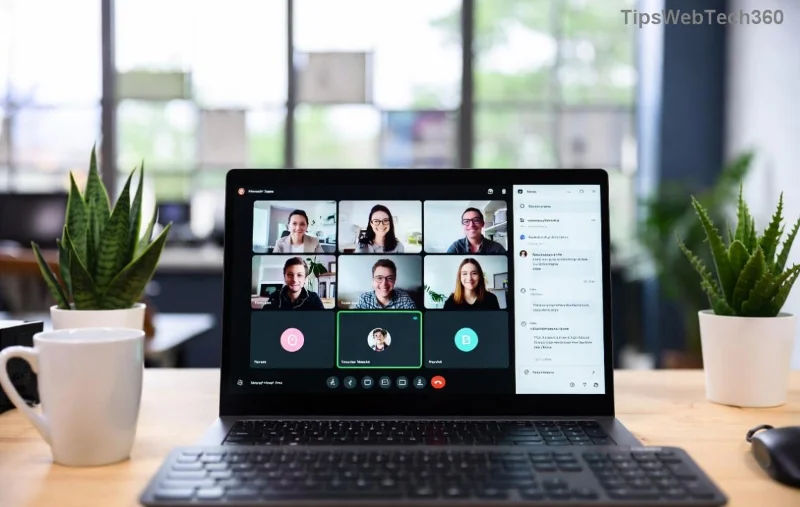
Ever wondered if your Microsoft Teams is running the latest version? Knowing your Teams version history and build number is crucial for troubleshooting issues, accessing new features, and ensuring security. Whether you're an admin or everyday user, this guide delivers step-by-step instructions to check Microsoft Teams version across all platforms. Let's dive in and keep your collaboration game strong! 👆
Why Check Your Microsoft Teams Version History and Build Number?
Microsoft rolls out updates frequently, packed with enhancements like improved chat, better meeting controls, and bug fixes. The build number (e.g., 1.XX.XX.XXXX) reveals exact details. Staying current prevents compatibility glitches and unlocks the newest tools. Ready to check? Follow these easy methods!
👉 Method 1: Check Microsoft Teams Version on Desktop (Windows & Mac)
The desktop app is the most straightforward way to view your Teams build number. Here's how:
- Open Microsoft Teams and click your profile picture in the top-right corner.
- Select Check for updates from the dropdown—or go directly to Help & Feedback → About Teams.
- A window pops up showing your version number, build number, and update status. Note it down! ⭐

Pro Tip: If auto-updates are off, enable them here to always get the latest Teams version. For admins, use PowerShell for bulk checks via the Microsoft Teams PowerShell module.
👉 Method 2: View Teams Version History on Web Browser
No app installed? Use the web version at teams.microsoft.com:
- Log in and click your profile icon → Help & Feedback.
- Select About Teams. You'll see the web app's version and build details.
- For full version history, visit the official release notes page (linked below).
![Web version of Microsoft Teams showing version and build info]()
👉 Method 3: Check on Mobile (iOS & Android)
On your phone:
- iOS: Tap profile → Settings → Scroll to About for version and build.
- Android: Profile → Settings and more (⋯) → About Teams.
Always update via App Store or Google Play for the freshest Teams build number. 📱
![Mobile Microsoft Teams app version check interface]()
🔍 Understanding Microsoft Teams Build Number & Version History
The build number breaks down as: 1.Major.Minor.BuildDate. For example, higher numbers mean newer fixes.
To explore full Microsoft Teams version history:
Quick Reference Table: Common Teams Version Locations
| Platform |
Steps |
What You See |
| Desktop |
Profile → Help → About |
Version, Build, Updates |
| Web |
Profile → Help → About |
Web Build Info |
| Mobile |
Settings → About |
App Version & Build |
Troubleshooting: Teams Version Not Updating? 😩
If your build number lags:
- Restart Teams and check for updates manually.
- Clear cache: Desktop → %appdata%\Microsoft\Teams → Delete contents.
- Reinstall from official download page.
- Corporate users: Contact IT for policy restrictions.
These steps ensure you're on the latest Microsoft Teams version in no time! 🎉
Bonus Tips to Stay Ahead with Teams Version History
- ⭐ Enable notifications for new releases via Microsoft 365 roadmap.
- 📊 Use Teams Analytics in Admin Center for org-wide version tracking.
- 🔒 Security note: Older builds miss critical patches—update ASAP!
FAQ: How to Check Microsoft Teams Version History
Q: Where's the exact build number?
A: Always in the "About Teams" section—it's your version's fingerprint!
Q: How often does Microsoft Teams update?
A: Monthly for new features, weekly for critical fixes. Check release notes regularly.
Q: Can I downgrade my Teams version?
A: Not recommended, but possible via MSI installers for admins.
Mastered it? Share this guide and keep your team synced! Got questions? Drop a comment below. 🚀