πŸ”§ Stuck on Microsoft Teams Free Subscription Error? Fix It in Minutes with Proven Steps!

Imagine this: You're ready to jump into a crucial Microsoft Teams meeting, but bamβ€”a pesky "Free Subscription Error" blocks your way. 😩 Don't worry! This common glitch hits users worldwide, often due to license sync issues or cache buildup. Our guide delivers straightforward, tested solutions to get you back online fast. Stick aroundβ€”we'll cover everything from quick wins to advanced tweaks, ensuring you conquer this error for good. Let's dive in! πŸš€

What Causes the Microsoft Teams "Free" Subscription Error?

Before fixing, understand the culprit. This error typically appears when Microsoft Teams mistakenly detects a "free" plan instead of your valid subscription (personal, work, or school). Key triggers include:

  • πŸ”„ License sync delays after subscription changes.
  • πŸ’Ύ Corrupted app cache or outdated data.
  • πŸ” Sign-in glitches or multiple account conflicts.
  • 🌐 Network hiccups or temporary Microsoft service outages.
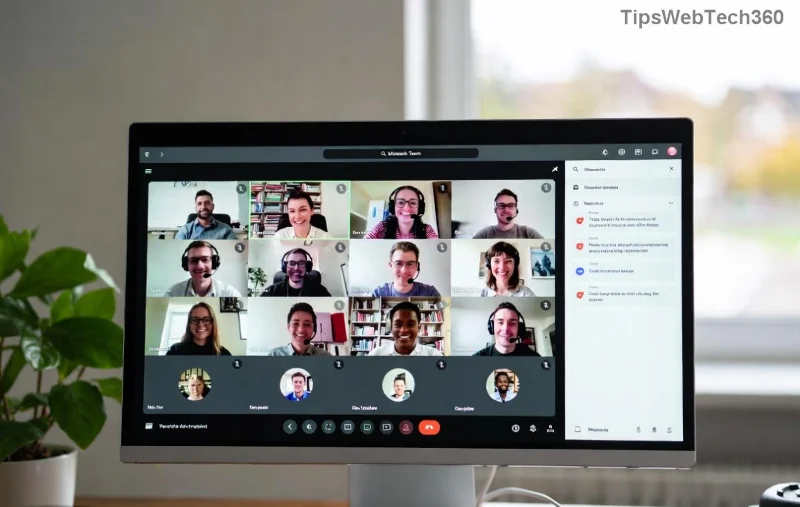
Microsoft Teams displaying Free Subscription Error screenshot

Good news? 90% of cases resolve with simple stepsβ€”no IT wizardry required. Ready to fix? Follow our numbered guide below. βœ…

Quick Fixes: Step-by-Step to Resolve Microsoft Teams "Free" Subscription Error

Start here for most users. These methods work on Windows, Mac, web, and mobileβ€”perform them in order for best results.

  1. πŸ‘‰ Sign Out and Sign Back In
    The fastest fix! In Teams, click your profile picture > Sign out. Close the app fully (use Task Manager on Windows: Ctrl+Shift+Esc). Relaunch, sign in with your Microsoft account. This refreshes your subscription status instantly.
  2. 🧹 Clear Teams Cache
    Cache buildup is a top villain. For desktop:
    • Quit Teams completely.
    • Windows: Press Win+R, type %appdata%\Microsoft\Teams, delete contents of folders like "Cache", "GPUCache", "Databases".
    • Mac: ~/Library/Application Support/Microsoft/Teamsβ€”trash similar folders.
    Restart Teams. Boomβ€”error gone for many! Clearing Microsoft Teams cache step-by-step illustration
  3. πŸ”„ Check and Refresh Subscription
    Visit account.microsoft.com/services. Verify your Teams license (Free, Personal, or Family). If mismatched, select "Manage" > Renew or Switch. Sync may take 15-30 minutesβ€”grab coffee! β˜•

Advanced Troubleshooting for Stubborn Teams "Free" Subscription Error

If basics don't cut it, level up. These target deeper issues.

Issue Symptoms Fix
Multiple Accounts Conflict Error persists after sign-in. Go to Teams Settings > Accounts > Remove extras. Use only your primary account.
App Corruption Crashes with error popup. Uninstall Teams via Settings > Apps. Download latest from microsoft.com/teams. Reinstall.
Network/Proxy Block Error during license check. Disable VPN/proxy. Run ipconfig /flushdns (Windows) or restart router.
Advanced Microsoft Teams troubleshooting table visualization
  1. πŸ“± Mobile/Web Tweaks
    Android/iOS: Force stop app > Clear data > Re-login. Web: Clear browser cache (Ctrl+Shift+Del) & try Incognito mode.
  2. βš™οΈ Reset Teams via Command Line
    Power users: Hold Shift > Right-click Teams icon > Run as admin. Or use PowerShell: Get-AppxPackage *teams* | Remove-AppxPackage, then reinstall.
  3. πŸ†˜ Microsoft Support
    Last resort: Chat support at support.microsoft.com/teams. Provide error codes/screenshotsβ€”they resolve enterprise cases swiftly.
  4. ⭐ Bonus: Update Everything
    Ensure Teams, Windows/macOS, and browser are latest. Outdated versions trigger subscription mismatches.

Prevent Future Microsoft Teams "Free" Subscription Error Issues

Stay error-free with these pro tips:

  • βœ… Regularly clear cache (monthly).
  • πŸ”’ Use one account per device.
  • πŸ“§ Enable auto-renewal on your Microsoft subscription.
  • 🌐 Monitor outages at office.com/servicestatus.

Proactive habits save headachesβ€”your future self thanks you! πŸ™Œ

Final Thoughts: Teams Back and Better Than Ever

Congrats! You've armed yourself against the Microsoft Teams "Free" Subscription Error. Most fixes take under 5 minutes, restoring your collaboration flow. If issues linger, drop a comment belowβ€”we're here to help. Now, fire up Teams and crush that meeting. You've got this! πŸŽ‰

Quick recap: Start with sign-out/cache clear for 80% success. Advanced table above handles the rest.


Leave a Comment

πŸ”§ Instant Fix: Conquer Microsoft Teams For Linux Installation Error in 5 Minutes!

πŸ”§ Instant Fix: Conquer Microsoft Teams For Linux Installation Error in 5 Minutes!

Tired of the frustrating Microsoft Teams "For Linux" installation error? Discover proven, step-by-step fixes for Ubuntu, Fedora, and more. Get back to seamless video calls without the hassle!

Fix Microsoft Teams Web App Login Problems Fast – Ultimate Troubleshooting Guide

Fix Microsoft Teams Web App Login Problems Fast – Ultimate Troubleshooting Guide

Struggling with Microsoft Teams Meeting Web App login problems? Get instant fixes for cache issues, browser glitches, and account errors. Step-by-step solutions to rejoin meetings seamlessly.

πŸš€ Microsoft Teams Error Report Not Sending? Fix It in Minutes with This Ultimate Guide!

πŸš€ Microsoft Teams Error Report Not Sending? Fix It in Minutes with This Ultimate Guide!

Struggling with Microsoft Teams error report not sending? This comprehensive guide provides proven troubleshooting Microsoft Teams error report not sending steps to resolve crashes, failed reports, and connectivity issues fast. Get back to productive meetings!

πŸš€ Fix Microsoft Teams Guest Access Error in Minutes: Ultimate Troubleshooting Guide

πŸš€ Fix Microsoft Teams Guest Access Error in Minutes: Ultimate Troubleshooting Guide

Stuck with Microsoft Teams "Guest" access error? Follow our step-by-step troubleshooting guide to resolve guest invite issues, enable access, and get teams collaborating seamlessly. Proven fixes for admins and users alike.

πŸš€ Fix Microsoft Teams Code Error Redemption Instantly: Proven Troubleshooting Guide

πŸš€ Fix Microsoft Teams Code Error Redemption Instantly: Proven Troubleshooting Guide

Stuck with Microsoft Teams "Code Error" during redemption? Discover step-by-step fixes for code redemption issues, common causes, and pro tips to resolve it fast and redeem your licenses without hassle. Updated with the latest solutions.

πŸš€ Fix Microsoft Teams Errors Instantly: Ultimate Troubleshooting Guide for Bα»‹ Lα»—i Issues

πŸš€ Fix Microsoft Teams Errors Instantly: Ultimate Troubleshooting Guide for Bα»‹ Lα»—i Issues

Struggling with Microsoft Teams errors like "Bα»‹ lα»—i"? Discover proven troubleshooting Microsoft Teams steps to resolve general errors, crashes, sign-in issues, and more. Quick fixes for seamless collaboration!

πŸš€ Fix Microsoft Teams Logs Error Access Denied in 5 Minutes – Proven 2026 Solutions!

πŸš€ Fix Microsoft Teams Logs Error Access Denied in 5 Minutes – Proven 2026 Solutions!

Struggling with Microsoft Teams "Logs Error" Access Denied? Discover quick, step-by-step fixes to resolve this frustrating issue and get back to seamless collaboration. Updated with the latest Teams patches for instant relief!

πŸš€ Fix Microsoft Teams User Not Authorized Error: Proven Steps to Get Back Online Fast!

πŸš€ Fix Microsoft Teams User Not Authorized Error: Proven Steps to Get Back Online Fast!

Stuck with Microsoft Teams "User Not Authorized" error? Follow our expert, step-by-step guide to quickly fix it and resume seamless collaboration. Simple solutions that work every time.

πŸš€ Microsoft Teams Whiteboard Not Syncing? Fix It Fast with Proven Steps!

πŸš€ Microsoft Teams Whiteboard Not Syncing? Fix It Fast with Proven Steps!

Struggling with Microsoft Teams Whiteboard not syncing properly? Discover step-by-step fixes for syncing issues, from cache clearing to network tweaks. Get your collaborative whiteboard back on track in minutes!

πŸš€ Fix Microsoft Teams Time Limit Error FAST: 7 Proven Steps for Instant Relief!

πŸš€ Fix Microsoft Teams Time Limit Error FAST: 7 Proven Steps for Instant Relief!

Struggling with the frustrating Microsoft Teams "Time Limit" Error? Discover proven, step-by-step fixes to resolve it quickly. Update Teams, clear cache, and moreβ€”no tech skills needed! Works on latest versions.









