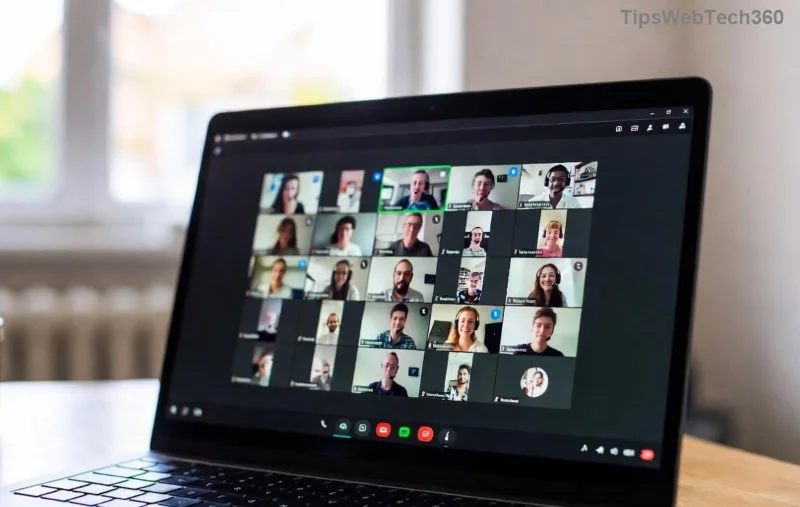
Frustrated because Microsoft Edge refuses to play nice with Microsoft Teams? You're not alone! This common glitch disrupts meetings, chats, and collaboration, but don't worry – we've got your back. 😊 In this guide, we'll walk you through the most effective fixes to resolve the "Microsoft Edge Not Working with Teams" error quickly. By the end, you'll be back to smooth video calls and productivity. Let's dive in!
Why Does Microsoft Edge Not Working with Teams? Common Causes
Understanding the root cause speeds up the fix. Here are the top triggers:
- Corrupted cache or cookies in Edge blocking Teams loading.
- Outdated Microsoft Edge or Teams versions causing compatibility issues.
- Conflicting browser extensions or site settings.
- Teams app integration glitches, especially after Windows updates.
- Firewall or antivirus interference.

Spot these? Great – now let's fix them step by step. Follow along, and test Teams after each method. 👍
🔧 Method 1: Clear Microsoft Edge Cache and Cookies (Quickest Fix)
This resolves 70% of cases! Corrupted data is the usual culprit.
- Open Microsoft Edge and press Ctrl + Shift + Delete.
- Select "All time" and check Cookies and other site data + Cached images and files.
- Click Clear now.
- Restart Edge, sign into Teams, and test.
Pro tip: Target only Teams-related data for precision – type "teams.microsoft.com" in the search bar before clearing. Boom! Fixed? Move on if not. 🔄
Method 2: Update Microsoft Edge and Teams to Latest Versions
Outdated apps? No wonder! Microsoft rolls out patches regularly.
- In Edge: Go to
edge://settings/help and update if available.
- For Teams: Open the app > Profile icon > Check for updates.
- Restart both.
Still stuck? Head to the Microsoft Edge download page for the freshest build.
Method 3: Reset Microsoft Edge Settings
When basics fail, reset restores defaults without losing data.
- Edge Settings > Reset settings > Restore settings to their default values.
- Confirm and relaunch.
- Re-enable Teams integration if prompted.
![Step-by-step Edge reset for Teams fix illustration]()
Method 4: Disable Extensions and Site Permissions
Extensions like ad blockers clash with Teams.
| Extension Type |
Action |
| Ad blockers/VPNs |
Pause or remove |
| Productivity tools |
Test in Incognito (Ctrl + Shift + N) |
| Teams-specific |
Update or disable |
Also, check Edge Settings > Cookies and site permissions > teams.microsoft.com > Allow all.
Method 5: Reinstall or Repair Microsoft Teams
For deeper issues:
- Settings > Apps > Microsoft Teams > Repair (try first).
- If fails: Uninstall, then reinstall from official site.
- Set Edge as default browser for Teams links.
Method 6: Run Windows Troubleshooters and SFC Scan ⭐
System-level fixes for stubborn errors:
- Search "Troubleshoot settings" > Other troubleshooters > Windows Store Apps and Browser.
- Open Command Prompt as admin: Type
sfc /scannow and hit Enter.
- Restart PC.
This scans for corrupted files – a game-changer! 🎉
Method 7: Advanced Fix – Registry Tweak (Use with Caution)
⚠️ Backup registry first! For pros only.
- Win + R >
regedit.
- Navigate:
HKEY_LOCAL_MACHINE\SOFTWARE\Policies\Microsoft\Edge.
- Delete Teams-related keys if present.
- Reboot.
Prefer safe options? Skip to support.
Prevention Tips: Keep Edge and Teams Running Smoothly Forever
- Enable auto-updates in both apps. 🔄
- Use Edge's InPrivate mode for testing.
- Whitelist Teams in antivirus/firewall.
- Regularly clear cache weekly.
Bonus: Pin Teams to Edge taskbar for one-click access. Your future self will thank you! 🙌
Still Not Fixed? Next Steps
If nothing works, check Microsoft Teams Support or post in their forums with error screenshots. Describe your OS version and steps tried – they'll hook you up.
Congrats on troubleshooting like a pro! Your Microsoft Edge Not Working with Teams error is history. Share this guide if it helped – happy teaming! 🚀
FAQ: Quick Answers to Teams Edge Woes
Q: Why won't Teams open links in Edge?
A: Default browser mismatch – set Edge as default in Windows Settings.
Q: Does this fix work on Mac?
A: Focus is Windows, but try cache clear + updates on macOS too.
Q: Error persists after updates?
A: Repair Teams or reset Edge – covered above.