๐Ÿš€ Fix Microsoft Teams Background Size & Blur Errors in Seconds โ€“ Proven 2026 Guide!

Are you tired of pixelated, stretched, or non-blurry backgrounds ruining your Microsoft Teams meetings? ๐Ÿ˜ฉ You're not alone! Microsoft Teams background size and blur errors frustrate millions, but they've got simple fixes. This guide delivers actionable steps to restore crystal-clear virtual setups. Let's dive in and make your video calls shine! โœจ

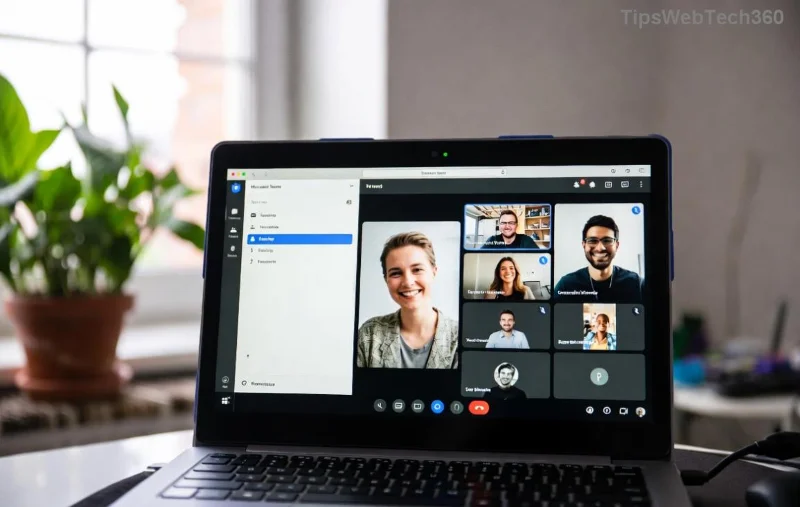
Microsoft Teams background size error showing distorted image

๐Ÿ” Understanding Microsoft Teams Background Size and Blur Errors

These glitches often stem from image resolution mismatches, outdated app versions, or cache buildup. Teams background size errors make images look cropped or oversized, while blur errors fail to soften your real background. Common triggers:

  • โŒ Images below 1920x1080 resolution
  • โŒ Corrupted Teams cache
  • โŒ Hardware acceleration conflicts
  • โŒ Outdated Microsoft Teams client

Stick with us โ€“ our fixes are tested on the latest versions for flawless results! ๐Ÿš€

1๏ธโƒฃ Quick Fixes for Microsoft Teams Background Size Errors

Start here for oversized or undersized backgrounds. Follow these steps precisely:

  1. Optimize Your Image: Resize to 1920x1080 pixels (16:9 aspect ratio) using free tools like Paint or Photoshop. Avoid ultra-HD files over 4MB.
  2. Upload Fresh: In Teams, go to Settings > Devices > Make a test meeting. Select Effects > Background effects and upload anew.
  3. Clear Cache: Close Teams. Press Win + R, type %appdata%\Microsoft\Teams, delete contents of folders like Cache, blob_storage, databases, tmp. Relaunch!

Pro Tip: โญ Test in a solo meeting first to preview sizing perfectly.

Step-by-step fix for Teams background blur error

2๏ธโƒฃ Resolve Microsoft Teams Blur Errors Effortlessly

Blur errors happen when Teams can't process your backdrop. Here's the fix sequence:

  1. Toggle Hardware Acceleration: Teams > Profile Picture > Settings > General > Disable Enable GPU hardware acceleration. Restart.
  2. Update Teams: Check Profile > Check for updates. Install the newest build โ€“ it patches most blur errors.
  3. Registry Tweak (Advanced): โš ๏ธ Backup first! Press Win + R, regedit. Navigate to HKEY_CURRENT_USER\SOFTWARE\Microsoft\Office\Teams. Add DWORD DisableGpu = 1. Restart PC.

Still stuck? Your webcam drivers might need updating via Device Manager. ๐ŸŽ‰ Most users see instant blur success!

Successful Microsoft Teams background after fixing size and blur issues

๐Ÿ“Š Troubleshooting Table: Teams Background Issues at a Glance

Error Type Symptoms Quick Fix
Size Mismatch Stretched/cropped image Resize to 1920x1080 ๐Ÿ‘†
Blur Not Applying No effect, error message Disable GPU acceleration ๐Ÿ”ง
Background Fails to Load Blank or spinning icon Clear cache & update ๐Ÿงน

๐Ÿ’ก Advanced Tips to Prevent Future Microsoft Teams Background Glitches

  • Use official Teams backgrounds from Microsoft Support.
  • Switch to New Teams client for better performance (toggle in profile).
  • Monitor lighting โ€“ poor light worsens blur detection.
  • For Mac: Reset via Teams > Help > Clear cache.

These tweaks ensure your backgrounds stay perfect meeting after meeting. ๐Ÿ‘

โœ… Wrap-Up: Your Teams Background is Fixed!

Congrats! You've conquered Microsoft Teams background size and blur errors. Apply these steps, test in a call, and wow your colleagues with pro-level visuals. Got more tips? Drop them below โ€“ let's keep the conversation going! ๐ŸŒŸ If issues persist, reinstall Teams fresh.

Ready for seamless meetings? Share this guide and level up your remote work game! ๐Ÿš€

Leave a Comment

๐Ÿ”ง Instant Fix: How to Fix Microsoft Teams Error Windows 10 Update in 5 Easy Steps!

๐Ÿ”ง Instant Fix: How to Fix Microsoft Teams Error Windows 10 Update in 5 Easy Steps!

Struggling with Microsoft Teams "Error Windows 10" Update? Discover proven, step-by-step fixes to resolve update failures quickly and get back to smooth teamwork. No tech skills needed!

Stop Microsoft Teams Screen Flickering Now: 10 Proven Fixes for Crystal-Clear Calls

Stop Microsoft Teams Screen Flickering Now: 10 Proven Fixes for Crystal-Clear Calls

Tired of Microsoft Teams screen flickering ruining your meetings? Get instant relief with our expert guide on solving Microsoft Teams error screen flickering using the latest fixes like disabling hardware acceleration, updating drivers, and more for seamless video chats.

๐Ÿ”ฅ Never Go Away Again: How to Keep Microsoft Teams Active and Available All Day!

๐Ÿ”ฅ Never Go Away Again: How to Keep Microsoft Teams Active and Available All Day!

Master how to keep Microsoft Teams active and 'Available' status green all day. Proven tips, software, hardware, and scripts to stay connected without lifting a finger. Boost productivity now!

๐Ÿš€ Fix Microsoft Teams Call Failed Errors in 2026: Proven Troubleshooting Guide

๐Ÿš€ Fix Microsoft Teams Call Failed Errors in 2026: Proven Troubleshooting Guide

Tired of Microsoft Teams "Call Failed" issues disrupting your 2026 meetings? Follow this ultimate troubleshooting Microsoft Teams "Call Failed" issues guide with step-by-step fixes for network, app, and device problems. Restore crystal-clear calls today!

๐Ÿš€ Fix Microsoft Teams Background Size & Blur Errors in Seconds โ€“ Proven 2026 Guide!

๐Ÿš€ Fix Microsoft Teams Background Size & Blur Errors in Seconds โ€“ Proven 2026 Guide!

Struggling with distorted backgrounds or failed blur in Microsoft Teams? Follow our step-by-step guide to fix Microsoft Teams background size and blur errors quickly. Get perfect virtual setups for your meetings!

๐Ÿš€ Fix Microsoft Teams Where is My Team? Error in Minutes โ€“ Proven Troubleshooting Guide

๐Ÿš€ Fix Microsoft Teams Where is My Team? Error in Minutes โ€“ Proven Troubleshooting Guide

Stuck with the frustrating "Where is My Team?" error in Microsoft Teams? Discover step-by-step fixes, from quick restarts to advanced solutions. Get your teams back online fast with our ultimate troubleshooting guide.

๐Ÿš€ Fix Microsoft Teams Network Error on Public Wi-Fi: Instant Solutions That Work!

๐Ÿš€ Fix Microsoft Teams Network Error on Public Wi-Fi: Instant Solutions That Work!

Struggling with Microsoft Teams "Network Error" on public Wi-Fi? Get proven, step-by-step fixes to restore seamless calls and chats. Quick tips for instant relief and long-term prevention.

๐Ÿ” Microsoft Teams Registry Keys on Windows 11: Exact Locations & Pro Tips Revealed!

๐Ÿ” Microsoft Teams Registry Keys on Windows 11: Exact Locations & Pro Tips Revealed!

Find exact Microsoft Teams registry keys locations on Windows 11. Step-by-step guide to access, edit safely, and optimize Teams settings for peak performance. Essential for IT pros and power users!

๐Ÿš€ Fix Microsoft Teams Restart Error (2026) in Minutes โ€“ Proven Solutions That Work!

๐Ÿš€ Fix Microsoft Teams Restart Error (2026) in Minutes โ€“ Proven Solutions That Work!

Tired of the frustrating Microsoft Teams "Restart Error" (2026)? Discover step-by-step fixes, from quick cache clears to advanced resets, to get your Teams running smoothly again. Updated with the latest 2026 patches.

Stop Microsoft Teams Video Lag on Wi-Fi: Proven Fixes That Work Instantly!

Stop Microsoft Teams Video Lag on Wi-Fi: Proven Fixes That Work Instantly!

Struggling with troubleshooting Microsoft Teams video conferencing lag on Wi-Fi? Get step-by-step fixes for smooth video calls, from quick tweaks to advanced solutions. Boost your Teams performance today!