πŸš€ Fix Microsoft Teams Joining Error via Link: Ultimate Troubleshooting Guide

Encountering a frustrating Microsoft Teams "Joining Error" when clicking a meeting link? You're not aloneβ€”this common hiccup disrupts workflows, from quick catch-ups to critical presentations. 😩 But don't worry! This guide delivers targeted troubleshooting steps for Microsoft Teams joining error via link, helping you resolve it swiftly and join seamlessly. Let's dive in and get you connected! πŸ”—

Why Does Microsoft Teams Joining Error Happen via Link?

Understanding the root causes empowers faster fixes. Here's a breakdown of the most frequent triggers:

❌ Error Cause Impact Quick Check
Unstable internet or firewall blocks Prevents connection to Teams servers Test speed: >1.5 Mbps upload/download
Outdated Teams app or browser Compatibility issues with latest links Check for updates in app settings
Corrupted cache/cookies Failed authentication on join Clear browser data
Account sync problems Sign-in loop or permission denial Re-login or check Microsoft account
VPN/proxy interference Blocks Teams ports (e.g., 443) Disable temporarily

Spot your issue? Greatβ€”now let's fix it with proven steps. Follow sequentially for best results. βœ…

Step-by-Step Troubleshooting Microsoft Teams "Joining Error" via Link

1️⃣ Verify Your Network Connection

The #1 culprit for Teams joining error via link. Run a speed test at Speedtest.net. Aim for stable Wi-Fi or Ethernet.

  • Switch networks (mobile hotspot as backup).
  • Disable VPN: Go to Settings > Network > VPN > Off.
  • Flush DNS: On Windows, open Command Prompt as admin and type ipconfig /flushdns.
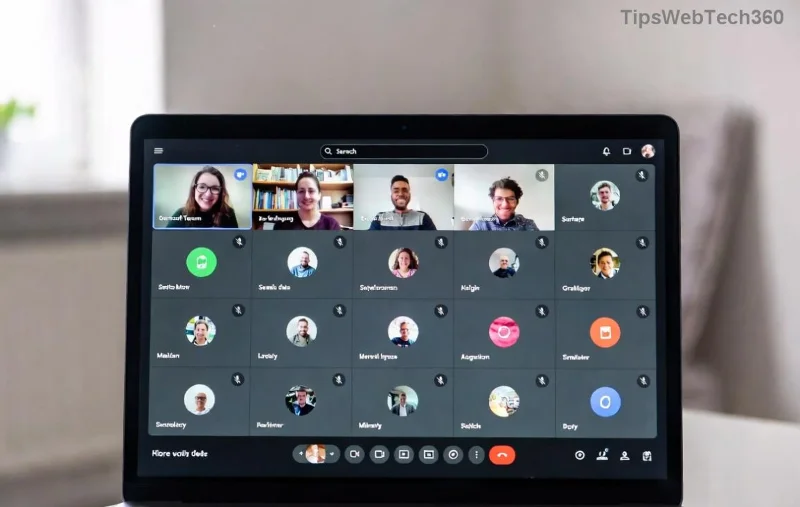
Screenshot of Microsoft Teams joining error screen via link

2️⃣ Update and Restart Microsoft Teams

Outdated versions cause persistent joining errors. In Teams:

  1. Click profile icon > Check for updates.
  2. Quit fully: Right-click Teams icon in tray > Quit.
  3. Restart and try the link again.

For web: Use latest Chrome/Edgeβ€”avoid incognito initially.

3️⃣ Clear Cache and Cookies

Stale data blocks joins. Desktop Teams:

  • %appdata%\Microsoft\Teams > Delete contents of these folders: Cache, GPUCache, IndexedDB, Local Storage, tmp.
  • Restart Teams.

Browser: Settings > Privacy > Clear browsing data (select Cached images/files + Cookies).

4️⃣ Re-Authenticate Your Account

Sign out/in resolves sync glitches:

  1. Teams > Profile > Sign out.
  2. Close app, relaunch, sign in.
  3. Test link: Copy-paste into new tab if browser-based.
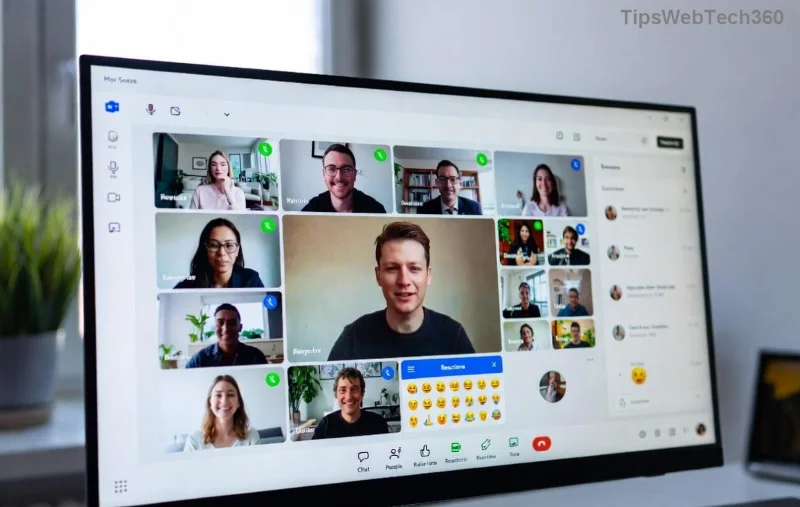
Step-by-step fix for Microsoft Teams joining error via meeting link

5️⃣ Advanced Fixes for Stubborn Teams Joining Errors

If basics fail:

  • Reset Teams: Windows Settings > Apps > Teams > Advanced > Reset.
  • Check firewall: Allow Teams.exe through Windows Defender Firewall.
  • Browser console: F12 > Console tab for error codes (e.g., "ERR_CONNECTION_RESET" points to network).
  • Guest join: Use "Join as guest" option on the link page.

For enterprise users, consult ITβ€”common policy blocks on ports 80/443.

Pro Tips to Prevent Future Microsoft Teams Joining Error via Link 🎯

  • ⭐ Pin reliable networks and disable auto-VPN.
  • Keep Teams auto-updating: Settings > General > Enable.
  • Use desktop app over web for stability.
  • Save meeting links in calendar for one-click joins.
  • Backup: Have phone app ready as fallback. πŸ“±

Still stuck? Dive deeper with official support: Visit Microsoft Teams Help or run the built-in troubleshooter via Windows Search > "Teams troubleshooter".

Ready to Join Without Errors? You've Got This! πŸ‘

By following these troubleshooting Microsoft Teams "joining error" via link steps, most users rejoin meetings in under 5 minutes. Test a sample link nowβ€”what fixed it for you? Share in comments below to help others. Stay connected and productive! πŸš€

Proven on the latest Teams builds for seamless experiences.
Leave a Comment

πŸš€ Fix Microsoft Teams Error En Teams Spanish Error Instantly – Proven 2026 Guide

πŸš€ Fix Microsoft Teams Error En Teams Spanish Error Instantly – Proven 2026 Guide

Tired of the frustrating 'Error En Teams' in Microsoft Teams? Get our expert Spanish-language fixes for quick resolution. Step-by-step troubleshooting, cache clears, updates, and more to restore seamless teamwork.

Effortless 2026 Guide: How to Join a Microsoft Teams Meeting as a Guest – No Account Required!

Effortless 2026 Guide: How to Join a Microsoft Teams Meeting as a Guest – No Account Required!

Master how to join a Microsoft Teams meeting as a guest in 2026 with this step-by-step guide. Quick joins via web, desktop, or mobile – perfect for seamless collaboration without signing up.

Unlock Your Teams Data: How to Download Microsoft Teams Chat History and Transcripts in Minutes

Unlock Your Teams Data: How to Download Microsoft Teams Chat History and Transcripts in Minutes

Master how to download Microsoft Teams chat history and transcripts effortlessly. Step-by-step guide with latest methods for personal chats, channels, and meetings. Export your data securely today!

πŸš€ Fix Microsoft Teams Joining Error via Link: Ultimate Troubleshooting Guide

πŸš€ Fix Microsoft Teams Joining Error via Link: Ultimate Troubleshooting Guide

Stuck with Microsoft Teams "Joining Error" via link? Discover proven, step-by-step troubleshooting fixes for smooth meeting joins. Quick solutions for network issues, app glitches, and more. Get back to your calls fast!

Escape the Microsoft Teams Update Error Loop: Proven Fixes to Get You Back Online Fast!

Escape the Microsoft Teams Update Error Loop: Proven Fixes to Get You Back Online Fast!

Tired of the endless Microsoft Teams "Update Error" Loop? Follow our step-by-step guide with quick, reliable fixes to resolve update failures and restore smooth teamwork. Works on latest versions!

πŸš€ Fix Microsoft Teams Z Error in Minutes: 2026 Ultimate Guide

πŸš€ Fix Microsoft Teams Z Error in Minutes: 2026 Ultimate Guide

Stuck with Microsoft Teams "Z Error"? Discover proven 2026 fixes for instant resolution. Step-by-step troubleshooting for Windows, Mac, web, and mobile. Regain seamless teamwork now!

πŸš€ Ultimate Fix: Solve Microsoft Teams Price Error in Latest Pricing Update – 2026 Guide!

πŸš€ Ultimate Fix: Solve Microsoft Teams Price Error in Latest Pricing Update – 2026 Guide!

Struggling with Microsoft Teams "Price Error" during pricing updates? Discover proven steps to fix Microsoft Teams Price Error Pricing Update quickly. Get back to seamless collaboration without billing frustrations. Updated for the latest 2026 changes!

πŸš€ Fix Microsoft Teams Joining Error - Meeting Full Instantly: Proven 2026 Solutions

πŸš€ Fix Microsoft Teams Joining Error - Meeting Full Instantly: Proven 2026 Solutions

Struggling with Microsoft Teams "Joining Error - Meeting Full"? Discover quick, step-by-step fixes to join your meeting without hassle. Updated with the latest Teams features for seamless collaboration.

πŸš€ Instant Fix: Solve Microsoft Teams Classic Login Error in Under 5 Minutes!

πŸš€ Instant Fix: Solve Microsoft Teams Classic Login Error in Under 5 Minutes!

Struggling with Microsoft Teams "Classic" login error? Discover proven, step-by-step fixes to get back online fast. Clear cache, update, and moreβ€”no tech skills needed!

πŸš€ Fix Microsoft Teams Tasks Sync Error FAST: Ultimate Troubleshooting Guide

πŸš€ Fix Microsoft Teams Tasks Sync Error FAST: Ultimate Troubleshooting Guide

Tired of Microsoft Teams Tasks sync error ruining your workflow? Follow this proven, step-by-step troubleshooting guide to resolve sync issues quickly and get back to productivity. Updated with the latest fixes!









