๐Ÿš€ Fix Microsoft Teams Latest Update Error FAST: 100% Working Solutions!

Are you seeing the frustrating Microsoft Teams "Latest" update error that leaves your app stuck, refusing to install the newest version? ๐Ÿ˜ฉ You're not aloneโ€”millions face this issue when Teams hangs on "Latest" during updates. But don't worry! This guide delivers quick, reliable fixes to get you back to smooth collaboration. Follow these steps, and you'll be chatting error-free in no time. Let's dive in! ๐Ÿ‘‡

What Causes the Microsoft Teams "Latest" Update Error?

The Microsoft Teams "Latest" update error typically occurs when the app fails to download or apply the most recent patch. Common triggers include:

  • Corrupted cache files blocking the process.
  • Antivirus or firewall interference.
  • Insufficient permissions or outdated installers.
  • Network glitches during the update check.
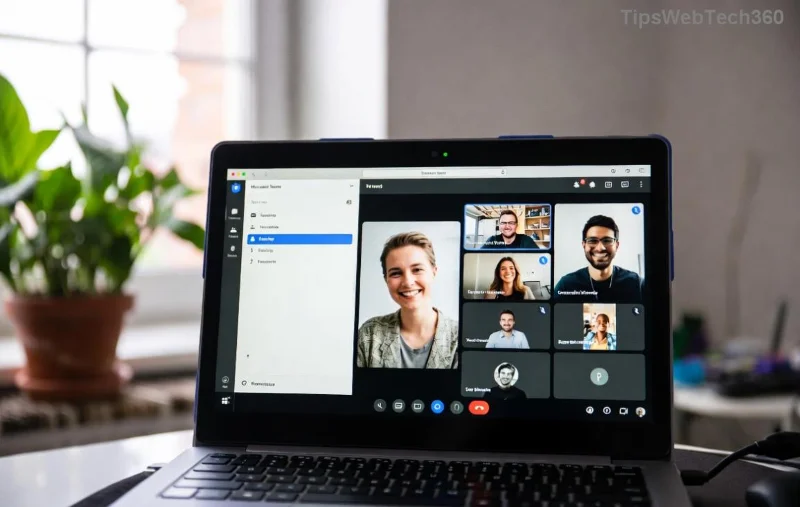
Microsoft Teams Latest update error screenshot showing stuck installation

Recognize this screen? It's a sign your Teams needs a reset. Stick aroundโ€”these solutions are battle-tested for the latest Teams versions.

โœ… Quick Fixes: Solve 80% of Microsoft Teams "Latest" Update Errors

Start with these simple steps. Most users fix the issue here! Pro tip: Close Teams completely before each try (use Task Manager: Ctrl+Shift+Esc > Processes > End all Teams tasks).

  1. 1๏ธโƒฃ Clear Teams Cache โ€“ The #1 fix!
    Navigate to %appdata%\Microsoft\Teams in File Explorer (Win+R > paste > Enter). Delete folders like Cache, blob_storage, databases, GPUCache, IndexedDB, Local Storage, tmp. Relaunch Teamsโ€”it should update automatically!
  2. 2๏ธโƒฃ Restart in Clean Boot Mode
    Press Win+R > msconfig > Services > Hide Microsoft services > Disable all > Startup > Open Task Manager > Disable non-Microsoft items. Restart PC and try updating Teams.
  3. 3๏ธโƒฃ Run Teams as Administrator
    Right-click Teams shortcut > Run as administrator. Go to profile picture > Check for updates.

Still stuck? No sweatโ€”escalate to pro methods below. You've cleared the easy hurdles! ๐Ÿ’ช

๐Ÿ”ง Advanced Solutions for Stubborn Microsoft Teams "Latest" Update Errors

If basics fail, tackle deeper issues. These resolve even persistent Teams "Latest" update errors.

๐Ÿ” Symptom ๐ŸŽฏ Solution โฑ๏ธ Time
Update stuck at 0% Disable antivirus temporarily (e.g., Windows Defender > Real-time protection off). Retry update. 2 mins
Error code 0xc001f00d Reset Windows Update: Settings > Update & Security > Troubleshoot > Additional > Windows Update > Run. 5 mins
Machine-wide installer fails Download latest Teams MSI from Microsoft. Run as admin: Teams_machine_winstaller.exe /s. 10 mins
Step-by-step guide to clearing Microsoft Teams cache for Latest update error fix

Full Reinstall: The Nuclear Option (But Super Effective!)

โœ… Uninstall via Settings > Apps > Microsoft Teams > Uninstall.
Delete leftovers: %appdata%\Microsoft\Teams and %programfiles%\Teams Installer.
Re-download from official site. Install and boomโ€”Latest update error gone! ๐Ÿš€

Successful Microsoft Teams update after fixing Latest error with reinstall

๐Ÿ›ก๏ธ Prevent Future Microsoft Teams "Latest" Update Errors

  • โญ Enable auto-updates in Teams settings.
  • โญ Keep Windows updated (Settings > Update & Security).
  • โญ Use VPN only if neededโ€”switch off for updates.
  • โญ Schedule weekly cache clears for heavy users.

Bonus: For IT admins, deploy via Microsoft Endpoint Manager for fleet-wide fixes. Pro users love this!

Still Facing Issues? Final Troubleshooting Tips

If nothing works:

  1. Check Teams Admin Center for org policies.
  2. Run SFC scan: Admin Command Prompt > sfc /scannow.
  3. Contact Microsoft Supportโ€”mention "Latest" update error for priority.

Congratulations! ๐ŸŽ‰ You've mastered fixing the Microsoft Teams "Latest" update error. Your team meetings will thank you. Share this guide if it helpedโ€”drop a comment below on what worked for you. Happy teaming! ๐Ÿ‘

Leave a Comment

๐Ÿ”ง Instant Fix: Conquer Microsoft Teams For Linux Installation Error in 5 Minutes!

๐Ÿ”ง Instant Fix: Conquer Microsoft Teams For Linux Installation Error in 5 Minutes!

Tired of the frustrating Microsoft Teams "For Linux" installation error? Discover proven, step-by-step fixes for Ubuntu, Fedora, and more. Get back to seamless video calls without the hassle!

Fix Microsoft Teams Web App Login Problems Fast โ€“ Ultimate Troubleshooting Guide

Fix Microsoft Teams Web App Login Problems Fast โ€“ Ultimate Troubleshooting Guide

Struggling with Microsoft Teams Meeting Web App login problems? Get instant fixes for cache issues, browser glitches, and account errors. Step-by-step solutions to rejoin meetings seamlessly.

๐Ÿš€ Microsoft Teams Error Report Not Sending? Fix It in Minutes with This Ultimate Guide!

๐Ÿš€ Microsoft Teams Error Report Not Sending? Fix It in Minutes with This Ultimate Guide!

Struggling with Microsoft Teams error report not sending? This comprehensive guide provides proven troubleshooting Microsoft Teams error report not sending steps to resolve crashes, failed reports, and connectivity issues fast. Get back to productive meetings!

๐Ÿš€ Fix Microsoft Teams Guest Access Error in Minutes: Ultimate Troubleshooting Guide

๐Ÿš€ Fix Microsoft Teams Guest Access Error in Minutes: Ultimate Troubleshooting Guide

Stuck with Microsoft Teams "Guest" access error? Follow our step-by-step troubleshooting guide to resolve guest invite issues, enable access, and get teams collaborating seamlessly. Proven fixes for admins and users alike.

๐Ÿš€ Fix Microsoft Teams Code Error Redemption Instantly: Proven Troubleshooting Guide

๐Ÿš€ Fix Microsoft Teams Code Error Redemption Instantly: Proven Troubleshooting Guide

Stuck with Microsoft Teams "Code Error" during redemption? Discover step-by-step fixes for code redemption issues, common causes, and pro tips to resolve it fast and redeem your licenses without hassle. Updated with the latest solutions.

๐Ÿš€ Fix Microsoft Teams Errors Instantly: Ultimate Troubleshooting Guide for Bแป‹ Lแป—i Issues

๐Ÿš€ Fix Microsoft Teams Errors Instantly: Ultimate Troubleshooting Guide for Bแป‹ Lแป—i Issues

Struggling with Microsoft Teams errors like "Bแป‹ lแป—i"? Discover proven troubleshooting Microsoft Teams steps to resolve general errors, crashes, sign-in issues, and more. Quick fixes for seamless collaboration!

๐Ÿš€ Fix Microsoft Teams Logs Error Access Denied in 5 Minutes โ€“ Proven 2026 Solutions!

๐Ÿš€ Fix Microsoft Teams Logs Error Access Denied in 5 Minutes โ€“ Proven 2026 Solutions!

Struggling with Microsoft Teams "Logs Error" Access Denied? Discover quick, step-by-step fixes to resolve this frustrating issue and get back to seamless collaboration. Updated with the latest Teams patches for instant relief!

๐Ÿš€ Fix Microsoft Teams User Not Authorized Error: Proven Steps to Get Back Online Fast!

๐Ÿš€ Fix Microsoft Teams User Not Authorized Error: Proven Steps to Get Back Online Fast!

Stuck with Microsoft Teams "User Not Authorized" error? Follow our expert, step-by-step guide to quickly fix it and resume seamless collaboration. Simple solutions that work every time.

๐Ÿš€ Microsoft Teams Whiteboard Not Syncing? Fix It Fast with Proven Steps!

๐Ÿš€ Microsoft Teams Whiteboard Not Syncing? Fix It Fast with Proven Steps!

Struggling with Microsoft Teams Whiteboard not syncing properly? Discover step-by-step fixes for syncing issues, from cache clearing to network tweaks. Get your collaborative whiteboard back on track in minutes!

๐Ÿš€ Fix Microsoft Teams Time Limit Error FAST: 7 Proven Steps for Instant Relief!

๐Ÿš€ Fix Microsoft Teams Time Limit Error FAST: 7 Proven Steps for Instant Relief!

Struggling with the frustrating Microsoft Teams "Time Limit" Error? Discover proven, step-by-step fixes to resolve it quickly. Update Teams, clear cache, and moreโ€”no tech skills needed! Works on latest versions.