πŸš€ Fix Microsoft Teams Voice Call Error Instantly: Proven 2026 Solutions!

Nothing disrupts a productive day like the dreaded Microsoft Teams "Voice" Call Error. 😩 You're mid-meeting, and suddenly, no one hears youβ€”or worse, your audio cuts out entirely. Don't worry! This comprehensive guide delivers quick, reliable fixes to restore your voice calls seamlessly. Whether it's a microphone glitch, network hiccup, or app misconfiguration, we've got you covered with the latest troubleshooting steps tested for peak performance.

By the end, your Teams voice calls will be crystal clear. Let's dive in! πŸ‘‡

Common Causes of Microsoft Teams "Voice" Call Error

Understanding the root issue speeds up resolution. Here are the top culprits:

  • Microphone Permissions: Teams lacks access to your mic.
  • Outdated App: Bugs in older versions block audio.
  • Network Glitches: Unstable connections cause voice drops.
  • Audio Device Conflicts: Wrong default mic or driver issues.
  • Cache Buildup: Corrupted files hinder functionality.
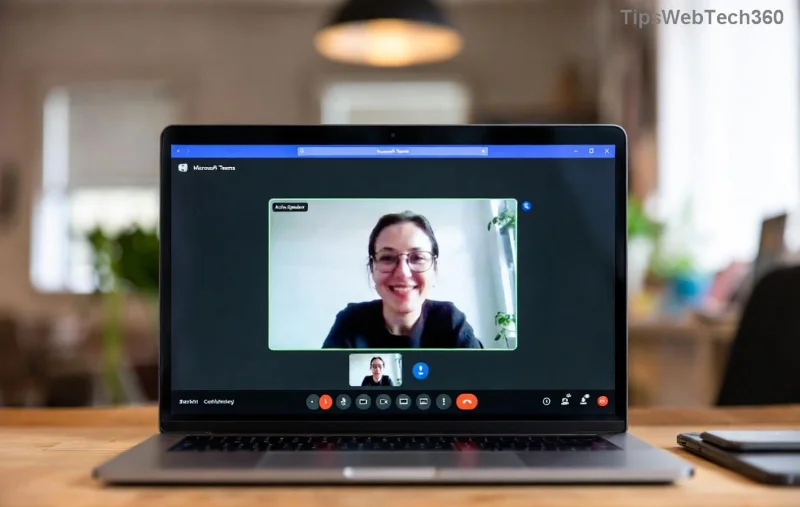
Microsoft Teams voice call error screenshot showing audio issue

πŸ”§ Step-by-Step Fixes for Microsoft Teams "Voice" Call Error

Start with the simplest solutions and escalate as needed. Most users fix it in under 5 minutes! ⭐

1️⃣ Check Microphone Permissions (Quickest Fix!)

Your OS might be blocking Teams. Here's how to grant access:

  1. Open Teams Settings > Devices > Ensure your mic is selected.
  2. On Windows: Settings > Privacy > Microphone > Allow apps access. Toggle Teams ON.
  3. On macOS: System Preferences > Security & Privacy > Microphone > Enable Teams.
  4. Test in a new call. 🎀

2️⃣ Update or Restart Microsoft Teams

Outdated versions are a common Teams voice error trigger.

  • Click your profile > Check for updates.
  • If unavailable, fully quit Teams (use Task Manager on Windows) and relaunch.
  • Pro Tip: Restart your device for a clean slate. πŸ”„

3️⃣ Adjust Audio Settings in Teams

Sometimes, it's just a misconfigured device.

StepActionExpected Result
1. In a callClick More actions > Show device settingsMic levels visible
2. Select devicesChoose correct Speaker, Microphone, RingtoneAudio test plays
3. Noise suppressionSet to Auto or HighClearer voice
Teams device settings menu for fixing voice call error

4️⃣ Troubleshoot Network Issues

Voice calls demand stable bandwidth.

  • Run a speed test: Aim for 1.5 Mbps upload/download.
  • Switch to wired connection or 5GHz Wi-Fi.
  • Disable VPN/firewall temporarily: Microsoft's Network Guide.

5️⃣ Clear Teams Cache (Advanced Fix)

Corrupted cache causes persistent Microsoft Teams voice call errors.

  1. Quit Teams completely.
  2. Windows: %appdata%\Microsoft\Teams > Delete contents of folders like blob_storage, Cache, databases, GPUCache, IndexedDB, Local Storage, tmp.
  3. macOS: ~/Library/Application Support/Microsoft/Teams > Same deletion.
  4. Relaunch Teams. ✨
Clearing Teams cache to resolve voice error

6️⃣ Update Audio Drivers & Run Troubleshooter

Outdated drivers = audio woes.

  • Windows: Device Manager > Audio inputs > Right-click mic > Update driver.
  • Run built-in troubleshooter: Settings > Update & Security > Troubleshoot > Recording Audio.
  • macOS: Update via App Store or System Update.

7️⃣ Reinstall Microsoft Teams (Last Resort)

If all else fails:

  1. Uninstall via Control Panel (Windows) or Applications (macOS).
  2. Download latest from official site.
  3. Reinstall and sign in. Your calls should work flawlessly! πŸŽ‰

Prevention Tips: Keep Teams Voice Calls Error-Free Forever

  • Regularly update Teams and your OS.
  • Use wired headphones for reliability. 🎧
  • Monitor network health with tools like Speedtest.
  • Join Teams Insiders for early bug fixes.

Still Facing Microsoft Teams "Voice" Call Error? Next Steps

If issues persist, check Teams status on official dashboard or submit a support ticket via app (Help > Give feedback). Community forums like Reddit's r/MicrosoftTeams often share niche fixes too.

Congratulations! You've conquered the Microsoft Teams "Voice" Call Error. Your meetings are now uninterrupted and professional. Share this guide if it helpedβ€”happy calling! πŸ‘

Leave a Comment

πŸ”§ Instant Fix: Conquer Microsoft Teams For Linux Installation Error in 5 Minutes!

πŸ”§ Instant Fix: Conquer Microsoft Teams For Linux Installation Error in 5 Minutes!

Tired of the frustrating Microsoft Teams "For Linux" installation error? Discover proven, step-by-step fixes for Ubuntu, Fedora, and more. Get back to seamless video calls without the hassle!

Fix Microsoft Teams Web App Login Problems Fast – Ultimate Troubleshooting Guide

Fix Microsoft Teams Web App Login Problems Fast – Ultimate Troubleshooting Guide

Struggling with Microsoft Teams Meeting Web App login problems? Get instant fixes for cache issues, browser glitches, and account errors. Step-by-step solutions to rejoin meetings seamlessly.

πŸš€ Microsoft Teams Error Report Not Sending? Fix It in Minutes with This Ultimate Guide!

πŸš€ Microsoft Teams Error Report Not Sending? Fix It in Minutes with This Ultimate Guide!

Struggling with Microsoft Teams error report not sending? This comprehensive guide provides proven troubleshooting Microsoft Teams error report not sending steps to resolve crashes, failed reports, and connectivity issues fast. Get back to productive meetings!

πŸš€ Fix Microsoft Teams Guest Access Error in Minutes: Ultimate Troubleshooting Guide

πŸš€ Fix Microsoft Teams Guest Access Error in Minutes: Ultimate Troubleshooting Guide

Stuck with Microsoft Teams "Guest" access error? Follow our step-by-step troubleshooting guide to resolve guest invite issues, enable access, and get teams collaborating seamlessly. Proven fixes for admins and users alike.

πŸš€ Fix Microsoft Teams Code Error Redemption Instantly: Proven Troubleshooting Guide

πŸš€ Fix Microsoft Teams Code Error Redemption Instantly: Proven Troubleshooting Guide

Stuck with Microsoft Teams "Code Error" during redemption? Discover step-by-step fixes for code redemption issues, common causes, and pro tips to resolve it fast and redeem your licenses without hassle. Updated with the latest solutions.

πŸš€ Fix Microsoft Teams Errors Instantly: Ultimate Troubleshooting Guide for Bα»‹ Lα»—i Issues

πŸš€ Fix Microsoft Teams Errors Instantly: Ultimate Troubleshooting Guide for Bα»‹ Lα»—i Issues

Struggling with Microsoft Teams errors like "Bα»‹ lα»—i"? Discover proven troubleshooting Microsoft Teams steps to resolve general errors, crashes, sign-in issues, and more. Quick fixes for seamless collaboration!

πŸš€ Fix Microsoft Teams Logs Error Access Denied in 5 Minutes – Proven 2026 Solutions!

πŸš€ Fix Microsoft Teams Logs Error Access Denied in 5 Minutes – Proven 2026 Solutions!

Struggling with Microsoft Teams "Logs Error" Access Denied? Discover quick, step-by-step fixes to resolve this frustrating issue and get back to seamless collaboration. Updated with the latest Teams patches for instant relief!

πŸš€ Fix Microsoft Teams User Not Authorized Error: Proven Steps to Get Back Online Fast!

πŸš€ Fix Microsoft Teams User Not Authorized Error: Proven Steps to Get Back Online Fast!

Stuck with Microsoft Teams "User Not Authorized" error? Follow our expert, step-by-step guide to quickly fix it and resume seamless collaboration. Simple solutions that work every time.

πŸš€ Microsoft Teams Whiteboard Not Syncing? Fix It Fast with Proven Steps!

πŸš€ Microsoft Teams Whiteboard Not Syncing? Fix It Fast with Proven Steps!

Struggling with Microsoft Teams Whiteboard not syncing properly? Discover step-by-step fixes for syncing issues, from cache clearing to network tweaks. Get your collaborative whiteboard back on track in minutes!

πŸš€ Fix Microsoft Teams Time Limit Error FAST: 7 Proven Steps for Instant Relief!

πŸš€ Fix Microsoft Teams Time Limit Error FAST: 7 Proven Steps for Instant Relief!

Struggling with the frustrating Microsoft Teams "Time Limit" Error? Discover proven, step-by-step fixes to resolve it quickly. Update Teams, clear cache, and moreβ€”no tech skills needed! Works on latest versions.