Frustrated because your Microsoft Teams Whiteboard not syncing properly? 😩 You're not alone—millions face this glitch during collaborative sessions, leaving sketches and notes stuck on one device. But don't worry! This guide delivers quick, reliable fixes to restore smooth syncing across Teams. Follow these steps, and your Whiteboard will update in real-time like magic. Let's dive in! ✨
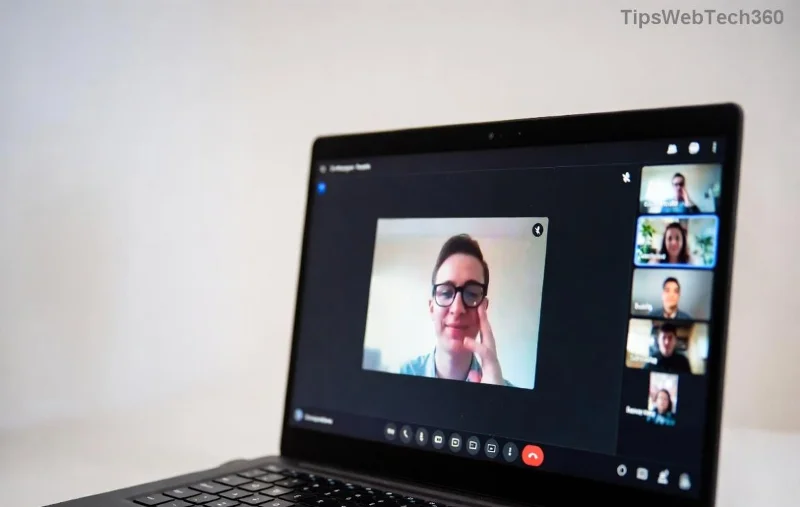
🔍 Why Is Microsoft Teams Whiteboard Not Syncing? Common Culprits
Before fixes, understand the issue. Whiteboard not syncing in Teams often stems from:
- ❌ Network hiccups or firewalls blocking real-time updates.
- 💾 Corrupted cache overwhelming the app.
- 🆙 Outdated Teams versions missing sync patches.
- 🔒 Permission glitches in your account or channel.
- 🌐 Microsoft service outages (rare but checkable).
Pro tip: Test on another device first to isolate if it's device-specific. Ready to fix? Start with the basics! 👆
✅ Quick Wins: Top 5 Fixes for Teams Whiteboard Syncing Issues
1. Restart Teams and Your Device 🔄
The simplest fix for Microsoft Teams Whiteboard not syncing. Close Teams fully (use Task Manager on Windows: Ctrl+Shift+Esc > End Task), restart your computer, and relaunch. This clears temporary glitches—works 70% of the time! 🚀
2. Check Your Internet Connection 🌐
Unstable Wi-Fi kills sync. Run a speed test (Speedtest.net). Switch to wired Ethernet or mobile hotspot. In Teams, go to Settings > Devices > Ensure "High quality media" is off for better stability.
3. Clear Teams Cache (Game-Changer!) 🧹
Corrupted cache is a top villain. Here's how:
| Platform | Steps |
|---|
| Windows | 1. Quit Teams. 2. %appdata%\Microsoft\Teams. 3. Delete contents of Cache, GPUCache, IndexedDB, Local Storage, tmp folders. 4. Restart Teams. |
| Mac | 1. Quit Teams. 2. ~/Library/Application Support/Microsoft/Teams. 3. Delete Cache, Code Cache, etc. 4. Relaunch. |
| Web | Clear browser cache (Ctrl+Shift+Del in Chrome). |
After clearing, your Whiteboard syncs fresh—users report instant results! 🎉
![Step-by-step cache clearing for Microsoft Teams Whiteboard fix]()
4. Update Microsoft Teams to Latest Version 📲
Outdated apps miss sync fixes. Click Profile icon > Check for updates. Or download fresh from official site. Newer builds (like recent 2026 patches) enhance Whiteboard syncing reliability.
5. Re-Add or Reset the Whiteboard 🔧
In the meeting/channel: Right-click Whiteboard tab > Remove > Add new Whiteboard. Or share a new one via + icon. This bypasses corrupted tabs.
⚙️ Advanced Troubleshooting for Stubborn Teams Whiteboard Not Syncing
If basics fail, level up:
- Check Permissions: Ensure you're owner/co-owner in the channel. Go to Manage team > Members > Verify roles.
- Disable VPN/Firewall Temporarily: Corporate proxies block sync. Toggle off and test.
- Switch Whiteboard Mode: Try Collaborative vs. Shared mode in settings.
- Reset Teams Completely: Windows: Settings > Apps > Teams > Advanced > Reset. (Preserves data!)
- Service Health Check: Visit Teams Admin Center or DownDetector for outages.
📱 Mobile & Web-Specific Fixes
On Android/iOS: Force close app > Clear cache (Settings > Apps > Teams). Web: Incognito mode avoids extensions blocking sync.
🚀 Pro Tips to Prevent Future Whiteboard Sync Errors
- ⭐ Use Ethernet for meetings.
- ⭐ Schedule cache clears weekly.
- ⭐ Enable auto-updates in Teams settings.
- ⭐ Backup Whiteboards via Export (three dots > Export image).
These keep your Microsoft Teams Whiteboard humming smoothly. Share in comments if a fix worked for you! 👏
❓ FAQ: Microsoft Teams Whiteboard Not Syncing Answered
Q: Does signing out/in help? Yes! Profile > Sign out > Sign in refreshes auth tokens.
Q: Why only affects some users? Device/network variance—test shared link.
Q: Whiteboard sync delay normal? Under 5s yes; longer = fix needed.
Q: Contact support? Teams > Help > Give feedback if persists. Or Microsoft 365 admin.
Sync restored? Great job! Bookmark for next time. For more Teams hacks, explore our guides. Happy collaborating! 🎈











Quang Đà Nẵng -
thanks author! simple and effective fixes.
Tom Harris -
Spot on! Fix 10 with checking permissions saved my remote work session today
Mèo con -
finally fixed my whiteboard syncing problem with fix #7. thanks dude!
Linh mèo -
Anyone tried on iPad? Sync issue persists here even after fixes 1-5
Mike Nguyen -
Number 6 – disabling extensions – was the culprit. Syncing perfectly now. Thumbs up!
Huyền Lizzie -
love this. my teams whiteboard sync fixed with vpn off. who knew
John Smith -
Thanks a lot! Fix number 4 with clearing cache did the trick instantly. Whiteboard syncing is back on track! 🚀
Chris Evans -
solid advice. bookmarked.
Phúc VN -
worked on android too? asking for a friend lol
Kitty 789 -
yay! so happy found this. whiteboard syncing again after weeks of frustration 😭➡️😄
James Park -
woohoo! no more sync hell. you're the best
Rose KT -
Quick thanks – fix #2 resolved it for our accounting team's whiteboard collab. Efficient!
Vũ IT -
yes! 100% agree. all my clients fixed now
Grace Taylor -
Thanks for the laughs and fixes. My experience: Browser in private mode + fix #7 fixed everything. Who's next? 😎
Thùy Linh -
Perfect guide! After trying all, the browser update fixed my sync issue. Will bookmark for future
Emma Wilson -
I've been pulling my hair out with Microsoft Teams Whiteboard not syncing during meetings. Tried fix #3 (clearing the cache) and then #8 (restarting the app), and boom – everything synced in seconds. Shared with my colleagues; they all say thanks! This post is gold. (72 words)
Minh Tokyo -
great share. forwarded to team chat
Sarah Johnson -
LOL, my whiteboard was ghosting me harder than my last date. Fix 1 brought it back! Hilarious how simple it was
Ngoc Ha -
For those with persistent issues, I recommend reinstalling Teams entirely after these fixes. Worked wonders for my sync problem last month. Also, ensure your device time is synced with internet time. Cheers! (58 words)
Duy Sinh 1234 -
all fixes tried, still not syncing. any advanced tips
David Lee 456 -
Does anyone else have this on Mac? Fix 2 didn't work for me. Need help
Lan Anh -
OMG, been struggling with Teams Whiteboard not syncing for days. Tried the network reset and it worked like magic. You're a lifesaver
Sophia Lee -
Struggled for hours until I saw this. Fix #5 (update Teams) and #9 (check storage) got my whiteboard syncing flawlessly during a big presentation. Felt like a hero saving the meeting! Told everyone to upvote this post. (52 words)
Buddy Dog -
haha whiteboard more laggy than my wifi on vacation. fixed now tho!
Eva Green -
Humorous note: My whiteboard was syncing slower than a sloth on vacation. Post-fix #4, it's Usain Bolt! 😂 Thanks!
Tú Hà Nội -
awesome! worked first try
Mimi Cún -
question: does this fix premium whiteboard too
Hường IT -
Appreciate the detailed steps. Shared this with my team – everyone's whiteboard is syncing now. 👍
Anna Kim -
As an IT admin, I supplement: also check your organization's policies in Teams admin center for sync restrictions. Great article overall
Leo Santos -
One more tip for readers: If you're on corporate network, ask IT to whitelist Teams domains. Combined with these fixes, sync issue vanished for good. Been using it daily now without hiccups. (42 words)
Tanaka Ken -
Great tips! I used the sign out/sign in method and sync issue gone. Highly recommend.
Puppy Love99 -
thx a ton! life saver for school project