Discover Instantly: Where to Find the Microsoft Teams Installation Folder on Your PC

Ever needed to dive into Microsoft Teams installation folder for backups, troubleshooting crashes, or custom tweaks? 😎 You're not alone! Knowing where to find the Microsoft Teams installation folder on your PC unlocks quick fixes and personalization. This guide delivers precise paths, simple steps, and insider tipsβ€”no fluff, just results. Let's pinpoint it fast!
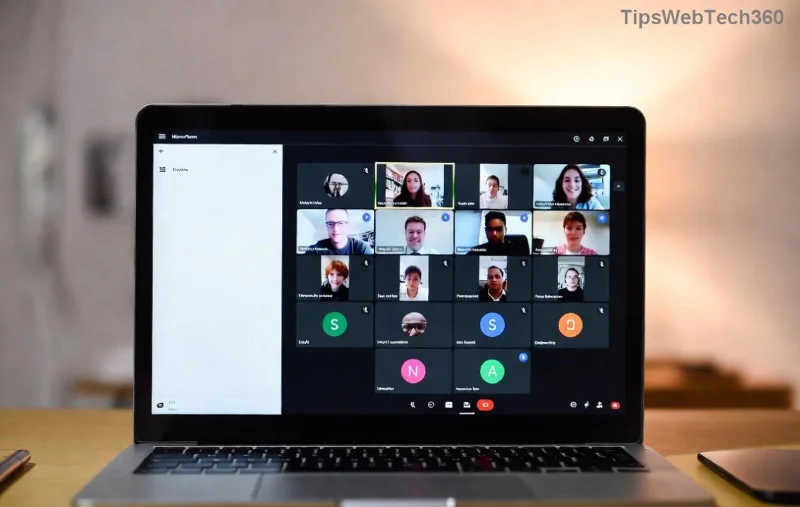
Microsoft Teams folder overview on Windows PC

Why Locate Your Microsoft Teams Installation Folder?

Accessing this folder helps with:

  • ⭐ Clearing cache for laggy performance
  • πŸ‘† Backing up chats, emojis, or settings
  • πŸ”§ Modifying themes or fixing add-ins
  • βš™οΈ Troubleshooting update errors

Pro tip: Teams has evolvedβ€”new Teams (default now) differs from classic Teams. We'll cover both!

Key Differences: New Teams vs. Classic Teams Folders

New Teams (web-based, faster) installs differently from classic Teams. Here's the breakdown:

td>Legacy desktop app
Teams Version Installation Type Typical Path
New Teams (Per-User) Default from Microsoft Store or auto-update %LOCALAPPDATA%\Microsoft\Teams
New Teams (Per-Machine) MSI installer for all users C:\Program Files\Microsoft\Teams
Classic Teams (Per-User)%LOCALAPPDATA%\Microsoft\Teams (meeting folder)
Classic Teams (Per-Machine) Enterprise MSI C:\Program Files (x86)\Microsoft\Teams
Table of Microsoft Teams installation paths on PC

These paths are current for the latest Microsoft Teams builds. Always check your version via Teams > Settings > About Teams.

Step-by-Step: Where to Find Microsoft Teams Installation Folder on Windows

Windows is the prime spot for PCsβ€”here's how to locate it lightning-fast. No admin rights needed for most!

1️⃣ Quick Method: Use Run Command (Fastest!)

  1. Press Win + R to open Run dialog.
  2. Type %LOCALAPPDATA%\Microsoft\Teams and hit Enter. πŸ‘† Boomβ€”new Teams folder opens!
  3. For app data (chats, cache): Navigate to current\Cache or meeting-addin.

2️⃣ File Explorer Navigation

  1. Open File Explorer (Win + E).
  2. Click View > Show > Hidden items (to reveal AppData).
  3. Go to C:\Users\[YourUsername]\AppData\Local\Microsoft\Teams.
  4. Subfolders like current, logs, tmp hold the gold.

Per-Machine Install? Head to C:\Program Files\Microsoft or C:\Program Files (x86)\Microsoft\Teams. Right-click Teams shortcut > Open file location for a shortcut!

Step-by-step navigation to Microsoft Teams folder in File Explorer

3️⃣ PowerShell or Command Prompt (Advanced Users)

dir "%LOCALAPPDATA%\Microsoft\Teams" /s

This lists everything inside. Replace with %APPDATA%\Microsoft\Teams for roaming data.

Troubleshooting: Can't Find Your Teams Installation Folder?

  • ❌ No Folder? Reinstall Teams from official site.
  • ❌ Multiple Versions? Use Teams switcher (three dots > Check for updates).
  • ❌ Mac/Linux? Folders differβ€”DM us for guides! (Windows-focused here.)
  • πŸ”’ Permissions Issue? Run Explorer as admin.

Stuck on errors? Check Microsoft's docs: Teams Installation Troubleshooting.

Pro Tips to Master Your Microsoft Teams Folder

Once found:

  • ⭐ Backup First: Copy entire folder before tweaks.
  • πŸ‘† Clear Cache: Delete Cache & tmpβ€”Teams restarts fresh!
  • ⚑ Custom Emojis: Drop into Emoji subfolder.
  • πŸ“± Sync Mobile: Folders match across devices via cloud.

Ready to optimize? Dive in nowβ€”your smoother Teams awaits! Got questions? Drop a comment below. πŸš€

What's Next? Stay Ahead with Teams

Mastered the folder? Explore Teams shortcuts, AI features, or security boosts next. Bookmark this for quick access and share with your team! πŸ‘

Leave a Comment

πŸš€ Fix Microsoft Teams Error I Profiles FAST: Proven Steps for Instant Relief!

πŸš€ Fix Microsoft Teams Error I Profiles FAST: Proven Steps for Instant Relief!

Struggling with Microsoft Teams "Error I" Profiles? Discover step-by-step fixes to resolve profile loading issues, clear cache, reset settings, and get back to seamless collaboration. Updated with the latest solutions!

Discover Your Microsoft Teams ID & Account Info Instantly: Ultimate 2026 Guide

Discover Your Microsoft Teams ID & Account Info Instantly: Ultimate 2026 Guide

Unlock where to find your Microsoft Teams ID and account info effortlessly. Step-by-step guide for desktop, web, admin center, and more – perfect for troubleshooting and customization.

πŸš€ Ultimate Fix: Banish Microsoft Teams Update Error 0x80070002 in Minutes!

πŸš€ Ultimate Fix: Banish Microsoft Teams Update Error 0x80070002 in Minutes!

Tired of Microsoft Teams Update Error 0x80070002 blocking your updates? Discover proven, step-by-step solutions to resolve it fast and restore smooth teamwork. Works on latest Windows versions.

Teams Screenshot Stuck? Fix Error Screenshot Not Saving in Microsoft Teams Fast!

Teams Screenshot Stuck? Fix Error Screenshot Not Saving in Microsoft Teams Fast!

Struggling with Microsoft Teams "Error Screenshot" not saving? Discover proven troubleshooting steps to resolve this frustrating issue quickly and get back to seamless collaboration. Updated fixes for the latest Teams versions.

πŸš€ Fix Microsoft Teams Windows 7 Login Error Instantly – 100% Working Solutions

πŸš€ Fix Microsoft Teams Windows 7 Login Error Instantly – 100% Working Solutions

Tired of the frustrating Microsoft Teams Windows 7 login error? Follow our proven, step-by-step guide to resolve it quickly and get back to seamless collaboration. No upgrades needed!

How to Change Microsoft Teams Recording Location: Ultimate Step-by-Step Guide

How to Change Microsoft Teams Recording Location: Ultimate Step-by-Step Guide

Discover how to change Microsoft Teams recording location with ease. Master default paths, user moves, admin configs, and pro tips for seamless meeting storage management. Save time and space today!

πŸš€ Fix Microsoft Teams Media Error Microphone Instantly: Proven 2026 Solutions

πŸš€ Fix Microsoft Teams Media Error Microphone Instantly: Proven 2026 Solutions

Tired of Microsoft Teams "Media Error" Microphone ruining your calls? Get step-by-step fixes for smooth audio in Teams. Quick, easy solutions that work every time!

πŸš€ Fix Microsoft Teams Planner Error Tab: Ultimate Troubleshooting Guide

πŸš€ Fix Microsoft Teams Planner Error Tab: Ultimate Troubleshooting Guide

Struggling with the Microsoft Teams Planner Error Tab? Discover proven troubleshooting Microsoft Teams "Planner Error" Tab steps to resolve issues quickly and get back to productivity. Step-by-step fixes for common errors.

πŸ”§ Fix Microsoft Teams Image Error in Chat: Ultimate Troubleshooting Guide

πŸ”§ Fix Microsoft Teams Image Error in Chat: Ultimate Troubleshooting Guide

Struggling with Microsoft Teams "Image Error" in chat? Discover proven troubleshooting steps, common causes, and quick fixes to resolve image loading issues in Teams chats instantly. Get seamless sharing back today!

πŸš€ Fix Microsoft Teams Training Error Video Lag in Minutes – Ultimate 2026 Guide!

πŸš€ Fix Microsoft Teams Training Error Video Lag in Minutes – Ultimate 2026 Guide!

Tired of Microsoft Teams "Training Error" video lag ruining your meetings? Follow these proven, step-by-step fixes to eliminate lag, boost performance, and enjoy crystal-clear video calls instantly. Latest updates included!