Effortless 2026 Guide: How to Join a Microsoft Teams Meeting as a Guest – No Account Required!

Ever received a last-minute Microsoft Teams invite but lack an account? No worries! Joining as a guest is simpler than ever in 2026. This guide walks you through every step, ensuring you hop into meetings effortlessly – whether on web, desktop, or mobile. Stay connected without the hassle of sign-ups. Let's dive in! 👆

Why Join as a Guest? Quick Benefits

  • No Microsoft account needed: Perfect for external collaborators, clients, or one-off meetings.
  • Instant access: Click a link and you're in – updated for the latest Teams features.
  • Full participation: Chat, share screen, react, and unmute like insiders.

Ready to join? Follow these foolproof steps tailored for 2026's streamlined interface.

Prerequisites Before Joining

  1. A stable internet connection.
  2. The meeting link or code from your host (via email, chat, or calendar).
  3. Compatible browser (Chrome, Edge, Firefox, Safari) or Teams app.

Pro tip: Hosts must enable guest access in meeting settings for seamless entry.

Method 1: Join via Web Browser (Easiest for Guests)

The web version shines for guest joins – no downloads required. Here's how:

  1. Click the meeting link: Open the invite in your email or message.
  2. Choose "Join as a guest": Skip sign-in prompts. Teams detects this automatically.
  3. Enter your name: Type a display name (e.g., "John Doe - Guest").
  4. Adjust settings: Toggle camera 🔴/microphone 🔇, then hit Join now.
  5. Enter the meeting: You're live! Test audio/video first if prompted.
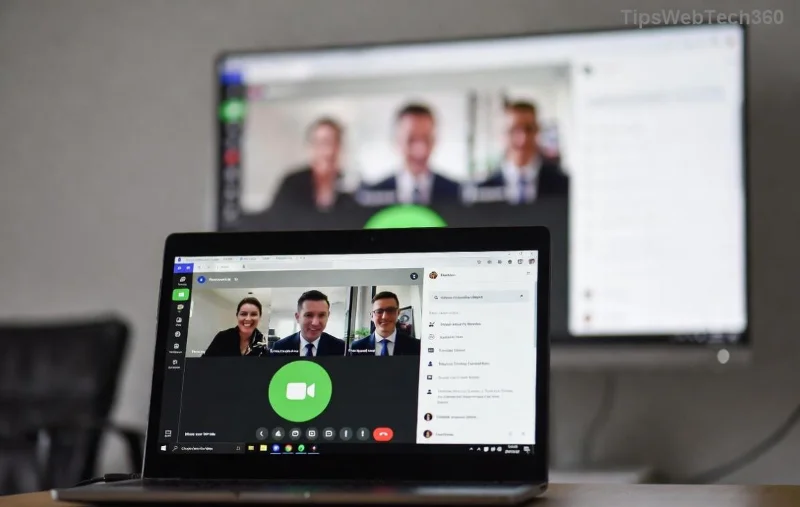
Screenshot of joining Microsoft Teams meeting as guest via web browser

Bonus: Web joins work on any device, ideal for quick sessions.

Method 2: Using the Desktop or Mobile App

For richer features like better performance, grab the free Teams app.

Desktop App Steps

  1. Download from Microsoft's site (Windows/Mac).
  2. Open the link in the app or paste it into Teams.
  3. Select Continue as guest.
  4. Enter name and join – same as web!

Mobile App (iOS/Android)

  1. Install from App Store/Google Play.
  2. Tap the link; app opens automatically.
  3. Join as guest > Name > Permissions > Go.
Microsoft Teams desktop app guest join interface

Apps unlock extras like background blur and reactions. Keep reading for troubleshooting! 😊

Method 3: Dial-In by Phone (Audio-Only Backup)

No video? Use phone audio:

  1. In the join page, expand Need help? > Copy phone number.
  2. Dial in, enter conference ID.
  3. Combine with web for video if needed.
Teams meeting dial-in options for guests

Common Issues and Fixes (Troubleshooting Table)

Stuck? This table solves 90% of guest join glitches:

Issue Solution
"Waiting for host" or blocked entry Ask host to approve guests or check lobby settings. Microsoft Lobby Guide
Camera/mic not working Allow permissions in browser/OS settings. Test in preview.
"Download required" loop Clear cache or switch browsers. Use Incognito mode.
Mobile app crashes Update app; restart device. Web fallback works!
Can't hear others Select correct speaker in More actions > Device settings.

Pro Tips for Guest Success in 2026

  • ⭐ Customize reactions: Use emojis to engage without interrupting.
  • Share screen early: Guests can present files seamlessly.
  • Record note: Guests can't start recordings – ask host.
  • Multi-meeting mastery: Pin important participants for focus.
  • Post-meeting: Download chat transcript if enabled.

For deeper dives, check Microsoft's official Teams join guide.

Final Thoughts: Join Confidently Every Time

Mastering how to join a Microsoft Teams meeting as a guest opens doors to global collaboration. With these 2026-optimized steps, you're set for success – no barriers, just breakthroughs. Next time an invite lands, smile and click! Got questions? Drop them below. 🚀
Leave a Comment

🚀 Fix Microsoft Teams Error En Teams Spanish Error Instantly – Proven 2026 Guide

🚀 Fix Microsoft Teams Error En Teams Spanish Error Instantly – Proven 2026 Guide

Tired of the frustrating 'Error En Teams' in Microsoft Teams? Get our expert Spanish-language fixes for quick resolution. Step-by-step troubleshooting, cache clears, updates, and more to restore seamless teamwork.

Effortless 2026 Guide: How to Join a Microsoft Teams Meeting as a Guest – No Account Required!

Effortless 2026 Guide: How to Join a Microsoft Teams Meeting as a Guest – No Account Required!

Master how to join a Microsoft Teams meeting as a guest in 2026 with this step-by-step guide. Quick joins via web, desktop, or mobile – perfect for seamless collaboration without signing up.

Unlock Your Teams Data: How to Download Microsoft Teams Chat History and Transcripts in Minutes

Unlock Your Teams Data: How to Download Microsoft Teams Chat History and Transcripts in Minutes

Master how to download Microsoft Teams chat history and transcripts effortlessly. Step-by-step guide with latest methods for personal chats, channels, and meetings. Export your data securely today!

🚀 Fix Microsoft Teams Joining Error via Link: Ultimate Troubleshooting Guide

🚀 Fix Microsoft Teams Joining Error via Link: Ultimate Troubleshooting Guide

Stuck with Microsoft Teams "Joining Error" via link? Discover proven, step-by-step troubleshooting fixes for smooth meeting joins. Quick solutions for network issues, app glitches, and more. Get back to your calls fast!

Escape the Microsoft Teams Update Error Loop: Proven Fixes to Get You Back Online Fast!

Escape the Microsoft Teams Update Error Loop: Proven Fixes to Get You Back Online Fast!

Tired of the endless Microsoft Teams "Update Error" Loop? Follow our step-by-step guide with quick, reliable fixes to resolve update failures and restore smooth teamwork. Works on latest versions!

🚀 Fix Microsoft Teams Z Error in Minutes: 2026 Ultimate Guide

🚀 Fix Microsoft Teams Z Error in Minutes: 2026 Ultimate Guide

Stuck with Microsoft Teams "Z Error"? Discover proven 2026 fixes for instant resolution. Step-by-step troubleshooting for Windows, Mac, web, and mobile. Regain seamless teamwork now!

🚀 Ultimate Fix: Solve Microsoft Teams Price Error in Latest Pricing Update – 2026 Guide!

🚀 Ultimate Fix: Solve Microsoft Teams Price Error in Latest Pricing Update – 2026 Guide!

Struggling with Microsoft Teams "Price Error" during pricing updates? Discover proven steps to fix Microsoft Teams Price Error Pricing Update quickly. Get back to seamless collaboration without billing frustrations. Updated for the latest 2026 changes!

🚀 Fix Microsoft Teams Joining Error - Meeting Full Instantly: Proven 2026 Solutions

🚀 Fix Microsoft Teams Joining Error - Meeting Full Instantly: Proven 2026 Solutions

Struggling with Microsoft Teams "Joining Error - Meeting Full"? Discover quick, step-by-step fixes to join your meeting without hassle. Updated with the latest Teams features for seamless collaboration.

🚀 Instant Fix: Solve Microsoft Teams Classic Login Error in Under 5 Minutes!

🚀 Instant Fix: Solve Microsoft Teams Classic Login Error in Under 5 Minutes!

Struggling with Microsoft Teams "Classic" login error? Discover proven, step-by-step fixes to get back online fast. Clear cache, update, and more—no tech skills needed!

🚀 Fix Microsoft Teams Tasks Sync Error FAST: Ultimate Troubleshooting Guide

🚀 Fix Microsoft Teams Tasks Sync Error FAST: Ultimate Troubleshooting Guide

Tired of Microsoft Teams Tasks sync error ruining your workflow? Follow this proven, step-by-step troubleshooting guide to resolve sync issues quickly and get back to productivity. Updated with the latest fixes!









