Microsoft Teams Missing in Outlook? Locate the Hidden Icon in Seconds! πŸ”

Frustrated because the Microsoft Teams icon has vanished from your Outlook ribbon? You're not alone! Many users search for "where is Microsoft Teams in Outlook" after updates or configuration changes hide it. Don't worryβ€”this quick guide will help you locate the missing icon and get back to effortless collaboration. Let's dive in with simple, proven steps that work every time. πŸš€

Why Is the Teams Icon Missing in Outlook? Common Causes

The Teams integration in Outlook is a powerhouse for scheduling meetings and chats directly from your email. But icons can disappear due to:

  • πŸ‘† Disabled add-ins after an update.
  • ⭐ Ribbon customization that hides the tab.
  • ❌ Version mismatches between Outlook and Teams.
  • 😩 Corrupted profiles or admin restrictions.

Good news: Fixing it takes under 2 minutes. Follow these steps to restore the Teams icon in Outlook.
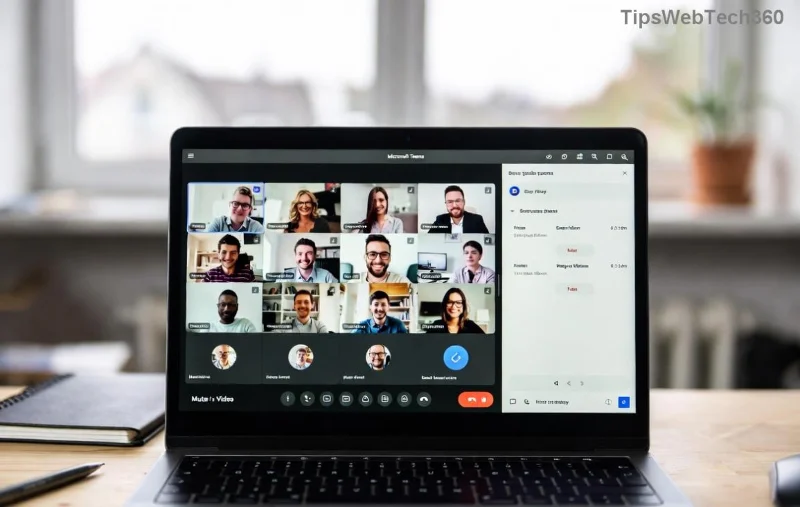
Outlook ribbon showing missing Microsoft Teams icon

Step-by-Step: Where to Find Microsoft Teams in Outlook

Start with the basicsβ€”your Teams button lives in the Outlook ribbon. Here's how to uncover it:

  1. Check the Home Tab: Open Outlook, go to the Home tab. Look for the Teams icon (purple chat bubble). If missing, proceed. πŸ‘†
  2. Customize the Ribbon:
    1. Right-click the ribbon β†’ Customize the Ribbon.
    2. In the right pane, expand Main Tabs β†’ Home.
    3. Tick Teams or Meet Now β†’ OK.
  3. Switch to New Outlook: If using classic Outlook, toggle to New Outlook (top-right toggle). Teams integration shines here with a dedicated channel. ⭐

Pro tip: Restart Outlook after changes. Still gone? Time to enable the add-in.

Enable the Microsoft Teams Add-in in Outlook (Quick Fix)

The Teams Meeting Add-in powers the icon. Here's the foolproof way to reactivate it:

Step Action Expected Result
1️⃣ File Menu File β†’ Options β†’ Add-ins Add-ins Manager opens
2️⃣ Select COM Add-ins Manage dropdown β†’ COM Add-ins β†’ Go List of add-ins appears
3️⃣ Tick Teams Check Microsoft Teams Meeting Add-in β†’ OK Icon reappears in ribbon
4️⃣ Restart Close and reopen Outlook Full integration restored
Enabling Microsoft Teams add-in in Outlook options

Voila! Your Teams icon is back, ready for instant meetings. If you're on the web version, head to Outlook.com β†’ Calendar β†’ Add a Teams meeting.

Troubleshooting: What If the Icon Still Won't Appear?

Persistent issues? Try these power moves:

  • Update Apps: Ensure Outlook and Teams are on the latest versions via Microsoft Store or admin center. Newest builds enhance Teams-Outlook sync.
  • Repair Office: Settings β†’ Apps β†’ Microsoft 365 β†’ Modify β†’ Quick Repair.
  • Reset Profile: Create a new Outlook profile (Control Panel β†’ Mail β†’ Show Profiles).
  • Admin Check: IT policies might block itβ€”contact your admin for Group Policy tweaks.
Restored Microsoft Teams icon in Outlook ribbon with meetings

For mobile users: In Outlook app, tap the + icon β†’ Teams Meeting. Seamless across devices! πŸ“±

Bonus: Maximize Teams + Outlook Integration

Once located, unlock pro features:

  • ⭐ Channel Meetings: Schedule directly into Teams channels from Outlook invites.
  • πŸ‘† Meet Now: One-click audio/video without invites.
  • 😊 Shared Calendars: Auto-sync availability for team bliss.

Recent enhancements make locating the missing icon rarer, but knowing these steps keeps you ahead. For official tweaks, check Microsoft Support.

Ready to Collaborate? You've Got This! πŸŽ‰

There you have itβ€”your ultimate fix for "where is Microsoft Teams in Outlook". No more hunting for the missing icon; just smooth sailing. Share this with a colleague who's struggling, and boost your team's productivity today. Questions? Drop them below! πŸ‘‡

Leave a Comment

πŸš€ Fix Microsoft Teams Error I Profiles FAST: Proven Steps for Instant Relief!

πŸš€ Fix Microsoft Teams Error I Profiles FAST: Proven Steps for Instant Relief!

Struggling with Microsoft Teams "Error I" Profiles? Discover step-by-step fixes to resolve profile loading issues, clear cache, reset settings, and get back to seamless collaboration. Updated with the latest solutions!

Discover Your Microsoft Teams ID & Account Info Instantly: Ultimate 2026 Guide

Discover Your Microsoft Teams ID & Account Info Instantly: Ultimate 2026 Guide

Unlock where to find your Microsoft Teams ID and account info effortlessly. Step-by-step guide for desktop, web, admin center, and more – perfect for troubleshooting and customization.

πŸš€ Ultimate Fix: Banish Microsoft Teams Update Error 0x80070002 in Minutes!

πŸš€ Ultimate Fix: Banish Microsoft Teams Update Error 0x80070002 in Minutes!

Tired of Microsoft Teams Update Error 0x80070002 blocking your updates? Discover proven, step-by-step solutions to resolve it fast and restore smooth teamwork. Works on latest Windows versions.

Teams Screenshot Stuck? Fix Error Screenshot Not Saving in Microsoft Teams Fast!

Teams Screenshot Stuck? Fix Error Screenshot Not Saving in Microsoft Teams Fast!

Struggling with Microsoft Teams "Error Screenshot" not saving? Discover proven troubleshooting steps to resolve this frustrating issue quickly and get back to seamless collaboration. Updated fixes for the latest Teams versions.

πŸš€ Fix Microsoft Teams Windows 7 Login Error Instantly – 100% Working Solutions

πŸš€ Fix Microsoft Teams Windows 7 Login Error Instantly – 100% Working Solutions

Tired of the frustrating Microsoft Teams Windows 7 login error? Follow our proven, step-by-step guide to resolve it quickly and get back to seamless collaboration. No upgrades needed!

How to Change Microsoft Teams Recording Location: Ultimate Step-by-Step Guide

How to Change Microsoft Teams Recording Location: Ultimate Step-by-Step Guide

Discover how to change Microsoft Teams recording location with ease. Master default paths, user moves, admin configs, and pro tips for seamless meeting storage management. Save time and space today!

πŸš€ Fix Microsoft Teams Media Error Microphone Instantly: Proven 2026 Solutions

πŸš€ Fix Microsoft Teams Media Error Microphone Instantly: Proven 2026 Solutions

Tired of Microsoft Teams "Media Error" Microphone ruining your calls? Get step-by-step fixes for smooth audio in Teams. Quick, easy solutions that work every time!

πŸš€ Fix Microsoft Teams Planner Error Tab: Ultimate Troubleshooting Guide

πŸš€ Fix Microsoft Teams Planner Error Tab: Ultimate Troubleshooting Guide

Struggling with the Microsoft Teams Planner Error Tab? Discover proven troubleshooting Microsoft Teams "Planner Error" Tab steps to resolve issues quickly and get back to productivity. Step-by-step fixes for common errors.

πŸ”§ Fix Microsoft Teams Image Error in Chat: Ultimate Troubleshooting Guide

πŸ”§ Fix Microsoft Teams Image Error in Chat: Ultimate Troubleshooting Guide

Struggling with Microsoft Teams "Image Error" in chat? Discover proven troubleshooting steps, common causes, and quick fixes to resolve image loading issues in Teams chats instantly. Get seamless sharing back today!

πŸš€ Fix Microsoft Teams Training Error Video Lag in Minutes – Ultimate 2026 Guide!

πŸš€ Fix Microsoft Teams Training Error Video Lag in Minutes – Ultimate 2026 Guide!

Tired of Microsoft Teams "Training Error" video lag ruining your meetings? Follow these proven, step-by-step fixes to eliminate lag, boost performance, and enjoy crystal-clear video calls instantly. Latest updates included!