Where is My Microsoft Teams Recording Saved? Unlock Instant Access Now! 🚀

Ever ended a crucial Microsoft Teams meeting only to wonder, "Where is my Microsoft Teams recording saved?" 😩 You're not alone! With remote work booming, Teams recordings capture invaluable moments—but locating them can feel like a treasure hunt. Good news: They're stored securely in familiar spots like OneDrive or SharePoint. This guide cuts through the confusion, showing you where Teams recordings are saved and how to find your files fast. Stick around for pro tips that'll save you hours! ⭐

Quick Answer: Teams Recording Locations Demystified

Your Microsoft Teams recording doesn't vanish—it's auto-saved based on meeting type. Here's the breakdown:

Meeting Type Storage Location Owner/Access Folder Path
Private or 1:1 (Non-Channel) OneDrive for Business (of the meeting organizer) Organizer owns it; participants view via Teams chat Recordings > Recordings
Channel Meeting SharePoint (team site document library) Team members access; organizer starts it Recordings
Guest or External Same as above, but check permissions Limited by host settings Verify in Teams first

Pro Tip: Only the meeting organizer can record by default. If you're a participant, request the file from them! 👍
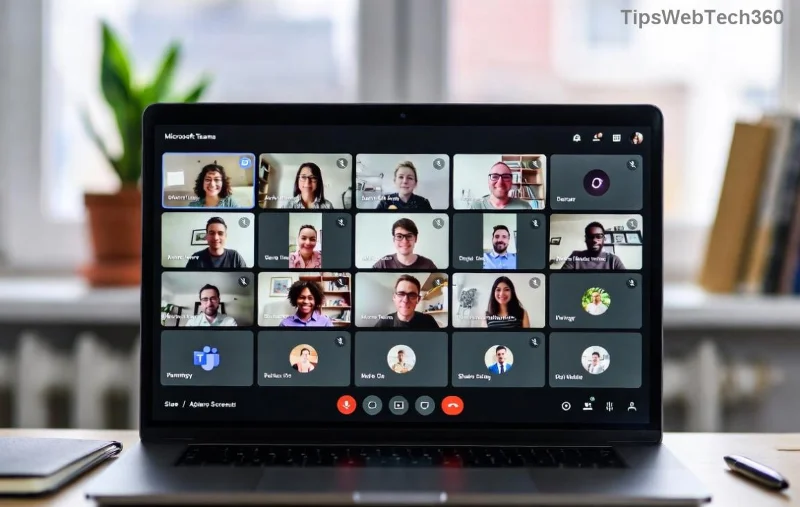
Microsoft Teams recording options in meeting controls

Step-by-Step: Find Teams Recordings Fast in the App

The easiest way to grab your Teams recording? Stay inside the app—no digging required! Here's how:

  1. 1️⃣ Open Teams Chat: Go to the meeting chat or channel where it happened.
  2. 2️⃣ Spot the Recordings Tab: Scroll up—recordings appear automatically under the "Recordings" section (or Files tab for channels).
  3. 3️⃣ Click & Play: Hit play inline, or select "Open in SharePoint/OneDrive" for download. Done in seconds! 🎉

If it's missing? Check if the organizer ended the recording properly. Recordings process for a few minutes post-meeting before appearing.

Diving Deeper: Access via OneDrive or SharePoint

Want direct file access? Head to the source:

For Non-Channel Meetings (OneDrive)

  • Sign into OneDrive (business account).
  • Navigate: My files > Recordings folder.
  • Your MP4 file awaits—download, share, or edit. 📁
OneDrive folder showing Teams Recordings

For Channel Meetings (SharePoint)

  • Open Teams > Channel > Files tab > Open in SharePoint.
  • Or direct: Team site > Documents > Recordings.
  • Team-wide access—perfect for collaboration! 👥
SharePoint site displaying Teams meeting recordings

Curious about transcripts? Latest updates auto-generate them alongside recordings—find them in the same spot for searchable text. Game-changer for reviews!

Troubleshooting: Why Can't I Find My Teams Recording? ❌

Frustrated? Common hiccups and fixes:

  • No Permissions? Ask the organizer to share— they're the gatekeeper.
  • Not Appearing? Wait 5-30 mins for processing. Check Recycle Bin if deleted accidentally.
  • Storage Full? Recordings eat space—admins set retention policies (default 120 days in some orgs).
  • Mobile? Use the Teams app; desktop/web for full editing.
  • Expired? Teams auto-deletes after policy limits—download ASAP!

For official details, peek at Microsoft's Teams recording support.

Power Tips to Master Teams Recordings Forever 🌟

Level up your workflow:

  • Notify Participants: Enable auto-notifications for instant links.
  • Shorten Retention: Admins, tweak policies in Teams admin center to save space.
  • Integrate with Power Automate: Auto-backup recordings to preferred folders.
  • Download in Bulk: Use OneDrive/SharePoint sync for offline access.
  • Edit on the Fly: Trim via Clipchamp (built-in) for polished shares.

Bonus: For large teams, explore Teams Premium for advanced storage and AI recaps. Your future self will thank you! 🙌

Ready to Never Lose a Recording Again?

Now you know where your Microsoft Teams recordings are saved and how to find them fast. From chat tabs to OneDrive folders, access is at your fingertips. Bookmark this, test it next meeting, and share with your team. Got a tricky scenario? Drop it below—we've got more guides coming! 🚀
Leave a Comment

🔧 Instant Fix: Conquer Microsoft Teams For Linux Installation Error in 5 Minutes!

🔧 Instant Fix: Conquer Microsoft Teams For Linux Installation Error in 5 Minutes!

Tired of the frustrating Microsoft Teams "For Linux" installation error? Discover proven, step-by-step fixes for Ubuntu, Fedora, and more. Get back to seamless video calls without the hassle!

Fix Microsoft Teams Web App Login Problems Fast – Ultimate Troubleshooting Guide

Fix Microsoft Teams Web App Login Problems Fast – Ultimate Troubleshooting Guide

Struggling with Microsoft Teams Meeting Web App login problems? Get instant fixes for cache issues, browser glitches, and account errors. Step-by-step solutions to rejoin meetings seamlessly.

🚀 Microsoft Teams Error Report Not Sending? Fix It in Minutes with This Ultimate Guide!

🚀 Microsoft Teams Error Report Not Sending? Fix It in Minutes with This Ultimate Guide!

Struggling with Microsoft Teams error report not sending? This comprehensive guide provides proven troubleshooting Microsoft Teams error report not sending steps to resolve crashes, failed reports, and connectivity issues fast. Get back to productive meetings!

🚀 Fix Microsoft Teams Guest Access Error in Minutes: Ultimate Troubleshooting Guide

🚀 Fix Microsoft Teams Guest Access Error in Minutes: Ultimate Troubleshooting Guide

Stuck with Microsoft Teams "Guest" access error? Follow our step-by-step troubleshooting guide to resolve guest invite issues, enable access, and get teams collaborating seamlessly. Proven fixes for admins and users alike.

🚀 Fix Microsoft Teams Code Error Redemption Instantly: Proven Troubleshooting Guide

🚀 Fix Microsoft Teams Code Error Redemption Instantly: Proven Troubleshooting Guide

Stuck with Microsoft Teams "Code Error" during redemption? Discover step-by-step fixes for code redemption issues, common causes, and pro tips to resolve it fast and redeem your licenses without hassle. Updated with the latest solutions.

🚀 Fix Microsoft Teams Errors Instantly: Ultimate Troubleshooting Guide for Bị Lỗi Issues

🚀 Fix Microsoft Teams Errors Instantly: Ultimate Troubleshooting Guide for Bị Lỗi Issues

Struggling with Microsoft Teams errors like "Bị lỗi"? Discover proven troubleshooting Microsoft Teams steps to resolve general errors, crashes, sign-in issues, and more. Quick fixes for seamless collaboration!

🚀 Fix Microsoft Teams Logs Error Access Denied in 5 Minutes – Proven 2026 Solutions!

🚀 Fix Microsoft Teams Logs Error Access Denied in 5 Minutes – Proven 2026 Solutions!

Struggling with Microsoft Teams "Logs Error" Access Denied? Discover quick, step-by-step fixes to resolve this frustrating issue and get back to seamless collaboration. Updated with the latest Teams patches for instant relief!

🚀 Fix Microsoft Teams User Not Authorized Error: Proven Steps to Get Back Online Fast!

🚀 Fix Microsoft Teams User Not Authorized Error: Proven Steps to Get Back Online Fast!

Stuck with Microsoft Teams "User Not Authorized" error? Follow our expert, step-by-step guide to quickly fix it and resume seamless collaboration. Simple solutions that work every time.

🚀 Microsoft Teams Whiteboard Not Syncing? Fix It Fast with Proven Steps!

🚀 Microsoft Teams Whiteboard Not Syncing? Fix It Fast with Proven Steps!

Struggling with Microsoft Teams Whiteboard not syncing properly? Discover step-by-step fixes for syncing issues, from cache clearing to network tweaks. Get your collaborative whiteboard back on track in minutes!

🚀 Fix Microsoft Teams Time Limit Error FAST: 7 Proven Steps for Instant Relief!

🚀 Fix Microsoft Teams Time Limit Error FAST: 7 Proven Steps for Instant Relief!

Struggling with the frustrating Microsoft Teams "Time Limit" Error? Discover proven, step-by-step fixes to resolve it quickly. Update Teams, clear cache, and more—no tech skills needed! Works on latest versions.









