Frustrated because breakout rooms are nowhere to be found in your Microsoft Teams meeting? 😩 You're not alone! This common issue trips up many users during virtual workshops, classes, or team brainstorms. But don't worry—it's often a simple fix away. In this guide, we'll pinpoint why can’t I see breakout rooms in my Microsoft Teams meeting and arm you with proven solutions to get back to smooth collaboration. Let's dive in! 👆
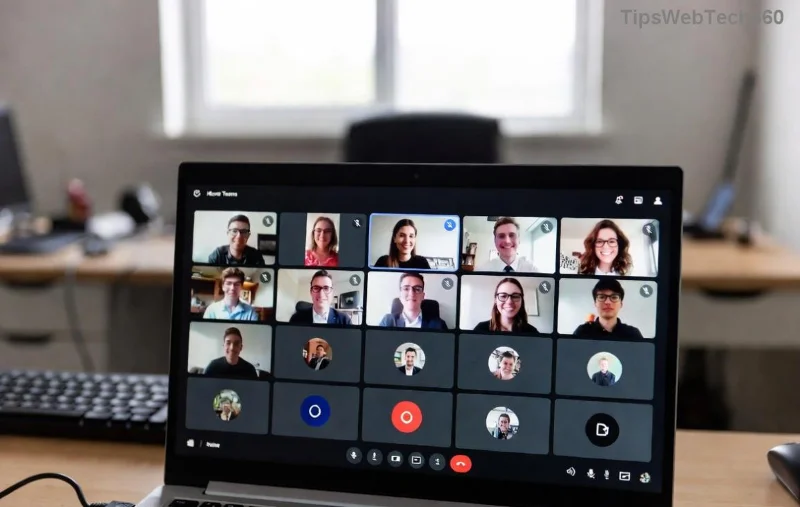
🚨 Common Reasons Breakout Rooms Not Showing in Teams
Before troubleshooting, understand the root causes. Microsoft Teams breakout rooms are powerful for dividing participants into smaller groups, but they're gated by roles, settings, and tech. Here's the breakdown:
| Issue |
Why It Happens |
Quick Check |
| Not the Organizer |
Only meeting organizers or co-organizers can create/manage breakout rooms. |
✅ Are you the scheduler? |
| License Restrictions |
Requires Microsoft 365 Business, Education, or Enterprise license. |
❌ Free personal accounts lack full features. |
| Outdated App |
Older versions miss latest breakout room updates. |
👆 Check for updates in Teams. |
| Meeting Settings Off |
Breakout rooms must be manually enabled pre-meeting. |
Review meeting options. |
| Platform Limits |
Mobile/web may hide advanced controls. |
Use desktop app for full access. |
✅ Fix 1: Confirm Your Role as Meeting Organizer
The #1 reason for why can’t I see breakout rooms in my Microsoft Teams meeting? You're not the host! Only organizers see the "Breakout rooms" button during the meeting.
- Join as the meeting creator.
- Click More actions (⋯) > Breakout rooms.
- If missing, ask the organizer to promote you: More actions > Make co-organizer.
Pro Tip: Co-organizers get full breakout room powers too. Share scheduling duties for bigger events! ✨
🔧 Fix 2: Enable Breakout Rooms in Meeting Options
Often, it's not enabled at setup. Here's how:
- Open Calendar in Teams.
- Edit your meeting > Breakout rooms tab.
- Toggle Allow Breakout rooms ON.
- Choose auto/manual assignment and save.
![Teams breakout rooms settings panel]()
Now, during the live meeting, the option appears under Breakout rooms. Test in a practice meeting first! 👍
📱 Fix 3: Switch to the Right Teams Version and Device
Desktop reigns supreme for Teams breakout rooms. Mobile apps limit visibility.
- Download Latest Teams: Go to Profile > Check for updates.
- Use Desktop/Web: Avoid mobile for hosting.
- Browser Check: Edge/Chrome work best; clear cache if glitchy.
For the newest features, ensure you're on the latest Teams client—Microsoft rolls out enhancements regularly.
💼 Fix 4: Verify Your Microsoft 365 License
Free Teams? No breakout rooms for you. Upgrade to:
- Microsoft 365 Business Basic/Premium
- Teams for Education
- Enterprise E3/E5
Admin? Check Teams Admin Center for policies blocking features. Contact IT if restricted. 🔒
🌐 Fix 5: Troubleshoot Network and Permissions
Firewall or VPN woes? Test:
- Disable VPN temporarily.
- Ensure stable internet (Ethernet preferred).
- Rejoin meeting or restart Teams.
![Teams troubleshooting network issues for breakout rooms]()
⚙️ Fix 6: Advanced Tweaks for Persistent Issues
Still stuck? Dive deeper:
- Reset Teams: Settings > Apps > Teams > Advanced > Reset.
- Meeting Policy: Admins enable via PowerShell:
Set-CsTeamsMeetingPolicy -BreakoutRoom Enabled.
- Guest Access: External users need invites with breakout permissions.
Reference official guide: Microsoft Support - Breakout Rooms.
🎯 Fix 7: Best Practices to Avoid Future Headaches
Prevent issues proactively:
- ✅ Pre-schedule breakout rooms in recurring meetings.
- ⭐ Assign rooms automatically for large groups (>50 participants).
- 👥 Use "Close breakout rooms" to notify and return everyone seamlessly.
- 📊 Track attendance with room reports post-meeting.
❓ FAQ: Your Burning Teams Breakout Rooms Questions
Q: Can participants create breakout rooms? No, only organizers/co-organizers.
Q: Why no breakout rooms in channel meetings? Enable in private/scheduled meetings only.
Q: Works on web but not desktop? Sync updates or reinstall.
Mastered it? Your next Microsoft Teams meeting will be breakout-ready! Share your success in comments below. 🚀 Ready for more Teams tips? Bookmark and explore advanced features like polls and reactions.










Lan Rùa -
Tried everything, still no luck. Maybe my company's policy blocks it? Any advice
Phương ITGirl -
After reading this, I fixed it and our remote team meeting went flawless. Breakout rooms are essential for brainstorming. Highly recommend these quick fixes to all colleagues. Author, you're awesome! (62 words)
Hương KT -
I've been using Teams for accounting meetings, and breakout rooms were missing. Followed fix 2 and 4, now perfect. Recommend for everyone in finance teams
Mèo con -
why my teams still not showing breakout rooms even after trying all 7? anyone else
Nam Pro -
Last month, same problem in project meetings. Updated permissions and restarted – done. Your list is spot on. Additional advice: assign co-organizer if needed for backups
Tuấn Dev -
Pro tip: also check your Teams version in settings. Outdated ones hide features like breakout rooms. Complements the article well.
Duy Sinh 6789 -
Great article! I agree, updating the app is the first thing to check. Saved me time before a big class
Hương Đà Nẵng -
haha my cat walked on keyboard and somehow fixed it lol but thanks for the tips anyway 😂
Mai Cute -
love this! shared on my fb group for teachers struggling with microsoft teams
Hoàng Eagle -
I've tried all 7 quick fixes step by step, and fix number 7 with reinstalling Teams finally made breakout rooms visible. It was a nightmare for my virtual conference yesterday, but now I'm set. Thanks for the detailed guide – it prevented a disaster! Everyone facing this, don't skip any step. (78 words)
Ngọc Hà Nội -
I experienced the same issue last week during a workshop. Clearing cache and restarting fixed it instantly. Great tips, everyone should bookmark this
Linh mèo -
OMG finally! I've been struggling with this for weeks. Quick fixes saved my day. Breakout rooms are now visible. Author you're a genius
Bảo Bé -
Yay! So happy, was frustrated all morning. Fix 1 did the trick. Microsoft Teams breakout rooms unlocked! 🎉
Minh Anh -
Question: does this work on mobile Teams app too? Can't see breakout rooms there.
Quang vn -
Number 5: check if you're the organizer. That was it! Super helpful. Thumbs up
Phúc IT -
As an IT guy, I see this issue often. Your quick fixes cover cache clear and role check perfectly. Good job
Việt 2000 -
Thanks author! This helped in my online class. Breakout rooms now work fine
Khánh Sài Gòn -
Worked for me too! But what about screen sharing issues in breakout rooms? Anyone have fixes for that?
Huyền Lizzie -
This post is gold. Tried the permission settings fix and boom, breakout rooms appeared. Sharing with my team right now!
Thúy Vy -
thansk u so much! now i see them 😍
Sơn 99 -
Funny, I thought it was my slow internet. Nope, role permissions. Laughing now. Thanks
Thùy Linh -
Thanks a lot! Fix number 3 worked perfectly for me. I was going crazy not seeing breakout rooms in Microsoft Teams during our meeting. Now everything is smooth! 👍
Linh Xinh -
Anyone else get this after Windows update? Quick fixes helped restore breakout rooms in Microsoft Teams. Feeling relieved! (32 words)
Yến Phi -
Perfect timing, needed this for tomorrow's training. Bookmarked and upvoted