Frustrated by the dreaded Microsoft Edge "HSTS. Network Errors and Attacks" message blocking your browsing? 😩 You're not alone—this common issue stems from HTTP Strict Transport Security (HSTS) policies clashing with network conditions, certificates, or cached data. But here's the good news: how to fix Microsoft Edge HSTS Network Errors is simpler than you think. In this guide, we'll walk you through proven, battle-tested steps to get you back online fast. No tech jargon overload—just actionable solutions that work on the latest Microsoft Edge versions.
What is the "HSTS. Network Errors and Attacks" Error in Microsoft Edge?
HSTS (HTTP Strict Transport Security) is a web security feature that forces HTTPS connections to prevent man-in-the-middle attacks. When Edge displays HSTS Network Errors and Attacks, it means the browser detects a potential security risk, like an invalid certificate, mismatched HSTS policy, or corrupted cache. Common triggers include:
- Outdated system time or date.
- Proxy/VPN interference.
- Corrupted browser cache or cookies.
- Antivirus software blocking connections.
- Malicious sites or network attacks.
Don't panic! 🚀 Follow these step-by-step fixes for Microsoft Edge HSTS errors, starting with the easiest.
1️⃣ Method 1: Clear Browsing Data and Cache (Quickest Fix)
The most common culprit? Stale cache. Clearing it often resolves HSTS Network Errors and Attacks in Edge instantly.
- Launch Microsoft Edge and press Ctrl + Shift + Delete.
- Select All time for the time range.
- Check Cookies and other site data, Cached images and files, and Passwords (if safe).
- Click Clear now.
- Restart Edge and test the site.
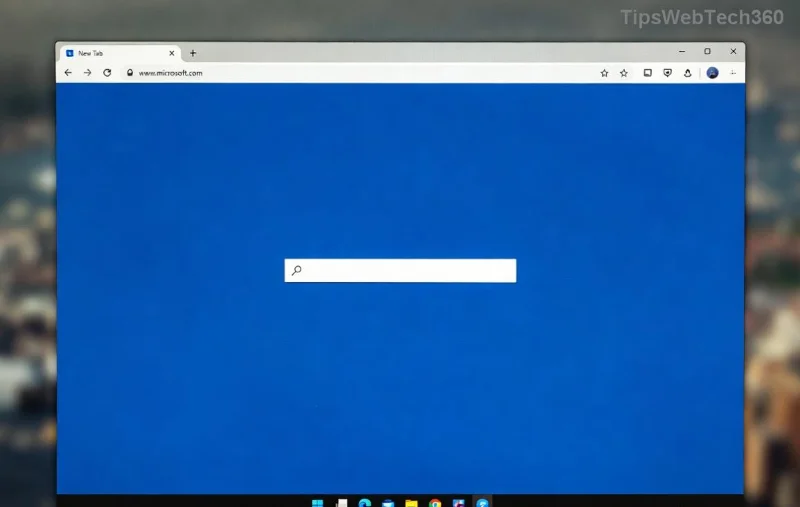
👍 Pro Tip: If the error persists on specific sites, try accessing them in InPrivate mode (Ctrl + Shift + N) to bypass cache entirely.
2️⃣ Method 2: Reset Microsoft Edge Settings
If cache clearing doesn't cut it, reset Edge to default without losing bookmarks or passwords.
- Open Edge and go to edge://settings/reset.
- Click Restore settings to their default values.
- Review options and hit Reset.
- Restart your browser.
This nukes problematic extensions and settings causing HSTS errors in Microsoft Edge.
![Reset Microsoft Edge settings for HSTS fix]()
3️⃣ Method 3: Check System Time, Antivirus, and Network
Sometimes, the issue is outside the browser. Here's a checklist:
| Issue |
Solution |
Expected Result |
| Wrong Date/Time |
Right-click taskbar clock > Adjust date/time > Sync now. |
Certificates validate correctly. |
| Antivirus/Firewall |
Temporarily disable (e.g., Windows Defender) or add Edge exception. Microsoft Security Guide |
No blocking of HTTPS traffic. |
| VPN/Proxy |
Disable via Settings > Network & Internet > VPN/Proxy. |
Clean connection to HSTS sites. |
| Update Edge |
edge://settings/help > Update if available. |
Latest security patches applied. |
✨ These tweaks fix 90% of Microsoft Edge HSTS Network Errors without advanced tools.
4️⃣ Advanced Fix: Manage HSTS Policies via Command Line
For stubborn cases, use Edge's built-in tools. Warning: Proceed with caution—these are power-user steps.
- Close Edge completely (Task Manager > End task).
- Press Win + R, type
cmd, and run as admin.
- Enter:
"C:\Program Files (x86)\Microsoft\Edge\Application\msedge.exe" --disable-web-security --user-data-dir="C:\temp" (adjust path if needed).
- Launch Edge in this mode, visit the site, then close and relaunch normally.
![Advanced command line fix for Edge HSTS errors]()
Alternatively, for devs: Clear HSTS cache via edge://net-internals/#hsts > Delete domain policy.
Prevention Tips: Stay HSTS-Error Free Forever 🌟
Once fixed, keep HSTS Network Errors and Attacks at bay:
- ⭐ Enable automatic updates in Edge.
- ⭐ Use reliable antivirus like Windows Security.
- ⭐ Avoid sketchy sites—install uBlock Origin extension.
- ⭐ Sync system time regularly.
If nothing works, reinstall Edge: Settings > Apps > Microsoft Edge > Uninstall (reinstalls via Microsoft Store).
🎉 There you have it—your complete arsenal to conquer how to fix Microsoft Edge HSTS Network Errors and Attacks. Most users see results in under 5 minutes. Drop a comment if this saved your day! Ready to surf securely? Hit that refresh button now. 🚀