🚀 Fix Microsoft Edge Certificate Error on Public Wi-Fi in Seconds – Proven 2026 Guide!

Encountering a dreaded Microsoft Edge Certificate Error on public Wi-Fi? You're not alone! 😩 This frustrating "Your connection isn't private" warning pops up when Edge detects an untrusted SSL certificate, often due to hotspots at cafes, airports, or hotels. But don't worry – we've got your back with quick, safe solutions to get you browsing securely again.

Stick around for step-by-step fixes that work on the latest Edge versions, plus tips to avoid future headaches. Let's dive in and reclaim your internet freedom! 🌐

Why Does Microsoft Edge Certificate Error Happen on Public Wi-Fi?

Public Wi-Fi networks use captive portals – login pages that intercept your traffic for terms acceptance or payment. These often employ man-in-the-middle (MITM) techniques with self-signed certificates that Edge flags as insecure. Common culprits:

  • 🔒 Unverified hotspot certificates
  • ⏰ System clock mismatches
  • 🌐 Outdated Edge or Windows security patches
  • 🛡️ Strict HTTPS enforcement blocking HTTP login pages
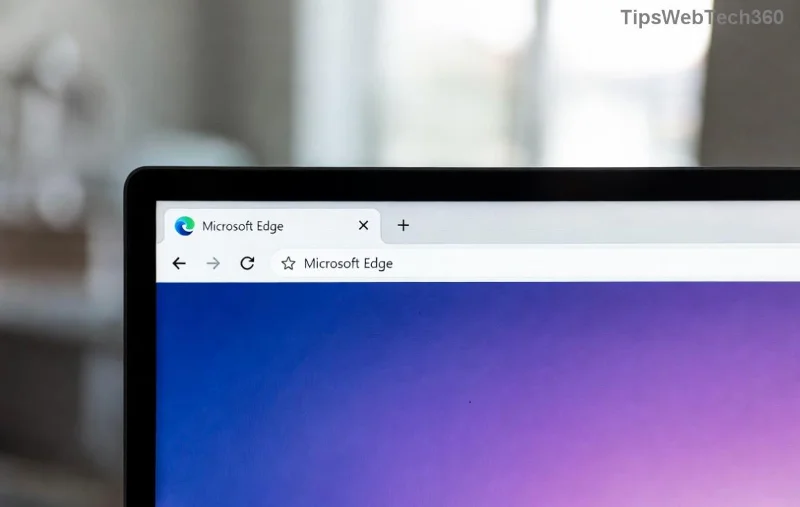
<strong>Microsoft Edge Certificate Error</strong> screen on <strong>public Wi-Fi</strong>

Spot this red screen? It's Edge protecting you – but it shouldn't lock you out entirely. Now, let's fix it! 👇

Quick Fixes: Solve Microsoft Edge Certificate Error Step-by-Step

Follow these proven methods in order. Most users resolve it with the first two. Safety first: Avoid "Proceed anyway" on shady networks without VPN.

1️⃣ Trigger the Captive Portal Login (Fastest Fix! ⭐)

Public Wi-Fi needs you to complete its login first. Edge's HTTPS obsession hides the page.

  1. Open Microsoft Edge.
  2. Navigate to neverssl.com or detectportal.firefox.com (forces HTTP).
  3. The login page should appear – accept terms, enter credentials, or pay.
  4. Refresh your original site. Error gone! 🎉

2️⃣ Bypass the Warning Temporarily (Use with Caution ⚠️)

For trusted spots like Starbucks:

  1. Click Advanced on the error page.
  2. Select Proceed to [site] (unsafe).
  3. You're in – but enable VPN next time.
Bypassing <strong>Microsoft Edge Certificate Error</strong> on <strong>public Wi-Fi</strong> safely

3️⃣ Use a VPN – The Ultimate Secure Solution 🛡️

VPNs encrypt everything, dodging cert checks. Top picks for Edge:

MethodProsConsBest For
Free: ProtonVPNUnlimited data, no logsSlower speedsQuick browses
Paid: ExpressVPNLightning fast, Edge extensionSubscriptionHeavy users
Built-in: Windows VPNFree, simpleLimited serversLocals only

Install via Edge Add-ons, connect, and surf worry-free. Pro tip: Always VPN on public Wi-Fi! 👍

4️⃣ Check & Fix System Time (Hidden Culprit ⏰)

  1. Right-click taskbar clock → Adjust date/time.
  2. Toggle Set time automatically off/on.
  3. Sync now. Restart Edge.

5️⃣ Clear Edge Cache & Update (Power User Fix 🔧)

Outdated Edge? Here's the refresh:

  1. Edge Settings → Privacy → Clear browsing data (Cached images/files).
  2. Help → About Microsoft Edge (auto-updates to latest 2026 build).
  3. Restart PC.

For stubborn cases, reset Edge: Settings → Reset settings. Data-safe!

Prevention Tips: Never See Microsoft Edge Certificate Error Again! 🚀

  • ⭐ Always use updated Edge with enhanced security.
  • 🌐 Install VPN extension from Edge store.
  • 🔒 Switch to private DNS: Settings → Privacy → DNS over HTTPS (Cloudflare 1.1.1.1).
  • 📱 Mobile hotspot as backup for true emergencies.

Still Stuck? Advanced Troubleshooting

Rarely, enterprise certs or proxies cause issues. Run Command Prompt as admin:

certutil -urlcache -f

Or check Microsoft Edge Support. If malware suspected, scan with Windows Defender.

Wrap-Up: Browse Public Wi-Fi Like a Pro! 👏

Congrats – you've conquered the Microsoft Edge Certificate Error! With these fixes, you're safer and faster on any hotspot. Bookmark this for travel buddies, and drop a comment if a tip worked for you. Safe surfing! 🌍✨

Leave a Comment

🚀 How to Update Microsoft Edge to the Latest 2026 Version – Super Fast &amp; Easy Guide!

🚀 How to Update Microsoft Edge to the Latest 2026 Version – Super Fast &amp; Easy Guide!

Discover simple, step-by-step ways to update Microsoft Edge to the latest 2026 version. Boost speed, security, and features instantly—no tech skills needed! Works on Windows, Mac &amp; more.

🚀 Turbocharge Slow PCs: 12 Proven Ways to Speed Up Microsoft Edge Right Now!

🚀 Turbocharge Slow PCs: 12 Proven Ways to Speed Up Microsoft Edge Right Now!

Struggling with a sluggish Microsoft Edge on your slow PC? Discover proven, up-to-date tips to boost Edge performance, reduce lag, and enjoy lightning-fast browsing. Optimize now for smoother sessions!

🚀 Fix Microsoft Edge Compatibility Error on Websites in Minutes – Proven Steps!

🚀 Fix Microsoft Edge Compatibility Error on Websites in Minutes – Proven Steps!

Tired of Microsoft Edge Compatibility Error blocking your favorite sites? Follow this ultimate guide with step-by-step fixes, latest tips, and quick solutions to restore smooth browsing instantly. No tech skills needed!

🚀 Fix Microsoft Edge Untitled Error on Startup: Proven Steps That Work Instantly!

🚀 Fix Microsoft Edge Untitled Error on Startup: Proven Steps That Work Instantly!

Tired of Microsoft Edge launching to an "Untitled" error page? Discover simple, effective fixes for the Microsoft Edge "Untitled" error on start. Step-by-step guide with quick wins and advanced tips for seamless browsing.

Fix Microsoft Edge Installer Error 124 on Windows 10: Ultimate Step-by-Step Guide

Fix Microsoft Edge Installer Error 124 on Windows 10: Ultimate Step-by-Step Guide

Struggling with Microsoft Edge Installer Error 124 on Windows 10? Follow our proven, easy-to-follow fixes to resolve the issue quickly and get browsing smoothly again. Updated with the latest solutions.

Unlock Seamless Browsing: How to Change Your Microsoft Edge Profile and Personal Data Like a Pro

Unlock Seamless Browsing: How to Change Your Microsoft Edge Profile and Personal Data Like a Pro

Discover simple steps on how to change your Microsoft Edge profile and personal data. Switch profiles effortlessly, manage sync settings, and enhance privacy for a personalized browsing experience.

🚀 Fix Microsoft Edge Startup Boost High Disk Usage: Proven Steps to Reclaim Your PC Speed!

🚀 Fix Microsoft Edge Startup Boost High Disk Usage: Proven Steps to Reclaim Your PC Speed!

Struggling with Microsoft Edge Startup Boost causing high disk usage? Discover step-by-step fixes to disable it, optimize performance, and boost your PC speed instantly. Say goodbye to lag forever!

🚀 Instant Fix: Banish Microsoft Edge Script Error When Printing Forever!

🚀 Instant Fix: Banish Microsoft Edge Script Error When Printing Forever!

Tired of the frustrating Microsoft Edge "Script Error" when printing? Discover proven, step-by-step fixes like clearing cache, disabling extensions, and more to restore smooth printing in minutes. Works on the latest Edge versions!

Fix Microsoft Edge Safe Mode Networking Issues Fast: Proven Troubleshooting Guide

Fix Microsoft Edge Safe Mode Networking Issues Fast: Proven Troubleshooting Guide

Struggling with Microsoft Edge Safe Mode Networking problems? Discover step-by-step troubleshooting tips to restore connectivity and get back online quickly. Expert fixes for common issues.

🚀 Fix Microsoft Edge Search Indexing Paused Error Instantly – 100% Working Guide!

🚀 Fix Microsoft Edge Search Indexing Paused Error Instantly – 100% Working Guide!

Tired of Microsoft Edge "Search Indexing Paused" error slowing you down? Discover proven, step-by-step fixes to restore PDF search and tab indexing fast. Works on latest Edge versions – no tech skills needed!