Home
» INTERNET
»
How to Clean a Keurig Needle Safely: Clear Clogs Without Damaging Your Brewer
How to Clean a Keurig Needle Safely: Clear Clogs Without Damaging Your Brewer
If your Keurig suddenly brews a partial cup, sputters, or leaves coffee grounds in the mug, a clogged needle is one possible cause. The safest first fix is simple: power the brewer off, unplug it, remove any pod, and use a straightened paper clip to loosen coffee grounds from the needle openings. On many Keurig brewers, the lower exit needle sits in the removable K-Cup pod holder, while the upper entrance needle is under the brewer head.
This is not the same job as descaling. Needle cleaning targets coffee grounds and debris around the puncture needles; descaling targets mineral buildup in the water path. Keurig treats them as separate maintenance procedures in its official care guides. The instructions below follow Keurig guidance, while calling out the steps that can vary by model.
Quick answer: the safest way to clean a Keurig needle
Turn the brewer off, unplug it, and let it cool.
Remove the used K-Cup pod and lift the handle.
Clean the exit needle in the pod holder with a straightened paper clip.
Clean the entrance needle under the brewer head by gently working the paper clip into its openings.
Reassemble the brewer and run two water-only brew cycles with no pod installed.
Important: The puncture needles are sharp. Do not put your fingers into the pod holder or press against the needle tips. If your model has a different pod holder design, check its model-specific guide before removing parts.
What you need
Item
What it is for
Straightened paper clip
Loosening compacted coffee grounds from needle openings
Clean water
Rinsing removable parts and running cleansing brews
Large mug
Catching the water-only rinse cycles
Soft, damp cloth
Wiping nearby surfaces without pushing debris into the needle
You do not need vinegar, baking soda, or a strong cleaner for the needle-opening procedure described by Keurig. If the brewer also needs descaling, follow the separate descaling instructions for your exact model.
Step-by-step: how to clean the Keurig entrance and exit needles
1. Power off, unplug, and remove the pod
Do not work around the brewer head while the machine is powered. Turn the coffee maker off, unplug it, and wait until it is cool enough to handle. Lift the handle and remove any K-Cup pod.
Why this matters: The needles are both sharp and located in a confined area. Removing power and keeping your fingers away from the puncture points reduces the chance of an accidental injury.
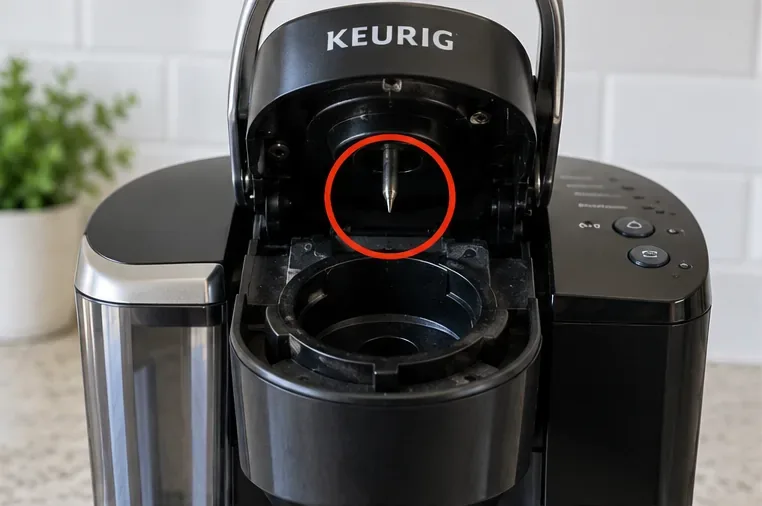
Do this next: Open the handle fully and visually identify the upper needle before reaching for any tool.
With the brewer open, identify the upper entrance needle before cleaning. Keep fingers away from the sharp puncture point.
2. Clean the exit needle in the pod holder
On Keurig models with a removable K-Cup pod holder, remove the pod holder according to the user guide and detach the funnel if the design allows it. The exit needle is typically located at the bottom of the pod holder. Keurig instructs users on models such as the K-Compact to insert a straightened paper clip into the exit needle opening to loosen and push out a clog.
Do not force the paper clip farther than it moves easily. The goal is to break up packed coffee grounds, not to reshape or pry the needle.
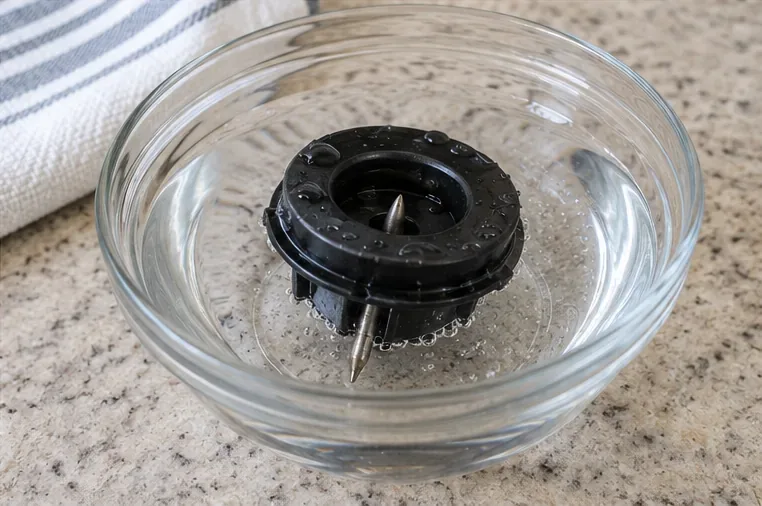
Do this next: Once debris is loosened, rinse the removable holder only if your model guide permits it, then set it aside.
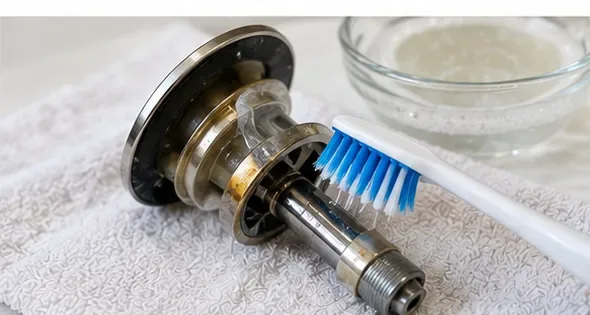
A removable pod holder can be rinsed after the exit needle is cleared when the model-specific care instructions permit it. The needle remains sharp even when the holder is out of the brewer.
3. Clean the entrance needle under the brewer head
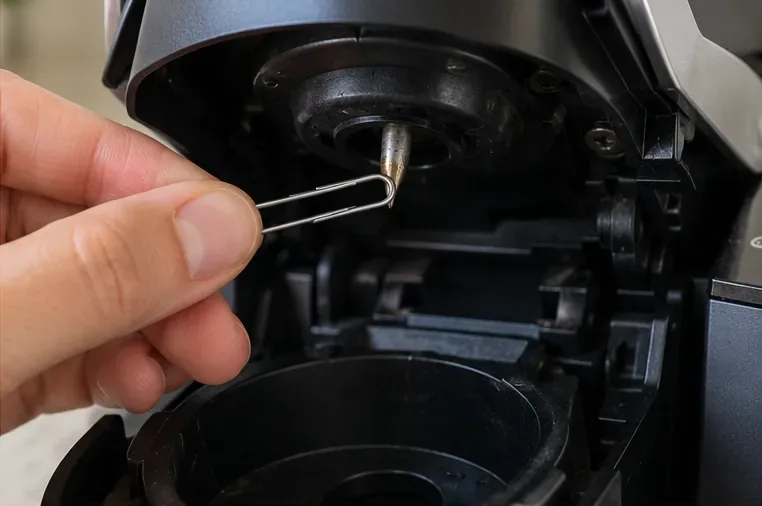
Lift the handle and look at the underside of the brewer head. Keurig care instructions for several K-Cup brewers describe an entrance needle with two openings. Carefully insert the straightened end of the paper clip into each opening and move it gently to loosen trapped grounds.
A common mistake is scraping the outside of the needle but never clearing its openings. The blockage that causes grounds or restricted flow can sit inside those small passages.
Do this next: Work only inside the openings you can clearly identify. If you cannot see the holes or the needle assembly looks different from the guide, stop and look up the manual for your exact brewer.
Use a straightened paper clip gently in the entrance-needle openings to loosen coffee grounds; do not pry against the needle tip.
4. Reassemble the pod holder
Reattach the funnel and snap the pod holder back into place only after any rinsed removable parts are clean and properly seated. Designs differ across the Keurig lineup, so the exact tabs, ribs, or release points are model-dependent.
Do this next: Confirm that the pod holder sits flat and secure before lowering the handle. Never operate the brewer with a removable holder installed incorrectly.
5. Run two water-only brews
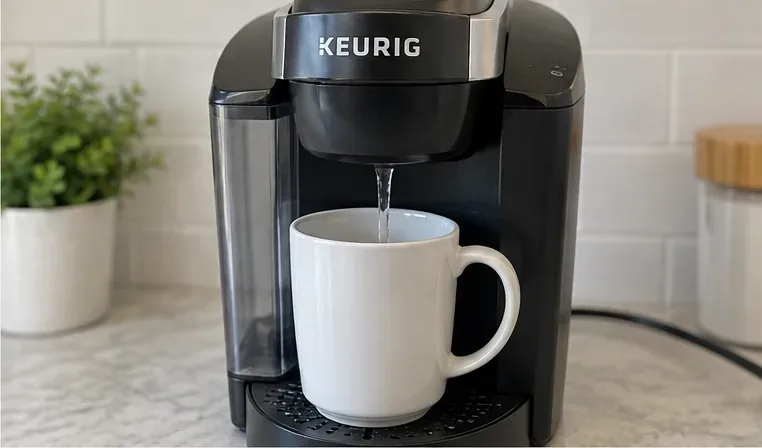
Plug the brewer back in, place a large mug on the drip tray, and run two brew cycles with fresh water and no K-Cup pod. Keurig specifies two water-only brews after entrance-needle cleaning in its K-Compact care guide. These rinse away grounds that were loosened during cleaning.
Do this next: Check the mug after each cycle. If the flow is normal and no loose grounds remain, the needle-cleaning process is complete.
Finish by running water-only brew cycles with no pod installed so loosened coffee grounds can flush into the mug.
Common misconceptions: what needle cleaning can and cannot fix
“A partial cup always means the needle is clogged.”
Not necessarily. Keurig troubleshooting documents list a clogged exit needle as one possible reason for a partial cup, but they also point to other conditions, including reservoir issues and scale buildup. A needle check is sensible when you see grounds, sputtering, or reduced flow, but it is not a complete diagnosis.
Useful action: Clean the needles first if visible coffee debris is present. If the problem remains, move to the model-specific descaling and troubleshooting steps instead of repeatedly poking the needle.
“Descaling cleans the needle, so I do not need to clear it manually.”
These are different maintenance tasks. Descaling solution is intended to address mineral deposits in internal water-contact components. Keurig separately instructs users to clear entrance and exit needle clogs with a straightened paper clip or similar tool.
Useful action: If your brewer shows signs of both scale and grounds, do the needle cleaning and the model-specific descale procedure as separate jobs.
“Vinegar is required to clean the Keurig needle.”
That is not part of the manufacturer needle-cleaning method cited here. The official instructions focus on mechanically loosening coffee grounds and then flushing with water. Whether vinegar is appropriate elsewhere in a brewer depends on the manufacturer instructions for that exact model.
Useful action: Do not improvise cleaners inside the needle. Use the paper-clip-and-rinse method, and follow the brewer manual for any separate descaling product or procedure.
“If the paper clip does not fix it, I should push harder.”
No. The needle is a functional part, not a drain to be aggressively reamed. If a clog does not loosen with gentle movement, forcing the tool risks damaging the needle or surrounding assembly.
Useful action: Stop if you meet unusual resistance. Recheck that you are in the actual needle opening, consult the model guide, or contact Keurig support.
How to tell whether the cleaning worked
The brewer dispenses a normal-looking stream instead of sputtering or stopping early.
The cup no longer contains loose coffee grounds caused by a needle clog.
The expected brew volume returns if the clog was the cause.
The water-only rinse runs without obvious debris.
If the brewer still produces a partial cup after the needles are clear, the remaining cause cannot be determined from symptoms alone. Follow the troubleshooting and descaling instructions for your specific model. Keurig notes that mineral scale, reservoir seating, and other brewer conditions can also affect brewing.
Quick decision guide
What you notice
Best next step
Coffee grounds in the cup
Clean both entrance and exit needles, then run water-only brews.
Partial cup plus visible grounds around the pod holder
Clear the needles first; then reassess flow.
Slow or partial brew with no visible grounds
Check the manual for descaling and other troubleshooting causes.
Needle looks bent, damaged, or inaccessible
Stop cleaning and contact Keurig support rather than forcing a tool.
Pod holder design does not match these steps
Use the care guide for your exact model before removing parts.
Official Keurig references
Keurig maintains model-specific help at its official support center. For a concrete example of the paper-clip method, sharp-needle warning, pod-holder removal, and two water-only rinses, see the official K-Compact Use & Care Guide. Product designs change, so use your exact brewer manual when its parts differ from the examples above.