Home
» INTERNET
»
How to Clean a PS5 Fan Without Taking It Apart: A Safe, Results-Focused Method
How to Clean a PS5 Fan Without Taking It Apart: A Safe, Results-Focused Method
There is no newly verified PS5 fan-cleaning procedure that replaces Sony’s established maintenance guidance. As of September 2026, PlayStation’s regional manuals page still lists the CFI-2118 instruction manual, and the current guidance remains straightforward: power the console down, unplug it before cleaning, keep dust from building up around the vents, and use a handheld or low-powered vacuum to remove that dust. Sony also recommends removing the outer covers for a deeper clean, but that is a separate level of maintenance from the strict “do not take anything apart” method covered here.
The most important limitation: if you do not remove the outer covers, you are not directly cleaning the PS5 fan blades. You are cleaning the external airflow path around the fan. That can still be worthwhile when the visible vents are dusty or the console has been used in a dusty room, but it cannot remove packed debris that is trapped deeper inside the chassis.
What a successful no-disassembly cleaning should accomplish
A good result is not “the PS5 becomes silent.” PlayStation notes that the cooling fan can temporarily run faster during some games and applications, and that behavior can be normal. A better way to judge the cleaning is to look for several practical signs together.
What to check
Good result
What the method cannot prove
Visible vent dust
Loose dust and lint around the exterior vent openings are clearly reduced.
You cannot see whether deeper internal passages are clean.
Airflow clearance
The console has open space around its vents and is at least about 10 cm (4 in) from a wall surface.
Clear space does not fix a fan bearing or other hardware fault.
Fan behavior
The console sounds normal for the same game and room conditions, with no new rattling, scraping, or grinding.
A fan may still run loudly under heavy load even when the console is clean.
Heat behavior
No high-temperature warning appears during normal use.
An external cleaning cannot rule out internal dust, thermal-interface issues, or another fault.
What you need
A low-powered handheld vacuum or small vacuum with controllable suction.
A soft, dry microfiber cloth.
A clean, stable work surface.
Enough time for the console to cool before you handle it.
This guide intentionally does not use liquid cleaner, alcohol, or canned compressed air. Sony’s current care instructions tell owners to wipe the exterior with a soft, dry cloth, warn against applying volatile substances such as alcohol, and specify a handheld or low-powered vacuum for vent dust.
How to clean the PS5 airflow path without taking it apart
Step 1: Shut the PS5 down, unplug it, and let it cool
Turn the console fully off rather than leaving it in Rest Mode. Wait until the power indicator is off, then disconnect the AC power cord and the other cables. Sony’s care instructions explicitly say to unplug the AC power cord before caring for the console. If the PS5 has just been running a demanding game, give it time to cool before moving or handling it.
If the console has shown a high-temperature warning, do not treat cleaning as a reason to keep using it immediately. Sony says to turn the console off, wait for it to cool, move it to a well-ventilated location, and make sure the vents are not blocked.
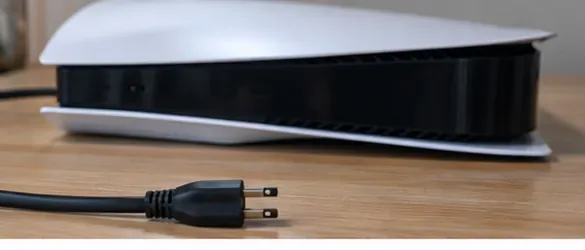
A powered-down PS5 with its cable disconnected before any vent cleaning begins.
Step 2: Position the cooled console so every exterior vent is reachable, then vacuum the vents
Place the unplugged PS5 on a stable surface where you can reach the intake and exhaust openings without forcing the console into an awkward position. If you use a towel temporarily to protect the finish while the console is off, remove it before operating the PS5 so soft material does not obstruct airflow.
Use the low-powered vacuum around the exterior vent openings. Work slowly across the vent surface and let suction lift loose dust away. Do not push the vacuum nozzle, a brush handle, a cotton swab, or any other tool through the grille toward the fan. The goal is to remove dust from the accessible openings, not to contact the fan blades through the vents.
Pay attention to the rear exhaust area as well as the intake openings around the console. Exact vent geometry varies among PS5 generations and PS5 Pro, so use your model’s shape rather than assuming every console has identical vent placement.
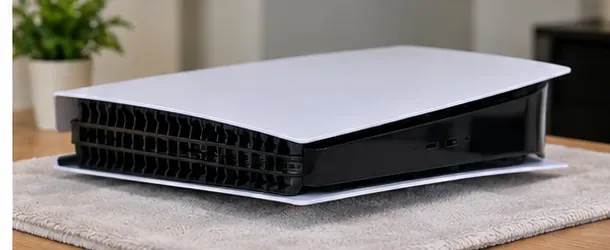
The unplugged console positioned so the exterior vents are easy to access; any protective towel should be removed before the PS5 is powered on.
Step 3: Wipe the exterior dry and inspect the airflow path
After vacuuming, wipe the plastic exterior with a soft, dry microfiber cloth. Do not spray cleaner onto the console. The CFI-2118 manual specifically warns against applying volatile substances including paint thinner, benzene, or alcohol, and it recommends a soft, dry cloth for the cabinet.
Use this stage to inspect the vent openings under good light. You are looking for remaining loose lint at the surface, obvious obstructions, or dust mats that are visible but cannot be reached safely from outside. Do not try to hook or pry deeper debris out through the grille.
Also check the console’s normal location. PlayStation advises leaving at least 10 cm (4 in) between the console and a wall surface, avoiding long-fiber carpet or rugs, and not placing the PS5 in a narrow, cramped, or covered space. Correcting the placement can matter as much as removing a small amount of dust.
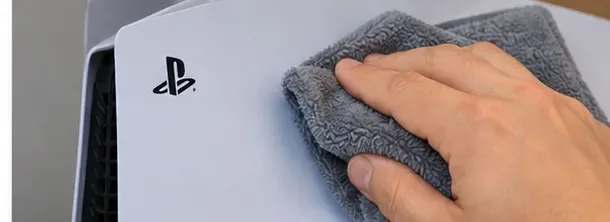
A soft, dry microfiber cloth cleaning the PS5 exterior after vent dust has been vacuumed away.
Step 4: Restore proper clearance, reconnect, and test under normal conditions
Return the PS5 to its usual position only after the exterior is dry and the work area is clear. Make sure the vents are unobstructed, restore the recommended clearance, reconnect the cables, and power the console on.
Test it with a game or application you know well. For a useful comparison, use roughly the same room temperature, game, and play duration you used before cleaning. Listen for the overall character of the sound, not only loudness. A smooth fan that speeds up under load can be normal. A new grinding, scraping, repeated clicking, or harsh mechanical rattle is a different kind of result and should not be dismissed as ordinary airflow noise.
Watch for high-temperature warnings or unexpected shutdowns. If the console runs normally and the vents are visibly cleaner, the no-disassembly method has done what it can reasonably do. If the symptoms that prompted the cleaning remain unchanged, move to the decision section below rather than repeatedly vacuuming the same exterior openings.
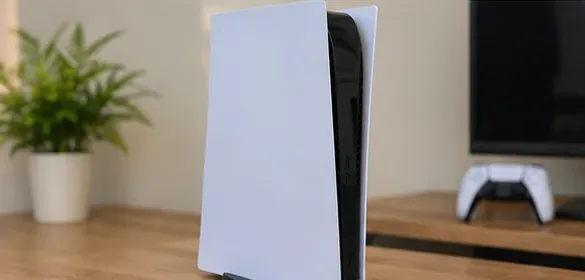
The cleaned PS5 returned to an open setup with clear space around the console before a normal-use test.
How to judge whether the cleaning worked
Result: good enough to stop
Stop cleaning when the exterior vents are visibly free of loose dust, the console has adequate surrounding space, there are no heat warnings, and the sound is consistent with normal operation. Do not keep cleaning simply because you can hear the fan. PlayStation states that the fan may temporarily run faster to cool the system more effectively during some games and apps.
Result: cleaner vents, but the fan is still loud
If the visible dust is gone but the fan remains loud, compare behavior under repeatable conditions before assuming there is a fault. A graphically demanding game, warm room, confined shelf, or different workload can change fan speed. The key question is whether the console is operating normally without warnings, shutdowns, or abnormal mechanical sounds.
Result: symptoms persist or get worse
Change approach if you still see heavy dust deeper behind the exterior openings, the console shows a high-temperature message, shuts down unexpectedly from heat, or makes unusual mechanical noises. The current PS5 manual also instructs users to stop use and unplug the console if it functions abnormally, produces unusual sounds or smells, or becomes too hot to touch.
When no-disassembly cleaning is not enough
Sony’s next recommended maintenance level is to remove the console’s outer covers and use a handheld vacuum to remove dust trapped underneath. That is more invasive than the strict method in this article, but it is still an owner-documented procedure when performed exactly as PlayStation describes.
If you are comfortable removing only the external covers, follow the model-specific official PS5 cover removal and installation instructions. PlayStation warns users to power off the console, unplug the power cord and cables, and let the console cool before removing covers. The cover layout differs among PS5 models, so identify your model before following a diagram.
If you do not want to remove the covers at all, or if the console still overheats or makes abnormal mechanical sounds after the exterior vents are clean and unobstructed, stop there and use PlayStation support or a qualified repair service. The manual warns against opening the enclosure or performing internal disassembly.
What not to do
Do not open the internal enclosure or remove screws to reach the fan for this procedure. That is no longer a no-disassembly clean.
Do not run the PS5 with required covers removed. PlayStation instructs users to reinstall covers correctly before turning the console on.
Do not spray liquid cleaner or alcohol on the console. Use a soft, dry cloth on exterior plastic.
Do not push tools through the vent grille. The fan is a moving component, and the manual specifically warns to keep body parts away from fan blades.
Do not expect cleaning to fix every noise. A loud but smooth-running fan can be normal under load; grinding or scraping is a different symptom.
Do not keep repeating the same external cleaning if overheating continues. Persistent heat warnings are a reason to escalate the maintenance or service path.
Frequently asked questions
Can you actually clean the PS5 fan without removing the covers?
Not directly. Without removing a cover, you can clean the external vents and reduce dust at the airflow openings, but you cannot reliably reach or inspect the fan blades themselves. That distinction matters because an exterior cleaning may improve airflow while leaving deeper dust untouched.
Should I use compressed air on the PS5 vents?
PlayStation’s current maintenance guidance specifically recommends a handheld or low-powered vacuum for dust at the vents. It does not instruct owners to blast the vents with canned compressed air. If your goal is to stay closely aligned with the manufacturer’s procedure, use low-powered vacuum suction instead.
How often should I clean the PS5 vents?
Sony does not publish one universal time interval for every home and environment. Inspect the vents periodically and clean them when visible dust begins to accumulate. Homes with more airborne dust, pet hair, smoke, or fabric fibers may need inspection more often than a cleaner, well-ventilated room.
What if I cleaned the vents and the PS5 is still noisy?
Noise alone does not prove that the console is overheating. Repeat the test under similar conditions and check for heat warnings, unexpected shutdowns, rattling, grinding, or other abnormal behavior. If the symptoms point to more than ordinary fan speed, consider the official cover-removal cleaning step or contact PlayStation support.
Bottom line
The safest answer to “how to clean a PS5 fan without taking it apart” is to set the right expectation: you are cleaning the fan’s external airflow path, not the fan blades. Power down and unplug the console, use a low-powered vacuum on accessible vents, wipe the exterior dry, restore proper clearance, and judge the result under normal use. If visible vent dust is gone but overheating or abnormal mechanical noise remains, the no-disassembly method has reached its limit.