Home
» INTERNET
»
How to Clean AirPods Max Cushions Safely: Apple’s Official Method
How to Clean AirPods Max Cushions Safely: Apple’s Official Method
The safest answer is to follow Apple’s wipe-based method rather than soaking, machine-washing, or rinsing AirPods Max cushions under a faucet. As of September 2026, Apple’s current AirPods Max cleaning guidance still says to mix 1 teaspoon (5 mL) of liquid laundry detergent into 1 cup (250 mL) of water, remove the cushions, wipe them gently with a wrung-out lint-free cloth for one minute each, wipe again with a separate cloth slightly dampened with fresh water, dry with a soft cloth, and wait at least a day before reattaching the cushions and using the headphones.
Apple’s support page carrying this procedure is dated September 13, 2024 and remains the current official reference available at the time of writing. See Apple Support: How to clean your AirPods Max.
Why be this conservative? AirPods Max and the Smart Case are not waterproof or water resistant, and Apple repeatedly warns against getting moisture into openings. The ear cushions are removable, but Apple’s documented cleaning process is still a controlled cloth-cleaning method, not immersion. If your cushions are sweaty, oily, lightly stained, or have picked up everyday grime, this method is the best starting point. If they are physically torn, permanently compressed, or heavily contaminated by something hazardous, cleaning may not be enough and replacement is the more sensible option.
What you need
Liquid laundry detergent
1 cup (250 mL) of water for the cleaning solution
A clean container
At least two soft, lint-free cloths
Fresh water for the final wipe
A clean, dry place where the cushions and headphones can air-dry undisturbed for at least 24 hours
You do not need alcohol wipes, bleach, hydrogen peroxide, a toothbrush, a washing machine, or a hair dryer. Apple allows certain disinfectant wipes on the exterior surfaces of AirPods Max, but specifically says not to use them on the knit mesh canopy or ear cushions.
Step 1: Mix Apple’s cleaning solution
Measure 1 teaspoon (5 mL) of liquid laundry detergent into 1 cup (250 mL) of water in a clean container. Keep the mixture mild and measured; adding extra detergent does not make the process better and can leave more residue to remove later.
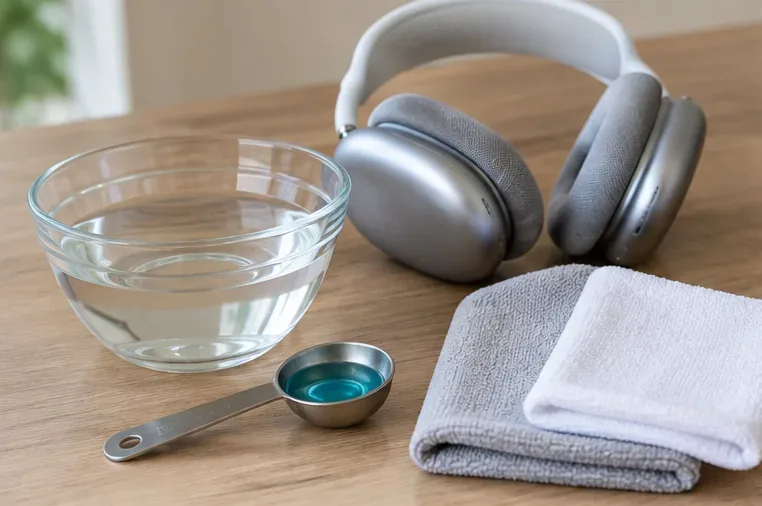
Prepare the supplies before you start: measured detergent, water, clean lint-free cloths, and a dry workspace.
Best for: routine sweat, skin oil, and ordinary dirt. Not ideal for: chemical spills or hazardous contamination, where replacement or professional advice may be more appropriate.
Step 2: Remove the cushions from the ear cups
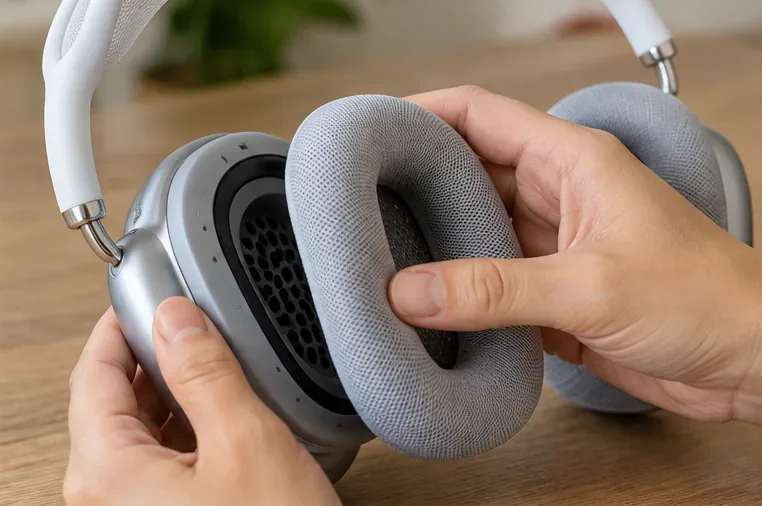
Detach both cushions before cleaning them. Work on a clean, dry surface so the exposed ear cups do not pick up lint, grit, or moisture. There is no need to disassemble the ear cups themselves.
Remove each cushion from its ear cup before applying the cleaning solution so moisture stays away from the headphone openings.
If you are cleaning only the cushions, keep the ear cups dry and set the headphones aside. If you also plan to clean the headband, Apple says to hold AirPods Max upside down while doing so to reduce the chance of liquid running into the headband attachment point.
Step 3: Wet a lint-free cloth, then wring it out slightly
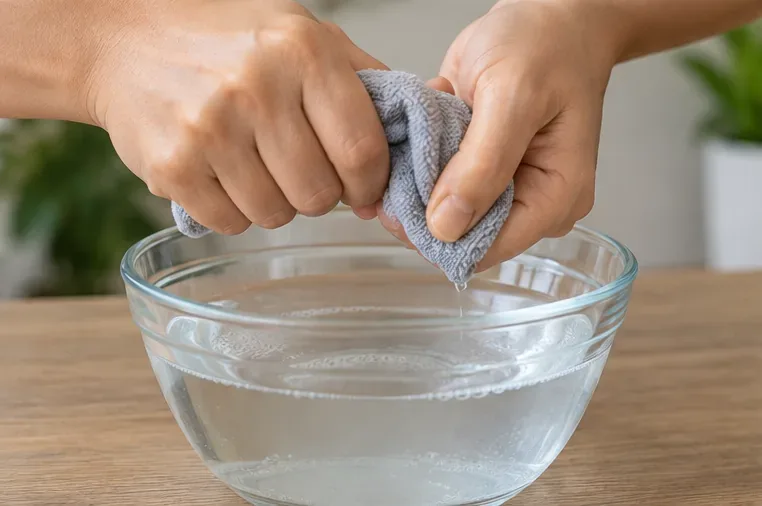
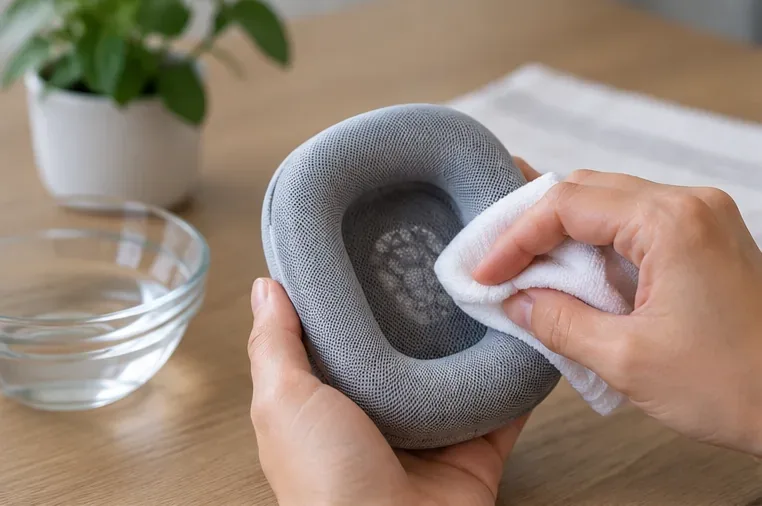
Dip a lint-free cloth into the detergent solution and wring it out slightly. The cloth should be damp enough to clean the fabric but not dripping. This distinction matters: Apple’s method puts the solution on the cloth first rather than pouring liquid directly onto the cushion.
Dip the cloth into the detergent solution and wring it out slightly so it is damp rather than saturated.
For example, if squeezing the cloth sends a stream of water down your hand, it is wetter than necessary. Wring it again before touching the cushion.
Step 4: Rub each cushion gently for one minute
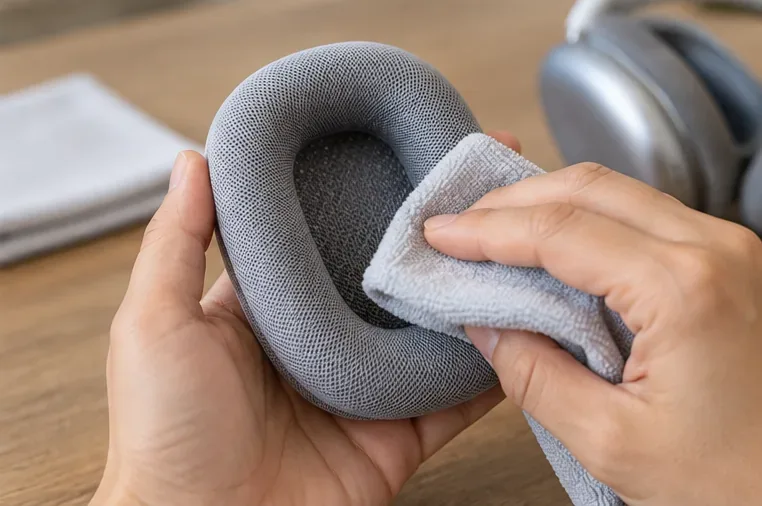
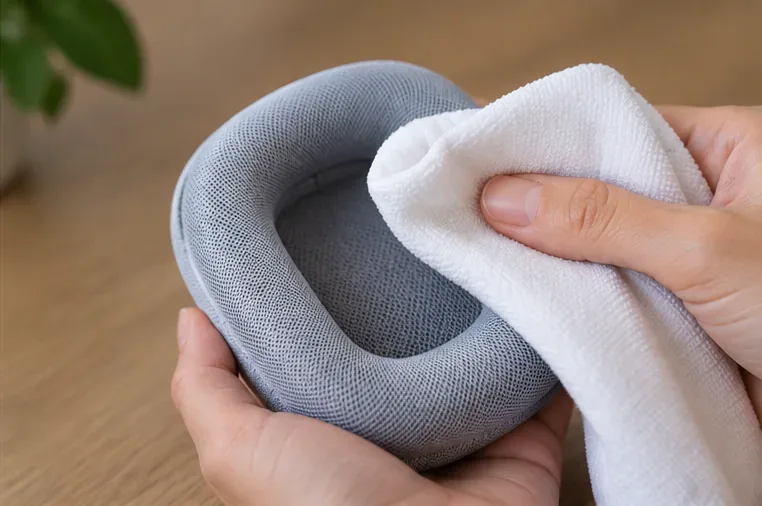
Use the damp cloth to rub the fabric surface gently for about one minute per cushion. Work around the outer ring and the inner fabric without digging, scraping, or using abrasive tools. Apple’s instruction is gentle rubbing, not aggressive scrubbing.
Wipe the entire cushion gently for about one minute, using the diluted detergent solution on the cloth rather than pouring liquid onto the cushion.
If one spot is darker from skin oil or makeup, spend part of that minute working the cloth over that area with light pressure. Do not compensate for a stubborn mark by switching to bleach, hydrogen peroxide, or an abrasive cleaner.
Step 5: Wipe away detergent with a separate fresh-water cloth
Take a second lint-free cloth, dampen it slightly with fresh water, and wipe the cushions clean. This is the “rinse” stage in Apple’s method, but it is performed with a cloth—not by placing the cushions under running water.
Use a separate cloth slightly dampened with fresh water to remove detergent residue from the cushion fabric.
This matters especially if you are prone to skin irritation. Residual detergent can be uncomfortable against the skin, while an overly wet rinse introduces more moisture than necessary.
Step 6: Blot and wipe off excess moisture
Use a soft, dry, lint-free cloth to remove as much surface moisture as you reasonably can. Press and wipe gently; do not twist, wring, or crush the cushion foam.
Dry the cushion with a soft, dry, lint-free cloth to remove excess surface moisture before air-drying.
A cushion that still feels damp after blotting is not ready to reinstall. Dry-to-the-touch is helpful, but Apple still instructs users to allow at least a full day before reattaching the cushions and using the headphones.
Step 7: Air-dry for at least one day
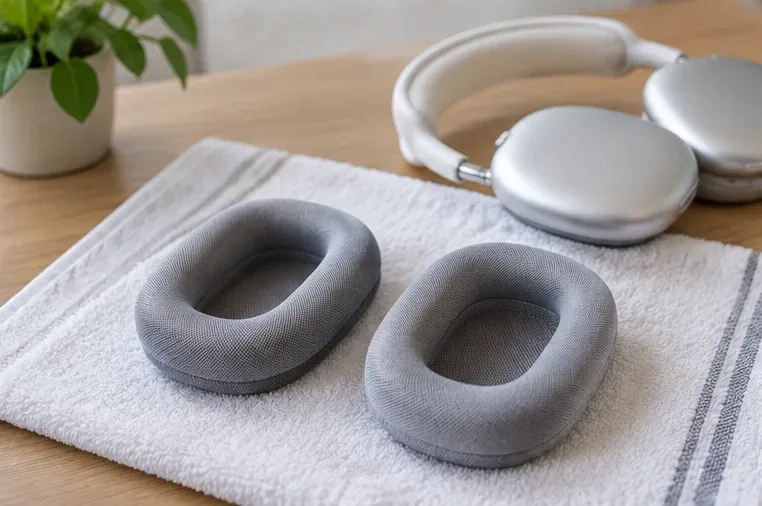
Lay the AirPods Max flat and leave the cleaned cushions in a clean, dry area with normal airflow. Wait at least 24 hours before reattaching them and using the headphones. Do not use a hair dryer, clothes dryer, radiator, or other heated shortcut; Apple’s published method is air drying.
Leave the cleaned cushions and headphones in a clean, dry area and allow at least a full day of drying before reassembly.
If your room is very humid or the cushions still feel cool or damp after 24 hours, waiting longer is the safer choice. Apple gives “at least a day” as the minimum, not a promise that every environment will dry at exactly the same rate.
Step 8: Reattach only when everything is completely dry
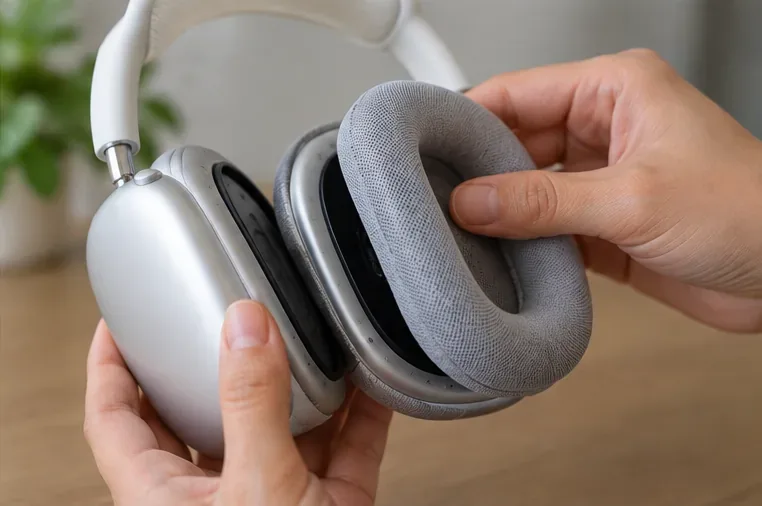
Once the cushions and headphones are fully dry, place the cushions back onto the ear cups. Check that each cushion sits evenly before putting the headphones on.
Reattach the cushions only after they are completely dry and seated evenly on the ear cups.
If you notice lingering moisture, a strong detergent smell, or a cushion that feels unusually heavy, remove it again and continue air-drying rather than using the headphones immediately.
Can you use alcohol wipes on AirPods Max cushions?
No, not according to Apple’s current instructions. Apple says a 70% isopropyl alcohol wipe, a 75% ethyl alcohol wipe, or Clorox Disinfecting Wipes may be used gently on the exterior surfaces of AirPods Max, but it explicitly says not to use those wipes on the knit mesh canopy or ear cushions. Products containing bleach or hydrogen peroxide are also excluded.
If your goal is simply to sanitize the cushions after normal daily use, the manufacturer-supported option is still the detergent-and-cloth procedure above rather than an alcohol wipe.
Should you machine-wash AirPods Max cushions?
Apple does not provide a machine-washing, dishwasher, soaking, or heated-drying procedure for AirPods Max cushions. Its official process is manual wiping followed by at least a day of air drying. If minimizing risk to the fabric, foam, fit, and warranty position matters to you, stay with the documented method.
A washing machine may look attractive if the cushions are very dirty, but it introduces uncontrolled agitation, more water, and a spin cycle. That is a poor trade-off when the manufacturer already provides a lower-risk cleaning method.
What if the cushions smell after workouts?
Sweat and skin oil are exactly the kind of everyday buildup this process is suited to. Remove the cushions, use the measured detergent solution, wipe for one minute each, perform the fresh-water cloth wipe, dry the surface, and allow the full drying period.
For frequent exercisers, prevention can reduce how often deep cleaning is needed: avoid putting the headphones away while damp, let them air out after use, and keep your skin and headphones clean and dry. Apple specifically notes that keeping AirPods Max and your skin clean and dry can improve comfort and help prevent long-term damage.
What if makeup, sunscreen, hair product, or oil gets on them?
Apple lists lotions, perfumes, sunscreen, oils, hair dye, soaps, shampoos, conditioners, solvents, detergents, acids, and similar substances as things that can cause stains or damage. For the AirPods Max generally, Apple says to wipe affected surfaces with a cloth slightly dampened with fresh water and then dry with a soft, dry, lint-free cloth. For the removable cushions, the dedicated cushion-cleaning procedure above is the more complete manufacturer-provided method.
Common mistakes to avoid
Mistake
Why it is risky
Better choice
Pouring cleaner directly onto the cushion
It adds more liquid than Apple’s method requires.
Apply solution to a lint-free cloth, then wring it slightly.
Rinsing under a faucet
Apple’s published cushion procedure uses a fresh-water cloth instead.
Wipe with a separate cloth slightly dampened with clean water.
Using alcohol wipes on cushions
Apple excludes the cushions and knit canopy from its disinfectant-wipe allowance.
Use the liquid-laundry-detergent solution.
Reinstalling after a few hours
The cushions may still retain moisture.
Wait at least a full day, and longer if they still feel damp.
Using bleach or hydrogen peroxide
Apple says not to use products containing them.
Stay with the mild detergent mixture and fresh-water wipe.
Scrubbing with sharp or abrasive tools
They can damage fabric or nearby headphone surfaces.
Use only soft, lint-free cloths and gentle pressure.
How to know the cushions are ready to use again
Before reattaching them, check three things: they should feel dry across the outer fabric and inner mesh, they should not release moisture when pressed lightly with a dry cloth, and they should not have a strong leftover detergent smell. Then confirm the ear cups themselves are dry before reassembly.
The key idea is simple: controlled moisture, gentle wiping, and generous drying time. If you remember only one number, make it 24 hours—the minimum drying period Apple specifies before the cushions go back on and the headphones return to use.
For the latest manufacturer instructions, review Apple’s AirPods Max cleaning guidance before cleaning, especially if Apple updates materials, finishes, or care recommendations for future models.