Imagine this: You're deep into research, shopping spree, or that endless email chain, and poof – tabs vanish! Heart sinks, right? But don't worry! Microsoft Edge makes it a breeze to recover lost tabs in Microsoft Edge using history. This guide delivers precise, up-to-date steps to reclaim your tabs in seconds. Stick around – we'll cover quick fixes, detailed walkthroughs, and prevention hacks to keep you stress-free. Let's dive in! 🚀
Why Do Tabs Disappear in Microsoft Edge? Quick Reality Check
Tabs get lost from accidental closes, crashes, updates, or overzealous multitasking. The good news? Edge's built-in history acts like a time machine, logging every site you've visited. No extensions needed – it's native and lightning-fast.
Pro Tip: Edge's history retains data for up to 90 days by default (check Settings > Privacy for tweaks). Ready to recover? Start with the fastest methods below. 👆
Lightning-Fast First Aid: Undo Closed Tabs Before History Dive
Before history hunting, try this magic shortcut – it revives the most recently closed tabs instantly:
- Press Ctrl + Shift + T (Windows/Linux) or Cmd + Shift + T (Mac). Repeat up to 10 times for a tab history rewind! ⭐
- Tabs pop back like they never left. Works for sessions too!
If those are gone, time for the hero: Microsoft Edge History. Keep reading for foolproof steps.
Step-by-Step: How to Recover Lost Tabs in Microsoft Edge Using History
Here's the core method – straightforward, no fluff. Follow these, and you're golden.
Step 1: Open Edge History 👇
Hit Ctrl + H or click the three-dot menu > History (or type edge://history/ in the address bar). Boom – your visit log appears!
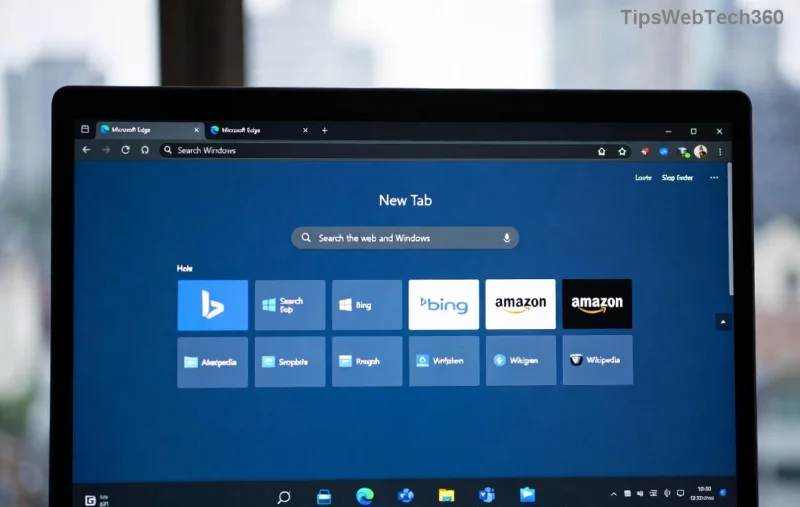
Step 2: Hunt and Select Lost Tabs
Scroll or use the search bar (magnifying glass icon) to type keywords from your lost page. Filter by "Today" or date range. Spot it? Right-click the entry:
- Open in new tab – Single revival.
- Open in new window – For power users.
- Hold Ctrl (Windows) to select multiples, then right-click > Open links. Magic! ✨
![Right-click options in Edge History to recover lost tabs]()
Step 3: Restore and Verify
Tabs reopen fresh. Pro move: Pin them (right-click > Pin tab) to prevent future losses. Done! High-five yourself. 🙌
![Restored tabs from Microsoft Edge History]()
| Method | Speed | Tab Limit | Best For |
|---|
| Ctrl + Shift + T | Instant | Recent 10 | Accidental closes |
| History Search | Seconds | All logged | Older tabs/crashes |
| Extensions (e.g., Tab Wrangler) | Variable | Unlimited | Heavy users |
Edge's history shines for bulk recovery – way better than rivals sometimes. Tested on the latest Edge builds.
Advanced Tricks to Supercharge Tab Recovery
Want more? Level up:
- Session Buddy Alternative: Edge doesn't have native sessions, but export history to CSV via three-dot menu > More tools > Export. Import later!
- Vertical Tabs View: Enable in edge://flags/ (search "vertical") for better organization post-recovery.
- Sync Across Devices: Sign in with Microsoft account – history syncs everywhere. Lost on phone? Recover on PC!
- Error? Clear cache selectively: Settings > Privacy > Clear browsing data (uncheck history).
These keep your workflow unbreakable. Feeling empowered yet? 😊
Prevent Future Tab Disasters – Proactive Hacks
Recovery rocks, but prevention is king:
- Set Tab Limit: Extensions like "The Great Suspender" auto-pause idle tabs.
- Enable Continue Where You Left Off: Edge Settings > On startup > Continue where you left off.
- Keyboard Lovers: Customize shortcuts in edge://settings/keyboardShortcuts.
- Backup routine: Screenshot tab groups weekly.
Implement one today – thank me later!
Final Thoughts: Master Your Edge, Master Your Day
There you have it – your ultimate toolkit to recover lost tabs in Microsoft Edge using history. From panic to productivity in under a minute. Experiment with these steps now, and share in comments: What's your go-to recovery trick? Drop a like if this saved your day! 🚀
Stay tab-tastic – Edge just got even better for you.