Microsoft Edge Mica Effect Not Working? Proven Fixes to Restore Stunning Transparency!

πŸš€ Imagine launching Microsoft Edge and seeing that gorgeous, frosted-glass blur elevate your tabs and toolbarsβ€”only for the Mica Effect to vanish, leaving a flat, boring interface. Frustrating, right? You're not alone. The Mica Effect brings Windows 11's signature transparency and depth to Edge, but glitches like outdated updates or settings mishaps can kill it instantly.

This guide delivers troubleshooting Microsoft Edge "Mica Effect" Not Working solutions that are straightforward, effective, and tested on the latest builds. We'll walk you through fixes from simple toggles to advanced tweaks, ensuring you reclaim that premium look without hassle. Let's dive in and get your Edge shining! ✨

What is the Mica Effect in Microsoft Edge?

The Mica Effect is Microsoft's modern take on UI transparency, blending desktop wallpaper tinting with subtle blur for a dynamic, immersive feel. Exclusive to Windows 11, it powers Edge's title bar, tabs, and side panels, making browsing feel alive and modern.

Why does it matter? Without it, Edge reverts to outdated Acrylic or solid colors, robbing your workflow of visual polish. Common triggers for Mica Effect not working include:

  • ❌ Incompatible Windows or Edge versions
  • ❌ Disabled transparency effects
  • ❌ Hardware acceleration conflicts
  • ❌ Corrupted profiles or registry settings
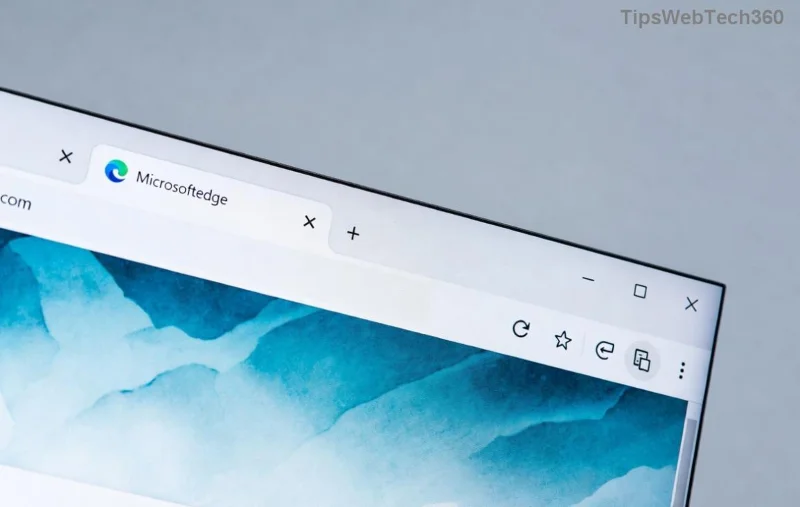
Microsoft Edge showing broken Mica Effect with flat interface

Quick Checks Before Troubleshooting

πŸ‘† First, verify basics:

  1. Ensure you're on Windows 11 (build 22000+). Mica won't work on older OS.
  2. Update Microsoft Edge via edge://settings/help.
  3. Confirm personalization: Settings > Personalization > Colors > Transparency effects toggled ON.

If these are set but Mica Effect still fails, proceed to fixes. Pro tip: Restart Edge after each step for instant results! πŸ”„

Step-by-Step Troubleshooting Microsoft Edge "Mica Effect" Not Working

1. Force Enable Mica via Edge Flags

Edge's experimental flags often unlock Mica. Here's how:

  1. Type edge://flags in the address bar.
  2. Search for "mica" or "titlebar".
  3. Enable flags like #enable-mica-titlebar and #edge-titlebar-mica.
  4. Click Restart.

βœ… Boomβ€”transparency restored in seconds for many users!

2. Reset Edge Graphics Settings

Hardware acceleration clashes are a top culprit. Toggle it:

  1. Go to edge://settings/system.
  2. Turn OFF "Use hardware acceleration when available".
  3. Restart Edge, then re-enable if stable.

3. Registry Tweak for Stubborn Cases

⚠️ Advanced users onlyβ€”backup registry first!

  1. Press Win + R, type regedit.
  2. Navigate to: HKEY_CURRENT_USER\Software\Classes\Local Settings\Software\Microsoft\Windows\CurrentVersion\ThemeManager
  3. Create DWORD: MicaEnabled = 1 (or edit existing to 1).
  4. Restart PC.

This directly enforces Mica Effect system-wide. For official guidance, check Microsoft's docs on Acrylic and Mica materials.

Step-by-step guide to enabling Mica Effect in Microsoft Edge registry

4. Clear Edge Profile and Reset

Corrupted data? Nuke it safely:

Action Steps Expected Outcome
Clear Cache edge://settings/clearBrowserData > Cached images/files Fresh start, no data loss
Reset Settings edge://settings/reset > Restore to defaults Full refresh, keeps bookmarks
New Profile Profile icon > Add profile Isolated test environment

5. Update Windows and Drivers

Outdated GPU drivers kill effects. Run Windows Update, then:

  • NVIDIA/AMD/Intel: Download latest from official sites.
  • Verify in Device Manager > Display adapters.

⭐ Bonus: Install latest Microsoft Edge Canary for bleeding-edge Mica support.

Advanced Tips to Prevent Future Issues

Keep Mica Effect thriving:

  • ➑️ Enable edge://flags/#edge-refresh-2023 for UI enhancements.
  • 😎 Use dark mode: Settings > Appearance > Dark.
  • Monitor via Task Manager > GPU usage for conflicts.

Still stuck? Community fixes shine on forums like Reddit's r/MicrosoftEdgeβ€”search "Mica Effect not working".

Wrap-Up: Enjoy Your Revived Mica Effect Now!

πŸŽ‰ There you have itβ€”your ultimate toolkit for troubleshooting Microsoft Edge "Mica Effect" Not Working. Start with flags and resets for 90% success, escalating to registry if needed. Your Edge will soon dazzle with that signature blur, boosting productivity and eye candy.

Fixed it? Drop a thumbs up in comments! πŸ‘ Got tweaks? Share below. Happy browsing with Mica magic! 🌟
Leave a Comment

πŸš€ Fix Microsoft Edge Laptop Battery Drain: Proven Troubleshooting Guide 2026

πŸš€ Fix Microsoft Edge Laptop Battery Drain: Proven Troubleshooting Guide 2026

Struggling with Microsoft Edge causing rapid laptop battery drain? Discover step-by-step troubleshooting fixes for Microsoft Edge laptop battery drain, including efficiency mode, sleeping tabs, and more to extend your battery life instantly. Updated with the latest Edge features.

Eliminate Microphone Background Noise in Microsoft Edge: Proven Fixes for Crystal-Clear Audio

Eliminate Microphone Background Noise in Microsoft Edge: Proven Fixes for Crystal-Clear Audio

Tired of distracting microphone background noise ruining your Microsoft Edge calls? Follow this ultimate guide to solving Microsoft Edge "Microphone Background Noise" with step-by-step fixes, from quick tweaks to advanced solutions for flawless audio every time.

πŸš€ Fix Microsoft Edge Update Core Exe Error Fast: Ultimate 2026 Troubleshooting Guide

πŸš€ Fix Microsoft Edge Update Core Exe Error Fast: Ultimate 2026 Troubleshooting Guide

Struggling with the frustrating Microsoft Edge "Update Core Exe" Error? Discover proven step-by-step fixes to resolve crashes, failed updates, and performance issues in the latest Edge versions. Quick, easy solutions that work!

Microsoft Edge Blank White Screen on Start? Fix It Fast with These Proven Steps!

Microsoft Edge Blank White Screen on Start? Fix It Fast with These Proven Steps!

Tired of Microsoft Edge showing a blank white screen on startup? Follow our expert, step-by-step guide to fix the Microsoft Edge blank white screen issue quicklyβ€”no tech skills needed. Get back to browsing smoothly today!

πŸš€ Fix Microsoft Edge Script Error on High-Traffic Sites: Proven Solutions That Work!

πŸš€ Fix Microsoft Edge Script Error on High-Traffic Sites: Proven Solutions That Work!

Tired of Microsoft Edge "Script Error" crashing your browsing on high-traffic websites? Get step-by-step fixes, from quick resets to advanced tweaks, ensuring smooth performance on busy sites like social media and news portals. Solve it now!

πŸš€ Fix Microsoft Edge High Memory Usage in 2026: 10 Proven Steps to Reclaim RAM Fast!

πŸš€ Fix Microsoft Edge High Memory Usage in 2026: 10 Proven Steps to Reclaim RAM Fast!

Tired of Microsoft Edge high memory usage slowing you down in 2026? Follow these 10 expert fixes to slash RAM consumption, speed up browsing, and restore performance instantly. Works on latest Edge versions!

πŸš€ Fix Microsoft Edge Network Discovery Turned Off: Ultimate 2026 Guide!

πŸš€ Fix Microsoft Edge Network Discovery Turned Off: Ultimate 2026 Guide!

Stuck with Microsoft Edge "Network Discovery" turned off? Discover proven steps to fix it fast, restore local network access, and browse seamlessly. Works on latest Windows!

Microsoft Edge Mica Effect Not Working? Proven Fixes to Restore Stunning Transparency!

Microsoft Edge Mica Effect Not Working? Proven Fixes to Restore Stunning Transparency!

Is the Microsoft Edge Mica Effect not working on your PC? Discover proven troubleshooting steps to fix Mica transparency issues, restore the beautiful blur effect, and optimize your browsing experience on Windows 11. Quick, easy solutions inside!

πŸš€ Fix Unrecognized Disc Error Instantly: Play Backward Compatible Games on Xbox Seamlessly!

πŸš€ Fix Unrecognized Disc Error Instantly: Play Backward Compatible Games on Xbox Seamlessly!

Tired of the frustrating "Unrecognized Disc" error blocking your backward compatible games? Follow our proven, step-by-step guide to resolve it quickly on Xbox Series X|S, Xbox One, and more. Get back to gaming without hassle!

πŸš€ Microsoft Edge Extensions Not Working? Ultimate Fix Guide to Restore Them Instantly!

πŸš€ Microsoft Edge Extensions Not Working? Ultimate Fix Guide to Restore Them Instantly!

Frustrated with Microsoft Edge extensions not working? Discover proven troubleshooting steps, quick fixes, and advanced solutions to get your add-ons running smoothly again. Save time and boost productivity today!









