Home
» GAMING
»
Eldorado Review: How to Make Money From Video Games
Eldorado Review: How to Make Money From Video Games
Eldorado.gg can be used to make money from video games, but it is not a service that pays you simply for playing. It is a third-party marketplace where approved sellers list digital gaming goods and services such as in-game currency, items, accounts, boosting, top-ups, and gift cards. Your actual profit depends on what you can sell, how fast you can deliver it, marketplace fees, payout costs, and—most importantly—whether the game publisher allows that type of transaction.
What is Eldorado.gg?
Eldorado describes itself as a marketplace that connects buyers and independent sellers. Its Terms of Service make an important distinction: Eldorado acts as the marketplace and commercial agent for sellers rather than owning the goods listed on the site. That means the seller is responsible for the accuracy and legitimacy of the offer.
Compared with the older version of this review, the current platform has broader seller categories and more formal verification. Eldorado's current selling guide says sellers must create an account, pass verification, follow the rules for the category they use, publish an offer, deliver the order, and then receive funds in their Eldorado balance.
How to make money on Eldorado
1. Become a verified seller
You must be at least 18 years old to sell. Eldorado's seller verification guide says verification generally requires a valid government-issued ID, a photo of the document, a photo of yourself, and your personal details. Some categories or games require extra approval. Eldorado also restricts seller onboarding in certain countries and territories, so check its current eligibility rules before spending time preparing inventory.
2. List something buyers actually want
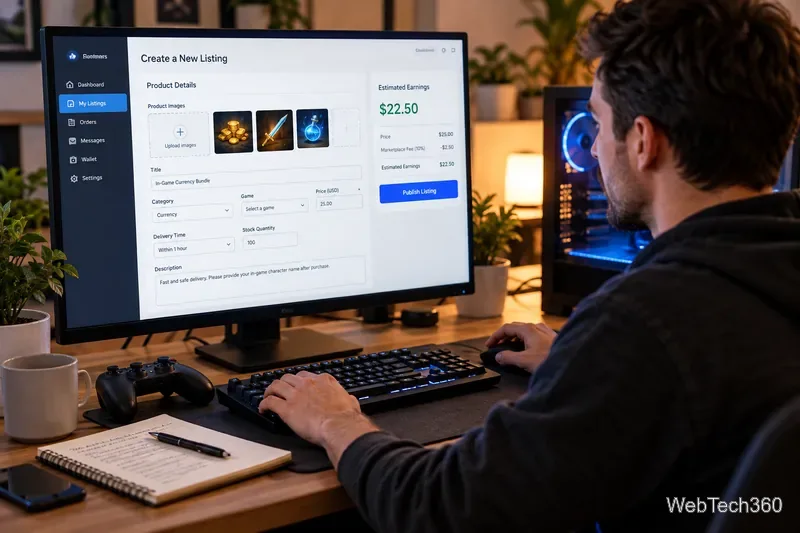
Supported categories include currency, items, accounts, boosting, top-ups, and gift cards. You choose the game and category, set the price and quantity, describe exactly what the buyer will receive, and set a realistic delivery time. Misleading descriptions, fake prices, random or lottery-style offers, and risky delivery methods can lead to penalties under Eldorado's seller rules.
3. Deliver within the promised time
Once an order arrives, the seller is expected to deliver it within the guaranteed window. If you are late or deliver only part of the order without the buyer's approval, a dispute can result in a refund. That makes reliability more important than simply listing a low price.
4. Wait for the order to clear, then withdraw
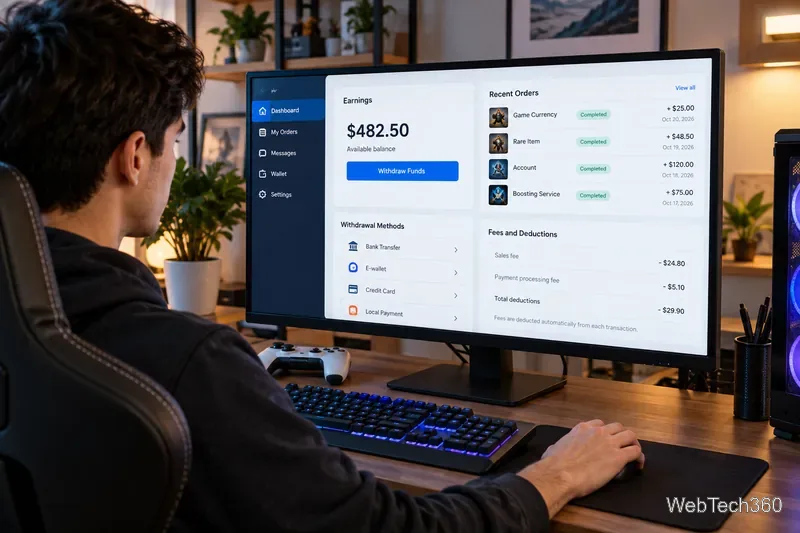
Earnings do not always become withdrawable immediately. Eldorado's TradeShield seller policy describes a buyer confirmation period followed by a category-specific release period. Many orders use a five-day protection window, while certain account and custom-item categories can have longer holds.
Seller fees and payout costs
The biggest correction to the old article is that fees are not one simple percentage for every transaction. Eldorado's current seller-fee page lists these standard rates, while also noting that individual games can override them:
Category
Standard seller fee
Currency
5%
Top-ups and gift cards
0%
Items, accounts, and boosting
10%
Game-specific fees can be higher or lower, so calculate the fee on the exact listing before deciding whether a sale is worthwhile. Withdrawal costs are separate. Eldorado currently lists Payoneer, Skrill, SEPA bank transfer, Bitcoin, and USDC among its payout methods, each with its own minimums, percentage fees, flat fees, and processing times. Check the official withdrawal-method page before pricing your offers.
TradeShield helps with payment risk, not game-publisher risk
TradeShield is one of Eldorado's more useful marketplace features. According to Eldorado, it protects completed seller transactions against payment fraud and payment-provider disputes and holds buyer funds while an order is being completed. That can reduce the risk of doing business with an unknown buyer.
However, TradeShield does not protect you from a game publisher's rules. Some publishers prohibit account sales, account sharing, boosting, or off-platform trading. Epic Games, for example, says buying, selling, or sharing Epic accounts is not allowed. Riot Games likewise states that accounts are personal and non-transferable and warns that account trading and boosting can lead to penalties. Before selling anything, read the rules for the specific game instead of assuming that a marketplace listing makes the transaction publisher-approved.
Eldorado review: is it worth using to make money?
Eldorado is more credible as a marketplace infrastructure tool than as a promise of easy gaming income. Its strengths are clear seller verification, published fee schedules, order tracking, built-in messaging, and payment protection. Its drawbacks are equally important: seller and withdrawal fees reduce margins, funds can be held for several days, some categories require additional verification, and the game itself may prohibit the transaction.
For an adult seller who has legitimate inventory or a permitted service, can deliver consistently, and understands the publisher's rules, Eldorado can provide a structured way to reach buyers and get paid. If your goal is simply to "make money playing games," though, set the right expectation: you are running a small digital-goods or services business, not earning a wage for game time. Price your offers after fees, keep records for tax purposes, protect your accounts, and do not list anything that violates the game or platform rules.