DirectX 11 vs. DirectX 12: Which Is Better for Gaming?

Learn how DirectX 11 and DirectX 12 differ in CPU overhead, compatibility, and gaming performance, plus a fair way to test both in a game.
To make a dog bed in Minecraft, build a small wool pad and add a low wooden frame around it. In vanilla Minecraft, this is a decorative build: there is no dedicated dog-bed recipe that makes a wolf sleep or claim the spot. You can still make a cozy place for your pet and command a tamed wolf to sit beside it.
The guide below uses a compact 2-by-2 wool mattress set into the floor, with trapdoors for the rails. It works as a simple survival or creative build in Java and Bedrock, and you can change the color and frame to suit your house.
Shear a sheep to collect wool without killing it; sheep regrow their coat after eating grass. If you only have white wool, combine it with dye in a crafting grid to color it. Minecraft's official bed guide explains wool gathering and the separate recipe for a player bed, while its dye guide shows how to color wool.
Recent versions add more low-profile options: Java Edition 26.3 and Bedrock Edition 26.50 include wool slabs in all 16 colors. You can use a matching wool slab surface instead of full blocks if you prefer a shallower design. These updates also add cushions that players can sit on; a cushion does not make a wolf sleep on it. Check the official Java 26.3 release notes or Bedrock 26.50 changelog for those additions.
Pick a quiet corner inside your house or a sheltered place in a doghouse. Leave at least a 3-by-3-block area so you have room to place the mattress and its frame. Keep the entrance on the side that faces the open room, rather than against a wall.
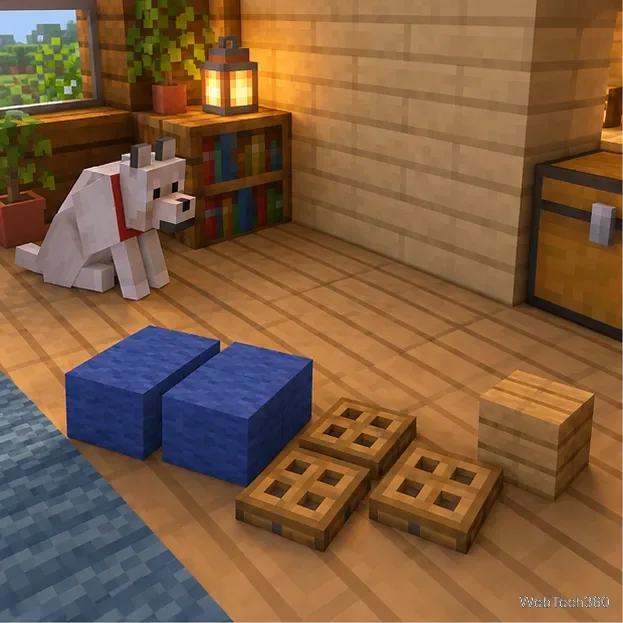
For the flush-floor version shown here, dig a 2-by-2 square one block deep. Fill the opening with four wool blocks so the top of the mattress sits level with the surrounding floor. If you would rather not dig, place the wool on top of the floor and use stairs or slabs around the outside to make the raised platform look intentional.
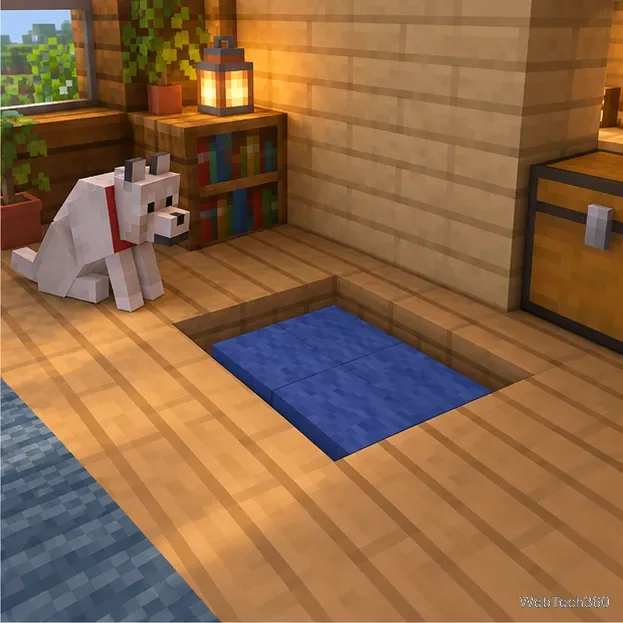
Attach trapdoors to the outside edges of the wool blocks along the two long sides. Raise them so they stand vertically as low rails. Add a short headboard across the back with trapdoors, planks, or stairs, and leave the front edge open. The opening gives the build the shape of a bed and leaves a clear approach for your wolf.
If a trapdoor lands flat, interact with it once to raise it. You can swap trapdoors for fences, signs, or slabs, but avoid closing every side if you want the bed to look accessible rather than like a pen.
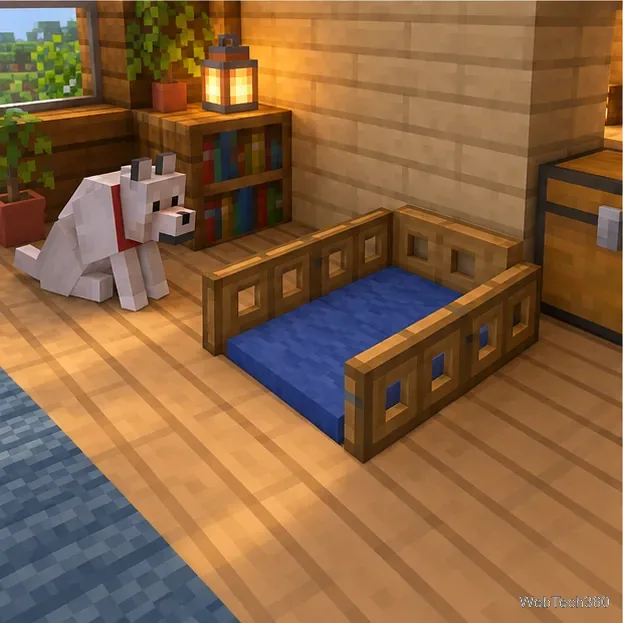
Add a carpet over the wool for another color layer, place a lantern nearby, or put a name sign above the headboard. Keep decorations outside the open entrance so they do not crowd the build. If you are making a doghouse, add a roof and a doorway large enough for the wolf to walk through.
To keep a tamed wolf near the bed, bring it into the room and use the interact button to make it sit beside the mattress. Use the same control to make it stand again. Minecraft's official wolf guide describes taming wolves with bones and commanding them to sit. The bed itself remains decoration; the wolf will not automatically return to it or sleep there.
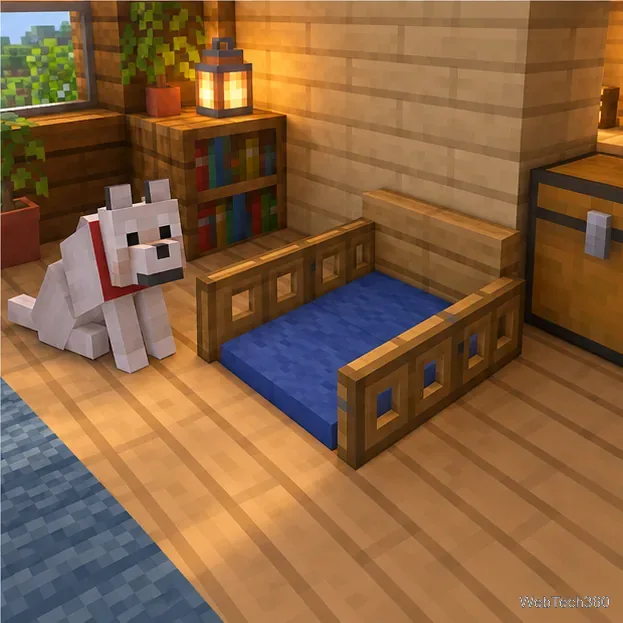
This design also works as a decorative resting spot for a cat or another tamed animal. The key is the same: use wool for a soft-looking center, add a frame that matches the room, and leave enough open floor for the animal to sit nearby.
Learn how DirectX 11 and DirectX 12 differ in CPU overhead, compatibility, and gaming performance, plus a fair way to test both in a game.
Compare seven PC PlayStation emulators by console, compatibility, and setup, with official downloads and game lists to help you choose.
Change your Xbox gamertag from a console or any PC or phone browser. Follow the current steps, check name limits and fees, and confirm the right profile.
Elden Ring has cross-generation play but no cross-platform matchmaking. See which PS4, PS5, Xbox, Steam, and Switch 2 players can join the same session.
Pair a DUALSHOCK 4 with your PS4 using a USB cable, connect additional controllers, and troubleshoot charging or pairing problems with Sony-verified steps.
Get the latest on the Fortnite new season: the official Battle Pass end date, the current theme, and what Epic has—and has not—announced.
Make a cozy decorative dog bed in Minecraft with wool and trapdoors. Follow a compact four-step build and learn how to keep a tamed wolf beside it.
Learn how to plant red and brown mushrooms in Minecraft, choose a growing block, manage light, use bone meal, and harvest giant mushrooms.
Build an underground farm in Minecraft with a water-fed layout, crop-friendly lighting, planting tips, and fixes for stalled growth.
You can’t craft a bell in Minecraft, but you can get one by mining a village bell, trading with a smith villager, or checking a ruined portal chest.