Home
» WEB
»
Top 10 Proxy Browsers for Safer, More Private Browsing
Top 10 Proxy Browsers for Safer, More Private Browsing
Tor Browser is the strongest privacy-focused choice for most people, while Opera is an easy pick for a free browser-based VPN. For a quick website-specific proxy, try CroxyProxy; for managing your own proxy servers, Firefox or a browser extension makes more sense. These are different tools, so the best option depends on what you want to protect.
Here are 10 current proxy browsers and browser-based proxy tools, including their trade-offs. A proxy can conceal your usual public IP address from a destination website, but it does not guarantee anonymity, block every tracker, or protect traffic outside its configured scope.
How a proxy browser works
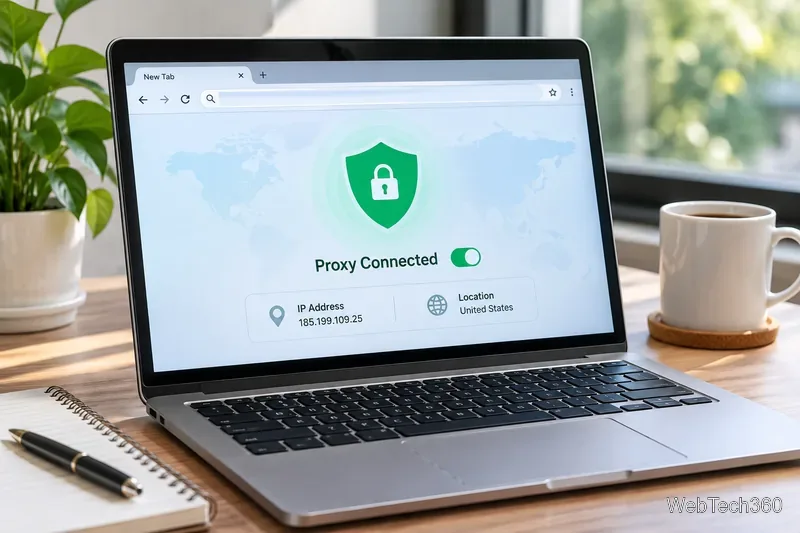
Instead of sending a request directly to a website, a configured browser sends it to a proxy, which forwards it and relays the response. The site generally sees the proxy server’s IP address. However, a single proxy provider can still be a point of trust; encryption depends on the connection and service. Cookies, browser fingerprinting, and accounts you sign into can still identify you.
Top 10 proxy browsers and tools
1. Tor Browser — best for stronger anonymity protections
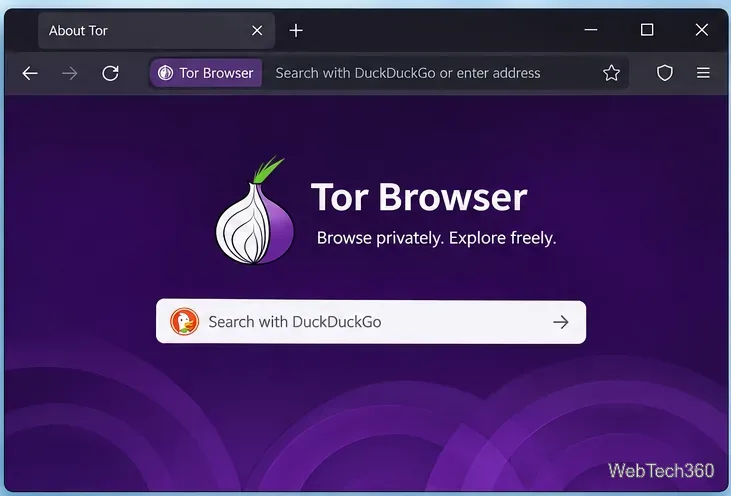
Tor Browser is free and open source. It sends browsing traffic across multiple Tor relays and includes anti-fingerprinting protections. It is better suited to privacy-sensitive browsing than an ordinary single-hop proxy. Trade-off: sites may challenge or block Tor traffic, and browsing can be slower. Signing into your own accounts can still reveal your identity.
2. Opera Browser — easiest built-in browser VPN
Opera’s free VPN masks your IP for traffic inside Opera, with no separate extension, account, or bandwidth cap. Enable it in browser settings or via its VPN control. Trade-off: the free feature is browser-scoped, not a device-wide VPN, and its location choices are broad regions rather than precise cities.
3. Brave — convenient Tor connectivity in a private window
Brave’s Private Window with Tor routes a desktop private window through Tor. It is handy if Brave is already your main browser. Trade-off: Brave explicitly says these windows lack many protections built into Tor Browser. Use Tor Browser instead if anonymity is critical.
4. Aloha Browser — built-in VPN for browser users
Aloha Browser combines browser features with an integrated VPN on supported devices, including mobile platforms. Trade-off: functionality, locations, and plan entitlements vary by platform; check the current app and terms before relying on device-wide protection.
5. CroxyProxy — no-install web proxy
CroxyProxy works from an existing browser: visit the service and enter a website address. It has a free basic option and a Chrome extension. Trade-off: it proxies pages opened through its service, not all your other browser tabs or apps. Do not use an unfamiliar intermediary for sensitive logins.
6. Firefox — best built-in manual proxy controls
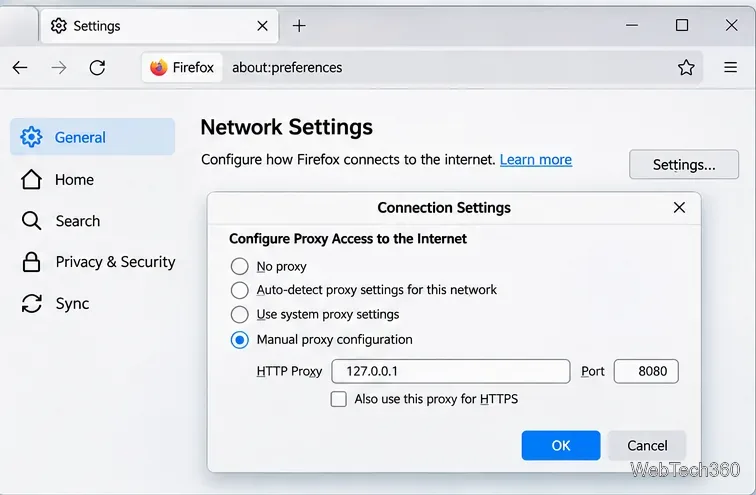
Firefox lets you enter HTTP, HTTPS, or SOCKS proxy details, use system settings, or specify sites that bypass a proxy. Trade-off: Firefox does not supply a proxy server; you need credentials or an endpoint from a trusted administrator or provider.
7. Dolphin Anty — dedicated multi-profile browser
Dolphin Anty creates separate profiles with individual proxy configurations and browser fingerprints for authorized multi-account workflows. Trade-off: its complexity is unnecessary for ordinary private browsing, and profile separation is not a guarantee of anonymity or permission to disregard a website’s rules.
8. Bright Data Proxy Browser Extension — professional proxy management
Bright Data’s browser extension integrates proxy-network options and location switching into supported browsers. Trade-off: it is oriented toward business and data-collection workflows; installing the extension does not imply that paid proxy capacity is free.
Decodo’s free Chrome extension can save proxy configurations and switch between endpoints, including proxies from other providers. Trade-off: the extension is a manager, not necessarily a free proxy network. Decodo is the new name of Smartproxy; the older X-Browser is not a current recommendation.
10. FoxyProxy — flexible rules for your existing browser
FoxyProxy provides extensions for major desktop browsers, including options to switch proxies by site or rules. Its extension source is publicly available. Trade-off: you supply a working proxy; an extension alone cannot hide your IP without one.
Which option should you choose?
Primary need
Best starting point
Privacy-oriented browsing
Tor Browser
Easy, free browser-only IP masking
Opera
One-off website access
CroxyProxy
Your own proxy server
Firefox or FoxyProxy
Business profiles or network controls
Dolphin Anty, Decodo, or Bright Data
Free versus paid: paying may offer more locations, capacity, and support, but it does not automatically mean better privacy. Before installing anything, review the provider’s logging policy, ownership, security updates, encryption model, and whether the protection covers a single webpage, browser traffic, or the whole device.
How to configure a proxy in Firefox
Open Firefox Settings.
Find Connection Settings: depending on your Firefox version, look under General > Network Settings, or under Privacy & Security > Connection and software security > Advanced settings > Proxy settings.
Open Configure proxy or Settings, select Manual proxy configuration, and enter the address, port, and appropriate protocol supplied by your provider.
Save the settings, then confirm the connection works. Use No proxy to revert or No Proxy For for trusted exceptions.
Only use proxy addresses you trust. The settings window shown above uses a local example address; it is not a working public proxy. If your service needs authentication, follow its official setup instructions.
Frequently asked questions
Is a proxy browser the same as a VPN?
No. A web proxy may handle one page or browser session, while a device-wide VPN typically routes traffic from many apps. Some browsers market an encrypted browser proxy as a VPN; always check its actual scope.
Are free proxy browsers safe?
Safety depends on the operator and connection design, not price alone. Avoid anonymous proxy lists, keep your browser updated, prefer HTTPS websites, and do not assume that hiding an IP also hides your identity.
Are proxy browsers legal?
Proxy use is generally lawful in many places, but local rules and site terms vary. Using a proxy does not make otherwise unlawful activity permissible.