iMessage Is Signed Out on iPhone: How to Fix It

Fix the iMessage Is Signed Out error on iPhone by checking Apple Account sign-in, activation, connectivity, and settings—without erasing your messages.
If your iPhone says “iMessage Is Signed Out,” open Settings > Apps > Messages > Send & Receive and sign in with your Apple Account. If you are already signed in, check your internet connection, restart iMessage, and confirm that your phone number has activated. The error can stem from a sign-in problem, network interruption, or incomplete activation.
Try these fixes in order. The menu paths below apply to recent versions of iOS; on older versions, you may find Messages directly in Settings rather than under Apps.
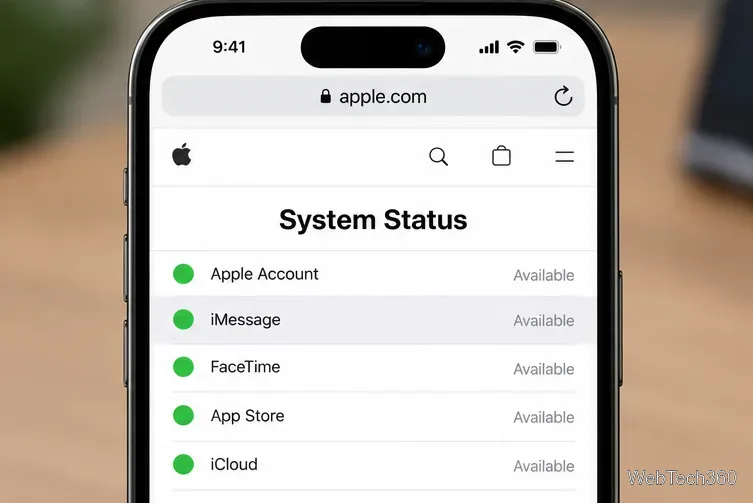
Before changing account settings, visit Apple’s System Status page and find iMessage. If Apple reports a service interruption, wait for the service to recover rather than repeatedly changing your account or phone settings.
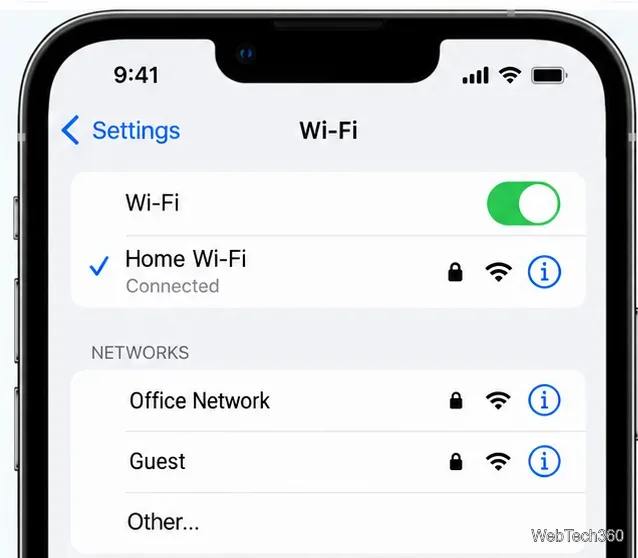
A Wi-Fi symbol alone does not prove your iPhone can reach Apple’s servers. You can also try restarting your router if other devices cannot connect.
Use the same Apple Account for iMessage on your other Apple devices. Signing out of iMessage here is different from signing out of your entire Apple Account in Settings.
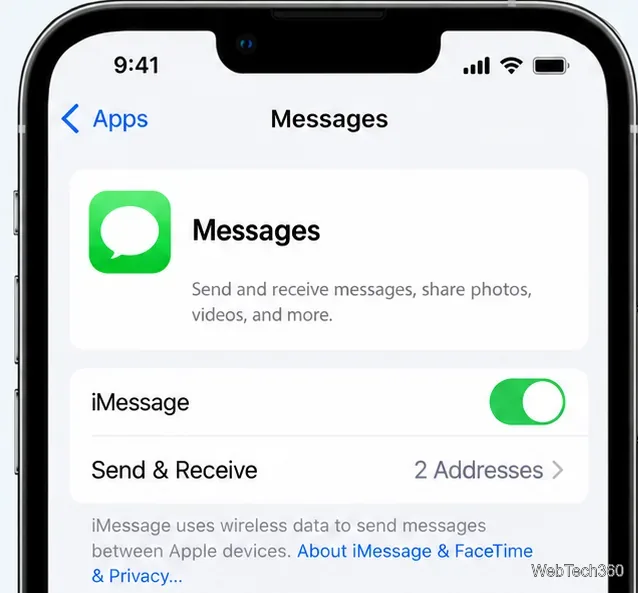
Apple recommends a complete iMessage and FaceTime restart when activation or sign-in fails:
Give activation time to finish. If a spinning indicator appears next to your number, do not keep toggling iMessage; the phone may still be verifying it. See Apple’s iMessage activation instructions.
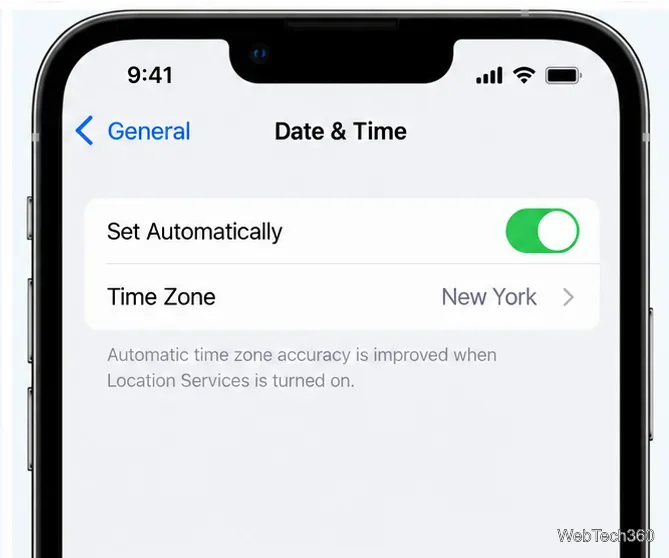
Go to Settings > General > Date & Time and check that your time zone is correct. Turn on Set Automatically when available. Incorrect date or time settings can interfere with activation and secure connections.
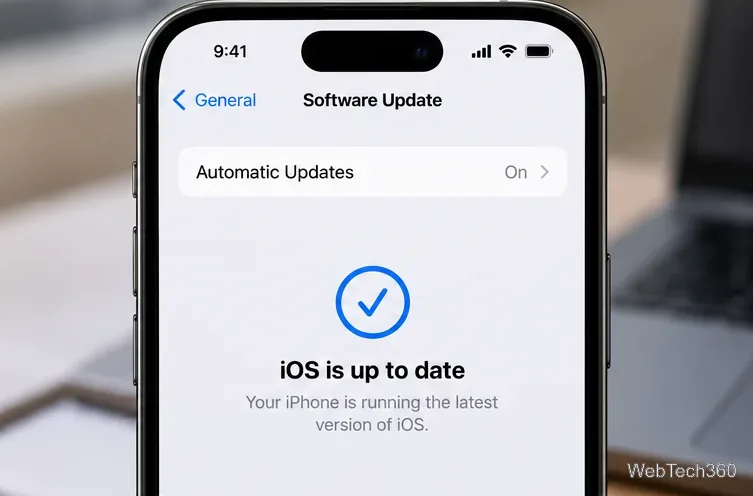
Open Settings > General > Software Update. If an update is available for your device, back up your iPhone, connect to Wi-Fi and power, and follow the installation prompts. An update is not a guaranteed fix, but Apple lists current iOS software among the requirements for troubleshooting activation. For details, see Apple’s update guide.
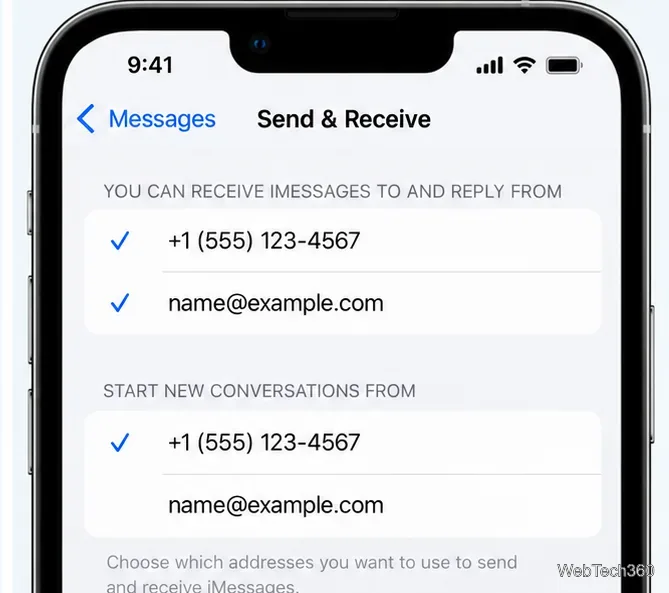
Under Settings > Apps > Messages > Send & Receive, look for a checkmark beside your phone number. iMessage uses an SMS message to activate a phone number, and carrier SMS charges may apply. Apple says number verification can take up to 24 hours. Ask your carrier whether your line can send and receive international SMS if the number remains unchecked after that period.
Meanwhile, you may be able to choose a verified Apple Account email address in Send & Receive. Be aware that using an email and phone number can produce separate conversation threads. If you recently configured an eSIM after setting up a new iPhone, Apple specifically recommends turning iMessage off and on once to initiate activation.
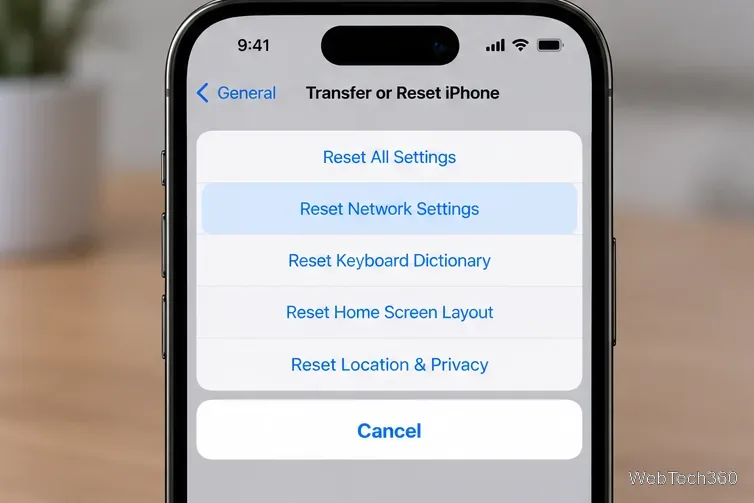
If iMessage still cannot connect even though Apple’s service is available, and you have ruled out Wi-Fi, cellular, and account issues, open Settings > General > Transfer or Reset iPhone > Reset > Reset Network Settings.
Before confirming: this removes saved Wi-Fi networks and passwords and resets cellular, VPN, and APN settings. It does not erase your messages or photos. Write down network credentials first, and ask your workplace or school IT team before resetting a managed device. Reconnect to the internet and try iMessage again. Read Apple’s network reset guidance for details.
If your phone number has not activated after 24 hours, start with your carrier to check SMS and cellular service. If your Apple Account cannot sign in, you see an account-blocked message, or the problem persists on several networks, contact Apple Support. Note the exact error, your iOS version, and which fixes you tried.
Avoid deleting message threads, removing an eSIM, or resetting the entire iPhone solely for this error. Those actions are not standard first-line fixes and can create additional problems. If you have a working cellular plan, SMS or RCS may still be available while iMessage activation is pending, depending on your carrier and recipient.
Fix the iMessage Is Signed Out error on iPhone by checking Apple Account sign-in, activation, connectivity, and settings—without erasing your messages.
Turn off your iPhone VPN in the app or Settings, confirm it disconnected, and stop automatic reconnections without deleting your account.
Learn how to encrypt your iPhone with a strong passcode, protect iCloud and computer backups, and secure your data if your phone is lost or stolen.
Learn how to clear Safari and Chrome cache on iPhone, manage app storage safely, and understand when clearing cached data actually helps.
Learn how to fight Gym Battles in Pokémon GO, pick effective attackers, use Charged Attacks and dodges, and claim a Gym after defeating its defenders.
Explore classic Cydia tweaks for jailbroken iPads, from SwipeSelection to Quasar, with compatibility warnings and modern alternatives.
Stop Apple Music signup prompts in the Music app. Learn where to find Show Apple Music on iOS and what turning it off does—and does not—change.
Set up a Shortcuts automation to text Mom when your iPhone battery gets low. Follow four steps, plus delivery checks and privacy tips.
Save posts on X in a few taps. Learn where to find the Bookmark button on iPhone, Android, and desktop, plus how to view, remove, and organize saved tweets.
Turn on AR mode in Pokémon GO during a wild encounter, find AR settings, and fix camera or device compatibility issues.








