How to Uninstall Kodi Repositories the Right Way

Learn how to uninstall a Kodi repository safely, remove its saved source URL separately, and check which installed add-ons or dependencies you still need.
The best starting points for Arabic movies, TV clips, and news in Kodi are the YouTube and DailyMotion.com video add-ons. For live Arabic channels, IPTV Simple Client is useful when you already have a legitimate M3U playlist. All three appear in Kodi’s official add-on catalog, but none guarantees access to every Arabic channel or subscription movie.
Older recommendations for Arabic TV, Shahid Arabic, and StreamHub depended on unofficial repositories and Kodi Krypton-era instructions. Their old installation routes should not be treated as current. Here is a more dependable way to watch Arabic-language content without relying on unverified ZIP downloads.
| Add-on | Best use | Important limitation |
|---|---|---|
| YouTube | Arabic news clips, interviews, educational videos, and channels with authorized uploads | Content depends on the channel; playback and sign-in requirements can change |
| DailyMotion.com | Arabic-language programs and publisher-uploaded video | Not every upload is licensed or available in every location |
| IPTV Simple Client | Live Arabic TV from a playlist supplied by an authorized broadcaster or provider | It is a player, not a bundle of free channels |
The official Kodi catalog lists YouTube, DailyMotion.com, and IPTV Simple Client for Kodi Omega. Available add-ons and menus can vary with your installed Kodi release and device.
From the Kodi home screen, choose Add-ons, open the add-on browser (the open-box icon), and select Install from repository. If several repositories are listed, select the official Kodi Add-on repository. This avoids enabling “Unknown sources” just to follow an old installation guide.
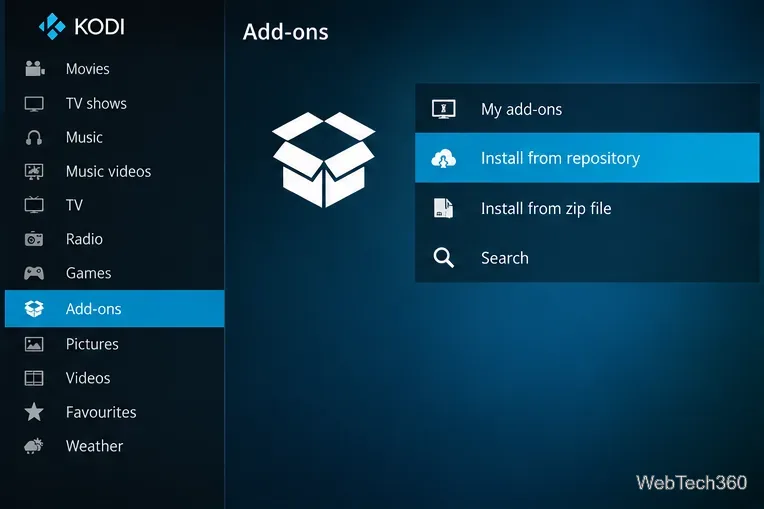
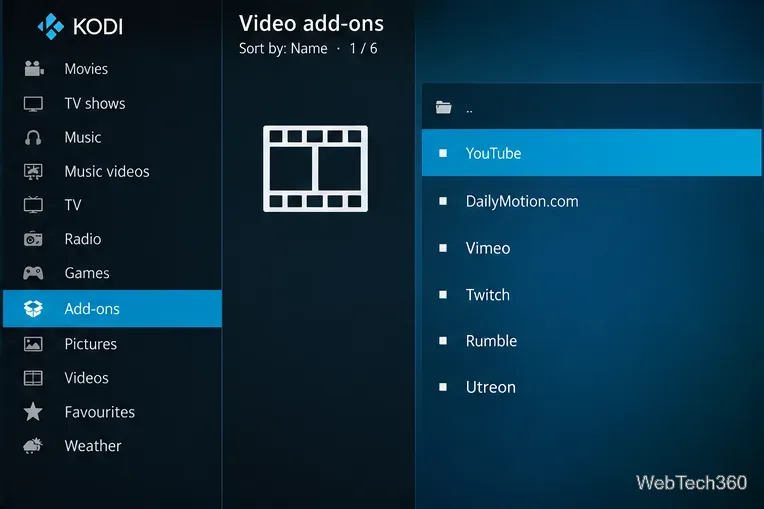
In the repository, open Video add-ons, select YouTube or DailyMotion.com, and choose Install. Once installation finishes, launch it from Add-ons > Video add-ons. Search for Arabic terms, a known show, or an official broadcaster or creator. Check the channel identity before assuming a recording is authorized.
For news, search for verified Arabic-language publishers; for entertainment, try the title in Arabic as well as its English transliteration. YouTube may require additional setup for certain features, and a channel that is available in a browser is not necessarily playable through its Kodi add-on.
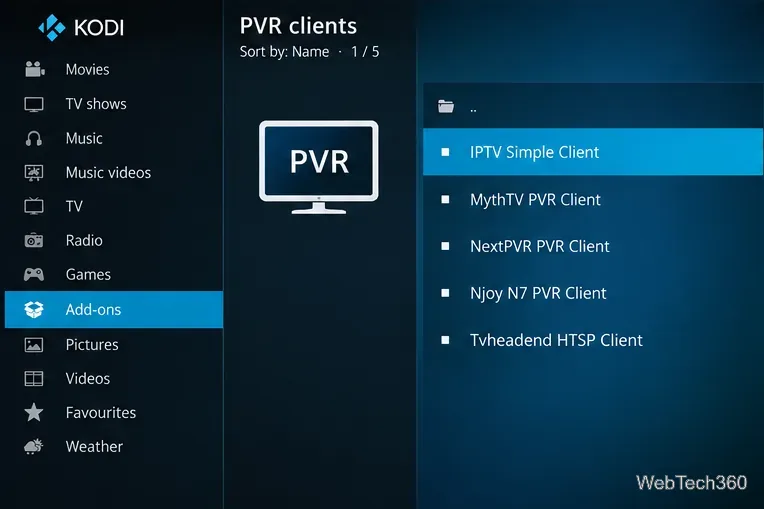
For channels you are entitled to receive, open Install from repository > PVR clients > IPTV Simple Client > Install. Open the client’s Configure screen and supply the M3U URL or local playlist file provided by your broadcaster or IPTV service. Add an electronic program guide (EPG) address only if your provider supplies one. Enable the client if prompted, then return to the TV area after the channel list loads.
An M3U file is a list of streams, not proof that the streams are licensed. Avoid random “all Arabic channels free” playlists: they may disappear, redirect to unwanted sites, or redistribute paid channels without permission. Kodi’s PVR setup guidance explains the role of PVR clients.
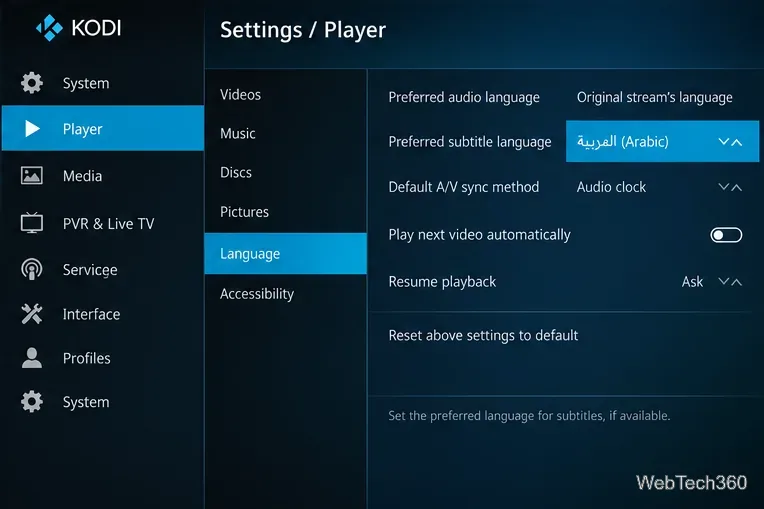
To prefer Arabic subtitles, open Settings > Player > Language and change Preferred subtitle language to Arabic. Set Preferred audio language to Arabic if that is your preference. During playback, open the subtitle controls to select a track or browse for a subtitle file. These options work only when the video or your configured subtitle service actually provides the language.
For your own downloaded movie files, use an appropriately named Arabic subtitle file alongside the video, or select it manually in playback settings. See Kodi’s player-language documentation and subtitle instructions for supported options.
Arabic TV was previously distributed through the Husham repository, Shahid Arabic through SuperRepo, and StreamHub through a third-party archive. Those historical instructions reference old builds, repository versions, and paths that are not verified here for current Kodi releases. Do not install similarly named ZIP files from search results without confirming their maintainer, compatibility, and source.
Importantly, the old Shahid Arabic add-on is not the same thing as the official MBC Shahid streaming service. If your goal is full Arabic series, movies, or Shahid-exclusive programs, use Shahid’s official website or a supported app. Free episodes and subscription-only titles coexist, and availability depends on your region and plan. There is no verified official Shahid Kodi add-on to recommend here.
Kodi itself is legal media-center software. Whether a particular stream is lawful depends on rights and local rules. A VPN can improve network privacy on some connections, but it does not grant streaming rights or make unauthorized content legal. For most viewers, the official repository and licensed providers are the simpler, safer route.
Learn how to uninstall a Kodi repository safely, remove its saved source URL separately, and check which installed add-ons or dependencies you still need.
Find the safest way to watch live tennis with Kodi: learn what iPlayer WWW can stream, how to find licensed coverage, and which add-ons to avoid.
Learn how to watch movies on Kodi from your computer, USB drive, or NAS, add online video services, and fix missing titles with clear setup steps.
Set a Kodi Master Lock PIN, protect selected menus, and create a separate kids’ profile with media sources you choose.
Find the authorized stream for your country, check whether its provider supports Kodi, and watch a boxing PPV on your TV without relying on outdated add-ons.
Compare five Kodi skins in the official Omega catalog, then follow the current Settings path to install one, customize it, or switch back.
Looking for the 1Channel Kodi add-on? Learn why old PrimeWire installation guides are unreliable and how to install a supported video add-on safely.
Enable Kodi’s Chorus2 web interface, control your media from any browser, and learn how to connect remotely without exposing Kodi to the Internet.
Follow the original Nemesis Kodi installation process, learn what changed with Stream Army, and avoid outdated repository and PIN instructions.
Download Kodi safely on Windows using the official installer or Microsoft Store, then add your media library and set up trusted add-ons.








