How to Uninstall Kodi Repositories the Right Way

Learn how to uninstall a Kodi repository safely, remove its saved source URL separately, and check which installed add-ons or dependencies you still need.
The best Chinese Kodi add-ons depend on what you want to watch. For Chinese-language dramas, films, and broadcaster uploads, the official YouTube add-on is the most practical starting point. YouTube Channels helps organize favorite channels, while IPTV Simple Client can display live Chinese TV when you already have a legitimate M3U playlist. They offer more dependable starting points than unverified older drama add-ons.
Video availability depends on region, rights, and Kodi compatibility.
| Add-on | Best for | What to know |
|---|---|---|
| YouTube | Chinese dramas, trailers, news, culture, and films shared by authorized channels | Content varies by publisher and region; some setup may be needed for account features. |
| YouTube Channels | Keeping Chinese-language YouTube channels in one place | A channel organizer, not a separate Chinese streaming catalog. |
| IPTV Simple Client | Live Chinese TV from a playlist you are authorized to use | You supply the M3U stream and optional TV guide; the add-on supplies no channels. |
The YouTube video add-on is listed in Kodi's official repository and provides access to material made available through YouTube. Search for Chinese dramas, Mandarin or Cantonese programs, Hong Kong movie clips, documentaries, and official broadcaster channels. Try both English and Chinese search terms: Chinese drama, 华语电视剧, 港剧, or a specific show's Chinese title.
For full episodes and movies, check that the uploader is the production company, network, distributor, or another authorized rights holder. For the maintained add-on listing and developer information, see Kodi’s YouTube add-on page.
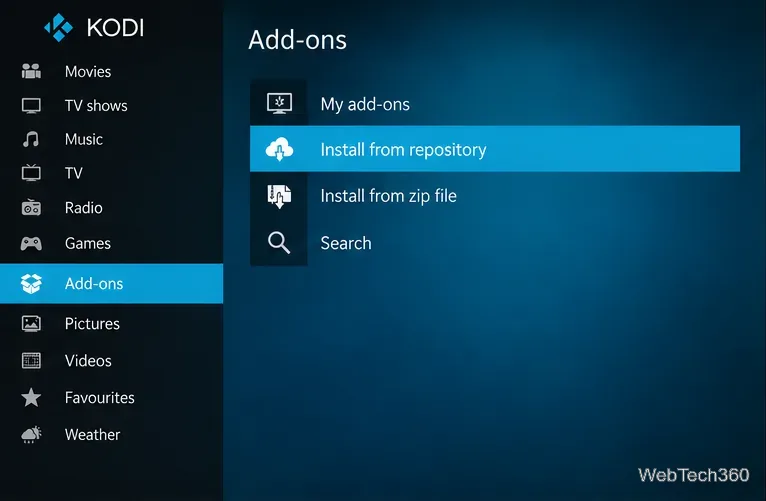
The official Kodi add-on manager guide explains repository installation and the add-on browser.
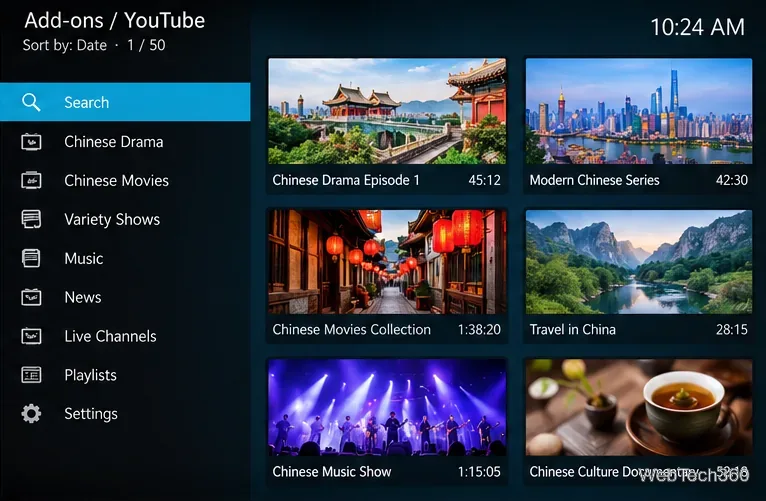
If you regularly follow several Chinese-language broadcasters, creators, or cultural channels, YouTube Channels makes them easier to revisit inside Kodi. It is another official-repository video add-on, designed to display chosen YouTube channels in organized folders rather than provide its own separate movies.
Install it through Add-ons > Install from repository > Video add-ons > YouTube Channels. Browse or configure channel lists according to the add-on's available options. Its features and dependencies may change between Kodi versions; consult Kodi’s YouTube Channels listing before installing.
It is useful for following Mandarin news, Cantonese entertainment, and official drama uploads.
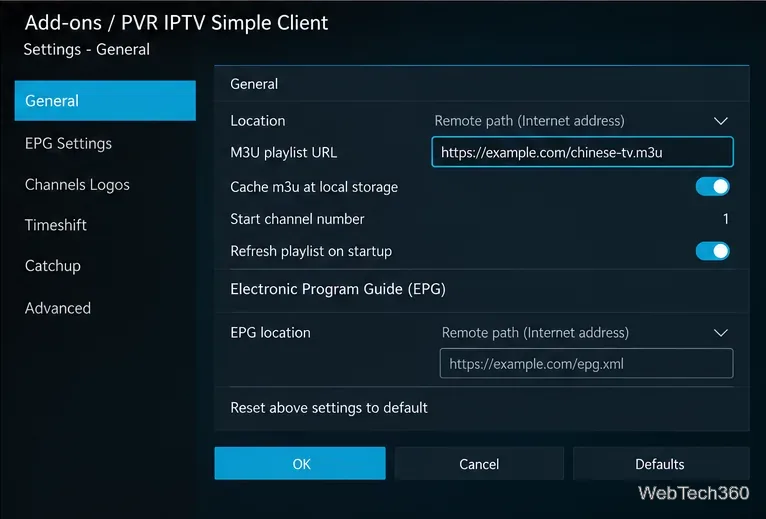
IPTV Simple Client is a PVR add-on for live channels, M3U playlists, and electronic program guides (EPG). It does not include free Chinese TV stations; you must supply streams you are authorized to watch.
Open Add-ons > Install from repository > PVR clients > IPTV Simple Client, install it, and open Configure. Enter the local or remote M3U playlist location supplied by your provider; add an XMLTV EPG location if available. Enable the client and allow Kodi's TV section to load the channels. See the official IPTV Simple Client page for the supported formats.
Do not use random “free IPTV” lists that redistribute subscription channels without permission. Those streams may disappear, carry security risks, or infringe broadcasting rights.
Older Kodi tutorials frequently named these five add-ons for Chinese and other Asian entertainment. Their instructions often relied on SuperRepo, old ZIP packages, or third-party content sites. These old packages may not be secure or compatible with current Kodi versions.
Icdrama has had community attempts to update it for Kodi's Python 3-based releases, but those forks and their video sources should be checked individually. We could not verify a reliable, currently supported installation path for AZdrama, drama24h, One242415, or the old YouKu TV add-on, so this guide does not present their historical ZIP instructions as working methods. Youku’s official streaming service is separate from an unofficial Kodi plug-in.
Before trying an unofficial add-on, check its repository, update history, compatibility, and permissions. Kodi warns that enabling Unknown sources permits third-party code that can access device data. See Kodi’s add-on security settings.
Bottom line: Start with YouTube for Chinese movies and shows, add YouTube Channels to organize sources you trust, and use IPTV Simple Client only when you have a legitimate live-TV playlist. That gives you useful Kodi options without depending on unverified legacy add-ons or outdated repository links.
Learn how to uninstall a Kodi repository safely, remove its saved source URL separately, and check which installed add-ons or dependencies you still need.
Find the safest way to watch live tennis with Kodi: learn what iPlayer WWW can stream, how to find licensed coverage, and which add-ons to avoid.
Learn how to watch movies on Kodi from your computer, USB drive, or NAS, add online video services, and fix missing titles with clear setup steps.
Set a Kodi Master Lock PIN, protect selected menus, and create a separate kids’ profile with media sources you choose.
Find the authorized stream for your country, check whether its provider supports Kodi, and watch a boxing PPV on your TV without relying on outdated add-ons.
Compare five Kodi skins in the official Omega catalog, then follow the current Settings path to install one, customize it, or switch back.
Looking for the 1Channel Kodi add-on? Learn why old PrimeWire installation guides are unreliable and how to install a supported video add-on safely.
Enable Kodi’s Chorus2 web interface, control your media from any browser, and learn how to connect remotely without exposing Kodi to the Internet.
Follow the original Nemesis Kodi installation process, learn what changed with Stream Army, and avoid outdated repository and PIN instructions.
Download Kodi safely on Windows using the official installer or Microsoft Store, then add your media library and set up trusted add-ons.








