How to Uninstall Kodi Repositories the Right Way

Learn how to uninstall a Kodi repository safely, remove its saved source URL separately, and check which installed add-ons or dependencies you still need.
Cypher 9Anime was a third-party Kodi video add-on that organized anime from the former 9anime website. It offered dubbed and subtitled series, genre browsing, search, and selectable streaming sources. But its original installation guide is now a historical reference, not a dependable way to install a working add-on.
9anime later became AniWave, and AniWave was among the sites named in an August 29, 2024, shutdown announcement by the Alliance for Creativity and Entertainment. As of October 2026, we could not verify a maintained, trustworthy download for Cypher 9Anime or its former repository. Avoid sites claiming to offer a newly revived version without verifiable developer information.
Cypher 9Anime was distributed through a third-party repository called Cypher’s Locker. Instead of hosting its own videos, the add-on acted as a browsing interface for anime listings and playback links obtained from outside Kodi. That distinction matters: a Kodi add-on can still open even when the website or servers it relies on no longer work.
Its original menu grouped anime into Latest Shows, Newest Shows, Recent Subbed Shows, Popular Subbed Shows, Recent Dubbed Shows, Popular Dubbed Shows, Genres, Search, and Settings. These are descriptions of the older add-on, not a claim that its catalog or links still function.
“Subbed” meant Japanese-language playback with English subtitles; “dubbed” referred to episodes with an English-language audio track. Search helped find a specific title, while the settings included episode sorting and preferences for playback sources and resolution. Availability always depended on the underlying websites.
Older guides described a four-stage procedure: allow third-party add-ons, add Cypher’s repository address, install its ZIP, and then install Cypher 9Anime from that repository. Do not treat those historical steps as current download instructions. We have not authenticated a current source or confirmed compatibility with recent Kodi releases.
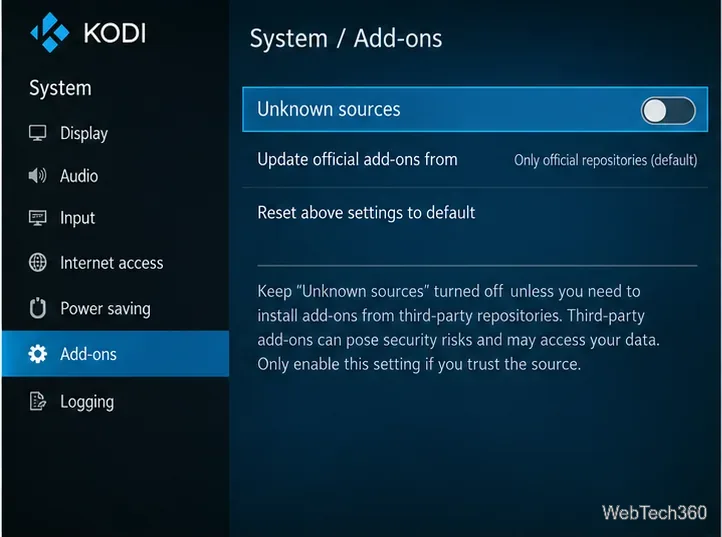
The relevant setting is under Settings → System → Add-ons → Unknown sources. Kodi normally restricts third-party ZIP installation until this is enabled. The official Kodi add-on manager guide explains the warning that appears when users permit outside add-ons. Leave the switch off unless a trusted, independently verified developer actually requires it.
The archived walkthrough used Settings → File manager → Add source, followed by the former address https://cypher-media.com/repo/. It then directed readers to Add-ons → Install from zip file and the old package repository.Cypherslocker-1.0.4.zip. Those strings are retained only to help identify outdated instructions; their present ownership, contents, and availability have not been verified.
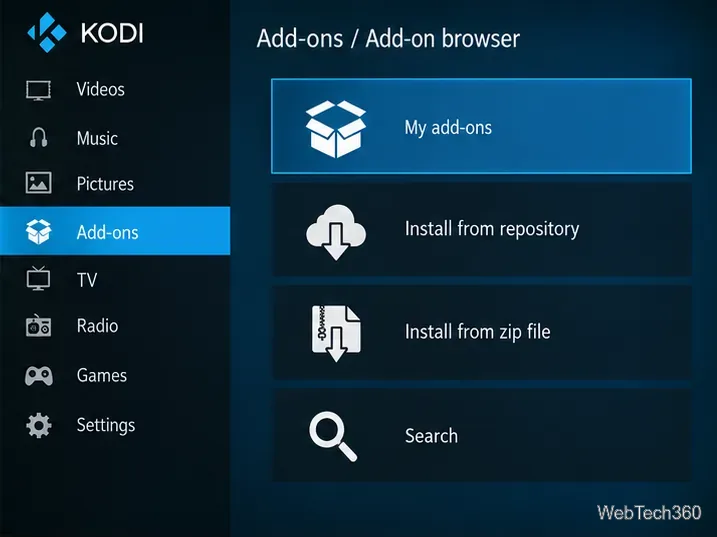
In the original setup, users selected Install from repository → Cypher’s Locker → Video add-ons → Cypher 9Anime → Install. Kodi would then retrieve the add-on and its dependencies. That workflow only succeeds if a legitimate repository remains online, supplies compatible packages, and links to a functioning service; none of those conditions should be assumed today.
If the add-on appears in Kodi but will not load episodes, changing video resolution or installing random “fixes” is unlikely to restore a discontinued upstream service. Check whether the installed copy is worth keeping:
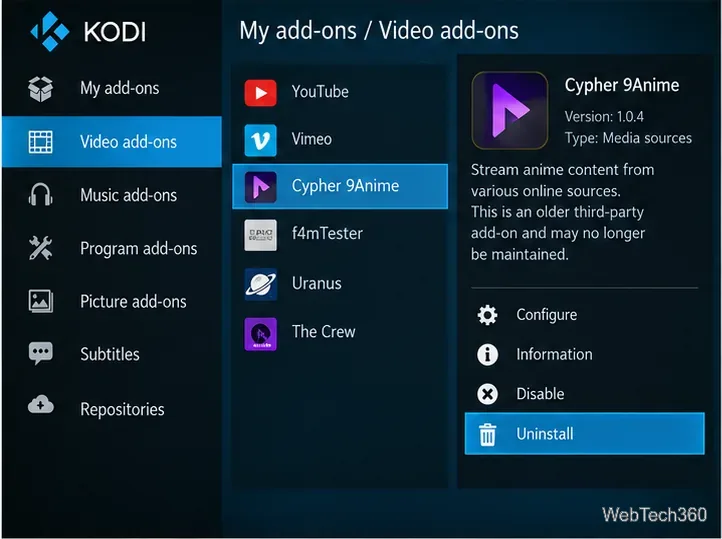
Kodi documents repository management, uninstalling, and dependency handling in its add-on manager reference. Avoid deleting unrelated dependencies without checking whether other add-ons still need them.
If your goal is to watch licensed anime, use the official application or website of a service available in your region rather than relying on an unverified Kodi scraper. Crunchyroll, for example, publishes its supported-device list and supports browsers and a range of TV streaming platforms. The catalog and subscription options can differ by territory.
For videos you own or have permission to play, Kodi remains useful as a personal media library. You can also browse maintained extensions through Add-ons → Install from repository → Kodi Add-on repository instead of searching for unknown ZIP packages.
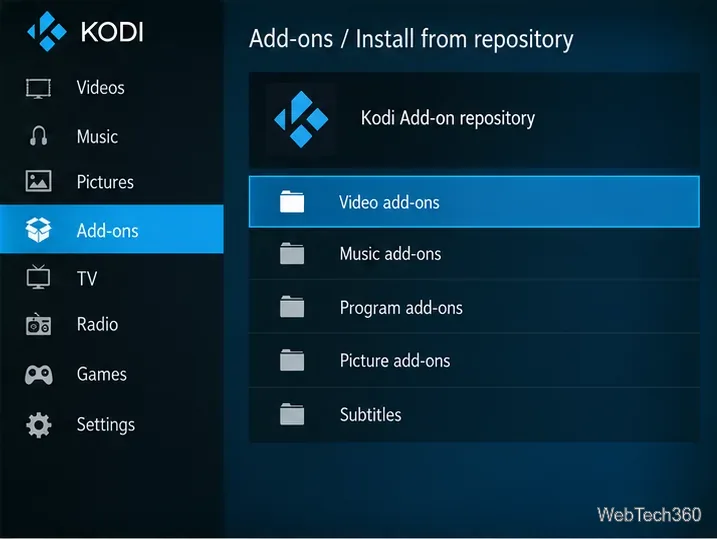
The official Kodi add-on directory lists add-ons by Kodi version, and the Kodi project overview explains that Kodi itself supplies no media catalog. Not every streaming service has an official Kodi plug-in; installing a service’s own app may be the simplest option.
There is no verified current build or maintained source we can recommend. An existing copy may display cached menus, but that does not establish that its original playback service is available.
No. A VPN cannot revive a closed website, repair an unsupported add-on, or grant permission to access copyrighted content. It should not be presented as an installation fix.
Only if you can independently establish who maintains it, where its source code is published, and whether the download is authentic and compatible. Otherwise, skip it. Kodi specifically warns that third-party add-ons can create security and privacy risks.
Learn how to uninstall a Kodi repository safely, remove its saved source URL separately, and check which installed add-ons or dependencies you still need.
Find the safest way to watch live tennis with Kodi: learn what iPlayer WWW can stream, how to find licensed coverage, and which add-ons to avoid.
Learn how to watch movies on Kodi from your computer, USB drive, or NAS, add online video services, and fix missing titles with clear setup steps.
Set a Kodi Master Lock PIN, protect selected menus, and create a separate kids’ profile with media sources you choose.
Find the authorized stream for your country, check whether its provider supports Kodi, and watch a boxing PPV on your TV without relying on outdated add-ons.
Compare five Kodi skins in the official Omega catalog, then follow the current Settings path to install one, customize it, or switch back.
Looking for the 1Channel Kodi add-on? Learn why old PrimeWire installation guides are unreliable and how to install a supported video add-on safely.
Enable Kodi’s Chorus2 web interface, control your media from any browser, and learn how to connect remotely without exposing Kodi to the Internet.
Follow the original Nemesis Kodi installation process, learn what changed with Stream Army, and avoid outdated repository and PIN instructions.
Download Kodi safely on Windows using the official installer or Microsoft Store, then add your media library and set up trusted add-ons.








