How to Uninstall Kodi Repositories the Right Way

Learn how to uninstall a Kodi repository safely, remove its saved source URL separately, and check which installed add-ons or dependencies you still need.
Elementum is a Kodi add-on that streams video through BitTorrent and can save a local copy when its storage settings allow it. To download movies or TV shows with Elementum, install the add-on from its project site, configure storage, and use only torrents you have permission to access and share. It is not part of Kodi’s official add-on repository, and its providers do not guarantee access to any particular title.
Elementum is descended from Quasar. Instead of hosting movies, it connects to separately installed provider add-ons, such as Burst, to discover torrent sources. Playback uses peer-to-peer transfers, which may upload data to other peers while you watch. Its movie and TV browsing screens are discovery tools, not proof that a title is licensed for free distribution.
The Elementum project says its add-on and Burst receive limited support. Check the Elementum project download page before installing and use a supported Kodi release. Avoid ZIP files from unfamiliar repositories.
The following eight steps cover the key decisions. Menu labels may differ with your Kodi skin, device, and Elementum build.
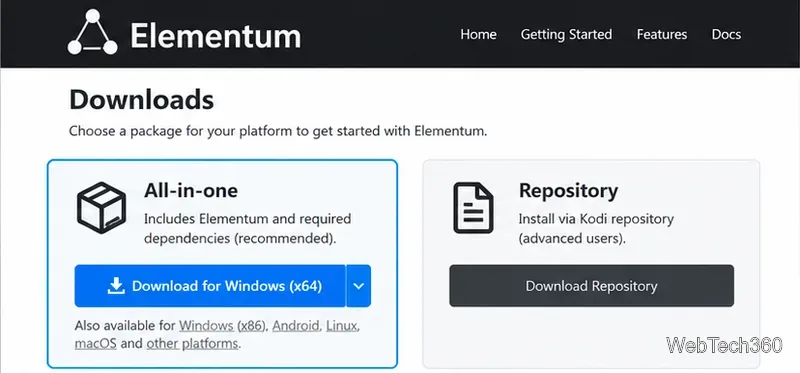
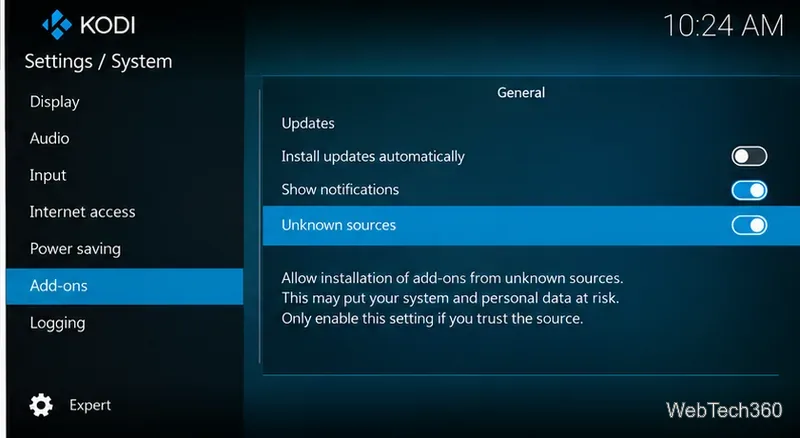
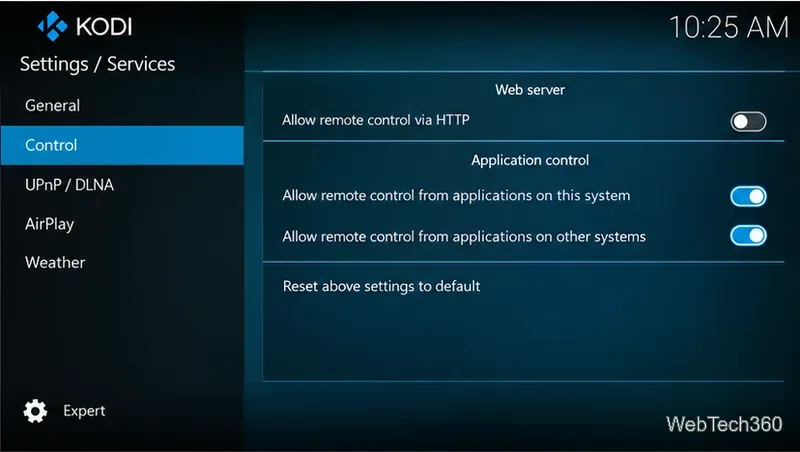
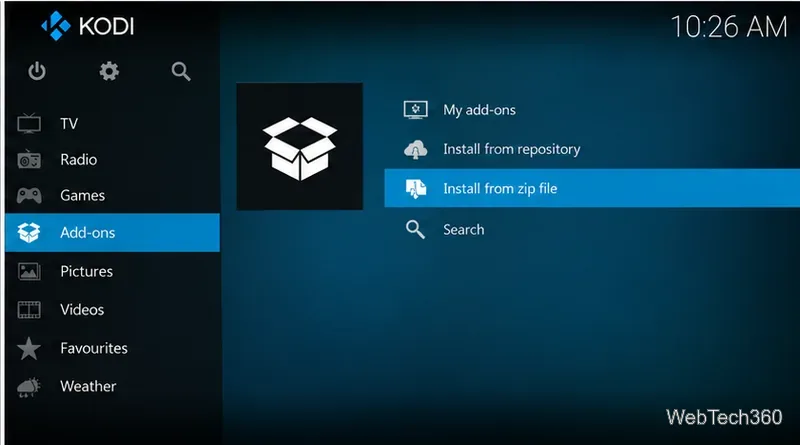
plugin.video.elementum-…zip file and select it. Allow Kodi to install the add-on and required dependencies; then confirm Elementum appears among your video add-ons. As an alternative, install the official Elementum repository ZIP and install Elementum from that repository.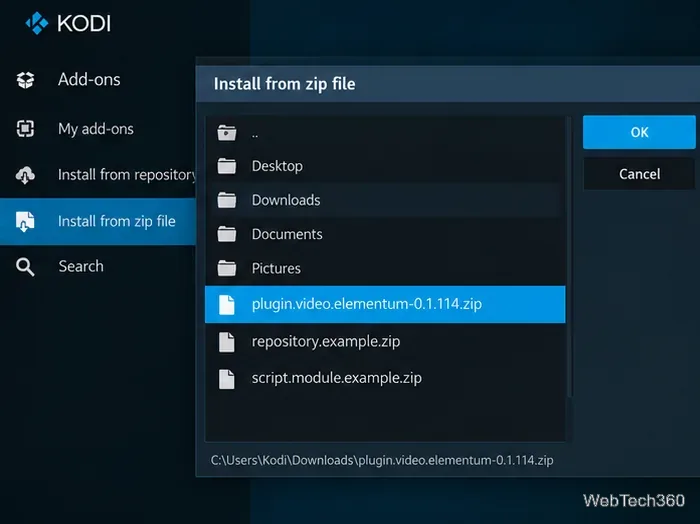
Android/data/org.xbmc.kodi/files/downloads. Ensure there is enough free space.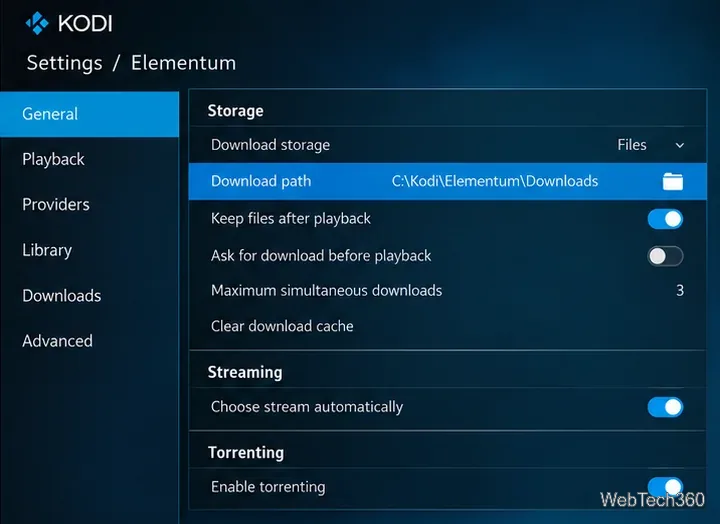
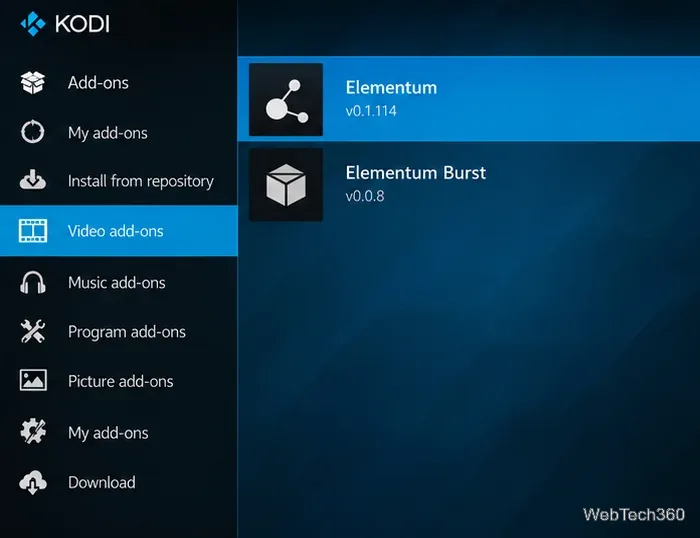
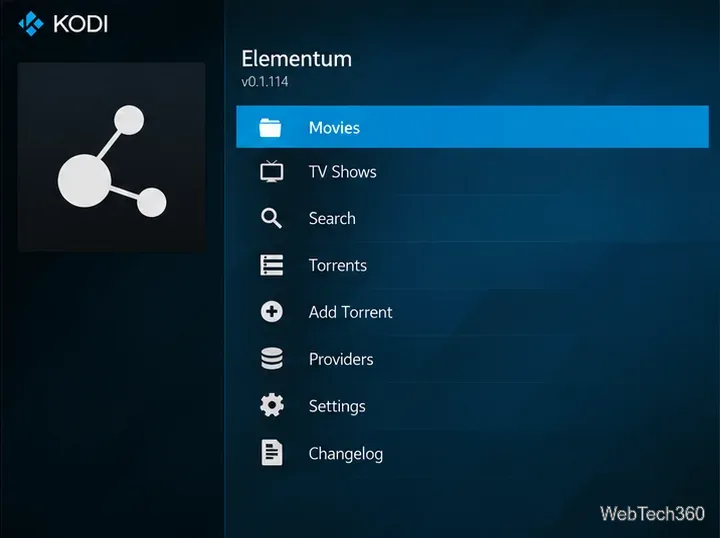
To keep a lawfully distributed video, select file-based storage and a permanent download folder before playback. If your build offers a keep-files option, enable it. Then add a legally shared torrent or select an authorized source, start playback, and let the download finish. Check the destination folder afterward; any automatic cleanup or space-management option can remove the cached copy.
Do not confuse a title appearing under Movies, TV Shows, or Search with permission to download it. Public-domain or explicitly licensed videos are better candidates for testing. For non-torrent videos already on your computer, Kodi’s regular local-library playback is simpler and avoids peer-to-peer sharing.
BitTorrent participants can generally see peers’ IP addresses, and sharing copyrighted material without permission can violate applicable law. A VPN can change the IP address visible to peers and encrypt traffic between your device and the VPN provider, but it does not make unauthorized downloads legal or eliminate all security and privacy risks. Kodi also warns that unreviewed third-party add-ons may pose security risks; see Kodi’s explanation of add-on legality. Obtain add-ons from their project sources, limit network exposure, and use only content you have rights to access and redistribute.
Learn how to uninstall a Kodi repository safely, remove its saved source URL separately, and check which installed add-ons or dependencies you still need.
Find the safest way to watch live tennis with Kodi: learn what iPlayer WWW can stream, how to find licensed coverage, and which add-ons to avoid.
Learn how to watch movies on Kodi from your computer, USB drive, or NAS, add online video services, and fix missing titles with clear setup steps.
Set a Kodi Master Lock PIN, protect selected menus, and create a separate kids’ profile with media sources you choose.
Find the authorized stream for your country, check whether its provider supports Kodi, and watch a boxing PPV on your TV without relying on outdated add-ons.
Compare five Kodi skins in the official Omega catalog, then follow the current Settings path to install one, customize it, or switch back.
Looking for the 1Channel Kodi add-on? Learn why old PrimeWire installation guides are unreliable and how to install a supported video add-on safely.
Enable Kodi’s Chorus2 web interface, control your media from any browser, and learn how to connect remotely without exposing Kodi to the Internet.
Follow the original Nemesis Kodi installation process, learn what changed with Stream Army, and avoid outdated repository and PIN instructions.
Download Kodi safely on Windows using the official installer or Microsoft Store, then add your media library and set up trusted add-ons.








