How to Uninstall Kodi Repositories the Right Way

Learn how to uninstall a Kodi repository safely, remove its saved source URL separately, and check which installed add-ons or dependencies you still need.
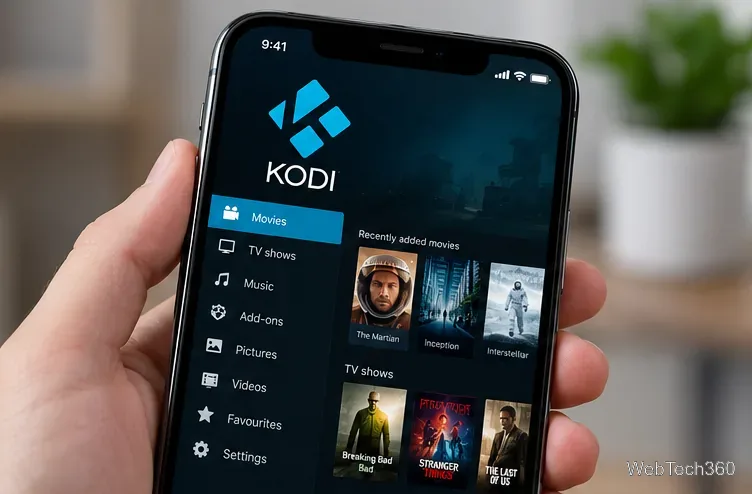
You can install Kodi on an iPhone without jailbreaking it, but not by downloading it from the App Store. You need to sign and sideload the Kodi iOS app. If your iPhone is already jailbroken, installing Kodi through a package manager is simpler. For most people, the non-jailbreak route is the safer starting point; there is no reason to jailbreak solely to use Kodi.
| Method | What you need | Main trade-off |
|---|---|---|
| No jailbreak: Mac | Xcode, iOS App Signer, Apple Account | More setup; free signing expires after seven days |
| No jailbreak: Windows | Compatible Kodi IPA and a sideloading utility | More manual packaging and third-party software |
| Already jailbroken | Cydia, Sileo, Zebra, or another supported package manager | Simpler installation, but jailbreaking reduces device security |
Kodi currently lists v21.3 Omega for iOS, and its download page states support for iOS 11 or later. Check the current download page before choosing a build. Modern iPhones need the 64-bit package; older 32-bit devices require an older compatible release.
Back up your iPhone and any existing Kodi library. Get the Kodi package from Kodi’s official iOS download page, not an unknown pre-signed IPA site. Never give your Apple Account credentials to an unfamiliar service. Sideloading and jailbreaking do not make copyrighted streams legal, and Kodi itself does not supply premium TV channels or movies.
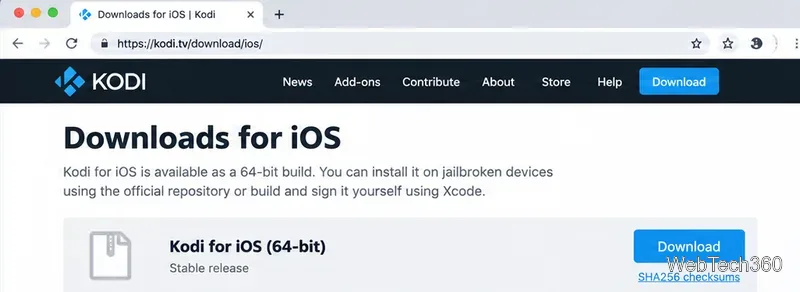
This is the method documented by Kodi using Xcode and iOS App Signer. Menu labels can vary with your Xcode version.
.deb package from Kodi. Keep the file accessible in Downloads.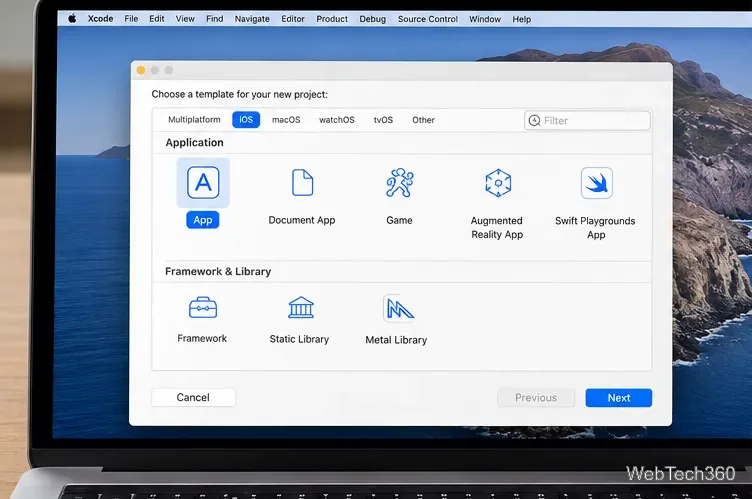
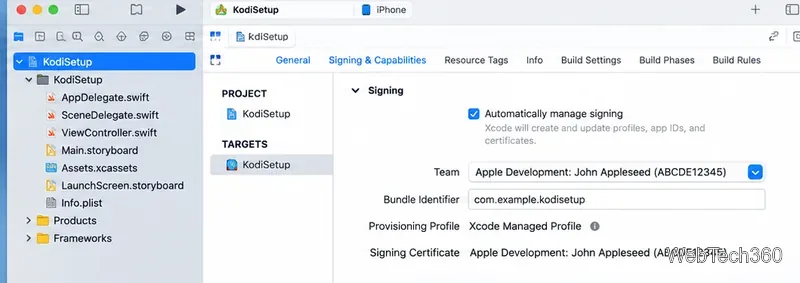
.deb as the input, then choose the signing certificate and provisioning profile generated for your device. Select Start and save the resulting .ipa file.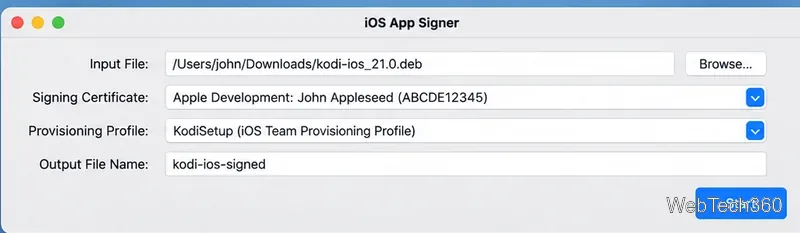
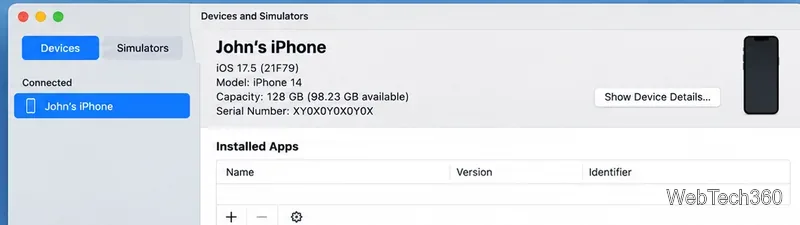
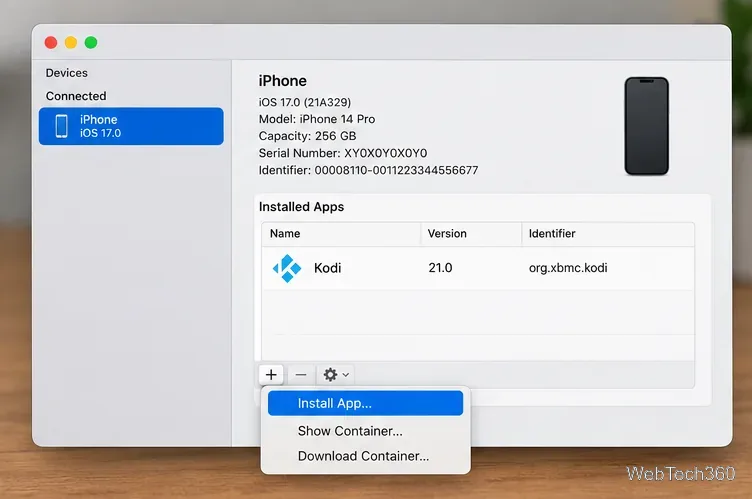
Apple documents both Apple’s Developer Mode documentation and Apple’s device-app installation instructions. Apple also explains the seven-day profile limit in Apple’s Personal Team rules. When refreshing the app, use the same signing identity and bundle identifier where possible, and back up Kodi data before major changes.
This path is for devices that are already jailbroken. Do not jailbreak a current iPhone just to shorten these installation steps.
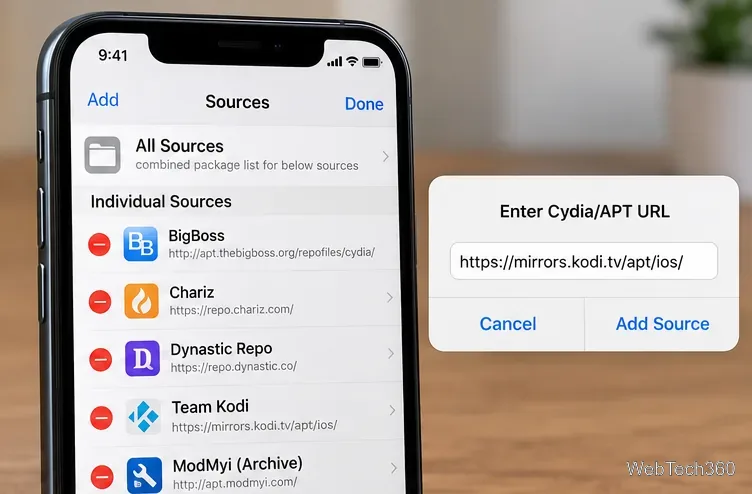
Kodi also documents a non-jailbreak route using a self-signed .ipa and Sideloadly’s official website on Windows or macOS. That process involves converting Kodi’s .deb package into an IPA and signing it for your own device. It is more hands-on than the Mac workflow above, and free signing still requires periodic renewal. Use the conversion and installation directions in Kodi’s official guide rather than downloading an IPA from an untrusted source.
Once Kodi starts, add media you own or have permission to access. The built-in Kodi add-on repository is preferable to unknown third-party repositories. For the current supported build and any changes to installation options, consult Kodi’s official iOS download page and Kodi’s iOS installation guide.
Learn how to uninstall a Kodi repository safely, remove its saved source URL separately, and check which installed add-ons or dependencies you still need.
Find the safest way to watch live tennis with Kodi: learn what iPlayer WWW can stream, how to find licensed coverage, and which add-ons to avoid.
Learn how to watch movies on Kodi from your computer, USB drive, or NAS, add online video services, and fix missing titles with clear setup steps.
Set a Kodi Master Lock PIN, protect selected menus, and create a separate kids’ profile with media sources you choose.
Find the authorized stream for your country, check whether its provider supports Kodi, and watch a boxing PPV on your TV without relying on outdated add-ons.
Compare five Kodi skins in the official Omega catalog, then follow the current Settings path to install one, customize it, or switch back.
Looking for the 1Channel Kodi add-on? Learn why old PrimeWire installation guides are unreliable and how to install a supported video add-on safely.
Enable Kodi’s Chorus2 web interface, control your media from any browser, and learn how to connect remotely without exposing Kodi to the Internet.
Follow the original Nemesis Kodi installation process, learn what changed with Stream Army, and avoid outdated repository and PIN instructions.
Download Kodi safely on Windows using the official installer or Microsoft Store, then add your media library and set up trusted add-ons.








