How to Uninstall Kodi Repositories the Right Way

Learn how to uninstall a Kodi repository safely, remove its saved source URL separately, and check which installed add-ons or dependencies you still need.
To update Kodi on a Windows PC, use the same installation source you already have: update a Microsoft Store copy in the Store, or run the current official Kodi installer over a copy installed with the .exe. Kodi’s core app does not have a dependable in-app “Check for updates” command. Back up Kodi’s data before a major version change, then confirm the version after restarting.
As of October 24, 2026, Kodi’s Windows download page lists Kodi 21.3 Omega as the recommended stable release. Kodi 22 “Piers” RC1 is available in the prerelease channel. Choose the recommended build for everyday use; an RC is preview software and can still have bugs or add-on compatibility problems. Check the official Kodi Windows downloads page before installing because the recommended version can change.
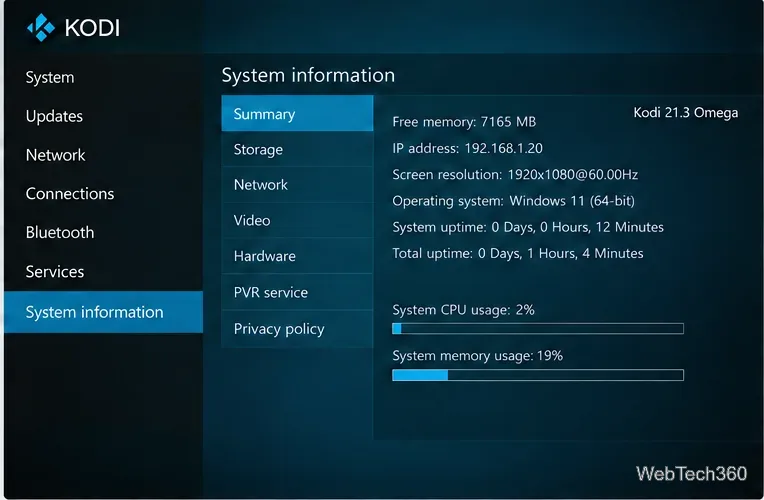
To see your version in Kodi, open Settings (the gear icon), then choose System information. Kodi’s exact version and build details appear at the lower-right corner of its screens. The Kodi System Information guide explains the screen.
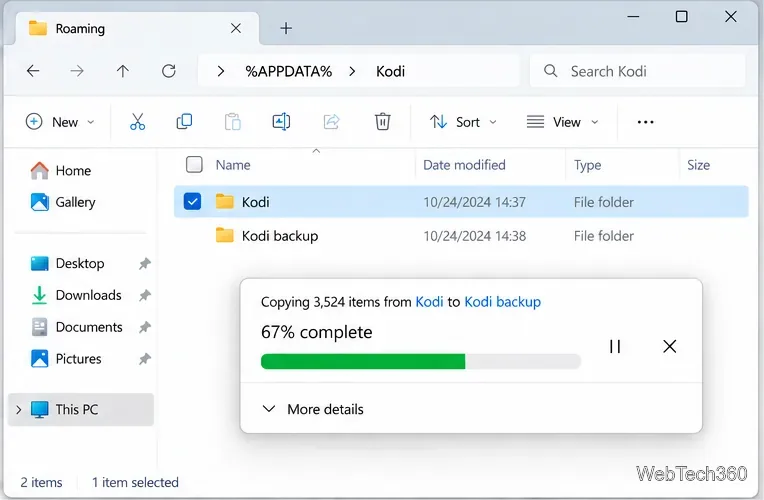
Kodi keeps add-ons, skins, profiles, settings, and media-library databases in its data folder, separate from the program files. Backing up this folder gives you a recovery copy if an upgrade or an add-on migration goes wrong. The folder location depends on how Kodi was installed:
%APPDATA%, and copy the Kodi folder to another location.%LOCALAPPDATA%\Packages\XBMCFoundation.Kodi_4n2hpmxwrvr6p\LocalCache\Roaming\Kodi.portable_data\userdata folder beside the Kodi program.Copy the folder while Kodi is closed. Do not delete the data folder as part of a routine update. Kodi’s data-folder reference and backup guide describe the locations and what they contain.
Use this method if Kodi was installed from the Store. Store apps can update automatically, so you may already have the newest version offered to your device. Microsoft’s Store update instructions let you check manually.
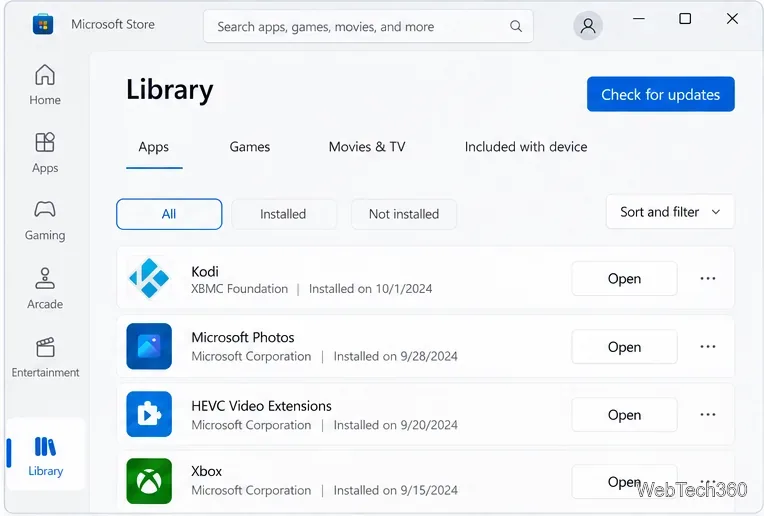
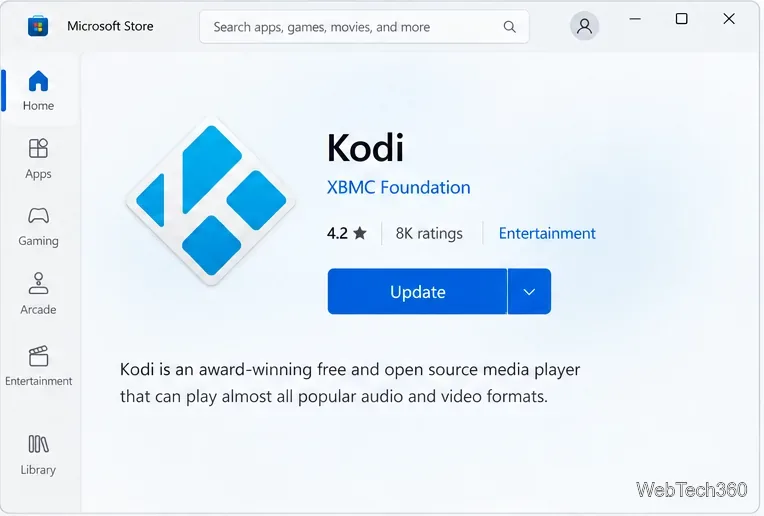
Keep a Store installation on the Store update path. The Store and standalone installer use different data-folder locations, so switching methods can make Kodi appear to start with a new profile.
Choose this route if your current Kodi copy was installed from the downloadable Windows installer. Kodi’s current Windows guide documents the .exe and Microsoft Store as the standard installation options; an old in-app Windows Installer add-on is not needed for this process.
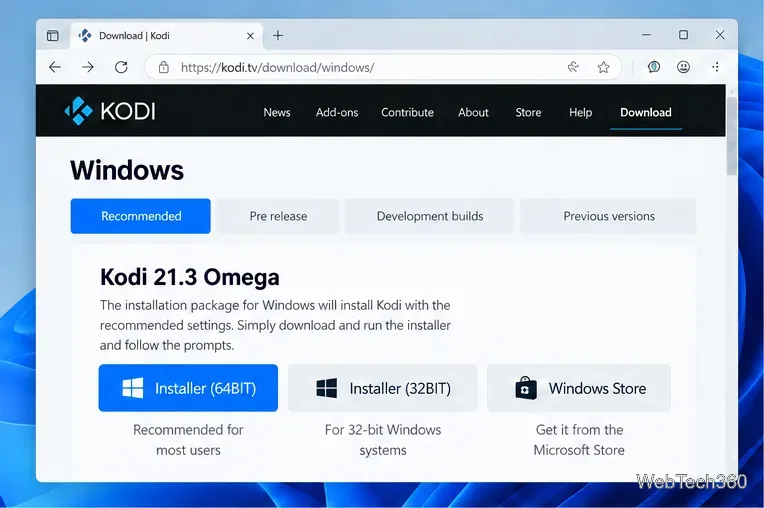
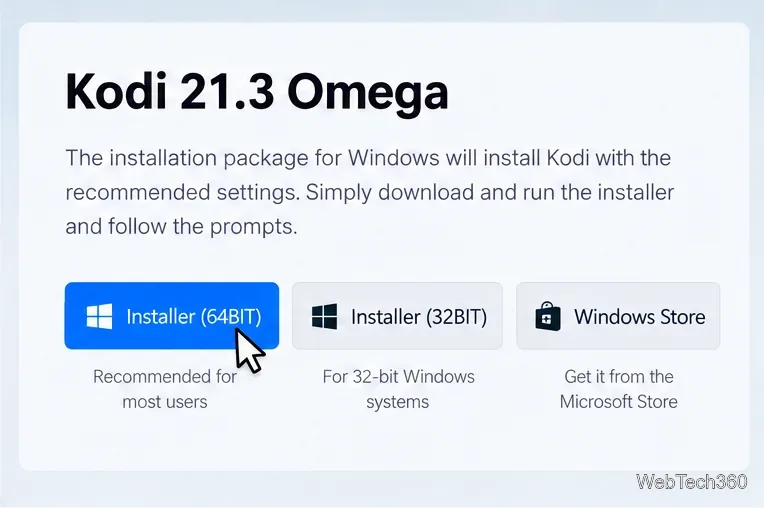
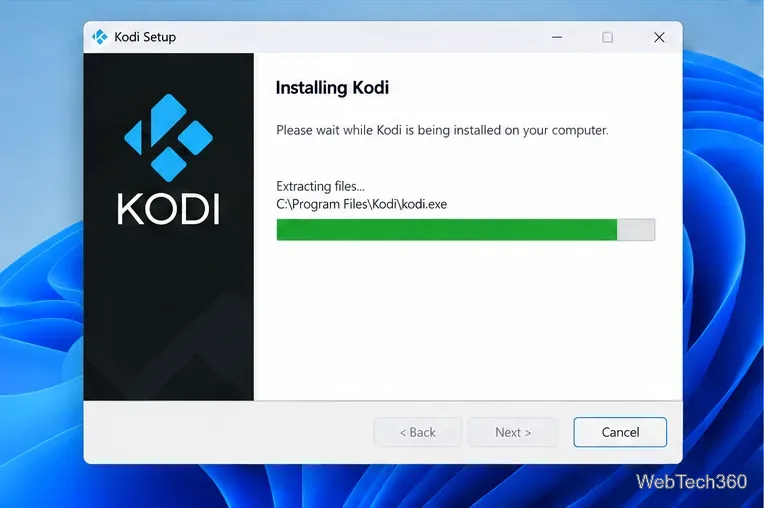
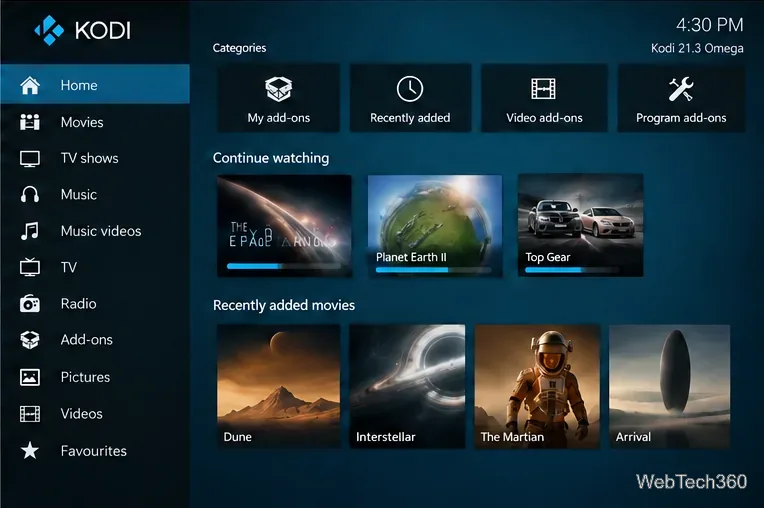
If the Store has no update yet, it may not have reached your device; leave the current installation in place and check again. If the standalone installer reports an architecture or install problem, verify that you downloaded the correct Windows build from Kodi, then retry after closing Kodi. Do not disable Windows security protections just to run a file you cannot verify. For a major Kodi upgrade, check whether your add-ons and skin support the new release before relying on them.
These steps update Kodi itself. Updating an add-on inside Kodi changes that add-on, not the Kodi application.
Learn how to uninstall a Kodi repository safely, remove its saved source URL separately, and check which installed add-ons or dependencies you still need.
Find the safest way to watch live tennis with Kodi: learn what iPlayer WWW can stream, how to find licensed coverage, and which add-ons to avoid.
Learn how to watch movies on Kodi from your computer, USB drive, or NAS, add online video services, and fix missing titles with clear setup steps.
Set a Kodi Master Lock PIN, protect selected menus, and create a separate kids’ profile with media sources you choose.
Find the authorized stream for your country, check whether its provider supports Kodi, and watch a boxing PPV on your TV without relying on outdated add-ons.
Compare five Kodi skins in the official Omega catalog, then follow the current Settings path to install one, customize it, or switch back.
Looking for the 1Channel Kodi add-on? Learn why old PrimeWire installation guides are unreliable and how to install a supported video add-on safely.
Enable Kodi’s Chorus2 web interface, control your media from any browser, and learn how to connect remotely without exposing Kodi to the Internet.
Follow the original Nemesis Kodi installation process, learn what changed with Stream Army, and avoid outdated repository and PIN instructions.
Download Kodi safely on Windows using the official installer or Microsoft Store, then add your media library and set up trusted add-ons.








