How to Uninstall Kodi Repositories the Right Way

Learn how to uninstall a Kodi repository safely, remove its saved source URL separately, and check which installed add-ons or dependencies you still need.
Short answer: Kodi does not include a La Liga broadcast or subscription. First find the licensed broadcaster for the country where you are watching, then use its supported app or website. Kodi can show a live channel only when a broadcaster or TV provider offers a compatible add-on or supplies an authorized IPTV playlist. There is no universal Kodi setting that unlocks La Liga worldwide.
Start with LALIGA’s official broadcaster finder. Choose your country and check the current listings for LALIGA EA SPORTS, the Spanish top division. Broadcast rights are territorial and can change by season, so confirm the listed provider’s own schedule and package details before subscribing.
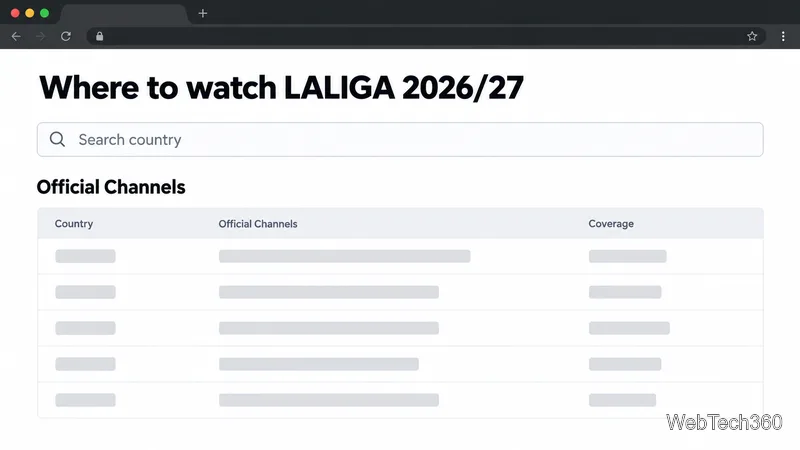
Check that the service carries the match you want live, not only highlights or selected fixtures. Also verify the supported devices, commentary options, subscription terms, and whether a separate sports package is required. The broadcaster’s match listing is the best place to confirm coverage for a specific fixture.
If you are traveling, check the provider’s official travel and account rules. A subscription in one country does not guarantee that every match will be available in every other country. A VPN changes your network route; it does not grant broadcast rights or override a provider’s terms.
Many licensed services offer a browser player or apps for smart TVs, streaming devices, phones, and tablets. If the rights holder does not publish an official Kodi add-on or provide a Kodi-compatible playlist to subscribers, watch through the service’s supported app or website instead. That route is usually simpler and preserves the provider’s account checks, stream quality options, and customer support.
Kodi is a media center, not a sports broadcaster. Its official project description separates the Kodi software from the content people choose to play. Kodi’s PVR IPTV Simple Client can read an M3U channel playlist and, optionally, an XMLTV electronic program guide. Those files must come from a TV provider that is authorized to distribute the channels and permits their use in Kodi.
A streaming subscription alone does not necessarily include an M3U link. If your provider gives you no official Kodi add-on or playlist, the Kodi route is not available for that service. Avoid random repositories and add-ons advertised as a way to watch paid sports for free. Kodi’s documentation says third-party repositories are untrusted and their contents can change without notice; see its guidance on unofficial add-on repositories.
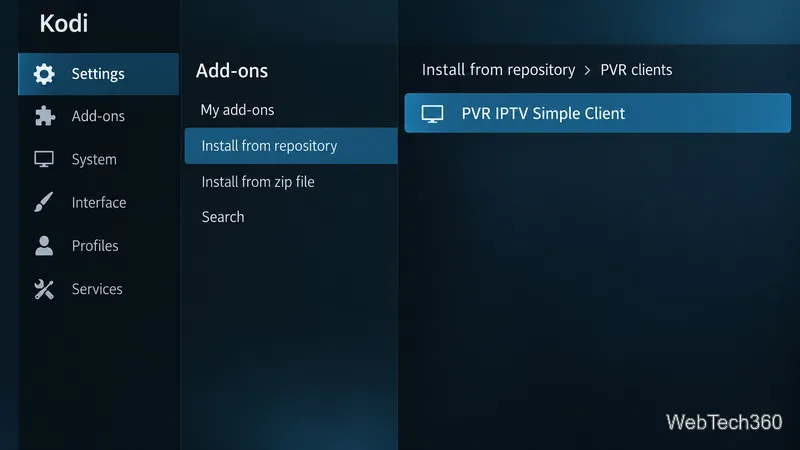
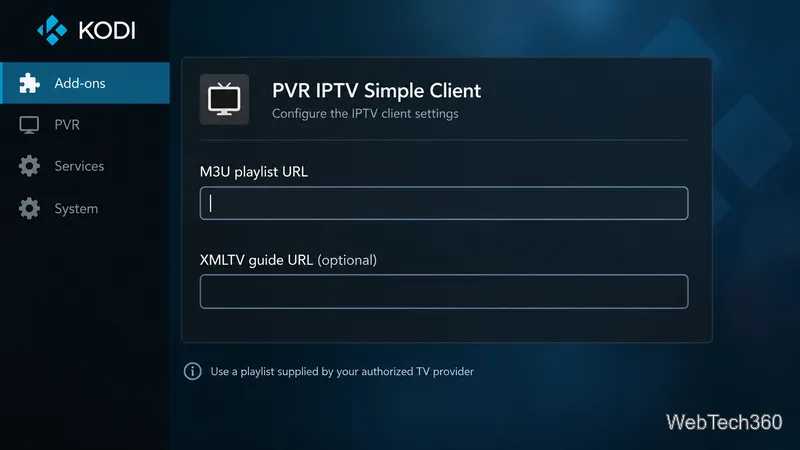
Treat a playlist URL like a password: it may contain account credentials. Do not post it publicly or include it in an unredacted screenshot. If your provider publishes a dedicated Kodi add-on instead, follow that provider’s setup instructions and skip playlist configuration.
For most viewers, the reliable path is to use LALIGA’s country finder, subscribe to the listed rights holder, and watch on a device it supports. Use Kodi only when your provider explicitly authorizes the add-on or IPTV feed.
Learn how to uninstall a Kodi repository safely, remove its saved source URL separately, and check which installed add-ons or dependencies you still need.
Find the safest way to watch live tennis with Kodi: learn what iPlayer WWW can stream, how to find licensed coverage, and which add-ons to avoid.
Learn how to watch movies on Kodi from your computer, USB drive, or NAS, add online video services, and fix missing titles with clear setup steps.
Set a Kodi Master Lock PIN, protect selected menus, and create a separate kids’ profile with media sources you choose.
Find the authorized stream for your country, check whether its provider supports Kodi, and watch a boxing PPV on your TV without relying on outdated add-ons.
Compare five Kodi skins in the official Omega catalog, then follow the current Settings path to install one, customize it, or switch back.
Looking for the 1Channel Kodi add-on? Learn why old PrimeWire installation guides are unreliable and how to install a supported video add-on safely.
Enable Kodi’s Chorus2 web interface, control your media from any browser, and learn how to connect remotely without exposing Kodi to the Internet.
Follow the original Nemesis Kodi installation process, learn what changed with Stream Army, and avoid outdated repository and PIN instructions.
Download Kodi safely on Windows using the official installer or Microsoft Store, then add your media library and set up trusted add-ons.








