How to Uninstall Kodi Repositories the Right Way

Learn how to uninstall a Kodi repository safely, remove its saved source URL separately, and check which installed add-ons or dependencies you still need.
Short answer: A current, publisher-verified Non Stop Kodi download could not be confirmed. The old guide points to a third-party repository that Kodi’s forum policy lists on its repository blacklist. Treat the channel list and install steps as historical, not a reliable download path.
Here’s what the old Non Stop guide claimed, how to assess a third-party package, and the generic Kodi ZIP-install process. No unverified repository address or current availability is presented.
An older review described live IPTV and 24/7 streams, with sections for shows, kids’ programming, news, webcams, music, and “Random 24.” It also quoted counts such as more than 1,300 channels. These are historical claims, not a current catalog; they do not confirm working links, maintenance, or distribution rights.
The old guide points to Where the Monsters Live. Kodi’s forum policy page lists that repository on its blacklist. Kodi says the policy applies to its websites and channels; it does not block installation or serve as a court ruling about a stream. The listing is a reason not to call this a trusted or recommended source.
As of October 27, 2026, a current maintainer-controlled Non Stop release or ZIP could not be verified. If it is missing from Kodi, do not substitute a mirror, re-upload, or similarly named package.
Kodi add-ons run code and receive updates from repositories, so the source matters. Kodi’s Unknown sources documentation says this setting is needed for add-ons outside Kodi’s repository and warns that third-party add-ons may access personal data.
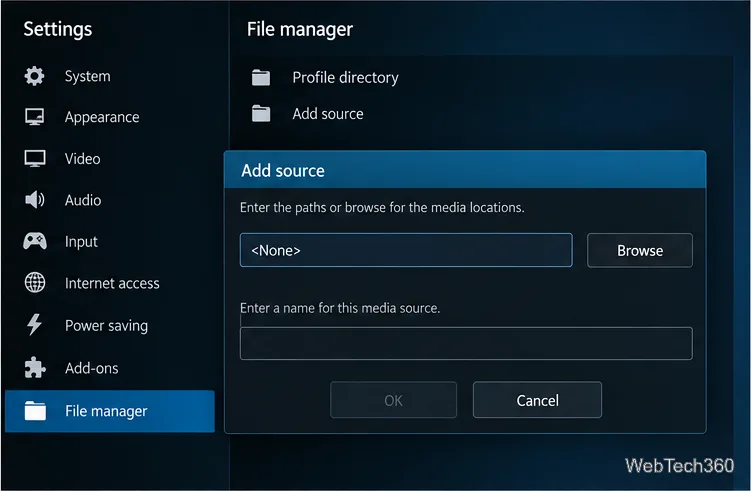
Menu wording varies by Kodi version, platform, or skin. These steps follow Kodi’s ZIP installation guidance. Continue only with a verified source.
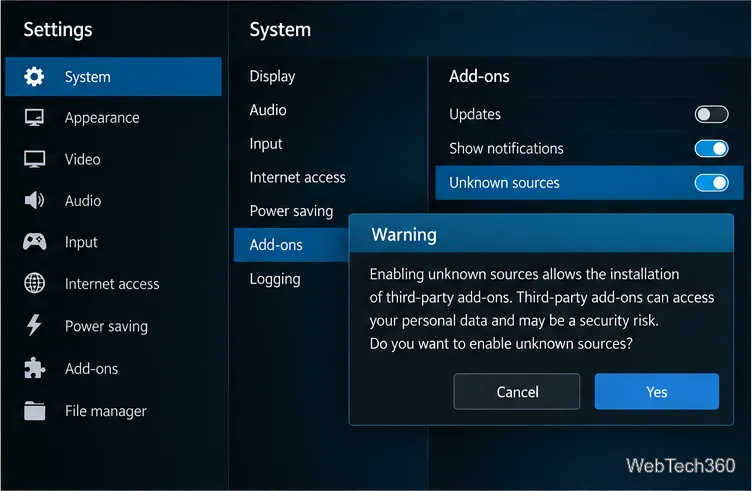
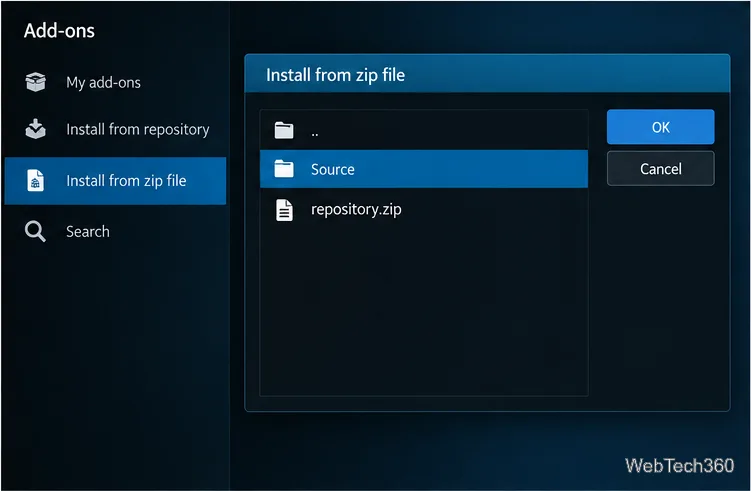
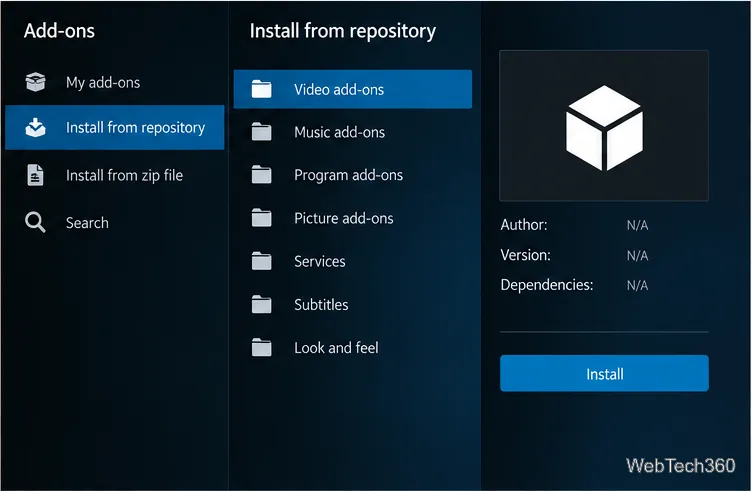
If a repository errors, Non Stop is missing, or Kodi reports incompatibility, stop and check the publisher’s status. Don’t add ZIPs suggested by pop-ups, install a Kodi build, or enter credentials to revive an old guide. Remove sources or repositories you no longer trust through the Add-on manager, then restart Kodi.
If your goal is live TV, check the broadcaster or subscription provider’s own app and support page for current, authorized viewing options. Kodi’s official repository documentation explains that the Kodi add-on repository is maintained by the Kodi team and included by default. It is the safer place to start when looking for maintained Kodi add-ons.
The old channel claims do not verify today’s streams or package safety. Kodi’s listing for the named repository and the lack of a confirmed current release leave no exact Non Stop download path to recommend. Use these generic steps only when you can verify the publisher, ZIP, version, and content rights.
Learn how to uninstall a Kodi repository safely, remove its saved source URL separately, and check which installed add-ons or dependencies you still need.
Find the safest way to watch live tennis with Kodi: learn what iPlayer WWW can stream, how to find licensed coverage, and which add-ons to avoid.
Learn how to watch movies on Kodi from your computer, USB drive, or NAS, add online video services, and fix missing titles with clear setup steps.
Set a Kodi Master Lock PIN, protect selected menus, and create a separate kids’ profile with media sources you choose.
Find the authorized stream for your country, check whether its provider supports Kodi, and watch a boxing PPV on your TV without relying on outdated add-ons.
Compare five Kodi skins in the official Omega catalog, then follow the current Settings path to install one, customize it, or switch back.
Looking for the 1Channel Kodi add-on? Learn why old PrimeWire installation guides are unreliable and how to install a supported video add-on safely.
Enable Kodi’s Chorus2 web interface, control your media from any browser, and learn how to connect remotely without exposing Kodi to the Internet.
Follow the original Nemesis Kodi installation process, learn what changed with Stream Army, and avoid outdated repository and PIN instructions.
Download Kodi safely on Windows using the official installer or Microsoft Store, then add your media library and set up trusted add-ons.








