How to Uninstall Kodi Repositories the Right Way

Learn how to uninstall a Kodi repository safely, remove its saved source URL separately, and check which installed add-ons or dependencies you still need.
StreamHub is not a Kodi add-on you can confidently call safe or legal for every stream. Kodi itself is legitimate media-center software, but StreamHub is an older, unofficial add-on associated with third-party streaming links. There is no verified, maintained release or independent security assessment here that would justify promising a malware-free installation. Whether any particular video is lawful to watch depends on the rights to that content and the laws where you are.
StreamHub, described in older guides as a successor to Media Hub, was designed to collect links to movies, TV episodes, live television, sports, music videos, documentaries, and children's content in one Kodi interface. Historical menus do not establish what plays today.
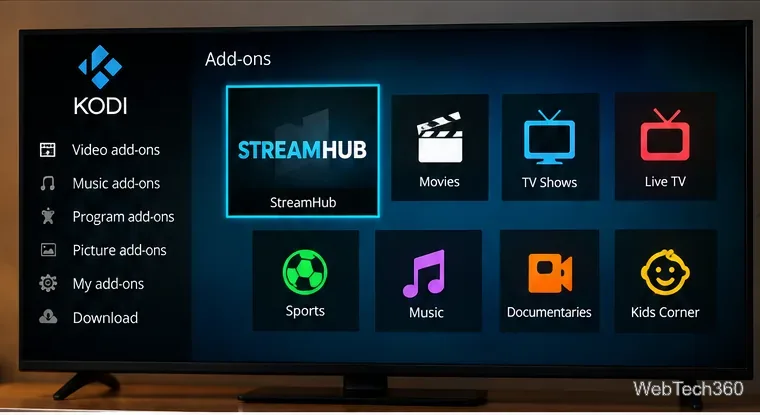
Previous installation instructions commonly referred to StreamHub version 3.1.6 and a repository backup at the Internet Archive directory for repository.streamhub. That directory still lists a repository.streamhub.zip file dated June 8, 2017. This establishes the age of that archived file, not that the add-on remains supported, compatible with current Kodi versions, secure, or operational. An archive is not a software security endorsement.
Installing Kodi is legal; the source of the material you play is the key distinction. Team Kodi explicitly separates its official software from third-party add-ons and says that unofficial repositories are neither produced nor endorsed by its developers. See Kodi’s explanation of legality and unofficial add-ons.
Watching your own media files, licensed broadcasts, or videos distributed with permission is generally different from using an unlicensed source for a commercial movie or pay-TV channel. A link appearing inside StreamHub does not establish that the host has permission to distribute it.
Do not rely on the old claim that watching a stream must be legal because you never save the complete movie. Streaming still transfers data to a device; copyright rules differ by jurisdiction, and the rights involved can include public performance, reproduction, and distribution. The U.S. Copyright Office’s discussion of unauthorized streaming addresses the public-performance right, although it is not a universal statement about every viewer's liability. Torrent technology can also be used lawfully, but peer-to-peer software may upload data to others.
Practical test: Can you identify the broadcaster, studio, creator, or licensed platform authorized to provide the title in your location? If the only evidence is a free link to a normally paid movie, event, or channel, avoid assuming that access is authorized.
The main problem is trust. Kodi add-ons can run software code, and a repository may deliver updates or dependencies. An old ZIP from an unfamiliar source could be broken, altered, or unsuitable for a newer Kodi release. No code audit or malware scan is claimed here.
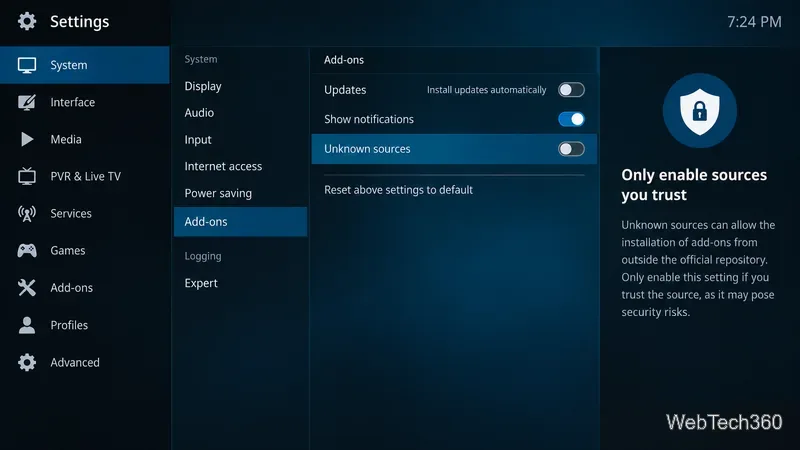
Kodi says its official repository is reviewed, while private repositories do not receive the same assurance. Its Unknown sources setting must be enabled for installations from ZIP files outside the official repository. That warning is meaningful: enabling an installation path is not the same as verifying the package.
Before trusting any unofficial Kodi extension, look for a currently maintained developer project, a clear source-code and release history, compatibility information for your Kodi version, and a legitimate explanation of where its streams originate. Without them, it is safer not to install.
No. A trustworthy VPN can encrypt traffic between your device and the VPN server and reduce what a local network or internet provider can inspect. It does not inspect an add-on for harmful code, guarantee anonymity, confirm the rights to a video, or give permission to watch an unlicensed stream. A VPN also requires trusting its operator.
If you use a VPN for ordinary privacy, evaluate its documented logging practices, software maintenance, independent assessments, and device support rather than an old discount offer or unverified server count. A paid VPN cannot turn a dubious download into a safe add-on.
You do not need to follow an old ZIP-installation walkthrough simply to assess your existing setup. Instead:
The Kodi add-on manager documentation explains where installed packages, repositories, and dependencies are managed. Removing an untrusted add-on reduces exposure to unsupported code.
Start with Add-ons > Install from repository and browse the official Kodi catalog for add-ons that support your version. Then verify the actual streaming service's terms and regional availability. You can also use Kodi to play personal video files stored on a computer, drive, or home network. Kodi does not include a library of free commercial movies on its own.
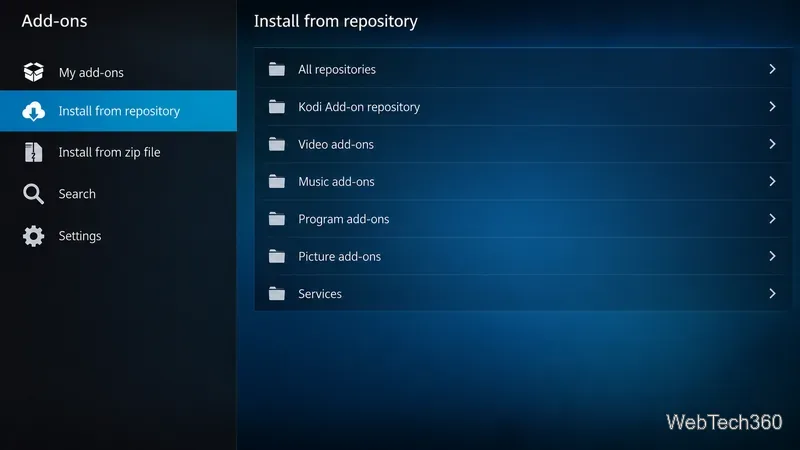
The official Kodi add-on directory is a better reference than a years-old list of mirrors or download links. Check the catalog for current compatibility.
StreamHub was a convenient collection of streaming categories in older Kodi guides, but its archived repository is not a reliable endorsement of its present-day safety or functionality. Using Kodi is lawful, while individual content links require their own licensing assessment. For dependable viewing, favor maintained add-ons from known publishers and content you have permission to access. A VPN does not replace those checks.
Learn how to uninstall a Kodi repository safely, remove its saved source URL separately, and check which installed add-ons or dependencies you still need.
Find the safest way to watch live tennis with Kodi: learn what iPlayer WWW can stream, how to find licensed coverage, and which add-ons to avoid.
Learn how to watch movies on Kodi from your computer, USB drive, or NAS, add online video services, and fix missing titles with clear setup steps.
Set a Kodi Master Lock PIN, protect selected menus, and create a separate kids’ profile with media sources you choose.
Find the authorized stream for your country, check whether its provider supports Kodi, and watch a boxing PPV on your TV without relying on outdated add-ons.
Compare five Kodi skins in the official Omega catalog, then follow the current Settings path to install one, customize it, or switch back.
Looking for the 1Channel Kodi add-on? Learn why old PrimeWire installation guides are unreliable and how to install a supported video add-on safely.
Enable Kodi’s Chorus2 web interface, control your media from any browser, and learn how to connect remotely without exposing Kodi to the Internet.
Follow the original Nemesis Kodi installation process, learn what changed with Stream Army, and avoid outdated repository and PIN instructions.
Download Kodi safely on Windows using the official installer or Microsoft Store, then add your media library and set up trusted add-ons.








