How to Uninstall Kodi Repositories the Right Way

Learn how to uninstall a Kodi repository safely, remove its saved source URL separately, and check which installed add-ons or dependencies you still need.
Short answer: Super Mospy was described as a third-party Kodi add-on for Spanish-language live TV and related entertainment. As of October 27, 2026, I could not verify a current maintainer, supported release, or trusted download for it. The old installation address is not a source I can confirm today, so do not install a ZIP from a mirror just because an older guide lists it.
The steps below explain Kodi’s general ZIP-install process for a release you have independently verified. They do not confirm that Super Mospy is currently available, compatible, safe, or authorized to stream any particular channel.
The earlier article presented Super Mospy as an IPTV-style add-on aimed at Spanish-speaking viewers, with channel lists organized by country. It also described menus for documentaries, international news, sports, fitness, music, movies, series, and children’s programming. Those are historical descriptions, not a current channel guide. Stream links can disappear, change regions, or require a broadcaster subscription, and the old article’s catalog counts and performance claims are not independently confirmed.
Kodi is a media player; it does not provide the TV channels itself. Kodi’s own guidance advises users to check who maintains third-party add-ons and what standards their source follows. Only access streams you are authorized to watch. A VPN does not grant viewing rights or make an unlicensed stream legitimate.
Use this workflow only when you have a current ZIP from a maintainer you can identify and trust. Check its release notes and Kodi-version compatibility first. The screens are illustrative examples of Kodi’s general ZIP flow, not screenshots of Super Mospy or proof that it installs.
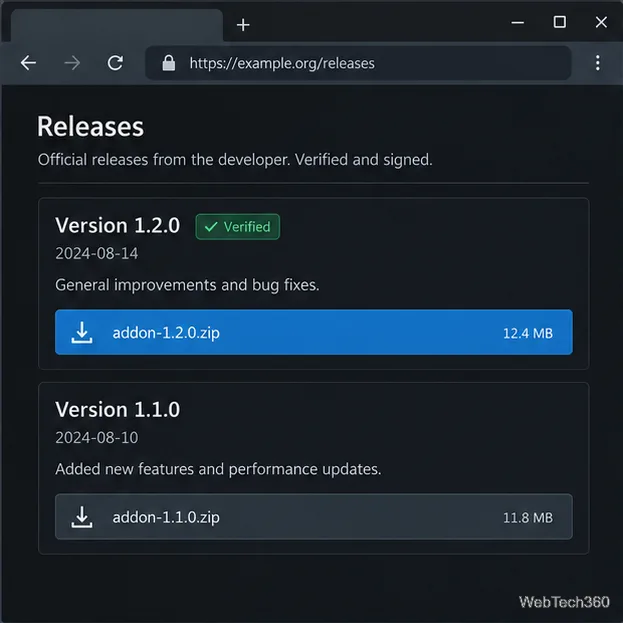
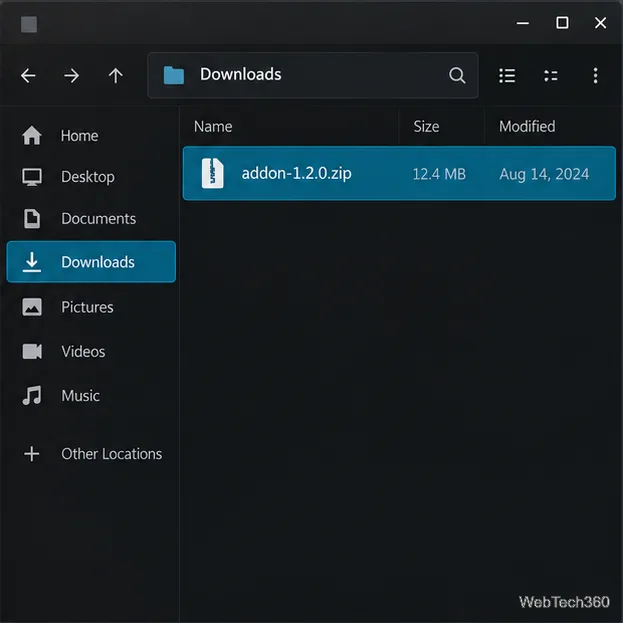
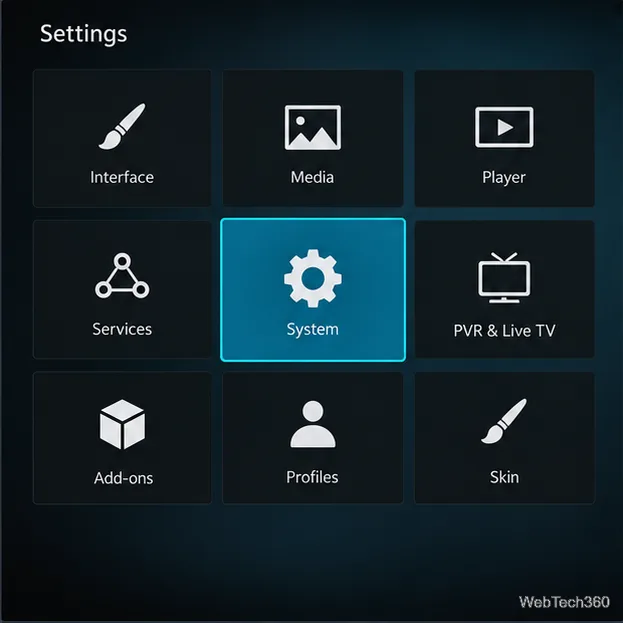
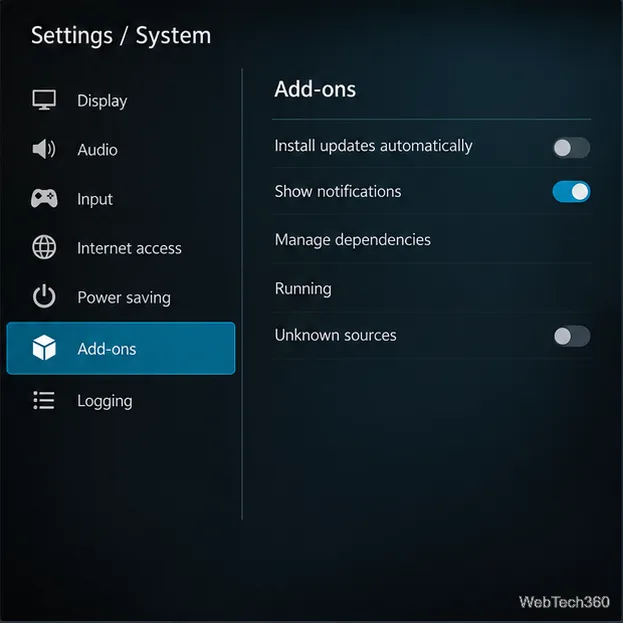
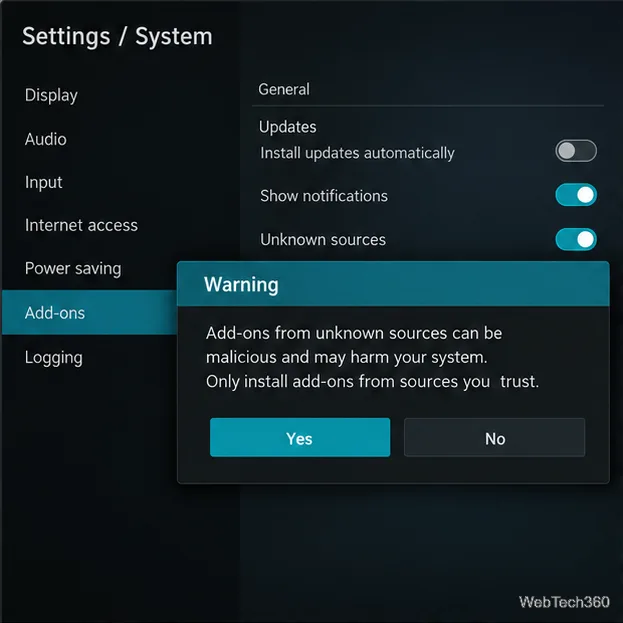
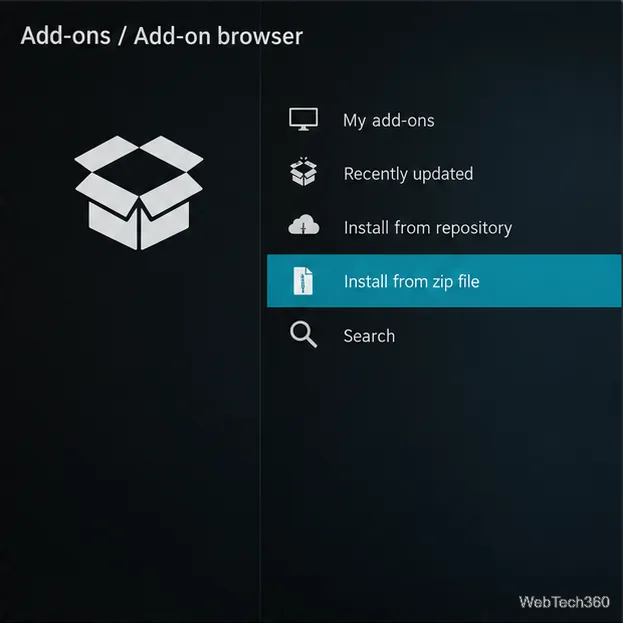
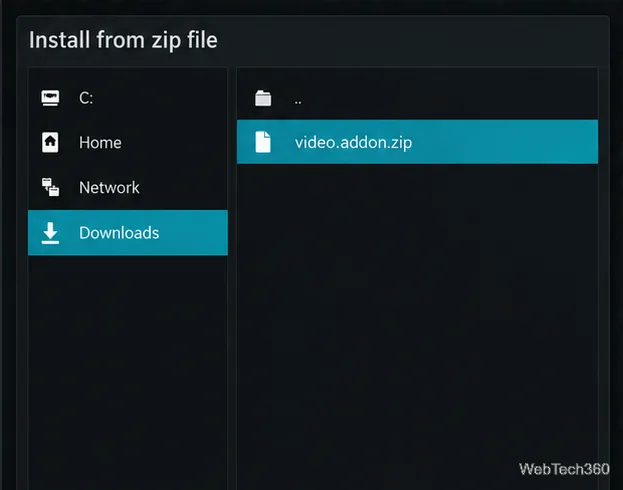
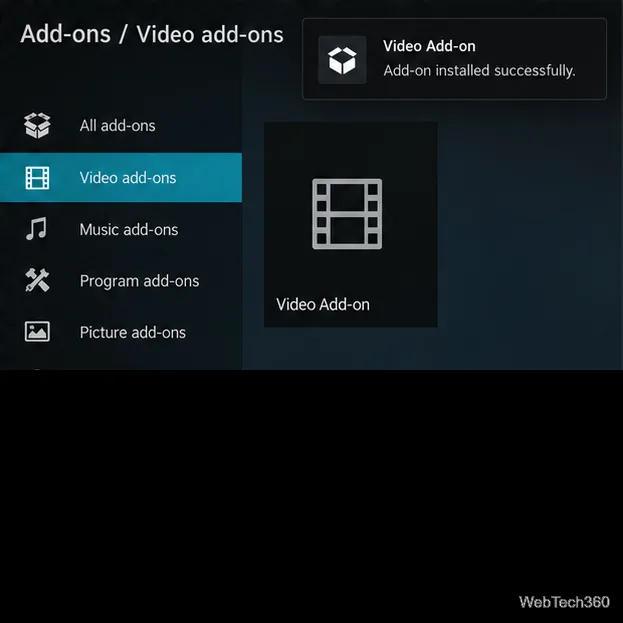
If your goal is to watch Spanish-language channels through Kodi, the official IPTV Simple Client listing describes support for M3U playlists and electronic program guide data. Kodi’s installation guide lists the repository path for adding it. Install it from Kodi’s repository through Settings → Add-ons → Install from repository → PVR clients → IPTV Simple Client → Install. This client is a player and guide reader; it does not supply channels or a playlist. Get an M3U or EPG link directly from a broadcaster or licensed TV provider, and follow that provider’s terms.
For official ZIP instructions and current setting details, see Kodi’s Add-on manager guide and System/Add-ons settings documentation. Kodi also explains the risks of third-party repositories in its add-on safety guidance. If a channel fails in IPTV Simple Client, check the provider’s playlist and service status first; changing Kodi settings cannot restore a removed or unauthorized stream.
Learn how to uninstall a Kodi repository safely, remove its saved source URL separately, and check which installed add-ons or dependencies you still need.
Find the safest way to watch live tennis with Kodi: learn what iPlayer WWW can stream, how to find licensed coverage, and which add-ons to avoid.
Learn how to watch movies on Kodi from your computer, USB drive, or NAS, add online video services, and fix missing titles with clear setup steps.
Set a Kodi Master Lock PIN, protect selected menus, and create a separate kids’ profile with media sources you choose.
Find the authorized stream for your country, check whether its provider supports Kodi, and watch a boxing PPV on your TV without relying on outdated add-ons.
Compare five Kodi skins in the official Omega catalog, then follow the current Settings path to install one, customize it, or switch back.
Looking for the 1Channel Kodi add-on? Learn why old PrimeWire installation guides are unreliable and how to install a supported video add-on safely.
Enable Kodi’s Chorus2 web interface, control your media from any browser, and learn how to connect remotely without exposing Kodi to the Internet.
Follow the original Nemesis Kodi installation process, learn what changed with Stream Army, and avoid outdated repository and PIN instructions.
Download Kodi safely on Windows using the official installer or Microsoft Store, then add your media library and set up trusted add-ons.








